Welcome to the Onshape forum! Ask questions and join in the discussions about everything Onshape.
First time visiting? Here are some places to start:- Looking for a certain topic? Check out the categories filter or use Search (upper right).
- Need support? Ask a question to our Community Support category.
- Please submit support tickets for bugs but you can request improvements in the Product Feedback category.
- Be respectful, on topic and if you see a problem, Flag it.
If you would like to contact our Community Manager personally, feel free to send a private message or an email.
Polygonal surface

Dega
Member Posts: 6 ✭
Sorry for the dumbest question ever, had a look in the forum without success.
How can I get a simple polygonal surface?
For ex. I sketch an hexagon and I want a closed polygonal surface with no thickness.
How can I get a simple polygonal surface?
For ex. I sketch an hexagon and I want a closed polygonal surface with no thickness.
0
Answers
-
Let's first start with the sketch:Dega said:Sorry for the dumbest question ever, had a look in the forum without success.
How can I get a simple polygonal surface?
For ex. I sketch an hexagon and I want a closed polygonal surface with no thickness.
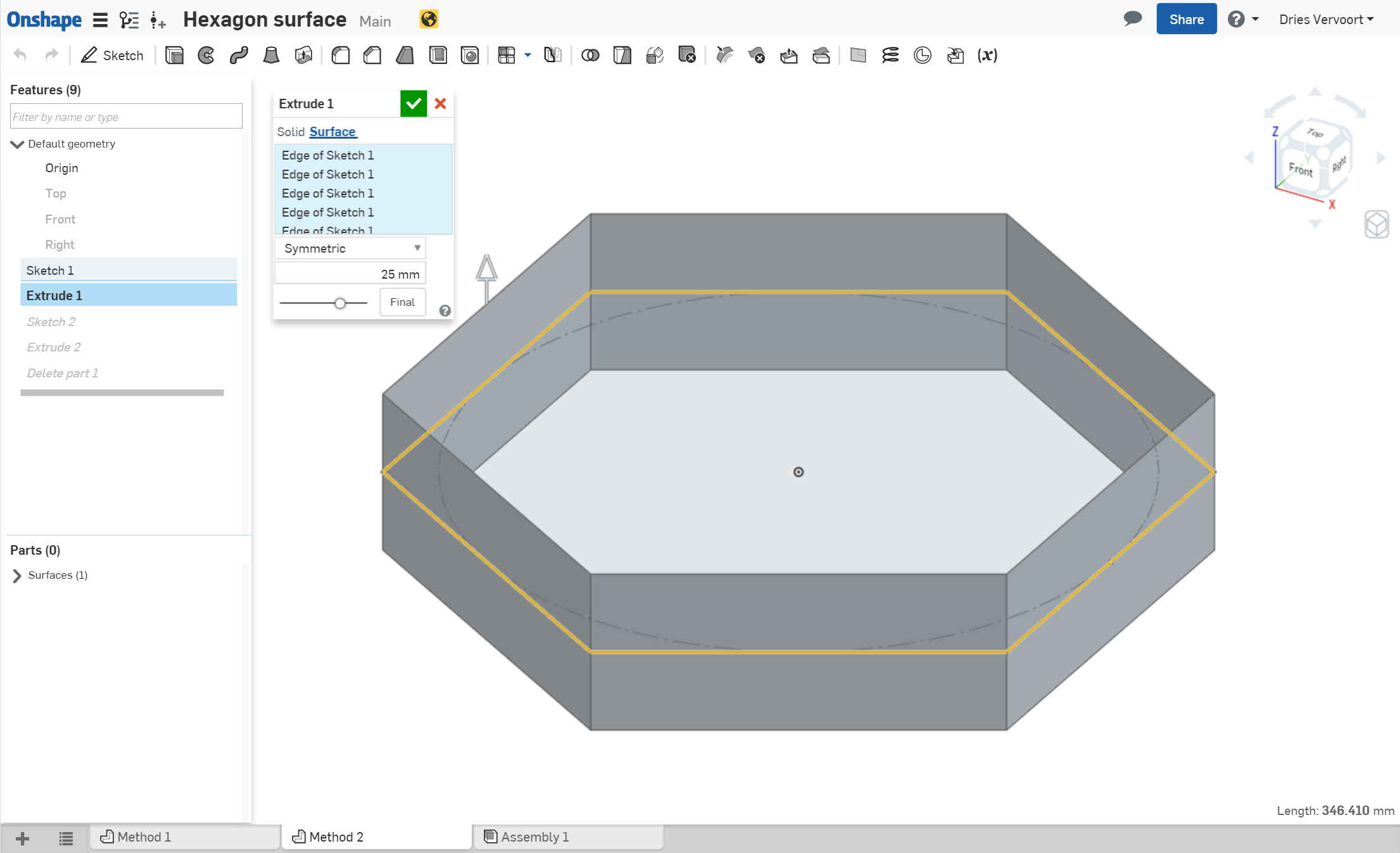
From here, click on Extrude. In the Extrude dialog, select the Surface option and select the edges of the hexagon:
After selecting them, adjust the extrude type and depth. You will have your hexagon as a surface:
0 -
rbaek said:
Let's first start with the sketch:Dega said:Sorry for the dumbest question ever, had a look in the forum without success.
How can I get a simple polygonal surface?
For ex. I sketch an hexagon and I want a closed polygonal surface with no thickness.
I was hoping for a slightly different answer to this question. Sometimes I'd like to have a surface in a certain shape (like maybe the shape of a flat hexagon).
How can I turn that hexagon into a single flat surface (one that's listed as a surface on the left sidebar)
0 -
Split with surfaces does the trick.
https://cad.onshape.com/documents/57487900676117b665eb1216/w/aab023256785150a9d8954d0/e/4fe478616ee226b05fe15f33
A planar surface feature would be nice.
Dries1 -
I tend to use planar surface geometry for rendering in KeyShot. They are very useful as geometry for area lights, because then you can define whether the light should output from the front and/or back from the surface. You can't do this with solids.NeilCooke said:Hi @Dega - can I ask how you will use this feature? You should always work with solid bodies where possible.
Dries0 -
Nothing like a good challenge! Behold my polygonal surface
https://cad.onshape.com/documents/a3ef2793d6f93b6b8c88d173/w/a25db7e050d47b3b4dea36fc/e/afe6505ebf43f7f4397b0b86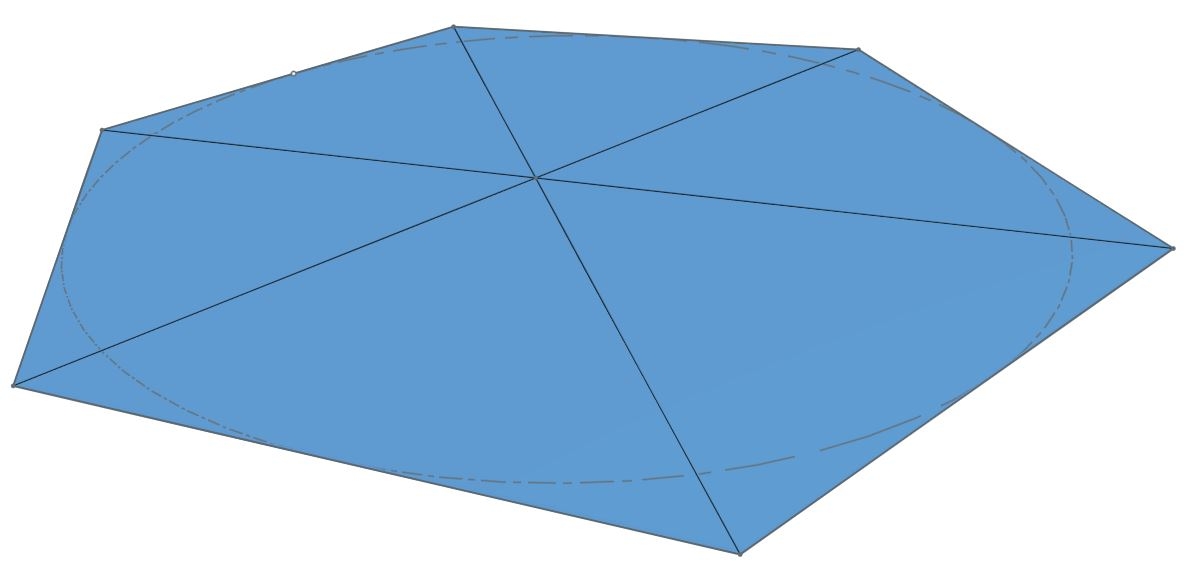
Philip Thomas - Onshape0 -
I created an even simpler version.
https://cad.onshape.com/documents/57487900676117b665eb1216/w/aab023256785150a9d8954d0/e/cc08441dd4695b6e099c5333


Dries
0 -
How did you use the edges of the extrusion as reference?DriesV said:I created an even simpler version.
https://cad.onshape.com/documents/57487900676117b665eb1216/w/aab023256785150a9d8954d0/e/cc08441dd4695b6e099c5333Dries
0 -
Thanks but I have no idea how you achieved that.philip_thomas said:Nothing like a good challenge! Behold my polygonal surface
https://cad.onshape.com/documents/a3ef2793d6f93b6b8c88d173/w/a25db7e050d47b3b4dea36fc/e/afe6505ebf43f7f4397b0b86
I tried to loft the edges with the central point but the model disappeared.
0 -
I you look closely then you can see the point for the loft was put on a plane with a tiny offset.Dega said:
Thanks but I have no idea how you achieved that.philip_thomas said:Nothing like a good challenge! Behold my polygonal surface
https://cad.onshape.com/documents/a3ef2793d6f93b6b8c88d173/w/a25db7e050d47b3b4dea36fc/e/afe6505ebf43f7f4397b0b86
I tried to loft the edges with the central point but the model disappeared.
Technically, this is not a hexagon, as it is not a single flat face. These are rather 6 triangles glued together at a very shallow angle.
Dries0 -
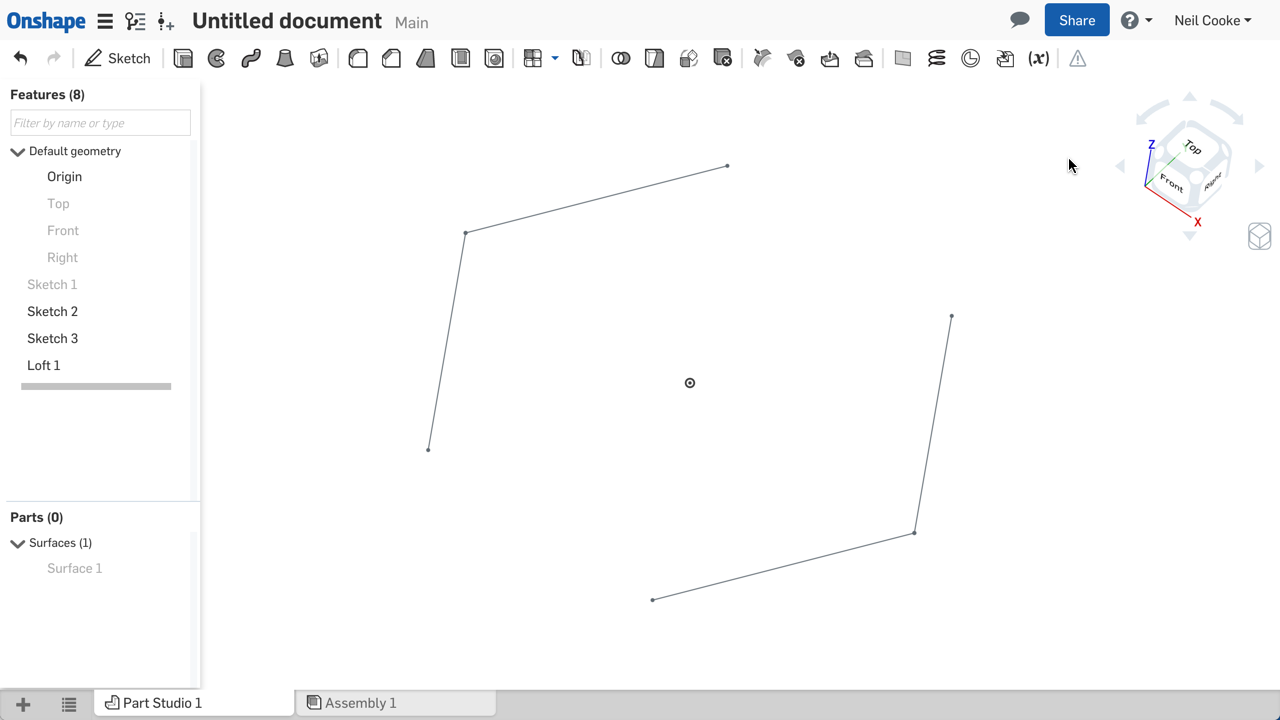

Create your polygon sketch, create two more sketches on the same plane, and "use" one side of your polygon in each, then loft between. Simples.Senior Director, Technical Services, EMEA0 -
I see, I misunderstood the question. Sorry for the confusion.0
-
@Narayan_K understood, but I meant how can I draw the line using the edges as external reference?Narayan_K said:@ Dega , Use Extrude end condition as "Up to next".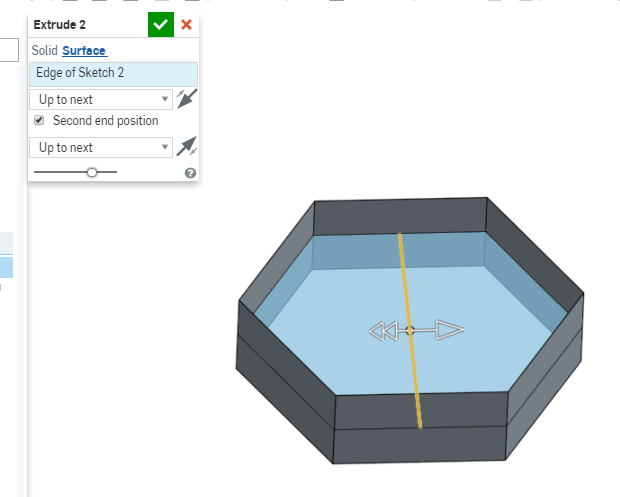
edit.
I managed to do it, but is not a part and I cannot use it in assembly.
0 -
@NeilCookeNeilCooke said:
Create your polygon sketch, create two more sketches on the same plane, and "use" one side of your polygon in each, then loft between. Simples.
your solution seems pretty easy! I will give a try!
edit:
I managed to do the same, but I cannot get a part out of it and then I cannot use the file in an assembly. Is there a workaround?
https://cad.onshape.com/documents/1c8dd6954290ff5ef4ba383f/w/debdbd6dc7c15543b2583ac3/e/1287456660024ee7f47c9140
0 -
Currently you can't knit surfaces together and you can't turn surfaces into a solid (and you can't use surfaces in assembly). Thicken each surface by a small amount then boolean the resultant solids together.Senior Director, Technical Services, EMEA1




 I wanted to achieve this.