Welcome to the Onshape forum! Ask questions and join in the discussions about everything Onshape.
First time visiting? Here are some places to start:- Looking for a certain topic? Check out the categories filter or use Search (upper right).
- Need support? Ask a question to our Community Support category.
- Please submit support tickets for bugs but you can request improvements in the Product Feedback category.
- Be respectful, on topic and if you see a problem, Flag it.
If you would like to contact our Community Manager personally, feel free to send a private message or an email.
Distance constraint "jumps" to wrong reference.

james_sleeman
Member, Developers Posts: 21 ✭✭
What is going on here? A blank sketch on the surface of an extrude, I draw a horizontal line, and try to add a distance constraint between that line and an edge of the extrude, or a point of the extrude, but it actually adds a constraint between the line and a totally different unrelated point.
I can't get this to work at all.
Ideas?
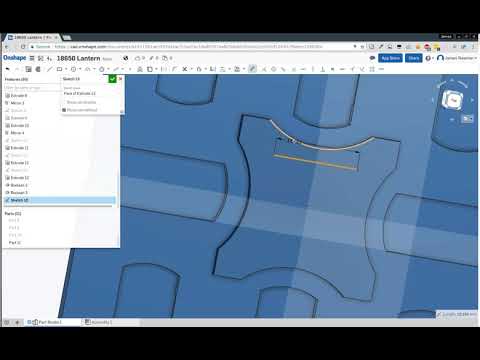 https://youtu.be/QrTEWdsPp-o
https://cad.onshape.com/documents/a1911501ae3557d4cac31be2/w/18a90557ea805dbb81feb242/e/693cf120452f66ecc2398504
I can't get this to work at all.
Ideas?
https://youtu.be/QrTEWdsPp-ohttps://cad.onshape.com/documents/a1911501ae3557d4cac31be2/w/18a90557ea805dbb81feb242/e/693cf120452f66ecc2398504
0
Best Answer
-
@james_sleeman
There is indeed a reference issue introduced by Boolean 3, if you reorder the new sketch to before Boolean 3 you should be able to create the reference you wanted. Wi'll try to fix the issue soon.5

Answers
-
This may be a referencing bug that due to the high amount of symmetry in the part and the fact that the arcs are created by a boolean. You can try referencing a different entity or modeling a quarter (or an eighth) of the symmetric parts first and patterning. @lana, FYI.
Ilya Baran \ VP, Architecture and FeatureScript \ Onshape Inc0 -
That is odd behaviour. Does it work if you finish your sketch before adding dimensions? Assuming your sketch is more than 1 line that is.Senior Director, Technical Services, EMEA0
-
No adding extra things to the sketch doesn't help, and also there is some even weirder stuff going on with offsets and lines, couple extra videos showing those....NeilCooke said:That is odd behaviour. Does it work if you finish your sketch before adding dimensions? Assuming your sketch is more than 1 line that is.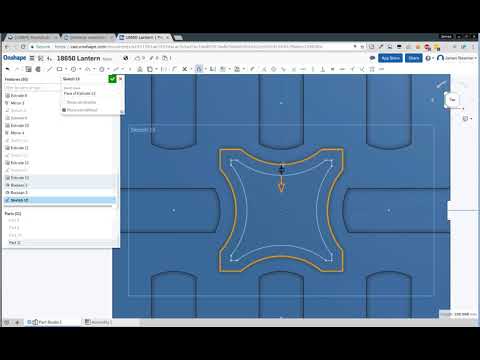 https://youtu.be/5C1bmWjvR-0
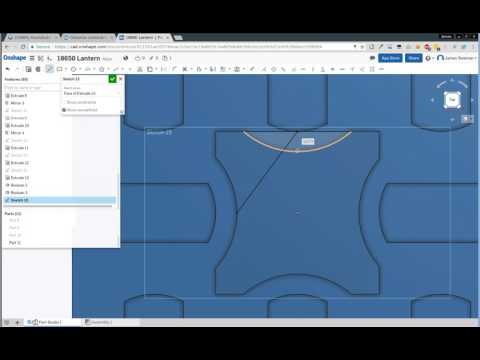 https://youtu.be/K9XqodKQJQY
ilya_baran said:
Effectively starting again does not sound like a good solution to me. But maybe I can make some crazy construction lines referenced on the point that wants to steal all the references in order to get to the point that doesn't in some round about way. Pretty unpleasant though.This may be a referencing bug that due to the high amount of symmetry in the part and the fact that the arcs are created by a boolean. You can try referencing a different entity or modeling a quarter (or an eighth) of the symmetric parts first and patterning. @lana, FYI.
0 -
FWIW as indicated above I was able to use some construction lines distanced from one of the edges/points that was stealing the references and then mirror it around to work around whatever this bug(s) is.
NB: I'm working on a copy so onshape programmers can see the bug(s) in the original document link posted above if necessary.
0 -
@james_sleeman
There is indeed a reference issue introduced by Boolean 3, if you reorder the new sketch to before Boolean 3 you should be able to create the reference you wanted. Wi'll try to fix the issue soon.5

