View only Tutorial or Help menu for OS non-users (without account)

EricGauthier
Member Posts: 73 ✭✭✭
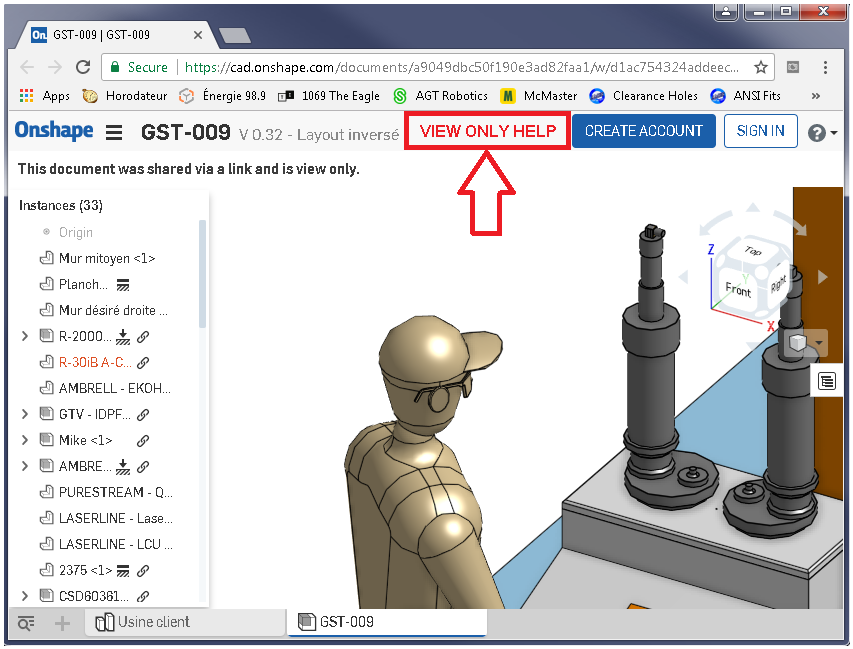
What about a tutorial explaining how to use the view only mode using a link for OS non-users? This tutorial could be directly available in the view only window. When I send a link to clients, they often don't know how to manipulate a 3D CAD. I think this tutorial could help me in convincing them to use my links instead of requiring me to send them CAD files.
Tagged:
5
Comments
-
@EricGauthier
This is a great idea, and something we have thought about. We have captured it as an improvement request, and tagged you on it. As a professional user please submit any improvement requests using the feedback tool in the help menu of Onshape.3 -
I support this idea! I know there is a "what's new" video demonstrate how to use view only tool bar; but I have hard time locate this video every time I wish to encourage a non-CAD customer to use OnShape as a communication tool.
(If I am a dictator, I will make watching this video mandatory, lol~)0 -
@brendan_romano_romano
When sharing with view only you can display a view-only toolbar that makes it easier for non-CAD users to rotate, pan, zoom, and access other view only options. The toolbar is pretty self-explanatory. This can be set in the company settings under Preferences. If you would like some kind of video content of how to use the view only toolbar, I can add that to our training to-do list. 2
-
@EricGauthier I don't know if you are still looking for something on this- but I finally was able to write a tech briefing on this subject, and this article can be sent to people who do NOT have Onshape accounts- they do not need to sign into the Learning Center to view it.
(Admittedly with the last Onshape release I need to add Appearances, Hole tables, and Custom Tables to it!)
Navigating Onshape for New Users2


