[New] Extend/Trim Edges FS

TimRice
Member, Moderator, Onshape Employees Posts: 315 
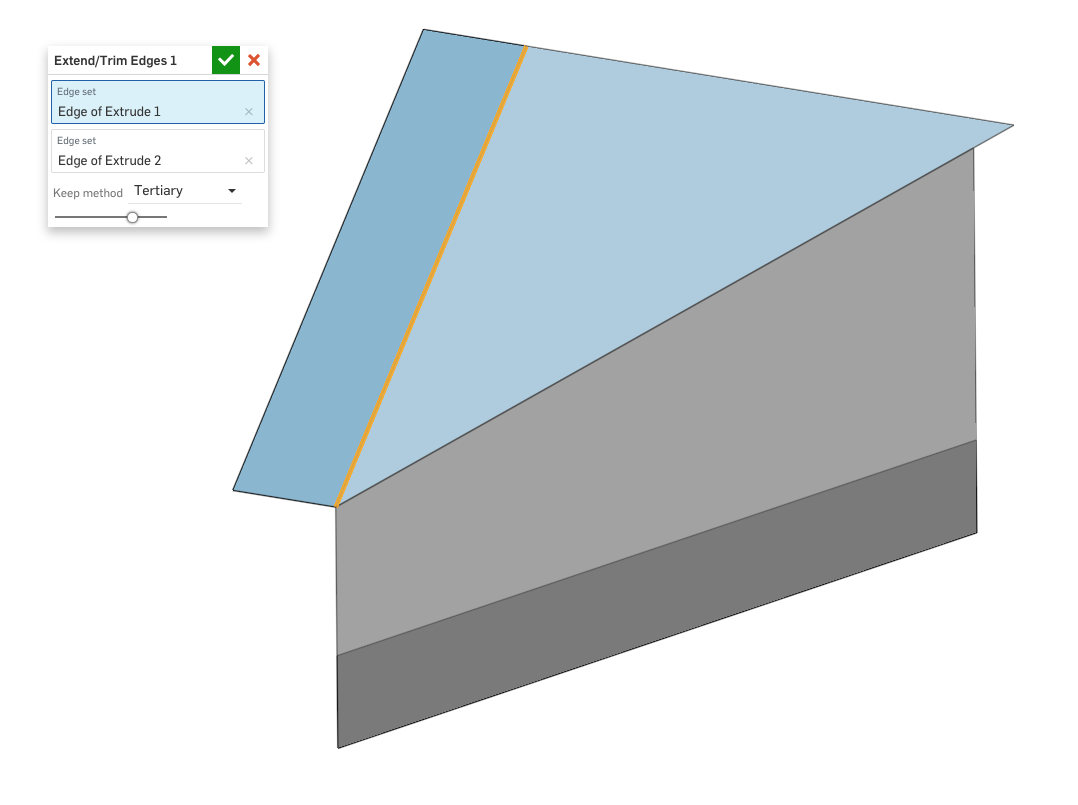
With this custom feature you can select two edges and automatically extend or trim the surfaces so the edges intersect!
https://cad.onshape.com/documents/cbe410e5c44c9abf4e218496/v/4a1925e806a6d04ca473a864/e/b56a4d83f2e98a1be655ccef
Like my previous Fill Gaps feature, keep in mind that this may not always work on broken imported surfaces and has the same limitations as our current Split feature.
https://cad.onshape.com/documents/cbe410e5c44c9abf4e218496/v/4a1925e806a6d04ca473a864/e/b56a4d83f2e98a1be655ccef
Like my previous Fill Gaps feature, keep in mind that this may not always work on broken imported surfaces and has the same limitations as our current Split feature.
Tim Rice | User Experience | Support
Onshape, Inc.
Onshape, Inc.
2
Comments
-
Thanks Tim! Glad to get another tool in the quest...
www.accuratepattern.com1 -
Just pushed a new version! Now with better error messaging and more supported use cases:

https://cad.onshape.com/documents/cbe410e5c44c9abf4e218496/v/a1cc694c39ca429910db271c/e/b56a4d83f2e98a1be655ccef
Tim Rice | User Experience | Support
Onshape, Inc.3 -
great stuff Tim! Question - what is the logic of the 'Keep method'? (Primary, Secondary, Tertiary, Quaternary) or is it just trial and error...?
www.accuratepattern.com0 -
@TimRice
Couldn't you just use opEdgeChange and extend each edge up to the opposite face (opEdgeChange should allow you to trim the face)0 -
@MBartlett21
I didn't know about opEdgeChange but I will take a look at implementing that instead.
@billy2 and @bruce_williams
The Keep method determines which of the four surfaces are deleted after the split. No logic to the naming of primary, secondary, etc. just trial and error for each case.Tim Rice | User Experience | Support
Onshape, Inc.1 -
I'm trying to use this but get an error indicating the edges do not intersect.
Here is a link to my model:
https://cad.onshape.com/documents/9e862dc61083856716a3b568/w/9518ac2e5bf0597d55ad12a6/e/c50c166b6c4305a5f254da74
What I want is to have the surfaces extend to where they intersect with each other.
Thank you in advance for any help you can provide.0 -
@rex_hanson
Could you try out the new built-in move boundary feature and see if that works for you?
https://cad.onshape.com/help/Content/move-boundary.htm
Jake Rosenfeld - Modeling Team0 -
That doesn't seem to work either. I think it might be because both surfaces need to extend to intersect with each other.0
-
@rex_hanson
Could you extend one far enough to be past the intersection, extend the second to the first, and then trim back the first?Jake Rosenfeld - Modeling Team0 -
The surfaces are defined from a point cloud obtained from a Romer absolute arm CMM. I think my best bet will be to redigitize the surface to include a lot of data points near the intersections of the two surfaces. It's tricky because the intersection of the two curves surfaces changes from a nearly hard edge at the beginning to a radius at the other end so the intersection is difficult to define with a fillet.
Thanks for trying to help.0





