Welcome to the Onshape forum! Ask questions and join in the discussions about everything Onshape.
First time visiting? Here are some places to start:- Looking for a certain topic? Check out the categories filter or use Search (upper right).
- Need support? Ask a question to our Community Support category.
- Please submit support tickets for bugs but you can request improvements in the Product Feedback category.
- Be respectful, on topic and if you see a problem, Flag it.
If you would like to contact our Community Manager personally, feel free to send a private message or an email.
Is it possible to update a drawing to an updated format/template without recreating the drawing?

mike_sandstrom
Member Posts: 8 PRO
Answers
-
@mike_sandstrom Yes, this is possible.
We added the ability to swap a sheet format here: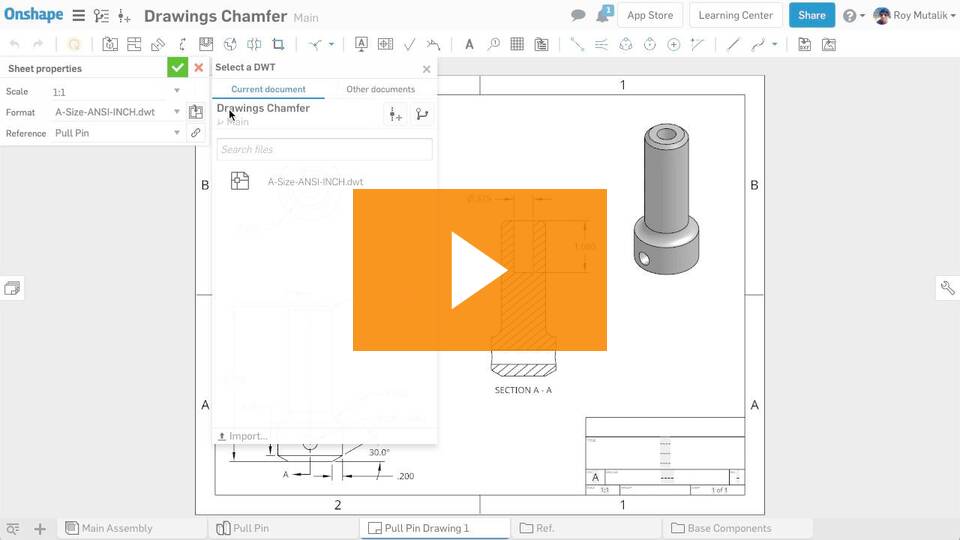
Improvements to Onshape - March 22nd, 2019 — Onshape
We also added the ability to just update the drawing properties by picking a template here:
https://forum.onshape.com/discussion/11865/improvements-to-onshape-june-18th-2019/p1
0 -
That was helpful to show me how to get to the template locations and how it should work, but unfortunately when I select the document, it says there are no files available and it gives me an option to create a version. I know the templates are in that document.

0 -
You'll need to create a version in the Drawing Templates document to be able to use the template (just like inserting parts from other documents). Go ahead and click "Create a version...." or open the document and create a version there before you come back to update your DWT in this document.0
-
You should not need to create a version for template needs. @mike_sandstrom Can you submit a ticket on your issue and we will work through it there? Share the document with Onshape support if you can.0



