How to make simetrical loft, using 2 guide lines/paths

marcin_dziony
Member Posts: 4 ✭
Hello!
I need help with small problem, can't figure out how to do it.
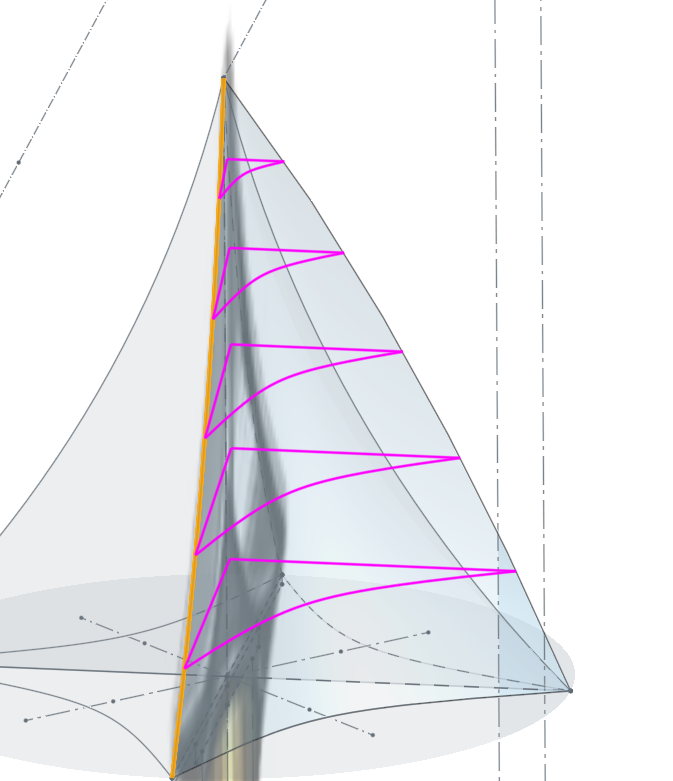
I want something like that on pictures below (screenshot 2 and 3)
But if i chose one path, only one side works as desired (screenshot 1 and 4) but if i add second side as path/guide line it breaks and doesn't work at all
Is there any way to make it work? Or perhaps use diferent tools for it?


I need help with small problem, can't figure out how to do it.
I want something like that on pictures below (screenshot 2 and 3)
But if i chose one path, only one side works as desired (screenshot 1 and 4) but if i add second side as path/guide line it breaks and doesn't work at all
Is there any way to make it work? Or perhaps use diferent tools for it?
0
Answers
-
I don't get exactly what you are trying to do here. From what I understand from screenshots 2 and 3 it looks like there are 4 symetrical sides so model one side with a 90 degree revolve and then sweep remove the part that you don't want. After that use another circular pattern to make 3 more copies. Have you checked out the mdeoling lessons in the learning center? If you're still struggling would you mind sharing the document?0
-
I wouldn't loft all at the same time, as a "solid". I'd do them as individual surfaces and then enclose them.
It's easier to create organic shapes one surface at a time and then stitch them all together.
0
