Welcome to the Onshape forum! Ask questions and join in the discussions about everything Onshape.
First time visiting? Here are some places to start:- Looking for a certain topic? Check out the categories filter or use Search (upper right).
- Need support? Ask a question to our Community Support category.
- Please submit support tickets for bugs but you can request improvements in the Product Feedback category.
- Be respectful, on topic and if you see a problem, Flag it.
If you would like to contact our Community Manager personally, feel free to send a private message or an email.
Best Of
Re: Better Visual Accessibility for Sketches with Errors
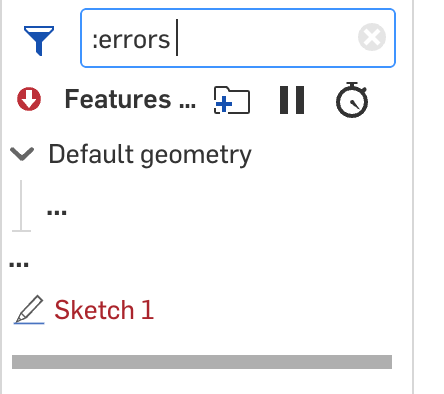
We are aware of this issue and will be addressing it soon, but in the meantime, use the filter at the top and select :errors

Re: Combine outlines of object into new shape and then extrude?
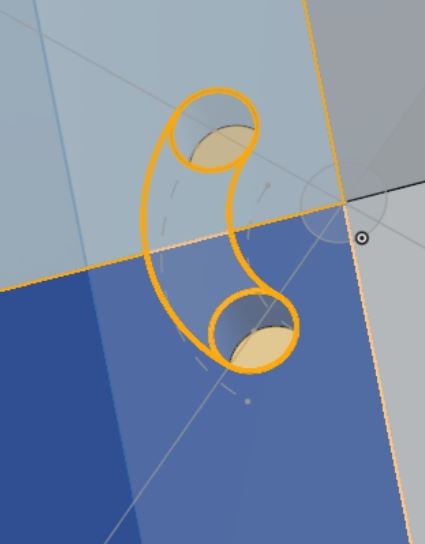
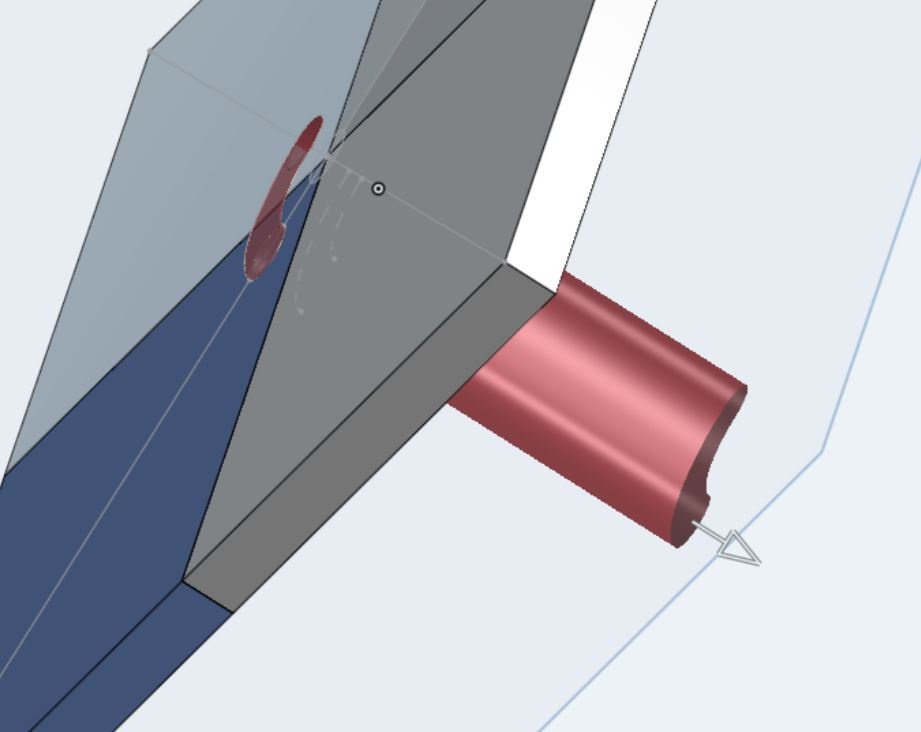
OK can select all 4 components into one new sketch with the "Use" button, which shows as first picture. When I try to extrude, it highlights the extrusion as red. (attached 2). It took ticking the option of "Merge all" when selecting the extrude of the sketch to achieve the desired result. thanks all for the steer.
Re: How do I convert these simple 3 sketches into a sheet metal part?
Turn them into surfaces using Offset surface with a zero offset. Boolean them together and then use sheet metal with Thicken.
 S1mon
S1mon
Re: Conditional features?
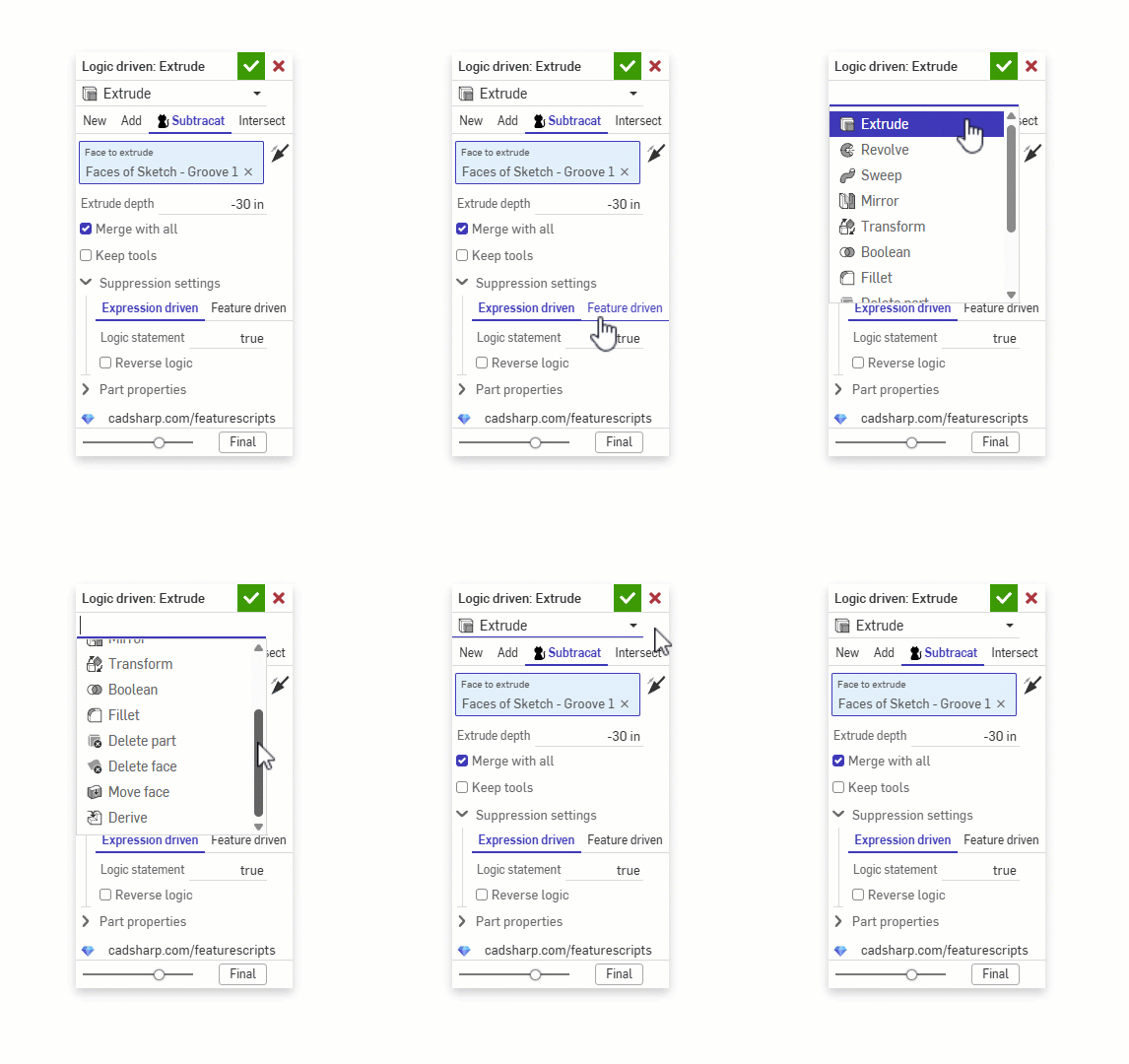
@vanowm while your waiting on the official way to do it, this feature supports conditional suppression based on equations, configurations, other features, etc..


Re: Set Property (New Custom Feature!) 🆕
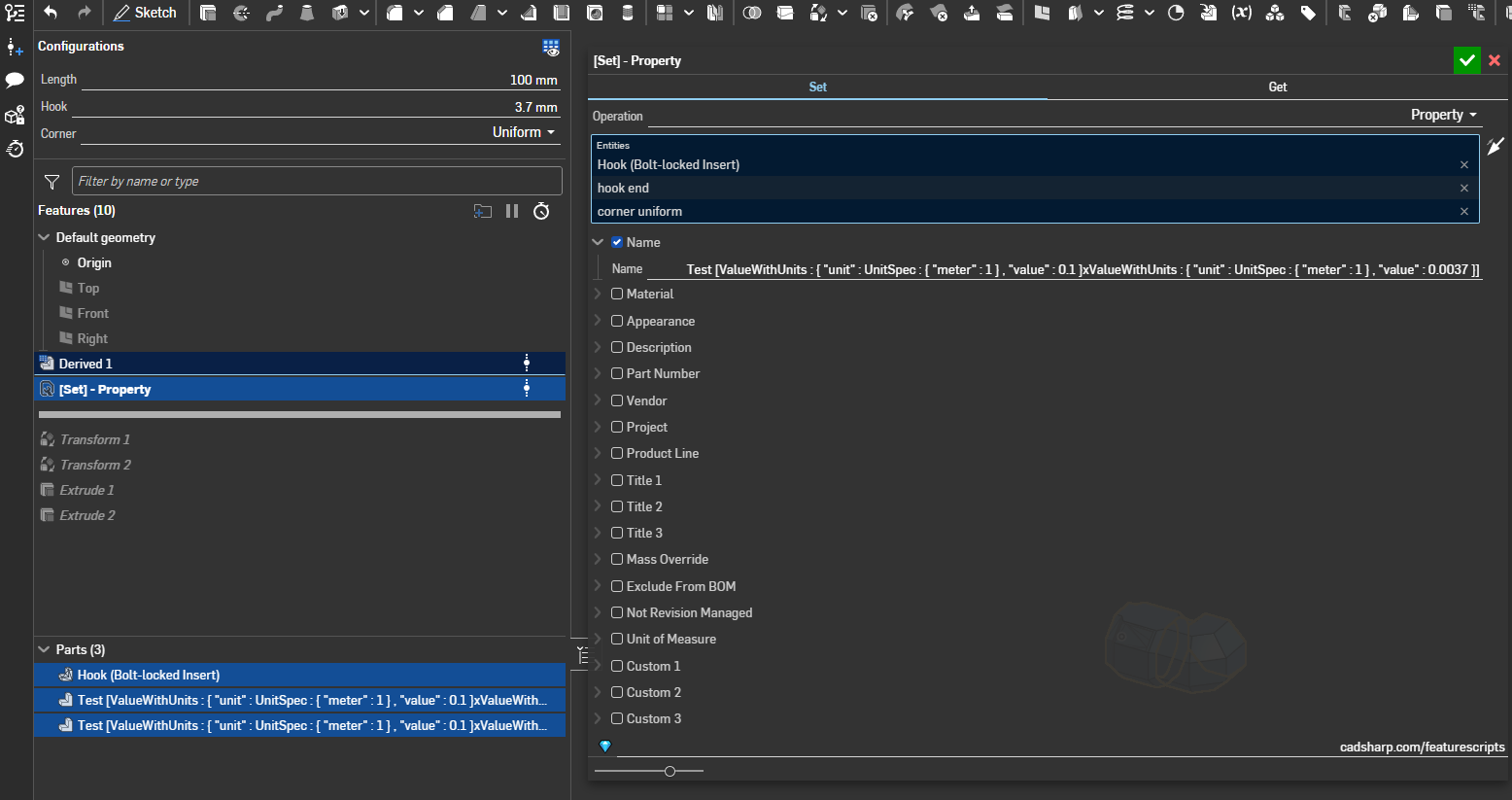
Thank you. It selects mesh now, but it doesn't rename the part. Adding regular solids in the same feature, renames these, but not the mesh
In addition, when switched to expression type and entered "Test [" ~ #Length ~ "x" ~ #Hook ~ "]"
P.S.
Something wrong with this forum. It would not allow me add any text in the text box so I had to "post it", now when I try edit my empty message it does same thing: I can't type anything.
 vanowm
Forum issues: sorting options overlapping new discussion button; can't type anything
- This has been like this for at least few month now:
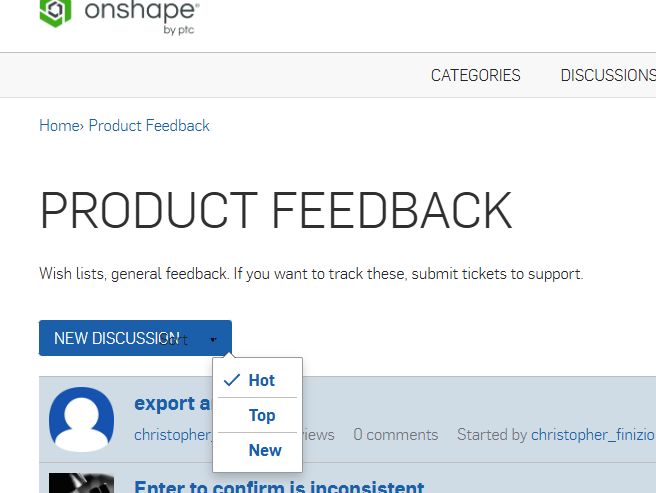
The sorting dropdown button is overlapping new discussion button (the dropdown menu shown is when I clicked the dropdown arrow button) - while I was typing a comment I used ` (grave accent) around a text to highlight it as
inline code, however because it was end of typed text anything I typed after it would be highlighted as inline code and I couldn't get out of that, so I was trying delete everything, but ended up with highlighted space on right side of the cursor. After page refresh it showed that highlighted space and nothing showed when I was typing. There was no cancel button, onlysave draftorpost comment, (save draft is useless button, since it apparently saves it automatically anyway) . I hitpost commentbutton and it posted an empty message:
Even attempting edit that message doesn't snow anything I type.
vanowm
Re: Can we please sort by Copies and Links when searching for Featurescripts? Please?
I've been posting my stuff at
 jnewth
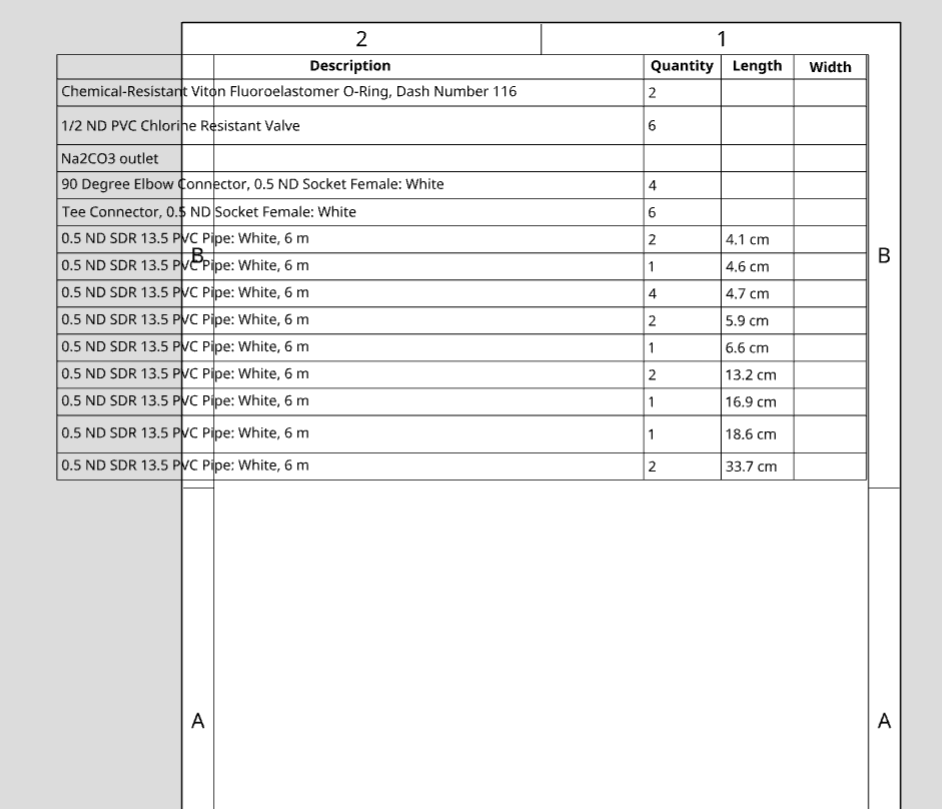
What sets the width of a custom table imported into a drawing?
I am inserting a custom table into a drawing. It is slightly wider than the drawing sheet and so I adjust it to fit. But then the next time I update the model the custom drawing reverts to its original size. How can I resize the custom table so that I don't have to keep on resizing it?

Re: Configuration column/options disappear after switching to released Rev of part
Coming a bit late to the party here, but I have just crashed into the same problem as @S1mon, where we have set up configured sub-assemblies and performed a release of all configurations, using the handy "Configured Assembly Properties" tab. However, when trying to configure the assembly level above with these new released sub-assemlbies, the configurations columns disappears.
@romeograham you mention this:
A Released part can only be 1 configuration - think about it as a "made" part: once you have a piece of metal on your workbench - it has a certain number of holes in it. You can NOT decide that you want to see more holes or fewer holes in that piece of metal on your bench - without physically drilling more holes or filling them in.
Wouldn't it in this case be OK if all the different configurations in the assembly have different part numbers, using Configured Assembly Properties?
The one assembly tab can then show several built assemblies with unique properties, saving us for managing several more or less similar assembly tabs.
Or am I missing some logic here?
Does anybody know if Onshape is working on this?
 e_g_e
e_g_e
Re: Released Configured Part Not Configurable
I have a configured product. I've released X number of configurations for my individual parts. Now, I want to make sure I'm referencing the latest released geometry in my assembly for each configuration but I can't...