Welcome to the Onshape forum! Ask questions and join in the discussions about everything Onshape.
First time visiting? Here are some places to start:- Looking for a certain topic? Check out the categories filter or use Search (upper right).
- Need support? Ask a question to our Community Support category.
- Please submit support tickets for bugs but you can request improvements in the Product Feedback category.
- Be respectful, on topic and if you see a problem, Flag it.
If you would like to contact our Community Manager personally, feel free to send a private message or an email.
Best Of
Re: Sketch Pattern Feature Script
There is this script that does the simpler version of that geometry. It does it in 3d coordinate space instead of the 2 dimensional flat domain though and you'll probably want to lean on qCorrespondingInFlat to make things easier to navigate. I have a custom tab and slot tool I had @Caden_Armstrong cook up that does some 3d to 2d sketch patterning magic to make tab and slot geometry work on bent / rolled faces which I'm in the middle of a rewrite of to handle more specialized cases than we originally planned for.
In short: very doable.

Sketch Pattern Feature Script
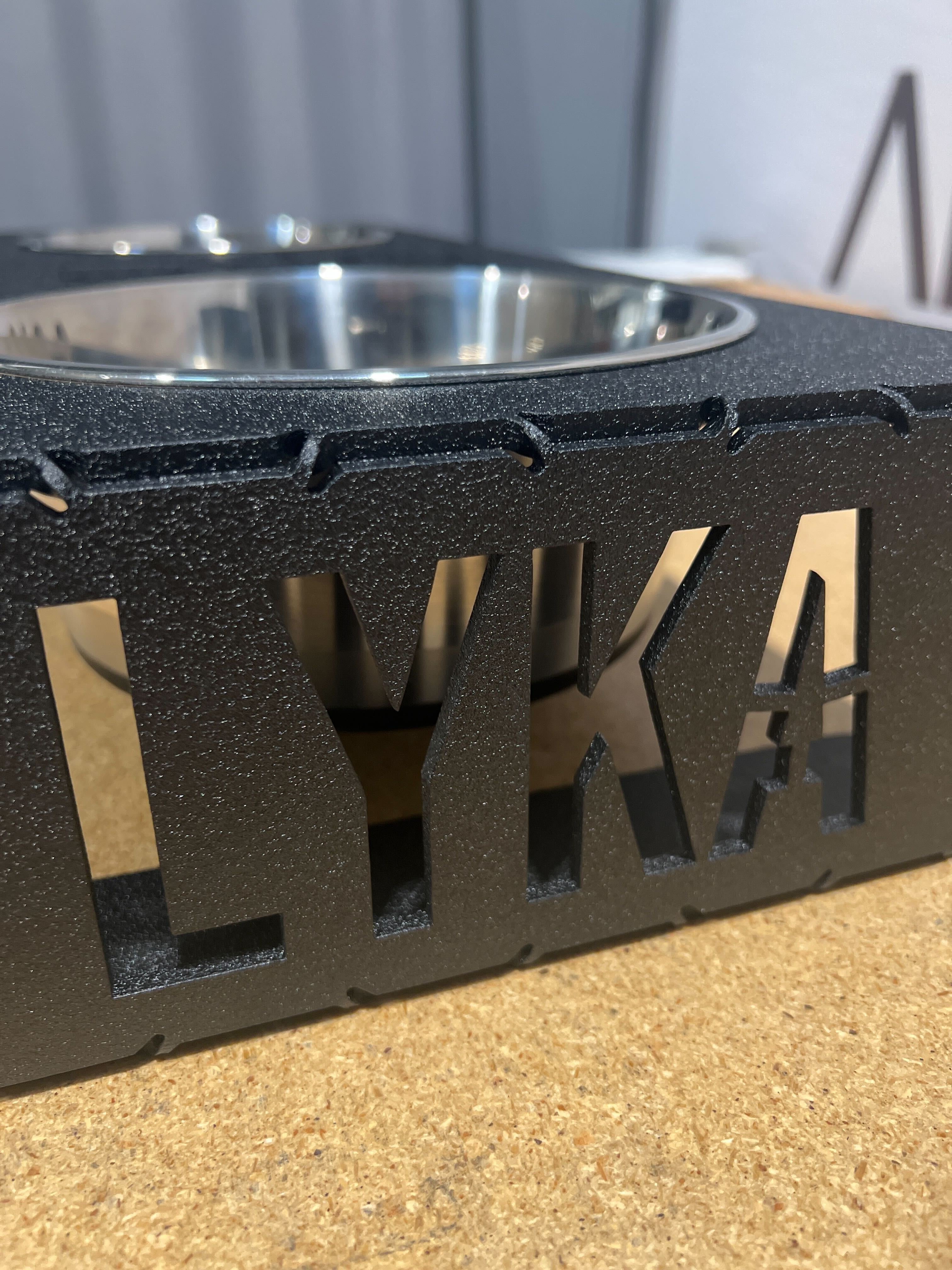
I recently used SendCutSends recommended cut pattern to make hand bending of sheet metal possible. I really love the results. The only downside is that the sketch took a fair bit of work to layout and update. I was wondering how hard it would be to create a custom feature script to set the necessary parameters and create the sketch entities. You can read more on the ScS website here.

Re: Any efficient ways to make a cutlist from a cabinet drawing?
.
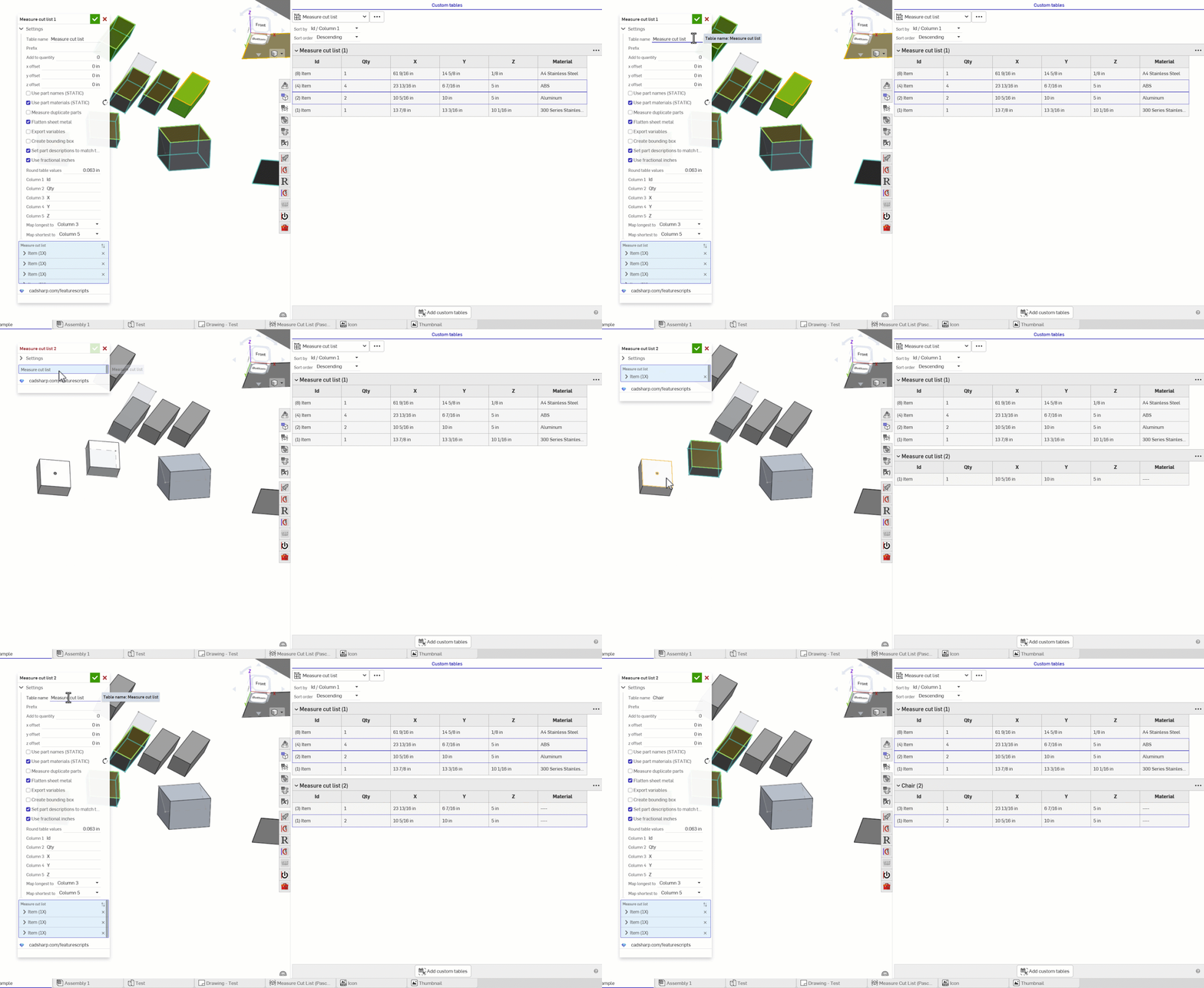
@chadstoltzfus Cutlist+ is for frames. Measure Cut List is for generic use with things like cabinets. I should probably merge them into one feature. Measure Cut List will also name the parts so that you can have them show up in the bom list with sizes, or you can keep them in the part studio and use the custom table it produces to view the cut list.
.


Re: Rename existing part?
Hey @vanowm,
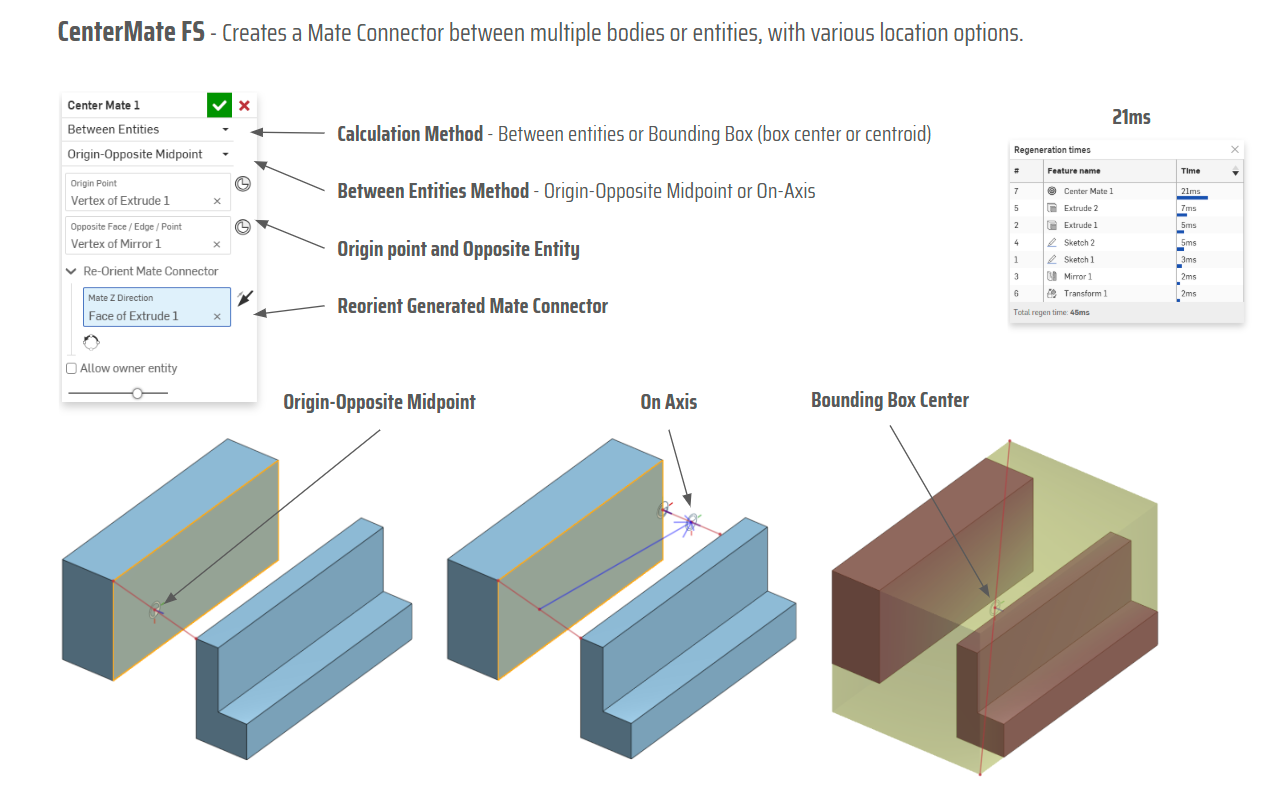
There is this Custom Feature from @MichaelPascoe: Set Property
I have used it here for you if you want to have a look as well: https://cad.onshape.com/documents/db13cc0447856ffe96d25ebe/w/f29ecd938dc063cd6e6ab54e/e/b3e6aaf6c0951c64489d8888

Re: Loft problem - aerofoil shape + offset sketch
If you share the document URL, someone will be able to help you out. Be sure you're not lofting regions or profiles with inner loops. That's not allowed.

Re: Loft problem - aerofoil shape + offset sketch
I would highly recommend not using profile generator. It creates pretty lumpy curves which are not going to help you. Instead use HAVF: https://forum.onshape.com/discussion/24730/new-custom-feature-havf-profiles-standard-airfoil-profiles
Also offsets of offsets are often crappy curves. You're better off offsetting from the original and doing the math to get the result you want.
Are you trying to loft the face which is defined by the inner and outer profiles at the same time? Loft can't handle faces with holes in them. You would need to do two lofts.
 S1mon
S1mon
Re: Can't publish my custom feature
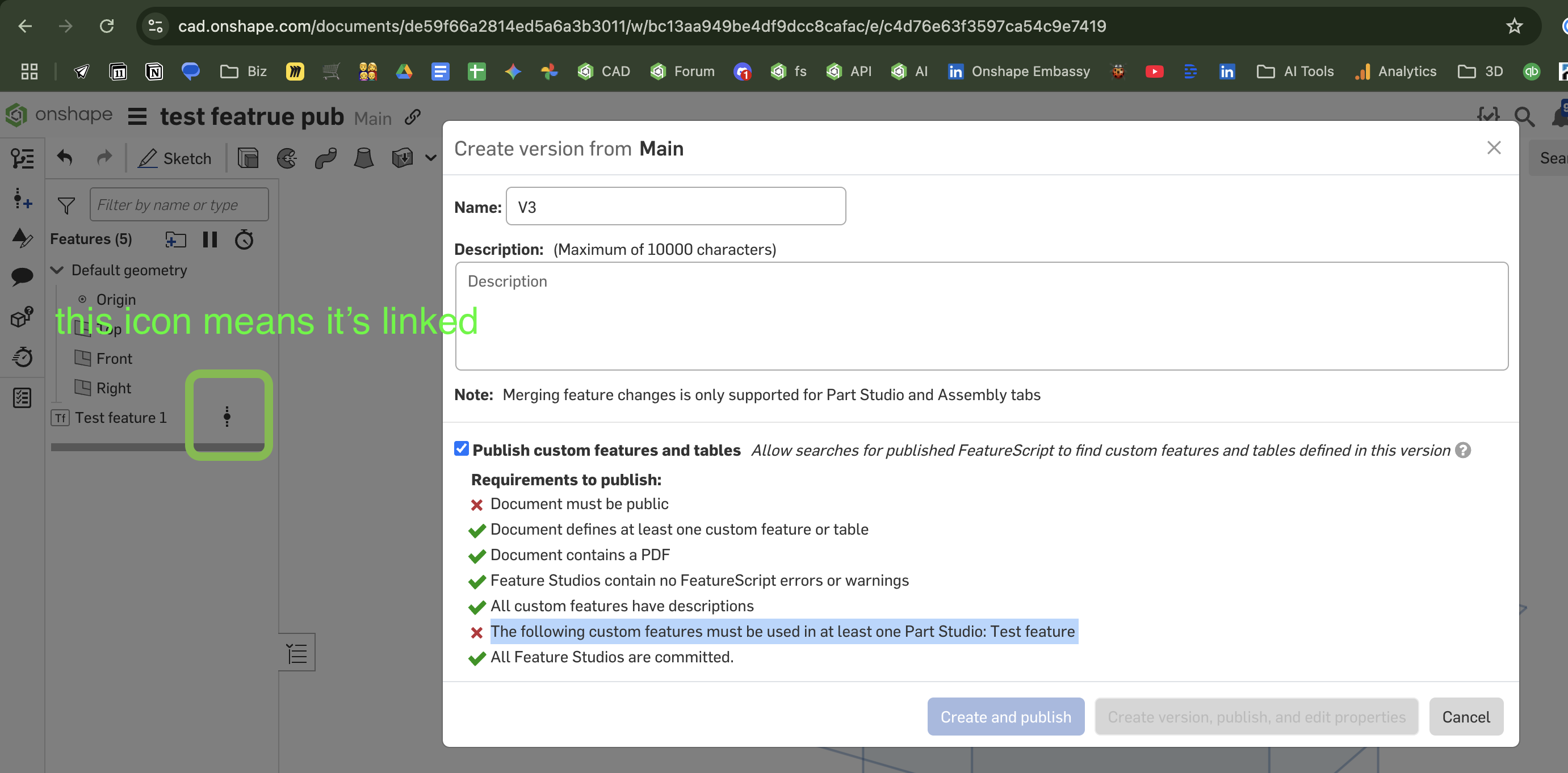
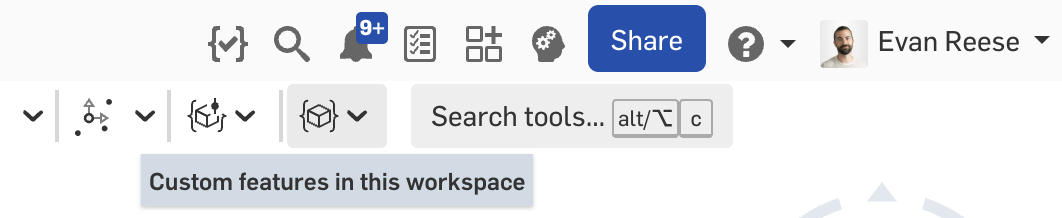
Possibly this is because the uses of the feature in your example are linked to a version, and not from the active workspace. Try adding an example use of the feature from the toolbar area called "Custom features in this workspace"

Re: Can't publish my custom feature
The features used are still liked to a version in this screenshot as indicated by the icon to the right of them. I just did a test, and that does seem to prevent it from working. If I add one from the workspace it works.