Welcome to the Onshape forum! Ask questions and join in the discussions about everything Onshape.
First time visiting? Here are some places to start:- Looking for a certain topic? Check out the categories filter or use Search (upper right).
- Need support? Ask a question to our Community Support category.
- Please submit support tickets for bugs but you can request improvements in the Product Feedback category.
- Be respectful, on topic and if you see a problem, Flag it.
If you would like to contact our Community Manager personally, feel free to send a private message or an email.
Best Of
Re: Custom Features Collection
This is fantastic, nice work @legandras!
Don't forget to vote on the Feature Store - Improvement Request so that we have a legit place to store our features so that people can easily and naturally find them without having to be a detective.
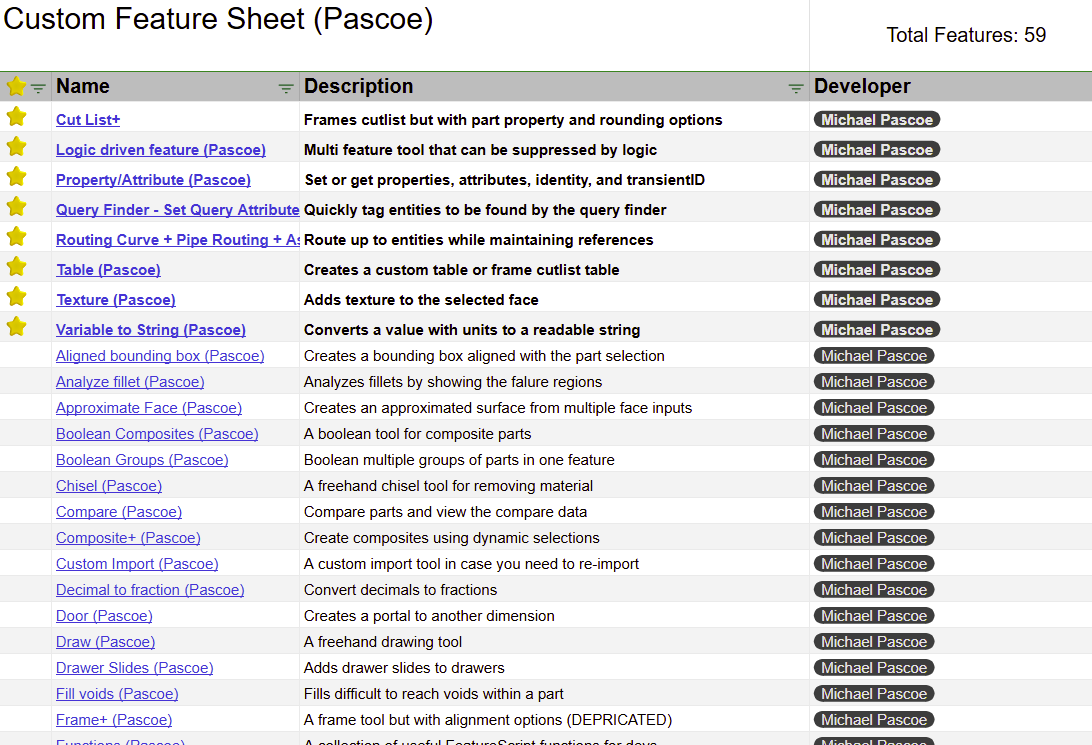
Here is a list of my public features with descriptions:
fyi, I'm willing to share this sheet for any who whish to also use it for their features. @legandras can manage it! 😁

.
.
.
.
.
.
.
.
.
.
.
.
.
.
.

Re: Saving an OnShape file for sharing
The truth of the matter is your design is not that important. I don't mean only you personally, but me, and everyone else too. It doesn't need to live forever. It's simply not relevant forever.
All of the design sharing sites use files. STEP is the only choice that makes sense there. STL should be banned from sharing, IMO. In the description, add the OS link if you like.
It's not your responsibility to train future downloaders on how to use cad. You share a neutral format (STEP), and they can then do as they please with it in their CAD software of choice. If they are an OS user, they may choose to use your OS link instead.
On your end, for documents that you DO share with a link, you should be making a version called "shared public link" and sharing the link to that version. Then you can do anything after that you like within the document, and if someone clicks on the link 5 years later, the document will look as you shared it.
You can move your document within your account, and the link will still work. The only thing you can't do is delete your document. Perhaps add the word "shared" in the document name to remind yourself not to delete it.

Re: Custom Features Collection
Hello everyone!
I would like to make a general appeal to you.
As you can see, individual scripts are quite numerous and diverse, and their use often requires explanation. I would like to ask for your help with the latter. I would primarily rely on the authors' comments, descriptions of their own scripts, but I would also be happy to receive any valuable comments. The first published document (V1.2) contains the works of only 10 people, - some of whom are prominent - but I know that there are many more valuable creators whose works (individual scripts) are already in use by many. I did not leave these out, but I simply did not have time for them. It is not enough to just sprinkle them into the document, they also need to be edited.
If you provide a description, perhaps a visual explanation, for your scripts, I would be happy to receive it and insert it into the document in the usual way.
You can also send your message privately to the following address:legandras@gmail .com

Re: Help... do you know what wrong it is?
Yes, what's wrong is that you used ChatGPT 😁
Use the code snippets menu at the top. Also check out the learning reasources here:

Customizability in Keyboard Shortcuts - Changing "Onshape Controlled" Shortcuts?
Hello Onshape Users and Team,
I'm coming back to Onshape after using a different CAD software for a handful of years, and have gotten used to a system or set of controls for navigating the environment. While I do have the ability to keybind most functions, many fundamental controls are "Onshape Controlled" and cannot be changed or edited. A good example is the clear selection key being bound to "space", or the coarse rotate being bound to "Shift+leftarrow/rightarrow/uparrow/downarrow". Some of the more standard operations like copy and paste, or undo/redo I can understand, but is there any way to change these "Onshape Controlled" shortcuts for a more custom, faster operation experience, or disable the "Onshape Controlled" feature entirely, in some advanced settings somewhere? I couldn't find any other help online. Thanks much!

 arcangel
Escape deletes text changes in a drawings textbox.
Please please please change this.
This UX feature is not consistent with any other software I use so it is impossible to fully disengage from repetitive habits…

Re: Better Visual Accessibility for Sketches with Errors
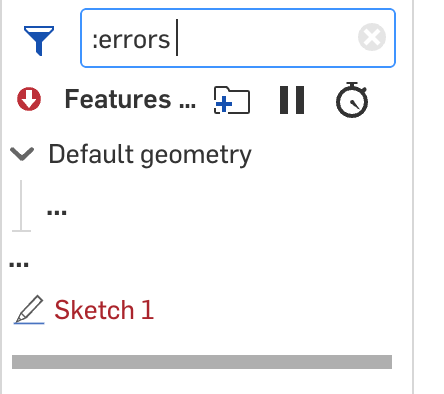
We are aware of this issue and will be addressing it soon, but in the meantime, use the filter at the top and select :errors
Re: Combine outlines of object into new shape and then extrude?
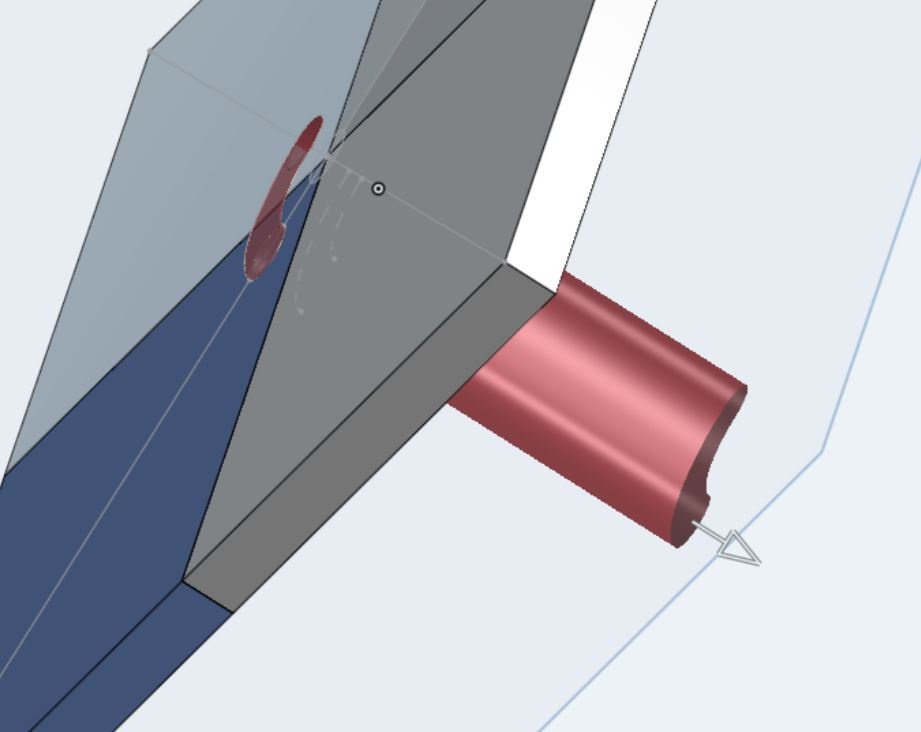
OK can select all 4 components into one new sketch with the "Use" button, which shows as first picture. When I try to extrude, it highlights the extrusion as red. (attached 2). It took ticking the option of "Merge all" when selecting the extrude of the sketch to achieve the desired result. thanks all for the steer.
Re: How do I convert these simple 3 sketches into a sheet metal part?
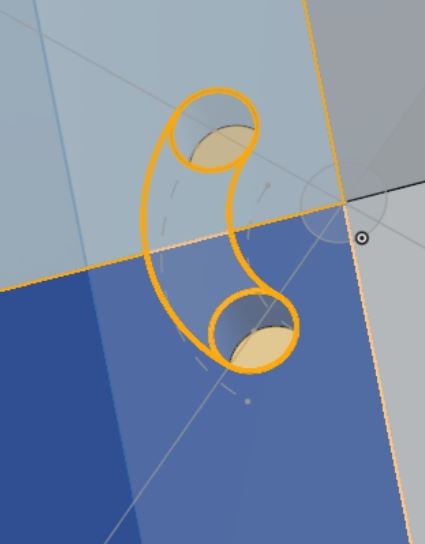
Turn them into surfaces using Offset surface with a zero offset. Boolean them together and then use sheet metal with Thicken.
 S1mon
S1mon
Re: Conditional features?
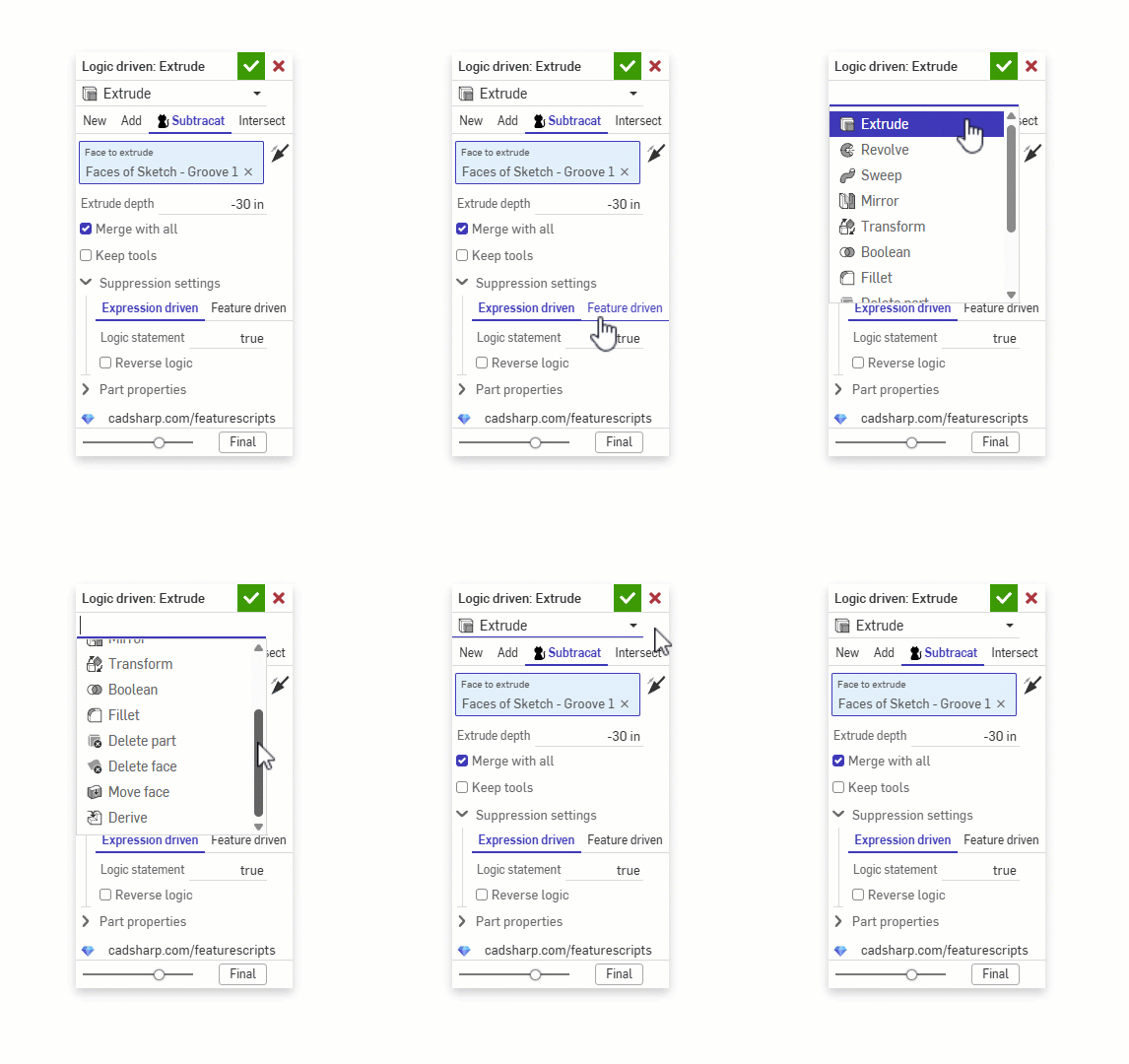
@vanowm while your waiting on the official way to do it, this feature supports conditional suppression based on equations, configurations, other features, etc..