Welcome to the Onshape forum! Ask questions and join in the discussions about everything Onshape.
First time visiting? Here are some places to start:- Looking for a certain topic? Check out the categories filter or use Search (upper right).
- Need support? Ask a question to our Community Support category.
- Please submit support tickets for bugs but you can request improvements in the Product Feedback category.
- Be respectful, on topic and if you see a problem, Flag it.
If you would like to contact our Community Manager personally, feel free to send a private message or an email.
Best Of
Re: Improvements to Onshape - August 29th, 2025
Besides the Query variables, the Document notes are also awesome. Now you don't necessarily need the Link Tab Utilities app anymore because URLs are recognized in Notes and therefore active (sorry @lougallo ). However... a Link Tab is always visible and therefore indicates a URL, whereas Notes doesn't. As long as you don't press the Note button, you won't see that a note exists. That's why I posted an IR requesting an indicator.

This is the link to the IR:

Re: Mouse shortcuts
If you use a 3DConnexion Spacemouse, you can use the same motions for a lot of programs (including Onshape and Bambu Studio) and not warp your brain.
 S1mon
S1mon
WebGL problem with Firefox and Google ANGLE
FYI, ran into a recent issue where onshape's compatibility checker said I had webgl disabled (I did not), with a supported GPU and recent(ish) drivers.
The issue seems to be some Gl compatibility layer called Google ANGLE.
Steps taken:
1. https://cad.onshape.com/check showed webgl not enabled, whole section red
2. I checked "about:config" to see that webgl was in fact enabled (webgl.disabled=false)
3. Then checked "about:support" to reveal that the renderer was "Google Inc. (NVIDIA) -- ANGLE (NVIDIA, NVIDIA GeForce RTX 3090 Direct3D11 vs_5_0 ps_5_0, D3D11-32.0.15.6094)"
4. Suspicious………. Went back into "about:config" and turned off ANGLE (webgl.disable-angle=true)
5. Now everything is working correctly :)
Firefox ver: 138.0.1
GPU model: Nvidia RTX 3090
GPU driver ver: 560.94
OS ver: Windows 10 v19045.5737
Re: Improvements to Onshape Drawings - August 6, 2015
Is my fault,
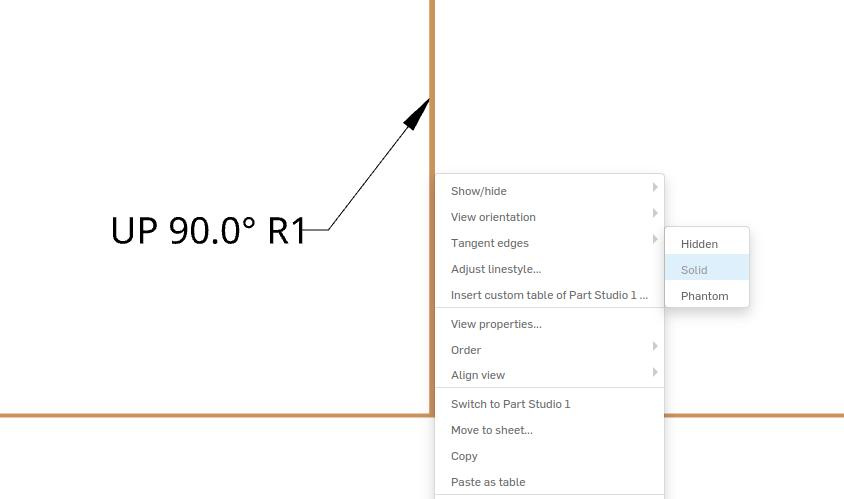
Tangent edge> Solid and edge appear.
Re: Need help with a idea for a time lapse using the feature tree.
I've written a quick test script using the API as described by @Paul_J_Premakumar. The script is very much WIP (but does work), but I like the result less than the 'real' screenshot option; seeing the sketches and some of the UI is a bit more interesting. Might depend on your needs though.
As this forum doesn't allow formatting code, and Python code breaks when it looses the right indentation, I've made a gist on Github:
https://gist.github.com/javl/b0ec23ce20e3a06160ed28aada3a5a34
 javl
javl
Merchandise store
Hey All,
With onshape being so good, and engineering related merch being all the rage at the moment, I thought that it could be cool to make a Merch store?
The marketting team was at an event and were handing out hats with the logo on it - I've since lost it (I have a feeling a jealous friend stole it).
It was the best fitting hat :((((((((((((((((((

See evidence above.
Re: New Custom Feature: EZ Wire
Update the linked doc one more time. Major improvements today.
manips are much more responsive.
manips reset when you remove the pick from the blue box.
can choose bspline or polyline per bridge
cleaned up UI.

Re: Improvements to Onshape - August 29th, 2025
Thank you for the DXF update! I had just logged a support ticket on that recently!! Now if only it did not export two profiles for each hole when using the hole tool on sheet metal, will be submitting a ticket on that shortly
Matthew
Re: how to connect these properly
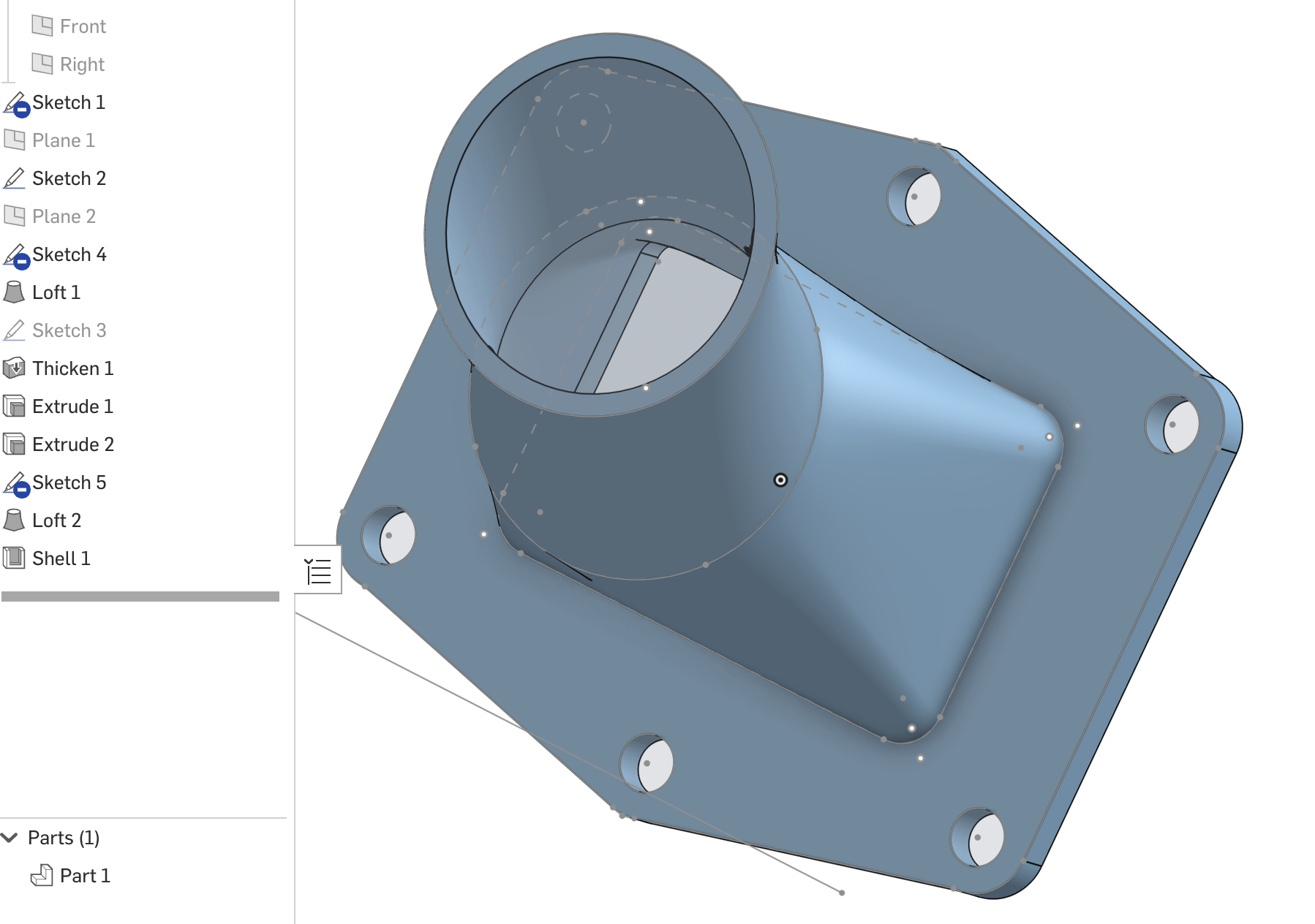
Hard to know what exactly you're going for, but if my guess is right, you should do the Shell last.