Welcome to the Onshape forum! Ask questions and join in the discussions about everything Onshape.
First time visiting? Here are some places to start:- Looking for a certain topic? Check out the categories filter or use Search (upper right).
- Need support? Ask a question to our Community Support category.
- Please submit support tickets for bugs but you can request improvements in the Product Feedback category.
- Be respectful, on topic and if you see a problem, Flag it.
If you would like to contact our Community Manager personally, feel free to send a private message or an email.
Best Of
Re: Is there a way to edit or delete a "version"?
We should not mix up versions and variants. I've been trying to explain the concept to a colleague this week, and he said Onshape wasn't for him and insisted on the fact that he'd need to create 'versions' all the time just to try different approaches. What he really meant was 'variants' to try and then choose one to get on with the job and maybe make it a version.
That is where branching comes in, or configurations, or maybe suppressing certain features for a while, or deriving a basic part into other part studios and try different details there.
Anyway, I believe the trouble moste have with versions is a linguistic issue in the first place.

Re: a unique asymmetrical chamfer
another way would be to use the chamfer as designed like your first image and then use move face with the rotate option and rotate the whole face of that chamfer till you get the desired look that you want.
 MDesign
Re: a unique asymmetrical chamfer
.
One way to do this is by creating a sketch profile on the left "Triangle A" and a sketch profile on the right "Triangle B" and using the Loft subtract to remove the lofted space between.
Another way would be to draw a sketch line on the top of the part, similar to your yellow line, then loft it to a line representing the end of the current chamfer. Then you can split the part using the lofted surface.
.

Re: External Editor
https://cad.onshape.com/glassworks/explorer/#/FeatureStudio/getFeatureStudioContents
and
https://cad.onshape.com/glassworks/explorer/#/FeatureStudio/updateFeatureStudioContents
I read in a thread from years past that the featurescript IDE is based on a generic web IDE (ace), so the features are likely what came out of the box. Actually, code folding is supported: on windows highlight a section and do alt-L. Wish I knew that earlier...

Re: 3D from Excel to Onshape
If still interested, I can give you a hand to do it. It will not be too difficult to automate.

Re: External Editor
Theoretically it should be possible to integrate browser based VS Code into Onshape. Amazon Web Services did this for example as a replacement of their former proprietary Lambda IDE.
Re: My wiring does not show in my assembly drawing
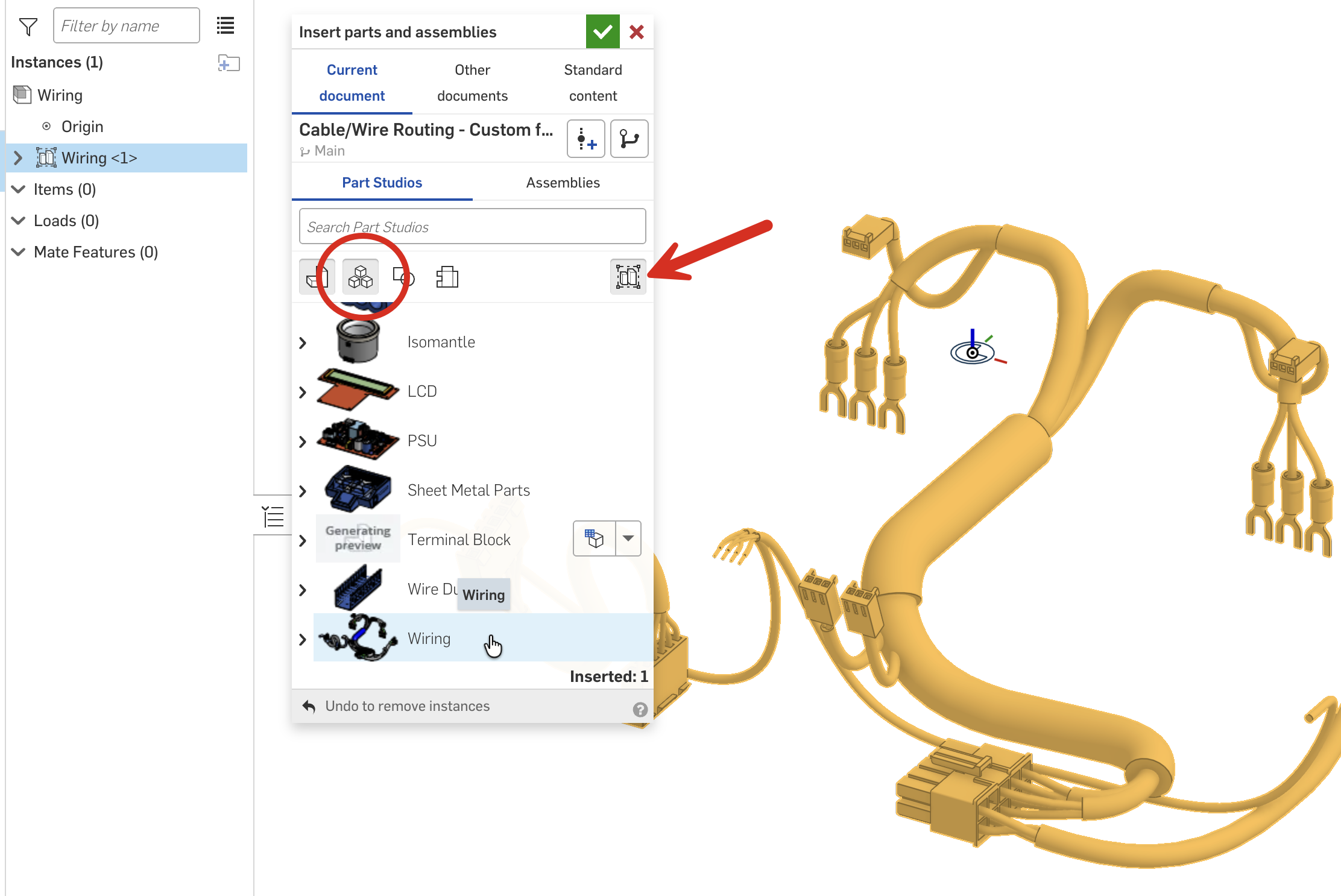
Hi, glad you like the wiring tools. The "Wire in-context reference" is just that, a reference, that you can use for assembly purposes (if you want). The wires themselves, you can either create a subassembly (as per the videos) and add the wires as they are created, or you can assemble as a rigid Part Studio - this will add all wires in the Part Studio to the assembly (this is new since the videos were created).