Welcome to the Onshape forum! Ask questions and join in the discussions about everything Onshape.
First time visiting? Here are some places to start:- Looking for a certain topic? Check out the categories filter or use Search (upper right).
- Need support? Ask a question to our Community Support category.
- Please submit support tickets for bugs but you can request improvements in the Product Feedback category.
- Be respectful, on topic and if you see a problem, Flag it.
If you would like to contact our Community Manager personally, feel free to send a private message or an email.
My wiring does not show in my assembly drawing
 pascal_lavoie667
Member Posts: 3 EDU
pascal_lavoie667
Member Posts: 3 EDU
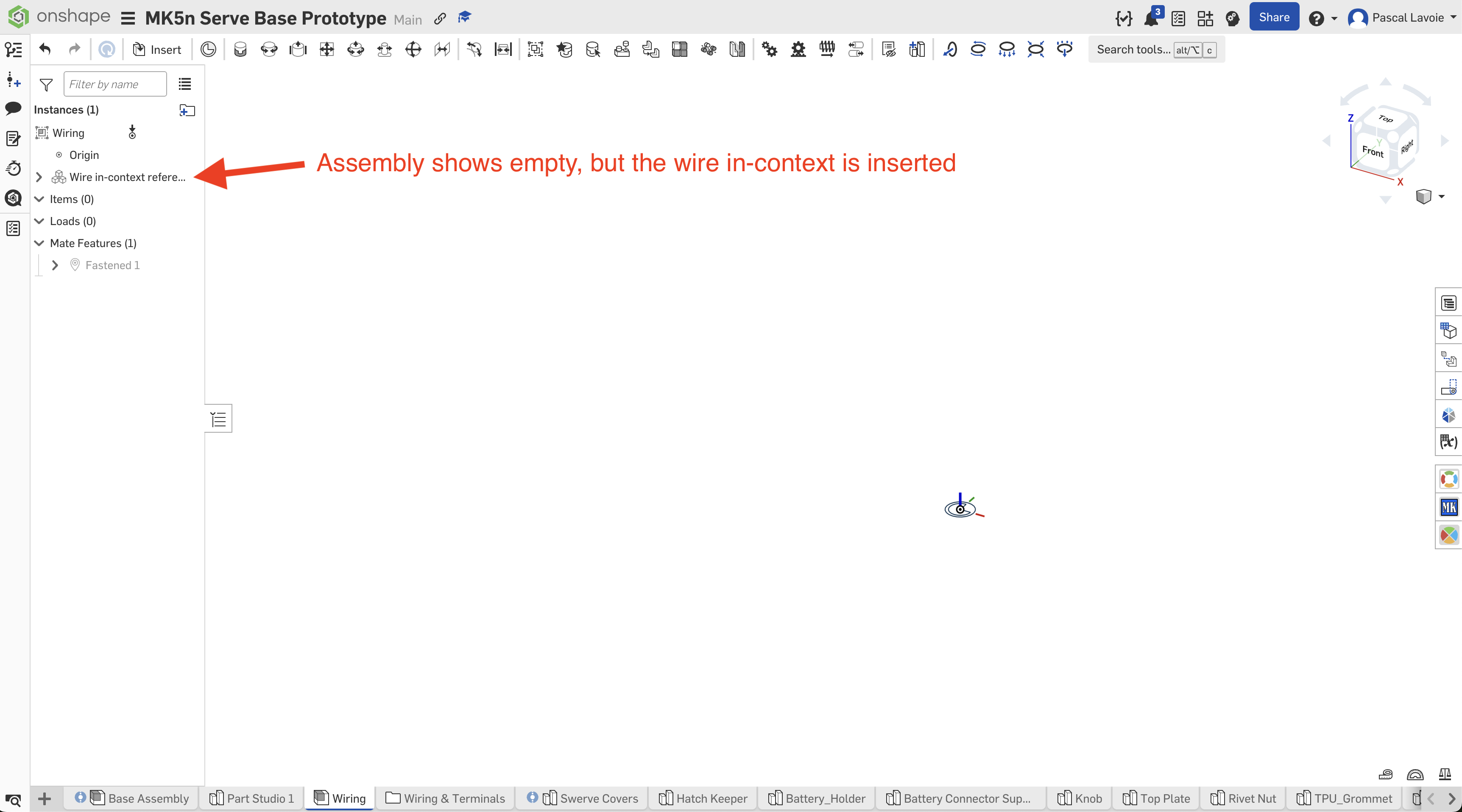
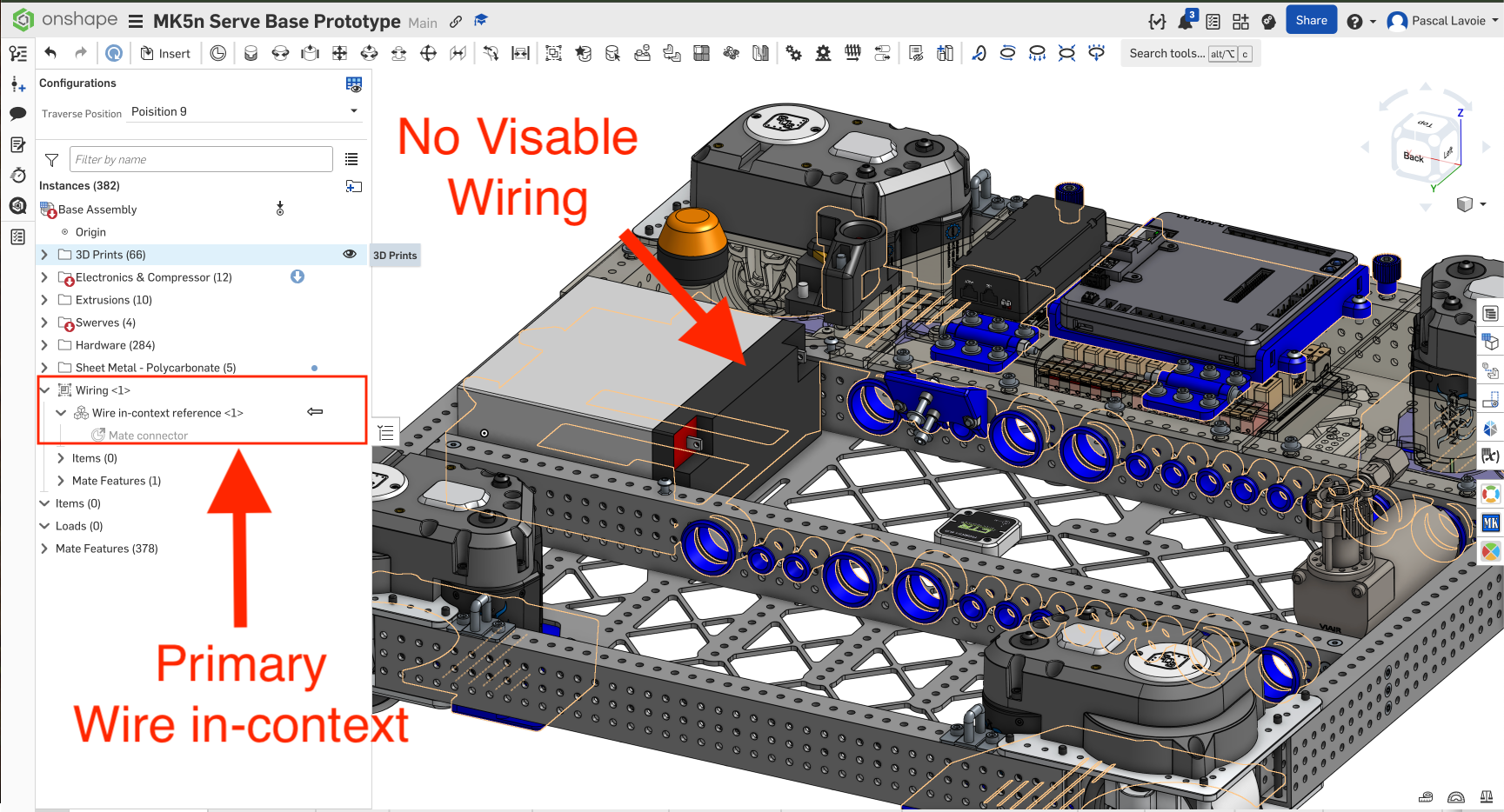
Goo day, I have been following this Tech Tip: How to Use Custom Features for Wiring in Onshape. It is so far awesome, but I hope I can workout the last details I can't figure out. I have been following the instruction as instructed, but I'm hitting a snag. Like in the videos, I am able to create in a part drawing the wiring using the in context function. I have a drawing for the wiring, I created the wiring assembly and in my main assembly (in this case a robot) I have the Wire in-context reference. All by the letter per the instruction videos. But the video does not show the wiring in the main assembly drawing.
Once I completed the wiring in the part drawing it is all there I can see it. I can also see that I have primary context on the connectors and wiring, because I edited the drawing in context to my main assembly.
But here is the kicker, I can't see the wiring into my main assembly. Why? Anyone experience the same situation?
Thanks (Merci)

Best Answers
-
 NeilCooke
Moderator, Onshape Employees Posts: 5,997
NeilCooke
Moderator, Onshape Employees Posts: 5,997 
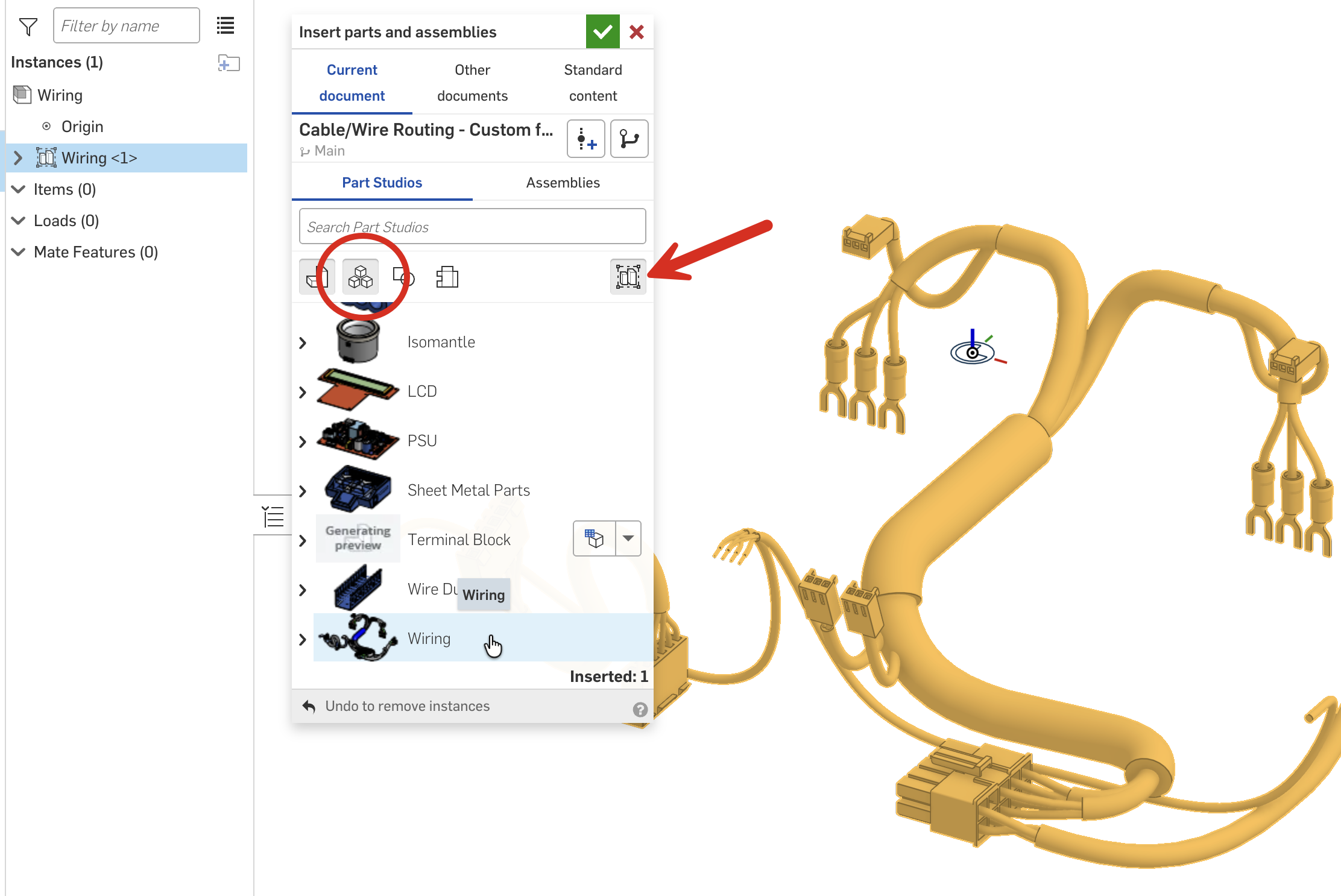
Hi, glad you like the wiring tools. The "Wire in-context reference" is just that, a reference, that you can use for assembly purposes (if you want). The wires themselves, you can either create a subassembly (as per the videos) and add the wires as they are created, or you can assemble as a rigid Part Studio - this will add all wires in the Part Studio to the assembly (this is new since the videos were created).
 Senior Director, Technical Services, EMEA1
Answers
Hi, glad you like the wiring tools. The "Wire in-context reference" is just that, a reference, that you can use for assembly purposes (if you want). The wires themselves, you can either create a subassembly (as per the videos) and add the wires as they are created, or you can assemble as a rigid Part Studio - this will add all wires in the Part Studio to the assembly (this is new since the videos were created).
Thank you Neil ! This is great. I appreciate the help :)
I did not figure out how to route a wiring following a Mate Connector. Is it possible? This way I can put mates where I want route without the use of clips (because I don't need clips). Thank you in advance.