Welcome to the Onshape forum! Ask questions and join in the discussions about everything Onshape.
First time visiting? Here are some places to start:- Looking for a certain topic? Check out the categories filter or use Search (upper right).
- Need support? Ask a question to our Community Support category.
- Please submit support tickets for bugs but you can request improvements in the Product Feedback category.
- Be respectful, on topic and if you see a problem, Flag it.
If you would like to contact our Community Manager personally, feel free to send a private message or an email.
Best Of
Re: Creating a cylinder using API
@hari_haran541 : Can you share your code & the exact error message (line number etc..) you are getting. This will help in debugging the issue.

Re: How Do I Break Dependencies From a Derived Part So I Can Get Rid Of It?
@EvanReese Thank you, I did go back from a fresh document and use offset planes and got it all working. I was also running into a problem where hiding the derived part also hid the rest of its dependent parts. I'm glad I learned this lesson early at least. As for the link I think I forgot I had linked it and moved it to trash without meaning to. But thank you again, same to @S1mon

Re: Filling gaps
@ricardo_raimondo It looks like you're just a tiny step away from getting into surface modeling, which is how I'd approach this area (and the whole part really). I split out and deleted faces I didn't need, and rebuilt it using surfacing techniques. The Boundary Surface feature can't hit the continuity I want because the input surfaces around them aren't smooth enough (meaning upstream surfacing can be improved too), but this is the right idea. I recently did a surfacing deep dive on Youtube, but it's fairly advanced, so also check out the courses on the learning center too if you want to learn these kinds of workflows.
https://cad.onshape.com/documents/c4577879673bc257e3e763d0/w/f87b2328dca5cb3828789776/e/6defacfbe30ad48cfacefef4


Re: How can this not be defined?
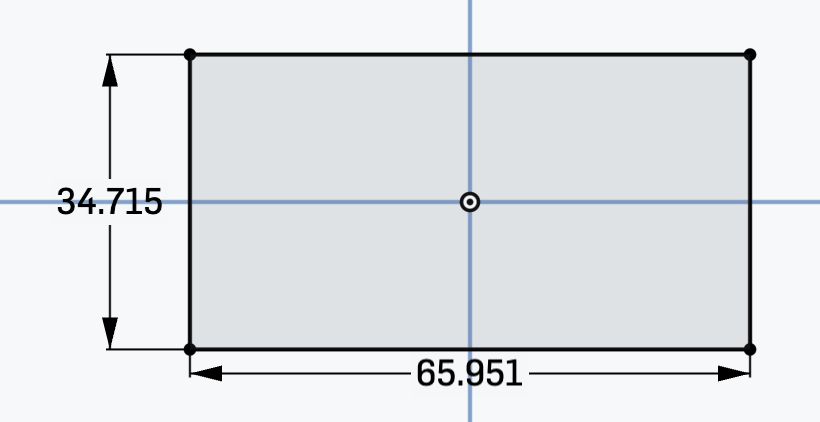
Hey Michael. If you click and hold on a line of your rectangle and move your mouse around, you can move the rectangle around. This is why it is not fully defined. The rectangle has to be fixed someplace; it has to have a 'fixed' location. Since, as it is, there is nothing else in your sketch, the only point to reference the rectangle to is the origin but that's fine.
Select any corner point and the origin and select the Coincident constraint or create dimensions from the rectangle to the origin. Everything in a sketch has to be 'fixed' either by constraints or dimensions. This doesn't mean you must always constrain a sketch entity to the origin. You can constrain a sketch entity to a previously created entity (a circle for example) but the place of reference on that that previously entity must be fully constrained for that to work.
- Scotty

Re: Is there a way to customize part names within an exported zip file?
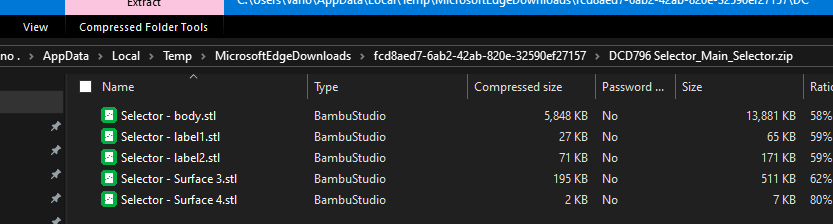
3 years later part export rule is ignored in part studio/assembly export:
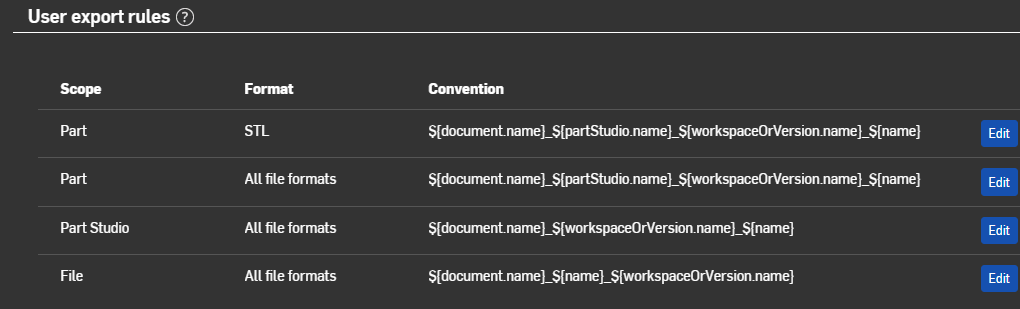
The result:
 vanowm
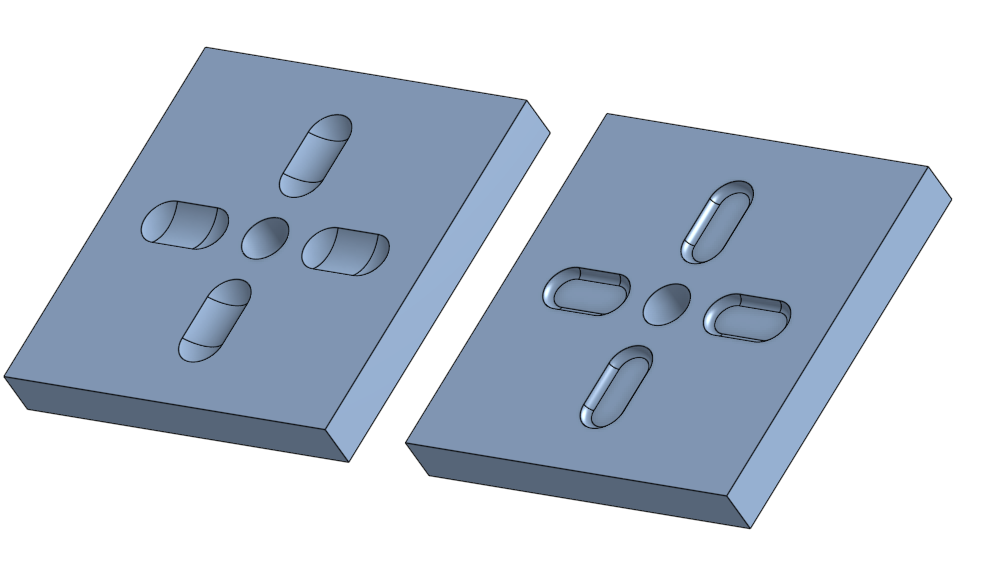
Re: Pill shaped detent using revolve feature
Does one of these look like what you want?

Re: Drawing Title = Part Name, Drawing Number = Part Number?
The reason is when you export a 3D asm for a vendor, all the components in the tree upon the STEP export take "name". I want them to have a PN for the vendor. But for me internally, I want text there so I know what is what, which comes in super handy when modeling. The export of assemblies' internal components does not follow the export rules.
I don't know if this is the best way, but I found it worked for me, after trying a couple of other ways.
Re: I want to make a path for a hoop
Something like this?
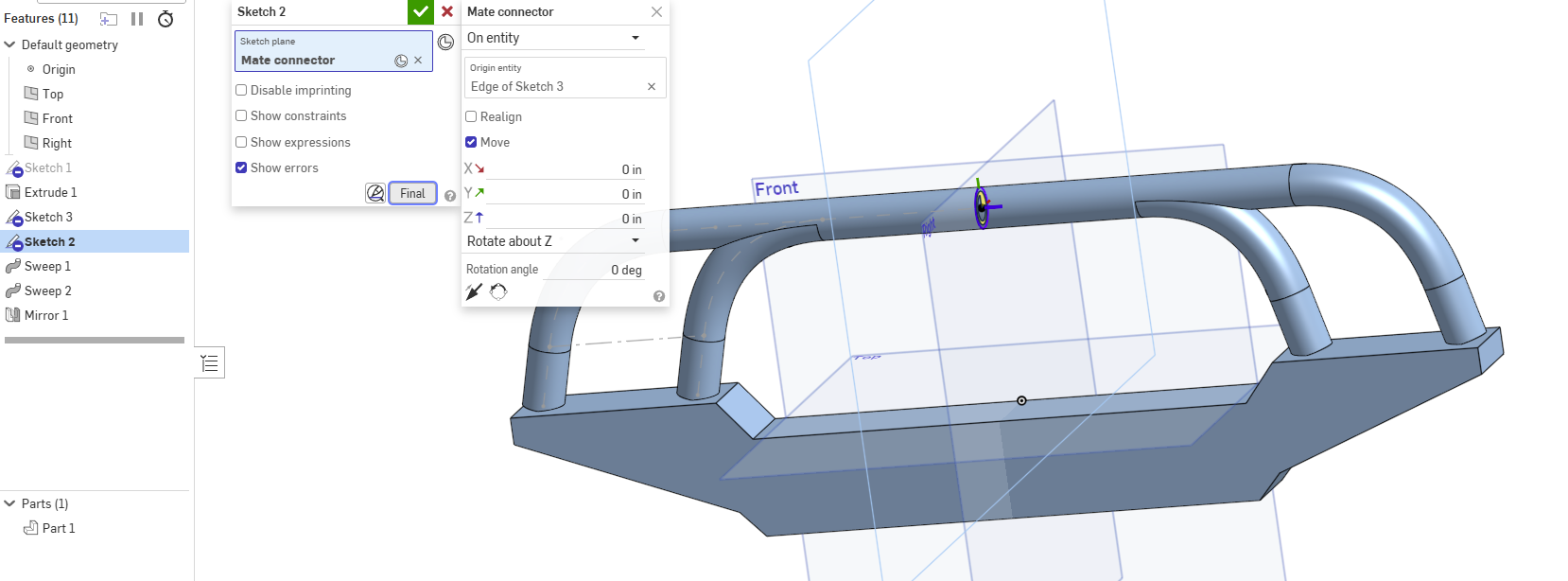
Re: Strange behavior of sketches when changing the inclination of the plane.
A really good way to deal with this is to use a mate connector instead of a plane. That way you have full control over the sketch axes
