Welcome to the Onshape forum! Ask questions and join in the discussions about everything Onshape.
First time visiting? Here are some places to start:- Looking for a certain topic? Check out the categories filter or use Search (upper right).
- Need support? Ask a question to our Community Support category.
- Please submit support tickets for bugs but you can request improvements in the Product Feedback category.
- Be respectful, on topic and if you see a problem, Flag it.
If you would like to contact our Community Manager personally, feel free to send a private message or an email.
Best Of
Re: Merge branches when tab has been moved to another document?
Yeah I had a team member do that with a larger project not too long ago and it was something of a debacle trying to wrangle the logic and order of operations to merge things back into one branch. We've since implemented an unofficial policy of not moving things out of the workspace while there are multiple branches live unless you want to master time travel and parallel universe manipulation.

Re: How do I create a simple planar surface bounded by a sketch?
@GregBrown - OK I'm amazed that's the work around. Don't know why there isn't a planar face option. I don't think I ever would have found that. Thanks!

Re: spline/bezier-like with a bias towards circularity
A good way to do this is with a proper NURBS curve, which you can make with the Control point curve custom feature.
This document has two examples. In each case the Weight of a particular control point is adjusted to be something other than 1 (thereby making it rational.) The effect it has on the curve is obvious, it "attracts" the curve towards it, and increases the curvature value. You can use it to approximate a circle, or tend towards a square, or something in-between.
In the first Part studio Periodic (closed)I have used a single degree 8 Control point spline (NURBS curve) and the corner Control points all have weighting of 2.
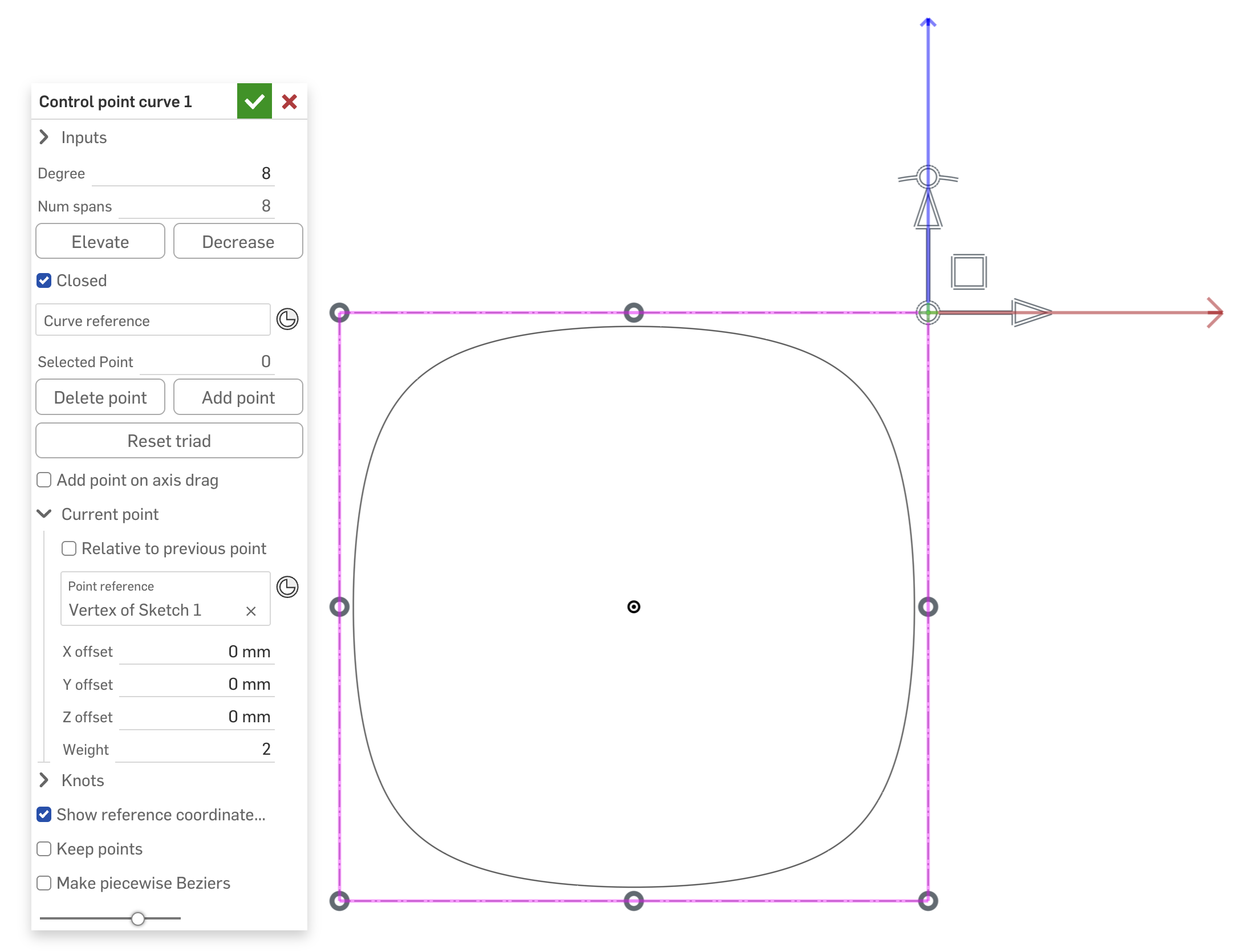
The curvature combs are pristine for this…
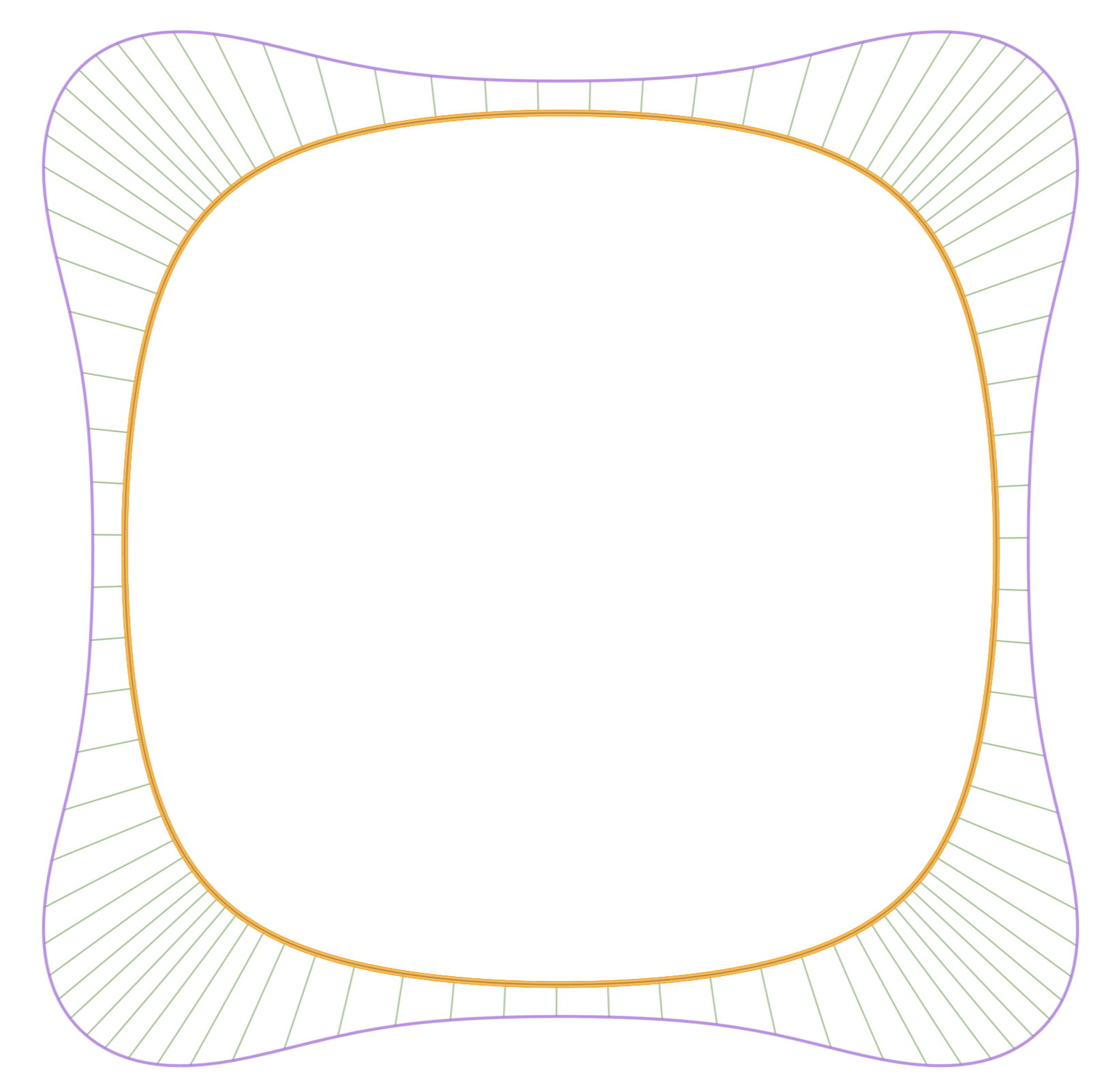
There is another part studio with one corner created from a Control point spline (degree 2, with the middle CP set to weighting of 2). This is then mirrored twice.
In both cases just play with the Weight parameter to get the desired effect.

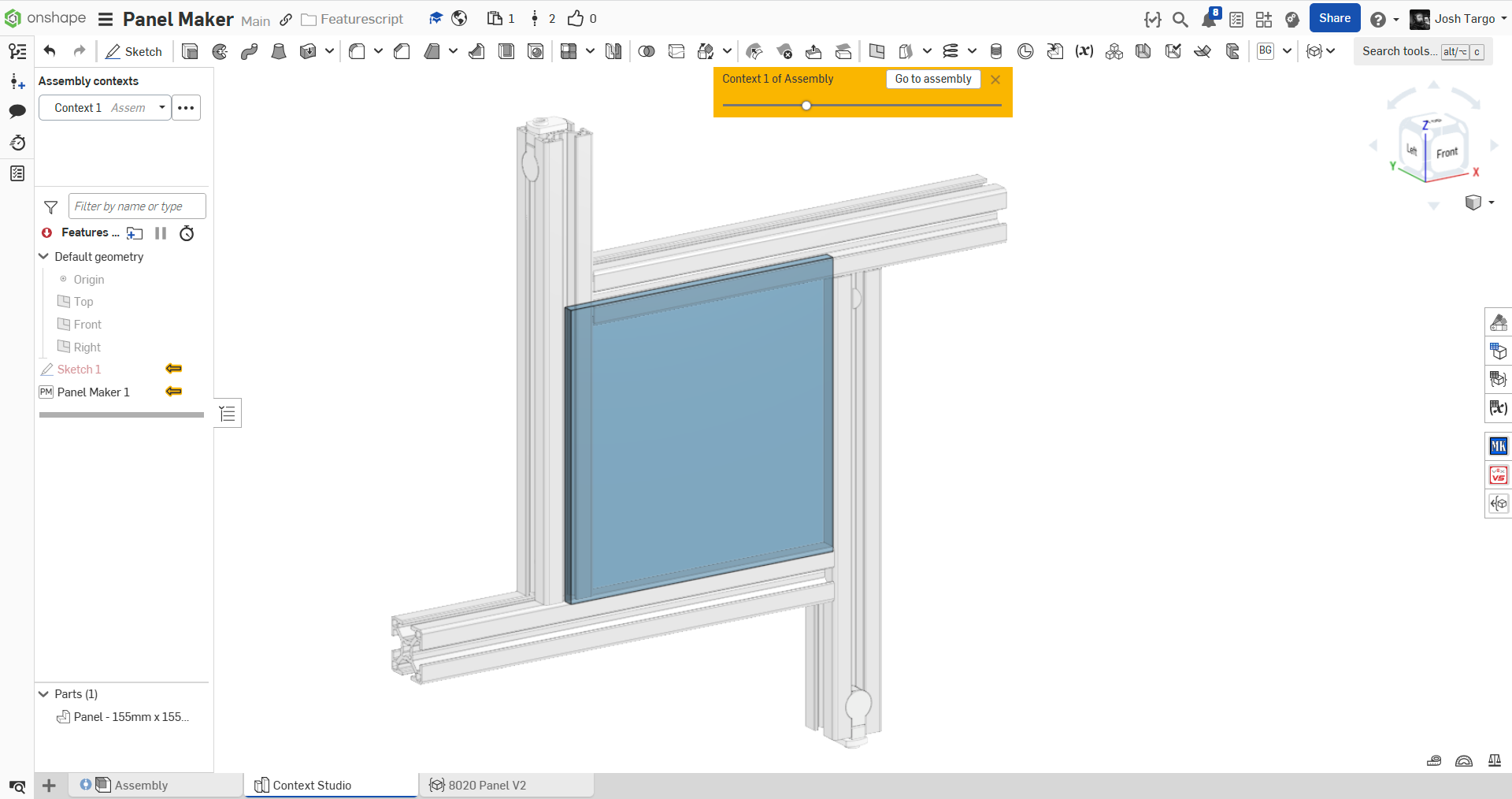
New Custom Feature: Panel Maker
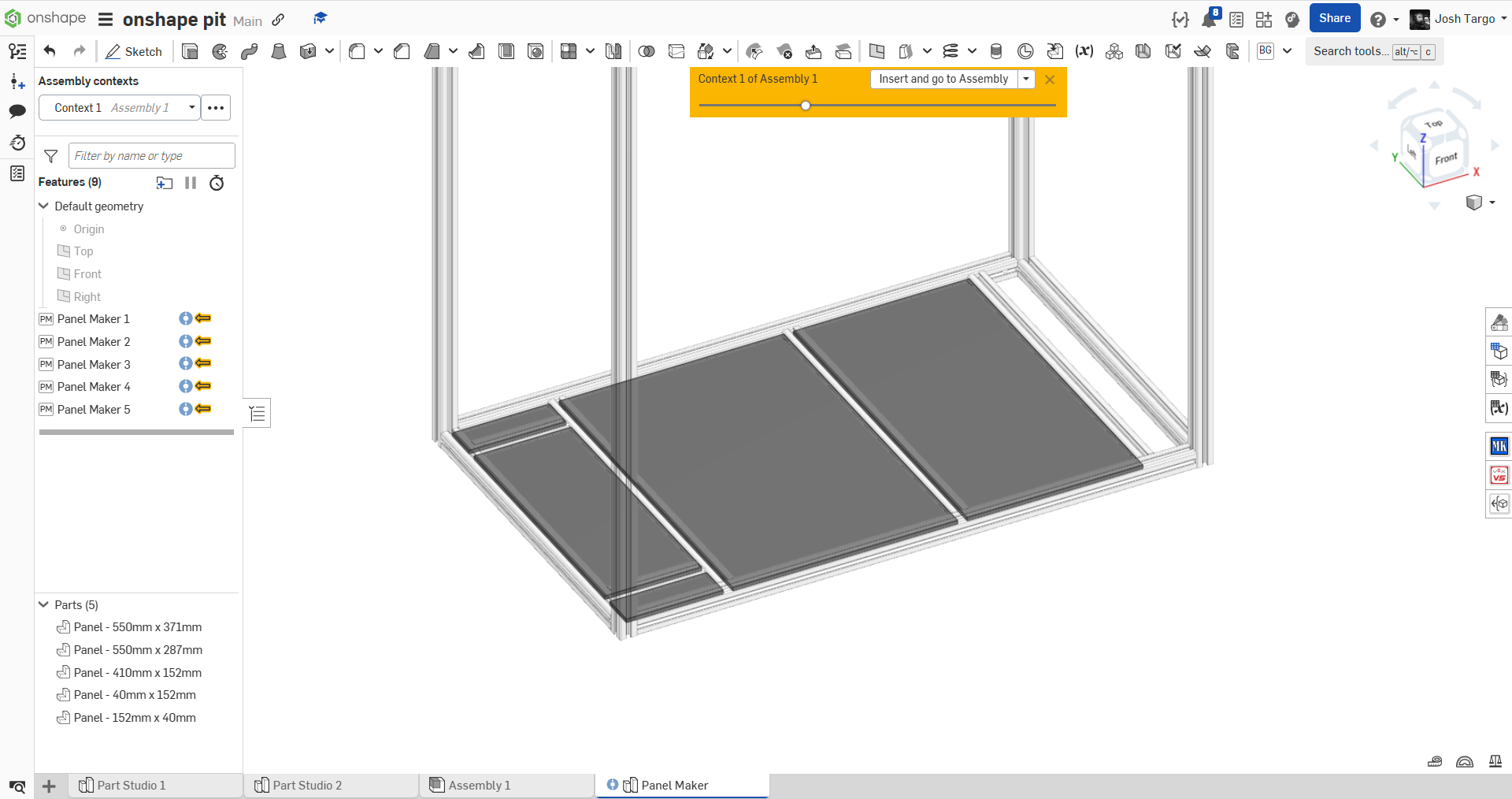
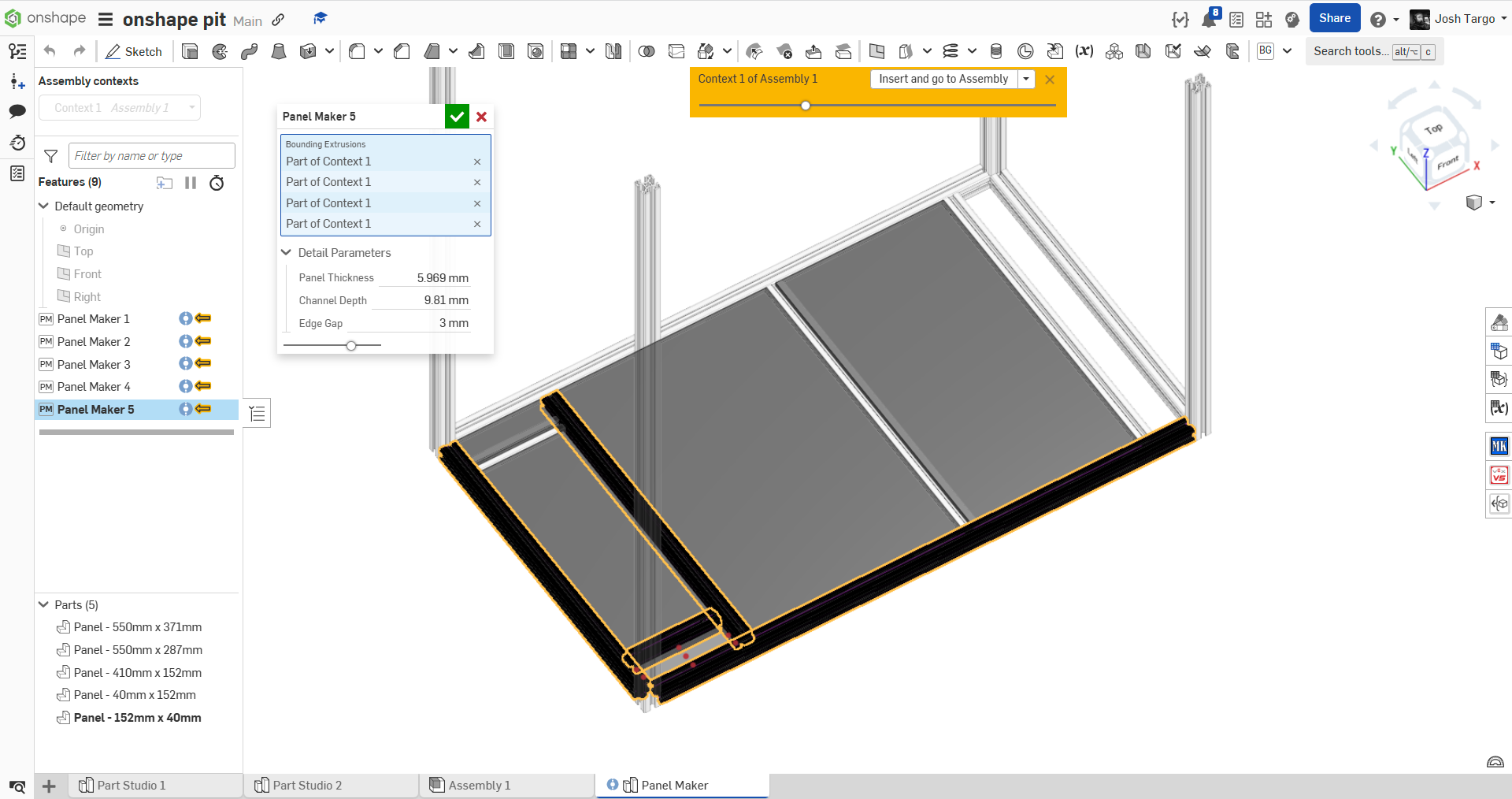
Creates a centered panel within four frame members, simply by sequentially selecting the four bounding frame members from an In-Context part studio.
Will offset its edges to fit within groove, can be adjusted with parameters (thickness, groove depth, clearance gap)
Renames panel with dimensions.
Created to help us make panels to fit within 8020 groove, but could be helpful to other people.
My code seems, to me, much more complicated than it needs to be. If anyone has any tips to make it more efficient, I'd love to learn.
Code here: https://cad.onshape.com/documents/55dcabcc9ccbced3470a8ed6/w/9a59e25f864af8a466fe7ba2/e/eff6bde6def71f3835738769

Re: Bending Gear Rack Along a Slight Curve
The Circular Pattern tool would work well. It can be used in a sketch or outside the sketch by patterning a part or the features to create the part. - Scotty
Re: Bending Gear Rack Along a Slight Curve
You could also just use one of the gear feature scripts (such as Neil Cooke's) and make a full spur gear and cut away everything except for the sector you need.
https://cad.onshape.com/documents/5742c8cde4b06c68b362d748/v/1db29081376c095cf10e2a3d/e/c72760543a0d4412e72f6d38
 S1mon
S1mon
Master Model course slide correction(s)
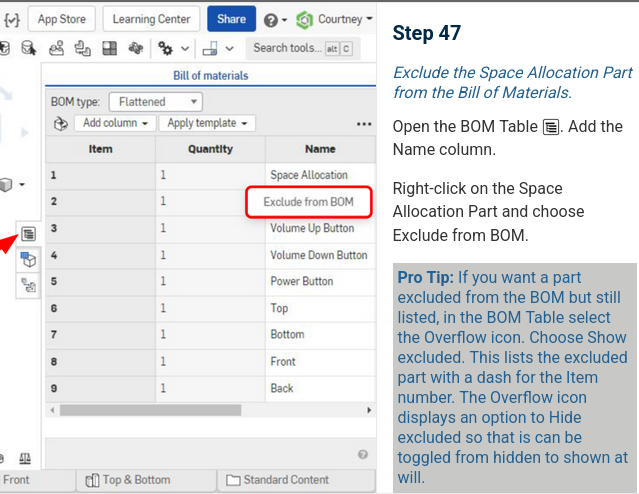
In the Master Model course, section 03. Maximizing Master Model Techniques, slide 47 needs to be updated within Exercise: In-Context Space Allocation.
Specifically, you cannot suppress an item within a BOM in flattened mode any longer. https://cad.onshape.com/help/Content/bill_of_material.htm#exclude_local
The slide should probably be updated to reflect this, since at the moment the screenshot shows being able to do this in Flattened mode.

Re: How do I create a simple planar surface bounded by a sketch?
Offset face with zero offset distance.
Re: Multi-Part Part Studios no correct answer
Hello all. Thank you for bringing this to our attention. Step 4 the revolve thickness should be pointing inward. This wasn't clear in the exercise and I am fixing it now.

Re: SELF-INTERSECTING BODY (LOFT)
the iso lines folding back into the tube indicate the issue…make the part "new" and you might have to add some guide lines on the top and bottom of the tube and on each side if you want to keep the profile circular.