Welcome to the Onshape forum! Ask questions and join in the discussions about everything Onshape.
First time visiting? Here are some places to start:- Looking for a certain topic? Check out the categories filter or use Search (upper right).
- Need support? Ask a question to our Community Support category.
- Please submit support tickets for bugs but you can request improvements in the Product Feedback category.
- Be respectful, on topic and if you see a problem, Flag it.
If you would like to contact our Community Manager personally, feel free to send a private message or an email.
Best Of
Feature Request: Pause Real-Time Rendering in Rendering Studio
Dear Onshape Team,
I hope you're well. I’d like to suggest a feature enhancement for the Rendering Studio that I believe would significantly improve the user experience and workflow efficiency.
Currently, real-time rendering updates continuously as changes are made to the scene. While this is helpful for immediate visual feedback, it can also slow down the process when working on complex models or adjusting multiple appearance settings.
It would be incredibly useful to have the option to manually pause real-time rendering. This would allow users to make several changes—such as tweaking materials, lighting, or geometry—without waiting for the renderer to update after each adjustment. Once the scene is ready, rendering could be resumed to preview the final result.
This feature would:
- Enhance performance during scene setup.
- Reduce lag and improve responsiveness.
- Allow for more focused and efficient design iterations.
Thank you for considering this request. I appreciate the continued development of Onshape and look forward to seeing how the platform evolves.
Warm regards,
Dewald Hattingh
Draughtsman

Re: connecting lines on different planes
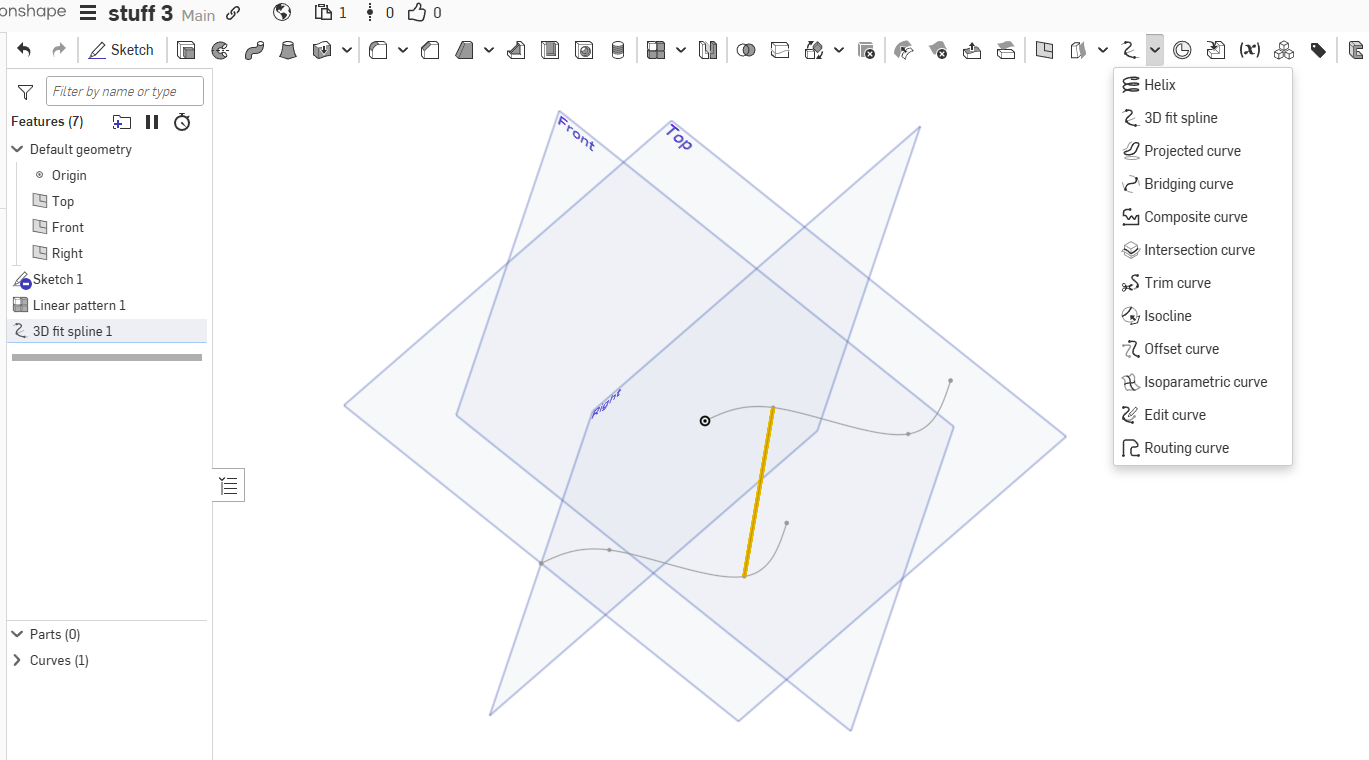
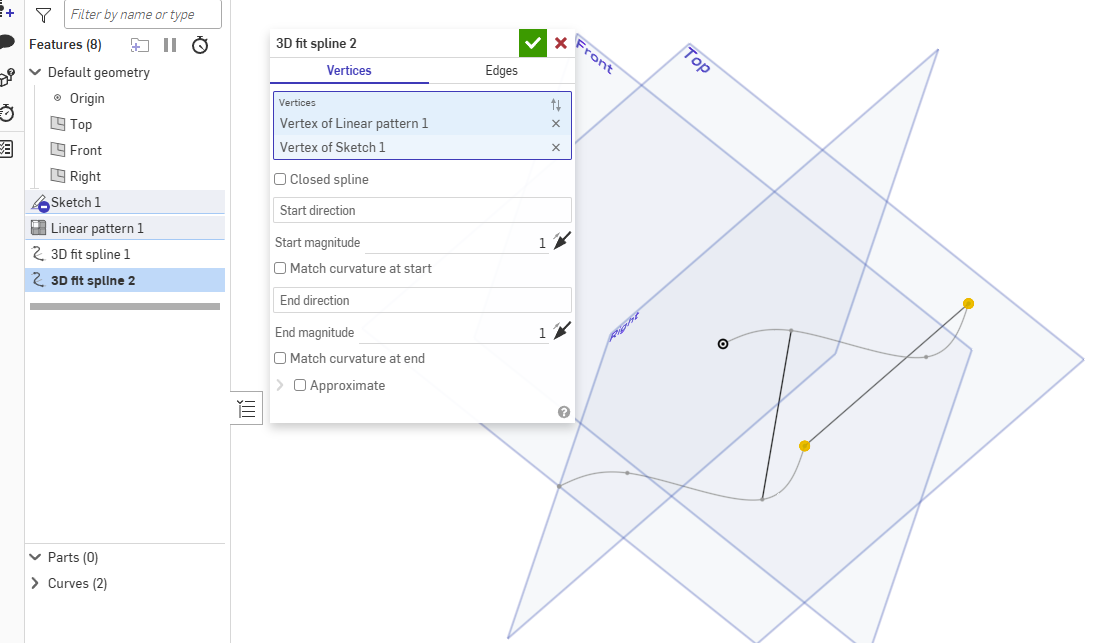
You can use 3d fit spline from point to point. This will give a line in 3d. If any thing besides the input of 2 vertices are applied it will not be a line.

Re: How to select the farthest point on an item in a sketch?
or put a point on the curve and constrain it horizontal to the center, which is what the other response meant.

Re: Sketch could not be solved - Maximum size sketch
Custom features are very safe in Onshape. When a custom feature is "public", you can copy it and add it to your own account, but you won't see if updates are available.
 STEG
STEG
Re: How to split a part at a feature such as dovetails?
draw a sketch in the shape of your dovetail. Extrude it as a surface through your part and use it to split it in two.
 MDesign
Re: Sketch could not be solved - Maximum size sketch
Custom features are very safe. They only get updated when the end user decides to update them. Custom features can't read or write to the rest of the internet. So far I've never seen any evidence of a problem with custom features being malicious.
 S1mon
S1mon
Re: is it possible to lock a branch from edits for all but specified users?
You could derive into another document and do work there which has different permissions.
You can also consider using Workspace Protection to make Main something that can't be edited, only merged or branched.
It really depends on what the ultimate problem is that you're trying to solve. I assume you trust these users, but you don't want them to mistakenly screw something up?
S1mon
Re: Imported STEP file parts piled up in origin.
In a file-based CAD system all the parts are created around their own origin in their own part file, then the assembly transforms them to the correct location. Onshape simply follows that rule,. You can import all parts into a Part Studio, but you won't get the assembly hierarchy. It's ugly, but does it matter?

when a sketch is not fully defined, is there a way to change the highlight from blue
I have a difficult time discerning blue from black in the user interface. It would be nice to be able to have those issues highlighted in an easier color.