Welcome to the Onshape forum! Ask questions and join in the discussions about everything Onshape.
First time visiting? Here are some places to start:- Looking for a certain topic? Check out the categories filter or use Search (upper right).
- Need support? Ask a question to our Community Support category.
- Please submit support tickets for bugs but you can request improvements in the Product Feedback category.
- Be respectful, on topic and if you see a problem, Flag it.
If you would like to contact our Community Manager personally, feel free to send a private message or an email.
Best Of
Re: FS 355 Bug: isInteger with (unitless) bounds throwing ValueWithUnits error in Part Studio
Any particular reason you are using a version of the standard library from May 16th 2016? Try it with the latest (2945) and report back.

Re: Deform (New Custom Feature!) 🆕
Could it be? My 4 dimensional dreams realized at last? And I didn't have to write the whole thing myself? It's beautiful.

Deform (New Custom Feature!) 🆕
.
 CADSharp &
 RENDERCAD have sponsored a new custom feature:
.
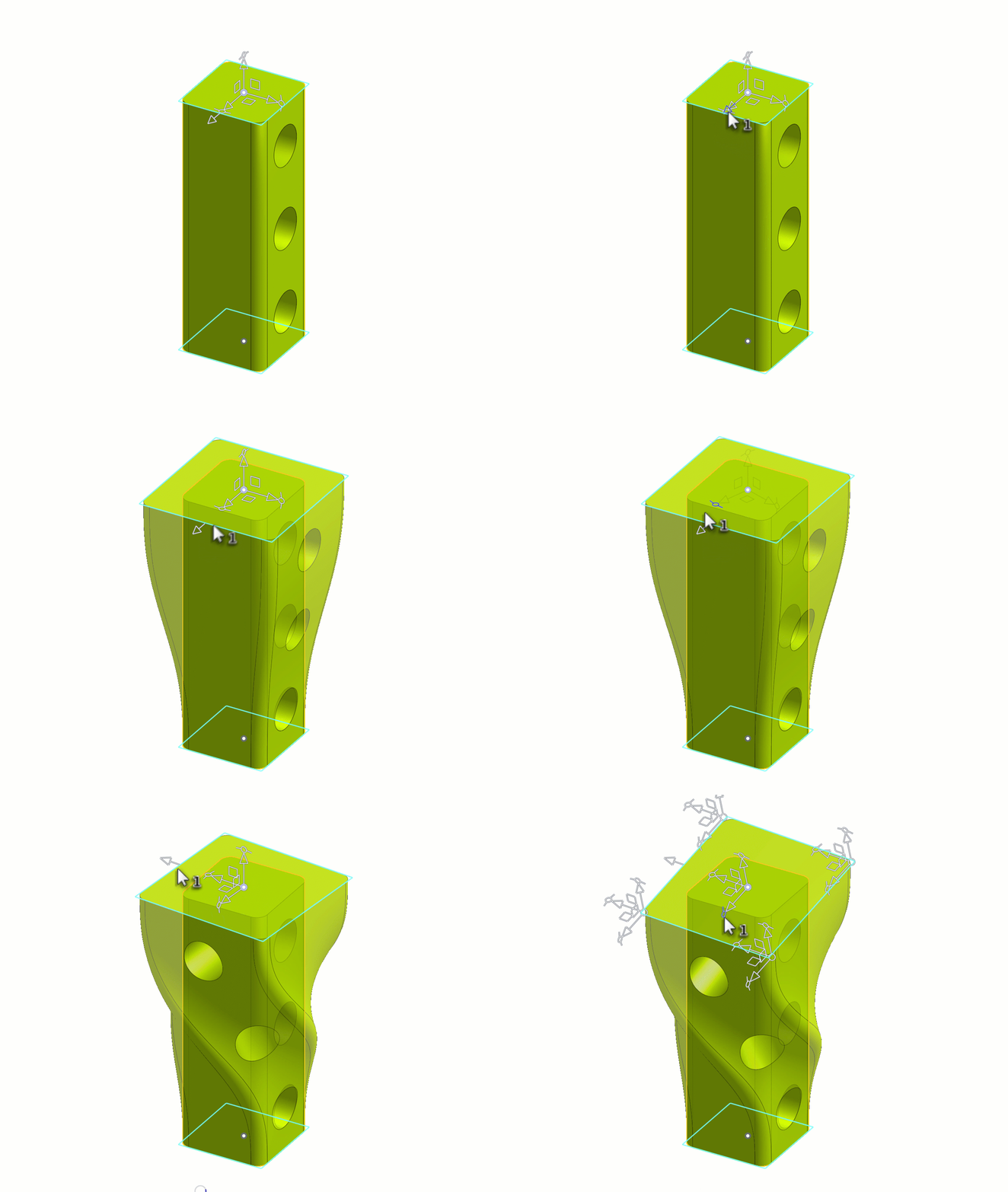
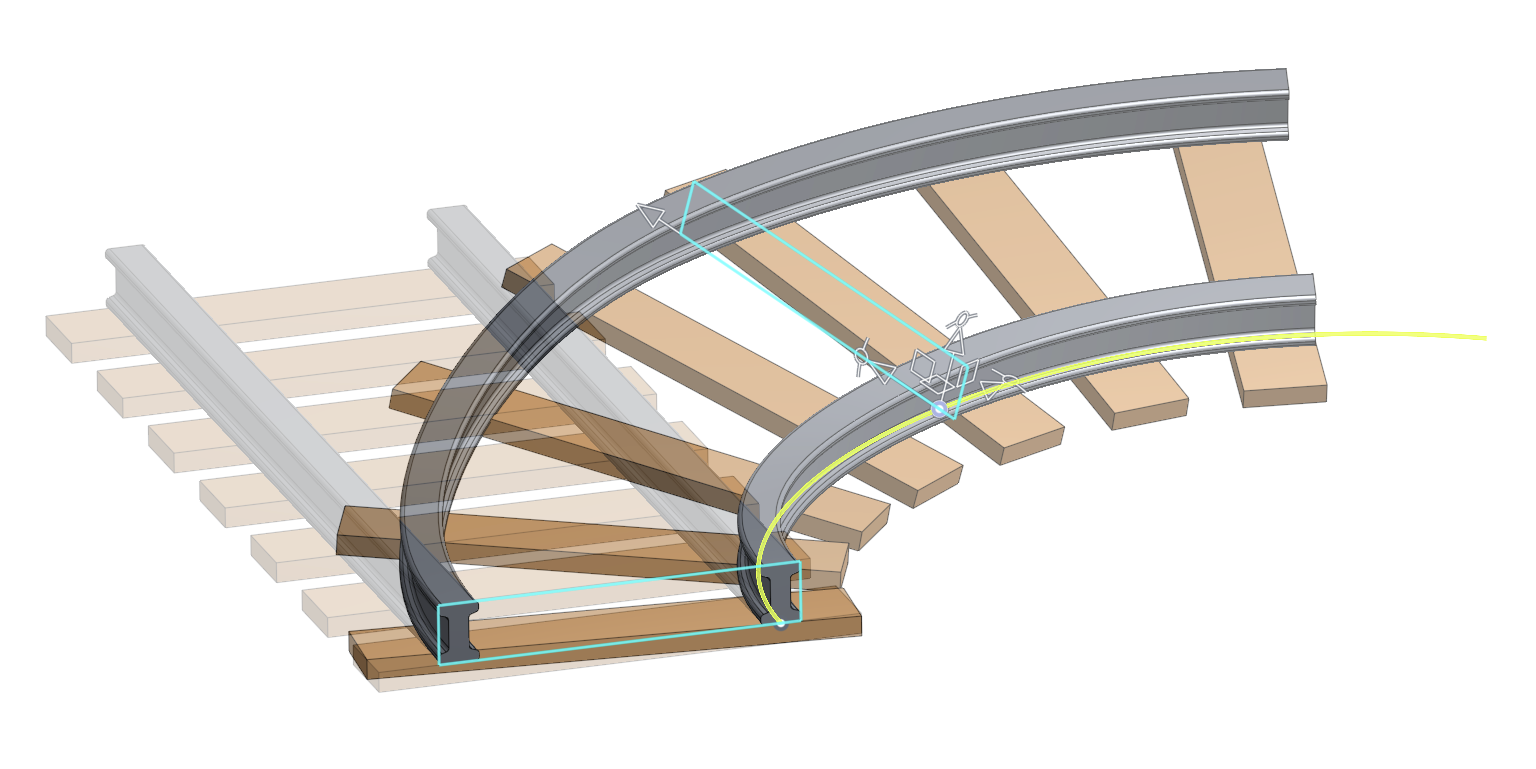
 Deform
It deforms a parts and surfaces via profile sections or lattice grids along a path. Useful when you need to bend, twist, and scale parts after they have already been modeled.
Note: It is still a work in progress but I think its good enough for first release.
https://cad.onshape.com/documents/303775db976a02780499bec3/w/80a914faf16b9cdbd2f23…
Special thanks to:
- @Derek_Van_Allen_BD for laying the b-spline surfacing groundwork with Tween Surfaces.
- @vesa_timonen for laying the general geometry groundwork with Flex
- @EvanReese for laying the manipulator groundwork with Freeform Spline
- And last but not least thanks to GPT 5.5 for writing this entire feature; for those who couldnt tell via the 5000 lines of code… 🤣

Re: PLEASE explain "externally disambiguated" / "transient" / "robust" / "tracked" / "unstable" ID's etc
Upon revisiting documentation and experimenting I better understand entity referencing via queries and external disambiguation. I'll summarise what I've learnt in words I understand in case anyone finds it useful (Please @lana & @Lindsay_Early correct any mistakes I make if you like I'm sure I missed some things):
Queries
1. Each entity in a PS (part studio) has a "transient ID" which can change if an operation is performed, even if that operation doesn't modify that entity. A feature can have multiple operations and between each one the "transient ID" of the entities can shift. You are discouraged as a user from attempting to predict how a "transient ID" will change between operations to track entities with their specific "transient ID"s.
2. "transient ID"s can change and shift between operations for reasons that are complex and unnecessary to know for good featurescript writing.
3. "Queries" are used to reference entities in featurescript. A "query" is a type who's structure is defined in the std public onshape source code in the "query.fs" tab. A "query" is literally a question structured such that onshapes library functions can use it to ask the context what the "transient ID"s of entities are at any time between operations.
4. The question a "query" asks does not change between operations. This means before and after an operation the same "query" may refer to different entities since in both instances it is asking the same question but in a different context.
5. The process of a function passing a query to the context to receive "transient ID"s is know as evaluation. "evaluateQuery" is a function that does this, it returns an array who's elements are queries that contain the "transient ID" of each evaluated entity at that time. All functions that need to refer to entities in the onshape library use queries and never "transient ID"s which is why the elements of array returned by "evaluateQuery" are of type "query" making it easier to use in loops where the individual queries can be used as inputs in operations (a type of function).
6. "queries" constructed in code are complex questions, that can be evaluated at any point between operations. An "evaluated query" (a query that looks like this → { queryType : TRANSIENT , transientId : IB }) asks only what entity has that specific "transient ID" right now and should be used by function immediately or else the entity referenced may be different. This means if you're looping (iterating) through the array from "evaluateQuery" but each loop has an operation that changes the "transient ID" of the intended entities, the code will fail. You must instead ensure each loop has a "query" carefully constructed to evaluate to the intended entity in each loop.
Operations
1. The variable "id" which is present within a feature definition is an array of strings of type "ID" with 1 element; a string unique to every instance of a feature in a context. An array of type "ID" can have new string elements appended to it (called "components") with the "+" operator unlike with ordinary arrays, which makes it easy to construct a new ID by appending strings. Operations in a feature will ask for an "ID", each one must be unique to identify the operations performed by that feature and must be assigned in the order specified in onshape standard library documentation.
Note: that "transient ID"s, "ID"s & "identityTransform" are all completely different things:
-Constructed "ID"s are assigned to operations only and can be used by "queries" to reference the entities made by them.
- "transient ID"s are assigned by the context to individual entities and used only by the context.
-"identityTransform" is a function that returns a "transform" that does nothing.
Entities
1. Standard Library Documentation query section starts by explaining how entities are defined in a context and presents enums that are used by functions that return "queries" that use those enums to refer to entities. It's important to note that "bodies" may contain "entities". Up till now I have used the word entity to refer to anything that could exist within a PS. This is not the way onshape uses the word.
2. Anything you see in the bottom left corner of a PS on your screen under "parts" or "surfaces" etc, etc is a "body" with a "bodyType" not an "entity". "entityType" only identifies parts of a body or all of one body. The reason "entityType.BODY" exists is because some "body"s don't contain vertices, edges or faces such as mate connectors.
Constructing Queries
1. Standard Library Documentation query section is worth reading to understand how to construct a query that evaluates to entities based on their topology ("state-based") however explains very little on how to refer to entities based on when they were made ("historical"). "qCreatedBy" is the only "historical" "query" function in this section as it refers back in time to entities made by an operation with a specific "ID". Likely this is because a "state-based" query will return just an empty query but "historical" queries will throw an error if their specific entity was deleted.
2. "state-based" and "historical" queries can be constructed together to create more and more complex queries
The following points address very useful "historical" query constructing functions.
3. The function "startTracking" takes a "query" & returns a "query" that evaluates to all entities created that depend directly on that 1st "query".
4. The function "makeRobustQuery" takes a "query" & returns a "query" that evaluates to the entities evaluated by the 1st query at the time the 2nd query was constructed.
Down Stream Stability
1. When an operation both uses a query to make new entities and there's a chance that the "ID" passed to it has a "component" that could change without the query passed in changing the entities it evaluates to then this "component" is known as "unstable". If this ever happens any feature that used the new entity made by that operation will either reference a different entity or nothing at all because it was using the operation ID to reference that entity. This happens frequently when the operation is performed in a loop where a loop iterator variable is used as the "ID component".
2. An "unstable" "component" can be marked as "unstable" with the "unstableIdComponent" function. All it does is put an asterisk (*) at the biggening of the string of the "component". The constructed "ID" as a whole can then be associated with the entities made by the operation with "setExternalDisambiguation". This tells the context to adjust the the operation ID linked to the created entities whenever the feature definition changes.

Re: ray
Even though I can usually work around it, I'd welcome such a tool set, because it maps a real world workflow and it's manufacturing steps to the CAD world, making it easier for designers to support and document the manufacturing process.

Re: Help with a loft please.
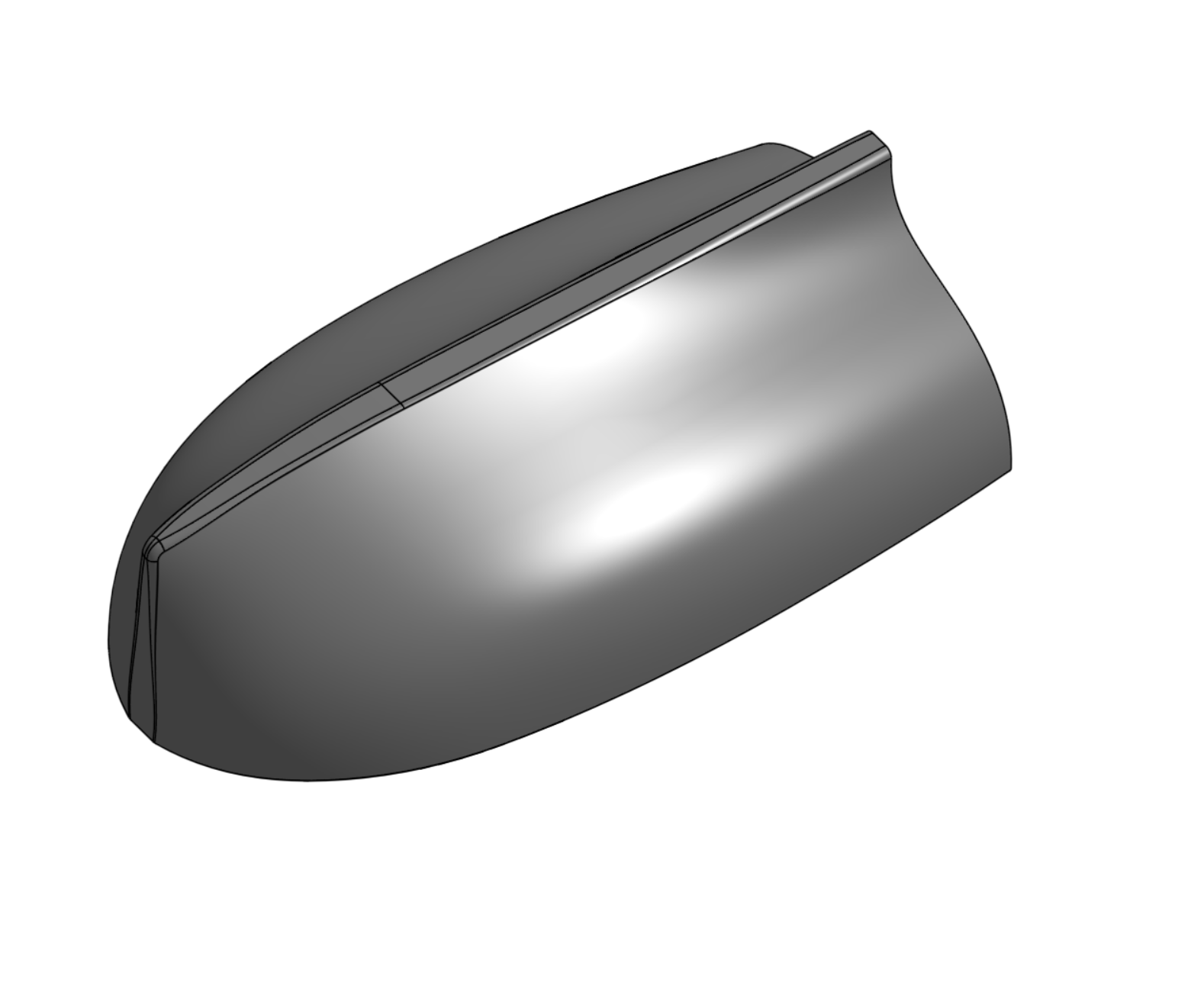
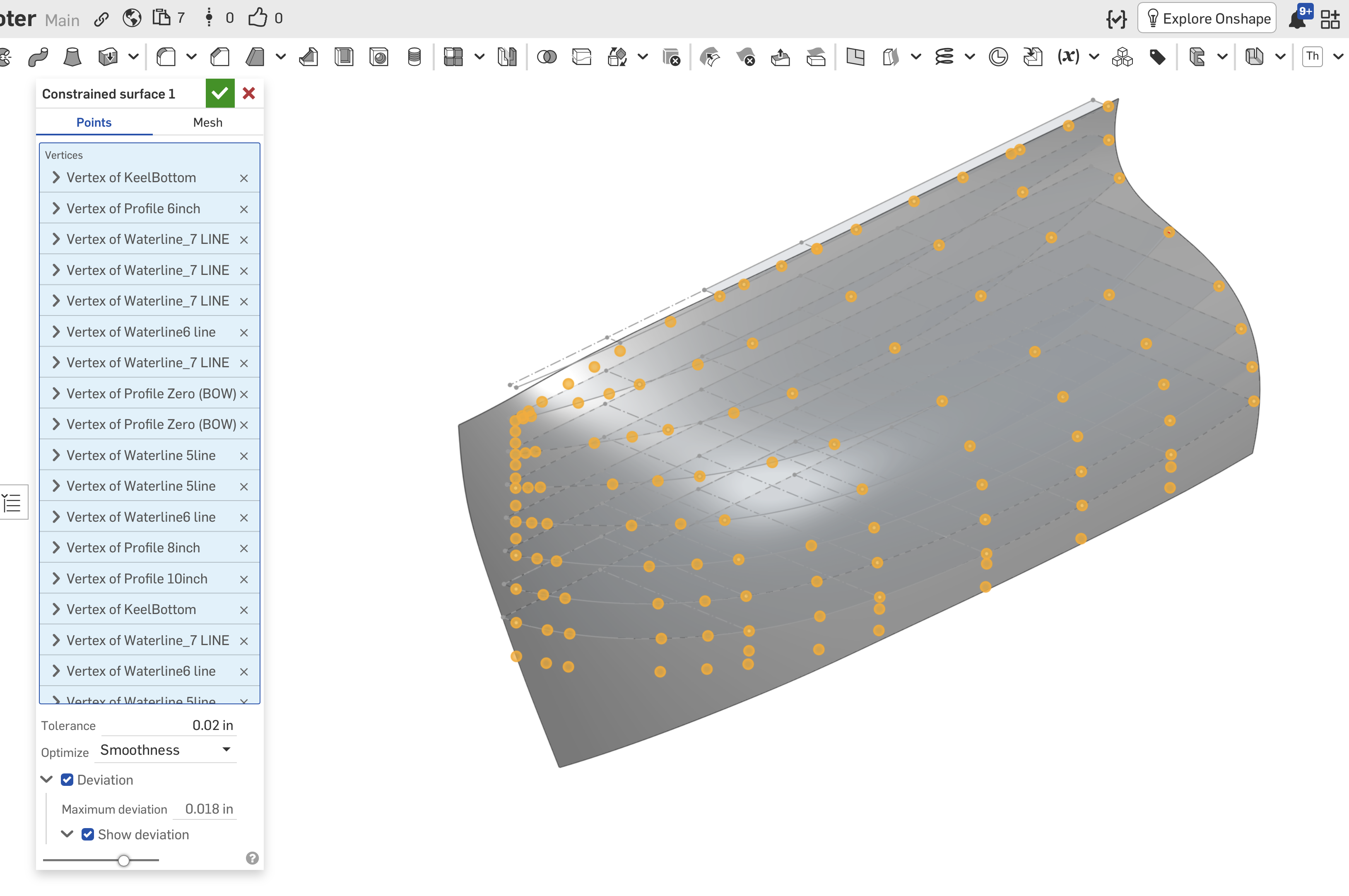
Three years later, armed with a lot more Onshape experience, and now the constrained surface feature, I revisited this little project and have solved my surfacing problem. It may or may not be a correct use of the tool, but by increasing the number of constraint points in the tight areas, I managed a perfectly adequate result.
Note that most of my issues (I think) arose from attempting to remain true to the original measured drawing, rather than smoothing its descrepancies.
Thank you all!

Re: Dimension an angle at drawing mode without a horizontal line as reference
By creating a reference/leader line first.
Re: Using configurations in variable studios
I think @euan_dykes was hoping to be able to just change the variable studio configuration and have all the parts update to use the currently configured values. It's not an unreasonable mis-understanding but not the intended way this has been designed (i.e. you select what configuration is used at the point where you "import" it rather than "push" the configuration information to child tabs).
@euan_dykes, if that's what you wanted to do, the solution is to create two variable studio, one that has the configurations and isn't used directly in the part studios, and then another one that is automatically inserted and just import the configured one. If you edit the imported one to change which configuration gets imported, then you will get all the part studios to update. The downside is that you don't get a configuration input to select from.
