Welcome to the Onshape forum! Ask questions and join in the discussions about everything Onshape.
First time visiting? Here are some places to start:- Looking for a certain topic? Check out the categories filter or use Search (upper right).
- Need support? Ask a question to our Community Support category.
- Please submit support tickets for bugs but you can request improvements in the Product Feedback category.
- Be respectful, on topic and if you see a problem, Flag it.
If you would like to contact our Community Manager personally, feel free to send a private message or an email.
Best Of
Re: Basic question: How do I create a part with exact dimensions?
@MDesign nailed it. The Onshape Learning Pathways are by far the most efficient way to learn Onshape.
To answer your question:
- Create a new document.
- Within the part studio, create a new sketch on, lets say the Top Plane.
- Within that sketch, use the rectangle sketch tool to sketch a rectangle.
- Use the dimension tool and put dimensions on the rectangle. Make sure you constrain the rectangle to the origin of the part studio or else it will be able to move around.
- Within the dimensions, you can set them manually, or you can set them to variables.
- There are multiple types of variables:
- Configuration variables: If you use configuration variables you will have some quick inputs at the top of the document to quickly change the variables.
- Feature variables: If you use feature variables in the feature tree, they will be stored in the feature tree and you can edit them to change their values.
- There are also variable tables and variable studios, but I assume you wont need those for now.
- There are multiple types of variables:

Re: Approximate Face (New Custom Feature!) 🆕
I saw this pop up on the CADSharp page before you posted this and was like "since when did they have this?"
Gonna be doing some noodling and seeing if this can help me along with Edit Surface and later my Flex feature.

Approximate Face (New Custom Feature!) 🆕
.
 CADSharp has sponsored a new custom feature:
.
 Approximate Face
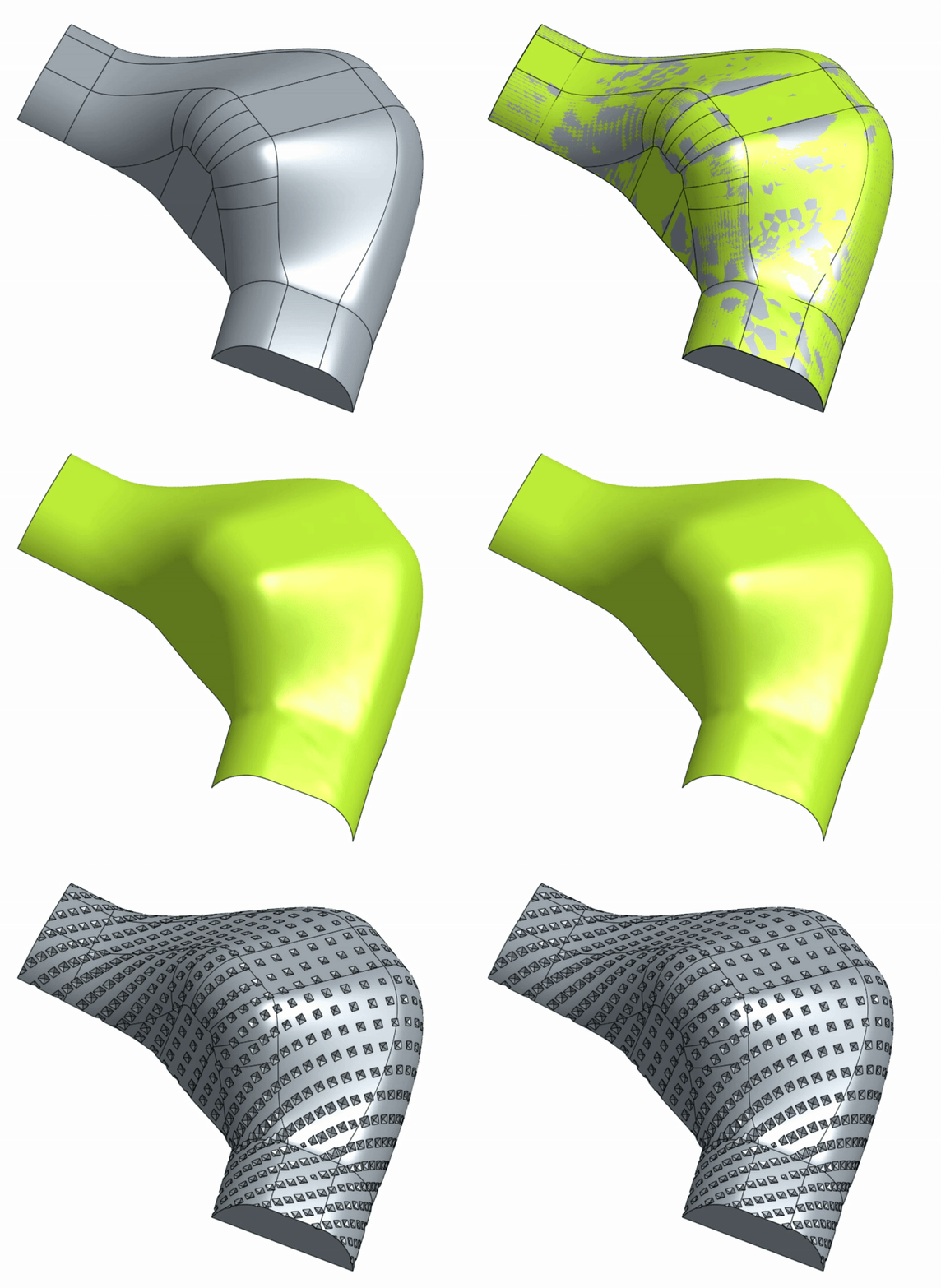
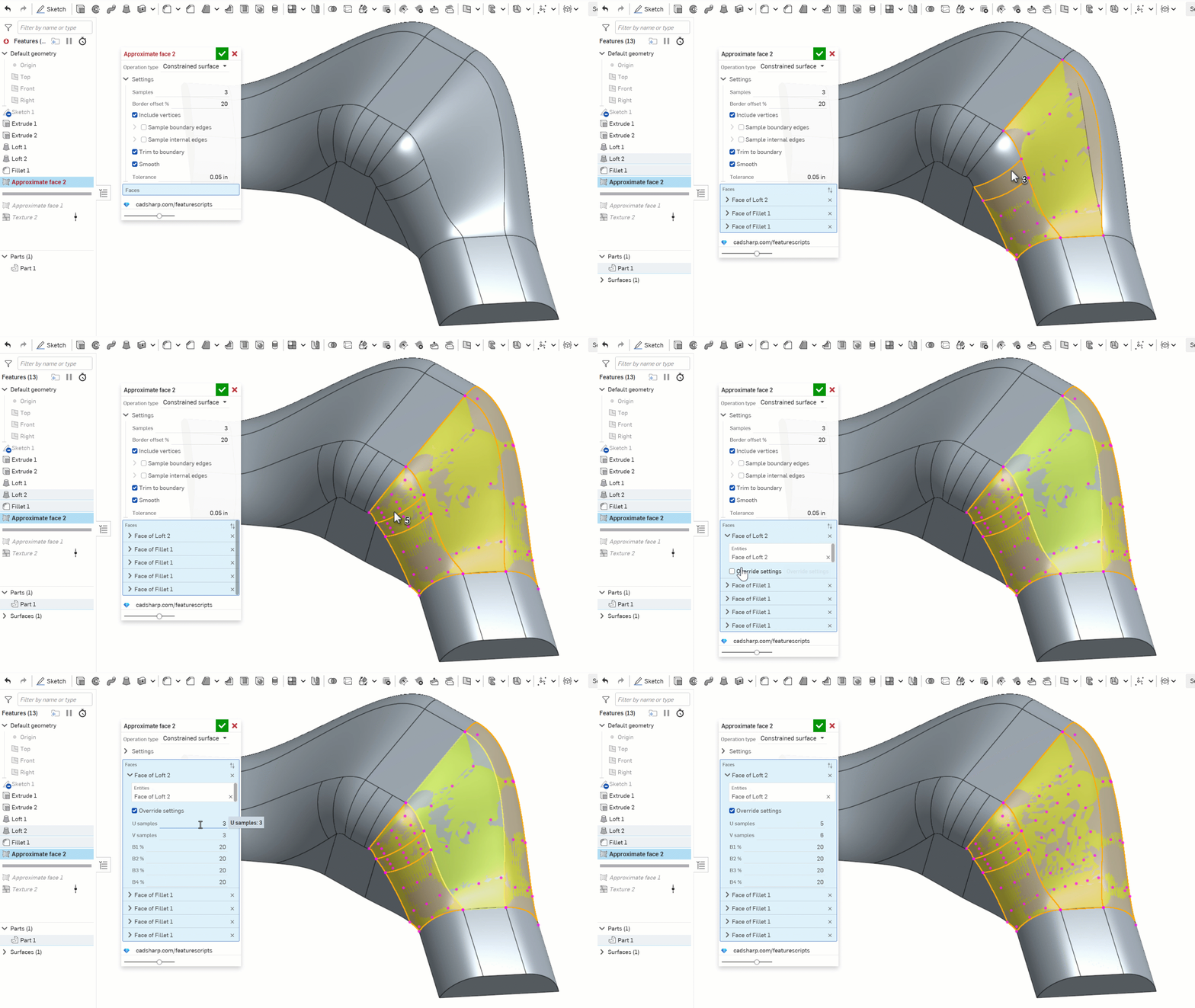
This feature uses Onshape's new constrained surface functionality to re-create an approximation of multiple faces. Useful when working with features like Texture or Attractor Pattern that only allow one input face.
.
⚠️ Need custom apps, tools, or workflows? Reach out to CADSharp, we do this for a living.
Re: Sheetmetal Forms: Library won't accept custom form
I'm guessing you haven't created a version…
Anything "outside" of the current document can only access versions of a document.

Re: Sheetmetal Forms: Library won't accept custom form
@eric_pesty , Thanks that did the trick. Strange that the error dialog wouldn't flag that.
Re: Sheetmetal Forms: Library won't accept custom form
@GregBrown Thanks for catching my conceptual error on the "remove" part. I made the change and the form is now usable in another part studio in that doc.
I tried changing the the min max values for the thickness parameter per @ilya_baran , but am still getting the same error message when attempting to add it to my form library.
Re: Adding dimensions to an isometric view.

Re: Autodesk to acquire PTC
Why should Autodesk do that?
Buying PTC just to get rid of competing products sounds way too expensive for that amount - particularly as affected people would think twice to substitute their beloved PTC cad programs with an Autodesk one in that case.
To gain access to technology they don't yet have? There is a lot of overlap, e.g. it neither makes technical sense to merge Onshape with Fusion nor Creo with Innovator. And killing off Fusion in favor of Onshape would make a lot of current customers very unhappy - and not make sense as Onshape isn't a drop in substitute, both have focussed on other topics in may areas..
To "buy" new experts? Sounds unlikely when they don't even keep their own experts…
To keep everything as is, retain PTC as an independent daugther company and just add the PTC revenue to theirs? That would be a VERY long term project - just to get back to 0.
So, if they would buy PTC I wouldn't understand why. Ok, that probably isn't a prerequisite :P
 fst
fst
Re: Rounding values
roundToPrecision(#PosMin/(cm)+(#PosMax-#PosMin)/(5 cm)*2,1)cm

Re: New Curved Text FeatureScript
@John_Goetze I wrote Text path. It should do what you want without too much difficulty:
 jnewth