Welcome to the Onshape forum! Ask questions and join in the discussions about everything Onshape.
First time visiting? Here are some places to start:- Looking for a certain topic? Check out the categories filter or use Search (upper right).
- Need support? Ask a question to our Community Support category.
- Please submit support tickets for bugs but you can request improvements in the Product Feedback category.
- Be respectful, on topic and if you see a problem, Flag it.
If you would like to contact our Community Manager personally, feel free to send a private message or an email.
Best Of
Re: Improvements to Onshape - July 18th, 2025
I stopped reading after this
- The assigned default value for a configuration input is now displayed in the configurations panel
- Configured dimensions can be renamed
- List values can be reordered by drag-and-drop
- Configuration inputs can be reordered by drag-and-drop 😍
- You can expand or collapse all configuration inputs in one click
Thanks you sooooooooo much for this! This has been a pain for me for years.
Continuing to read, Oh my god! I'm having trouble comprehending how so many pain points for me have suddenly been solves in one update. This is awesome!

Re: Improvements to Onshape - July 18th, 2025
Way to go!
All of this is great. Of immediate use to us: Configurations, pipe threads, assembly performance, render studio (all of it), revision part status in sidebar.
Re: Improvements to Onshape - July 18th, 2025
WOW! Configuration drag and drop is finally here, what a tremendous update!
Re: Consultation on how to create a sweep between two parts in different plains
You might find loft with a path helpful. but you may need to add an additional profile or 2 at strategic locations to control the tilt that will be inevivtable when it joins the ball tray at the bottom
 MDesign
Re: Consultation on how to create a sweep between two parts in different plains
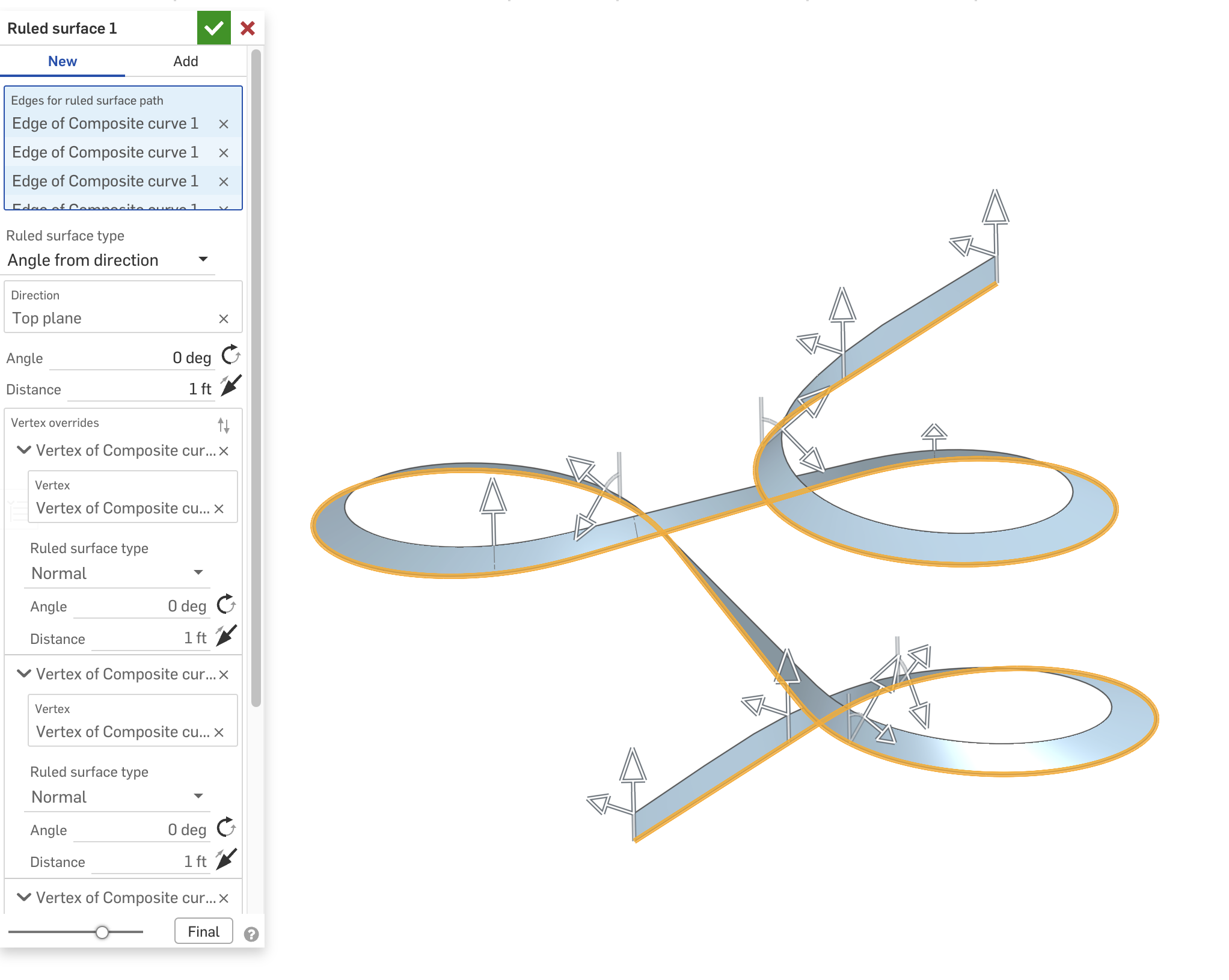
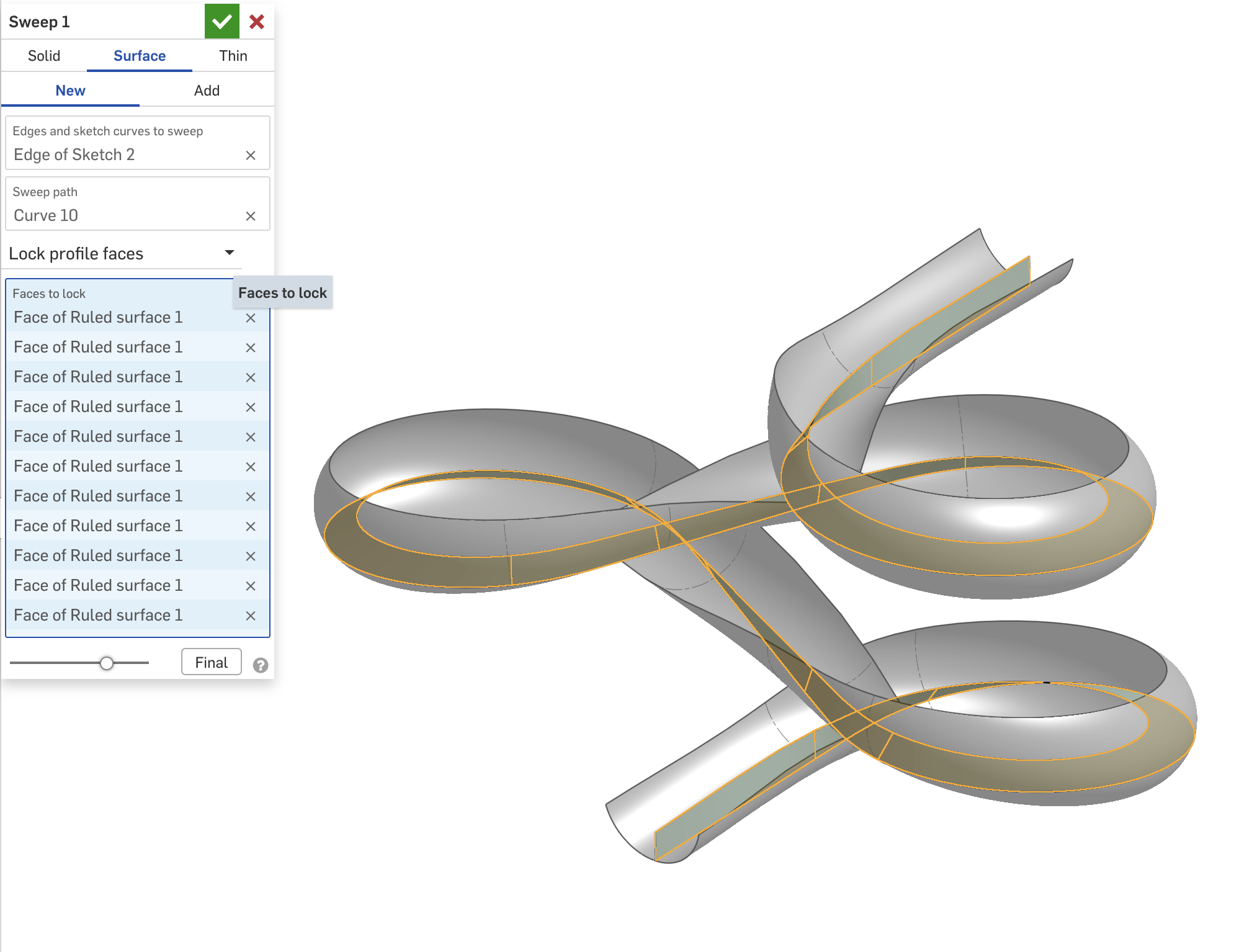
If I understand the question, you can use a Ruled Surface to create a reference face so you can control the orientation of the sweep using "Lock profile faces". Here's an example model I made a while back.

Demonstration: Enhanced Debugger FeatureScript
Yes! The debugger can actually be smooth to use. And with this little trick, you can surgically Debug!
Essentially this involves incorporating the → 'arrow' syntax, and a standard use of Lambdas to bypass the ever abundant "context". Some other functions for println, and colored Debug are also included.
Here are the snippets for easy access. Though the actual document is fully commented.
var c is Context = context;
var clrs = [DebugColor.RED, DebugColor.GREEN, DebugColor.BLUE, DebugColor.CYAN, DebugColor.MAGENTA, DebugColor.YELLOW, DebugColor.ORANGE]; // DebugColor.BLACK

var d = s => { c -> debug(s); return s; };
var dc = (s, clr is DebugColor) => { c -> debug(s, clr); return s; };

var p = (arr is array) => println(arr -> foldArray((a, b) => { return a ~ "\n" ~ toString(b); }));
var pl = (s is string) => println("-=-=-=-=-=-=-=-" ~ (s != "" ? " [" ~ s ~ "] -" : "" ) ~ "=-=-=-=-=-=-=-");
 deDev0
Re: Scanning Service?

Re: Feature scripts
I fixed a few issues in your custom table… try this now: https://cad.onshape.com/documents/bcb49665ab815049abfc33a0/w/f05bf45252300e5c0fbe04b3/e/14f645ee405326a00c3fd52d
You had missed a few things with the maps references needed to be made to the key e.g. densities[material.key]
Also your helper function computeMasses needed to be outside the custom table function…

Re: Demonstration: Enhanced Debugger FeatureScript
Nice to meet same arrow syntax abuser as myself 😅
Using for long time an overload of debug function which takes value as first argument and context as second one and returns value.
export function debugReturn(value, context is Context)
{
debug(context, value);
return value;
}
 Konst_Sh
Re: Featurescript Dev Paid Contract: BOM Auto-Kitting Featurescript
Thank you everyone for responding! I'll be reaching out over the next few days! To save future people's time, I think enough people have reached out that this is closed for now!