Welcome to the Onshape forum! Ask questions and join in the discussions about everything Onshape.
First time visiting? Here are some places to start:- Looking for a certain topic? Check out the categories filter or use Search (upper right).
- Need support? Ask a question to our Community Support category.
- Please submit support tickets for bugs but you can request improvements in the Product Feedback category.
- Be respectful, on topic and if you see a problem, Flag it.
If you would like to contact our Community Manager personally, feel free to send a private message or an email.
Best Of
FeatureScript IDE (Secret menu) 😎
.
While doing some FeatureScripting earlier, I was late for a meeting and reached over to grab my headphones and accidentally opened up a secret menu. After arguing with GPT about what the hotkey could have been, I systematically started pressing all the logical hotkey combinations for an IDE (Integrated Development Environment) aka Feature Studio. Eventually found it!

Did you know…!
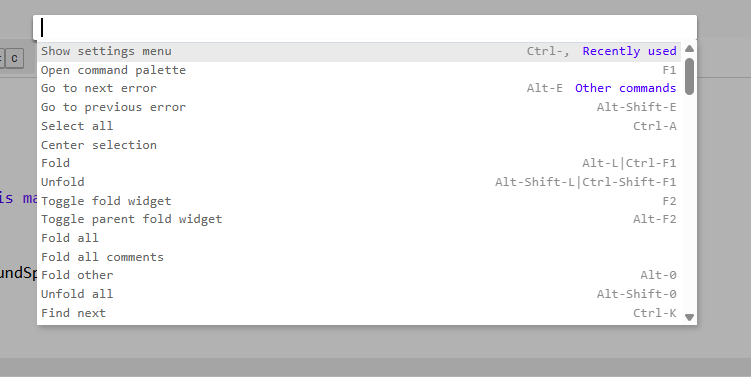
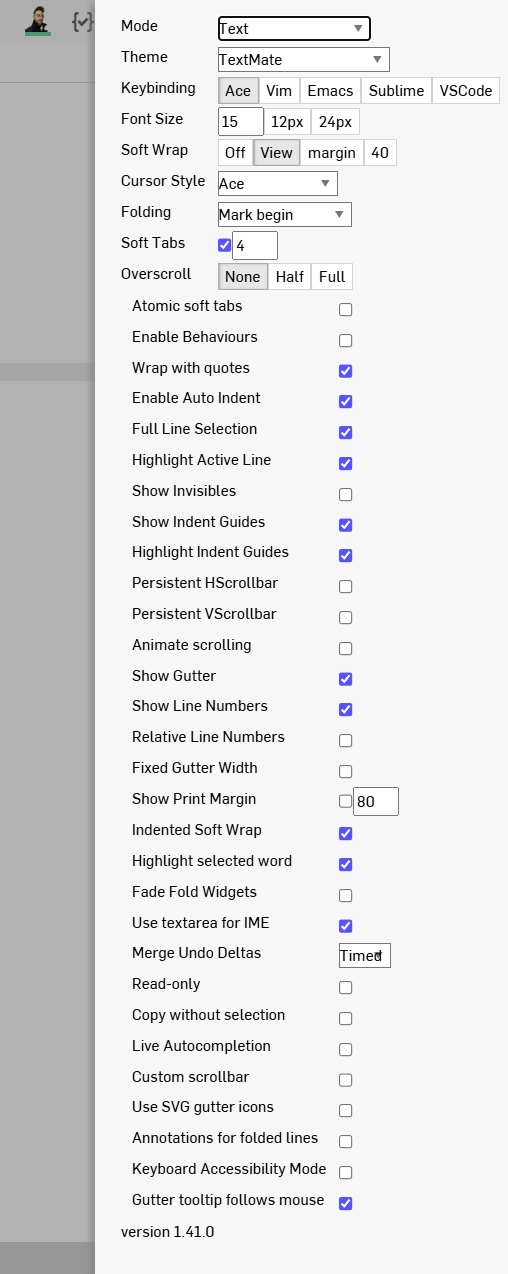
That while in FeatureStudio, you can press F1 to open up the FeatureScript IDE hotkeys where you can then access the IDE settings?
.
IDE Hotkey menu
.
IDE Settings Menu
.
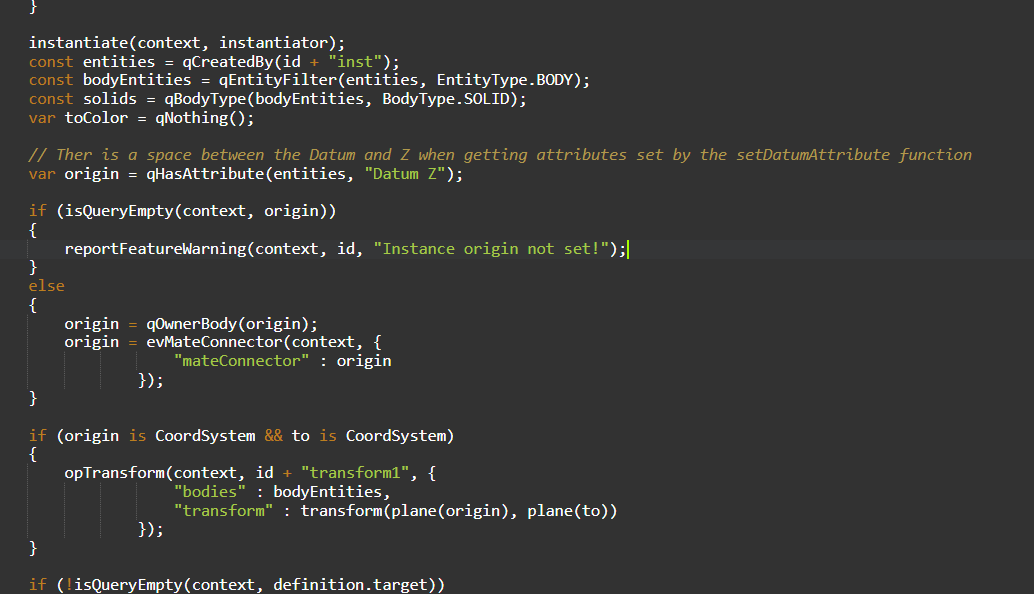
One of the IDE dark themes
.

Re: Improvements to Onshape - August 7th, 2025
A happy surprise to the day! Pumped for the configuration additions.

Re: Improvements to Onshape - August 7th, 2025
Ah mixed unit systems. One step closer to properly documenting my 1/4"-20 x 20mm threaded inserts the way the manufacturer intended with units defined arbitrarily on a per-dimension basis.

Improvements to Onshape - August 7th, 2025
CAD IMPROVEMENTS
EDIT SKETCH PATTERN
In sketch patterns, such as linear and circular patterns, you can now add and remove instances and sketch entities after initial creation.
CONFIGURATION VISIBILITY CONDITIONS
New options rules are available to dial in which values should be present based on other inputs. Human readable parameters now show when values are collapsed. A new undo/redo function is at the bottom of the screen and the right-side preview provides greater clarity now that the panel shows "hidden values" by default.
FRAMES AND FORMS LIBRARY SEARCH FILTER
CURVE DEVIATION
Onshape introduces the Curve deviation tool, designed to streamline the process of checking curve alignments. Accessible via the Analysis tools in a Part studio, it provides instant feedback on minimum and maximum deviations.HIDE OR SHOW BEFORE SETTING ASSEMBLY CONTEXT
VARIABLE STUDIOS
WORKSPACE UNITS
Mixing different unit systems in your Workspace is now possible.MATERIAL UNITS
EXPORT INNER LOOPS FOR FLATTENED SURFACES
Surface flattening has been enhanced to support inner edges during the export process.DRAWINGS IMPROVEMENTS
NEGATIVE DIMENSION VALUES
Change the value of a sketch dimension relation to a negative value.
COPY AND PASTE TABLE DATA
LOCKED HEADER ROW FOR INSPECTION TABLE
DATA MANAGEMENT IMPROVEMENTS
LIST VIEW COLUMN SORTING AND PART HIGHLIGHT
ASSIGN A TASK TO MULTIPLE USERS
DOCUMENT RECOVERY
RENDER STUDIO IMPROVEMENTS
FOLDER IMPROVEMENTS
CUSTOMER SUPPORT IMPROVEMENTS
CONTACT SUPPORT
Please take a moment to try out these new features and improvements and leave your comments below. For a detailed list of all the changes in this update, please see the changelog.

Re: New Feature: Speaker Pattern
Yeah I get the gist, I love that kind of stuff, but it's hard to generalize to a single feature. For many of these I think you'd have to write a custom specifically to achieve that look, which is pretty much what the Grasshopper users of the world are doing, and could be done with FeatureScript too. This one was just meant to automate creating that classic look from Deitur Rams

New Video - Project Topologies: Planning Onshape Models
I made a video detailing the document strategy (one or multiple) and the flow of data through part studios to create robust models. It's not cool modeling tricks, but is a super important topic that you need to think through to have a good time modeling anything of meaningful complexity in Onshape, especially as part of a team.
Re: Repeating hinge
Welcome to the club!
If you intend on using Onshape more than once a week, I recommend going through the learning pathways.
You will be so efficient by the end of them, saving years of trial and error.
.
Re: STEP BY STEP SHEET METAL
In some regions of Brazil, we have a huge shortage of machinery, processes, and labor. Some companies operate in a very simple manner, and a student highlighted this need, as in his company, all sheet metal process drawings are created this way, not simply the sheet metal blank. In Solidworks and Autodesk Inventor, this type of process can be easily created with the help of bending and unfolding tools, and I'm trying to replicate it in Onshape. This would give us another user of the software. However, I will try to create configurations with varying angles. As soon as I complete the example, I'll send it to you.

Re: STEP BY STEP SHEET METAL
Hey @marcos_fenerichi,
You could design your finished profile and the use configurations to suppress each consecutive step and show the previous steps.
Hope this helps. Cheers

Re: STEP BY STEP SHEET METAL
You could also export the flat pattern of your finished part as DXF. Create a new Part Studio, insert the DXF in a sketch, Sheet metal THICKEN and then use the bend feature to recreate it again, step by step. Sounds a bit tedious though as you are essentially doing the work twice.
What is your use case here?