Welcome to the Onshape forum! Ask questions and join in the discussions about everything Onshape.
First time visiting? Here are some places to start:- Looking for a certain topic? Check out the categories filter or use Search (upper right).
- Need support? Ask a question to our Community Support category.
- Please submit support tickets for bugs but you can request improvements in the Product Feedback category.
- Be respectful, on topic and if you see a problem, Flag it.
If you would like to contact our Community Manager personally, feel free to send a private message or an email.
The most difficult thing in Onshape is rounding a valueWithUnits

Am i going crazy or is there no way to name a part by a rounded valueWithUnits in the user's own workspace units?
Comments
-
yes, thats not a one-line solution, you would have to use roundToPrecision() but it only works for real numbers, so you divide it by unit, round the unitless value to precision, and compose a string of that value and unit name string
0 -
but i want the string to be in the user's workspace units
0 -
Custom feature execution can't know about workspace units - otherwise, we'd have to regenerate the entire thing any time you change those. The workspace units are basically just for display. If custom feature code determines a part name, it can't depend on workspace units.
You could have your part-naming feature take units and a precision in the UI, and round to that?
1 -
There is a way you can get the current workspace units at the time you insert the feature. I learned this trick from Kevin:
Get the current default units when the feature is inserted. This input will default to 1 of whichever units the document is currently using at the time. Note that it only does it when you first insert the feature.
annotation { "Name" : "Invisible length", "UIHint" : UIHint.ALWAYS_HIDDEN }
            isLength(definition.lengthUnit, {
                            (inch) : [-10000, 1.0, 10000],
                            (meter) : 1,
                            (centimeter) : 1,
                            (millimeter) : 1,
                            (foot) : 1,
                            (yard) : 1 } as LengthBoundSpec);
and then, convert and round. Now that I'm looking at this next part, the switch statement might be redundant since the lengthUnit is already a resulting unit.
//get document units
    var resultUnit = switch (lengthUnit) {
            (inch) : inch,
            (meter) : meter,
            (centimeter) : centimeter,
            (millimeter) : millimeter,
            (foot) : foot,
            (yard) : yard,
        };

    var unitlessResult = distance / resultUnit;

    if (rounding)
    {
        distance = round(unitlessResult, roundingPrecision) * resultUnit;
    }
RENDERCAD
rendercad.ai - Photorealistic product rendering.
▚▞▚▞▚▞▚▞▚
________________________________________________________________________1 -
thank you. maybe one day there will be getWorkspaceUnits or smth.
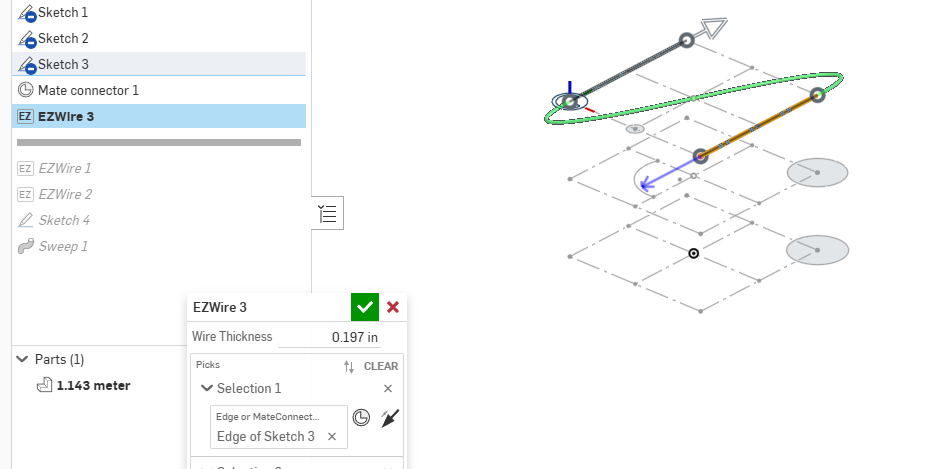
EDIT, actually it doesn't work, it's giving me meters always, even though my workspace units are inches.
 0
0 -
this did it:
export function getWorkspaceUnits(definition is map) returns map
{

/*
    In precondition area:

    annotation { "Name" : "Length Unit", "UIHint" : UIHint.ALWAYS_HIDDEN }
        isLength(definition.lengthUnit, {
            (inch) : [-10000, 1.0, 10000],
            (meter) : 1,
            (centimeter) : 1,
            (millimeter) : 1,
            (foot) : 1,
            (yard) : 1 } as LengthBoundSpec);

    Usage:

    const wsu = getWorkspaceUnits(definition);
    var unitlessLength = length / wsu.unit;
    outputString = toString(roundToPrecision(unitlessLength,3))~" "~wsu.unitText;

*/

    var resultUnit = definition.lengthUnit;
    var unit;
    var unitText;

    if(tolerantEquals(resultUnit, 0.0254 * meter)){ unit = inch;       unitText = "inch";}
    if(tolerantEquals(resultUnit,      1 * meter)){ unit = meter;      unitText = "meter";}
    if(tolerantEquals(resultUnit,   0.01 * meter)){ unit = centimeter; unitText = "centimeter";}
    if(tolerantEquals(resultUnit,  0.001 * meter)){ unit = millimeter; unitText = "millimeter";}

    var workspaceUnits = {"unit" : unit, "unitText" : unitText};

    return workspaceUnits;

}
2



