Welcome to the Onshape forum! Ask questions and join in the discussions about everything Onshape.
First time visiting? Here are some places to start:- Looking for a certain topic? Check out the categories filter or use Search (upper right).
- Need support? Ask a question to our Community Support category.
- Please submit support tickets for bugs but you can request improvements in the Product Feedback category.
- Be respectful, on topic and if you see a problem, Flag it.
If you would like to contact our Community Manager personally, feel free to send a private message or an email.
Need help for a Great Cube desing.

Hello Guys / Woman´s =)
I want to make a PC Case in Cube form.
It should have 3x 180mm Fans from Fractal Aspect Argb and inside Itx Board with a 9060XT about 290mm long
So 300x300 Case.
But why that Shap? Because i saw this on Pinterest which gave me the idea:
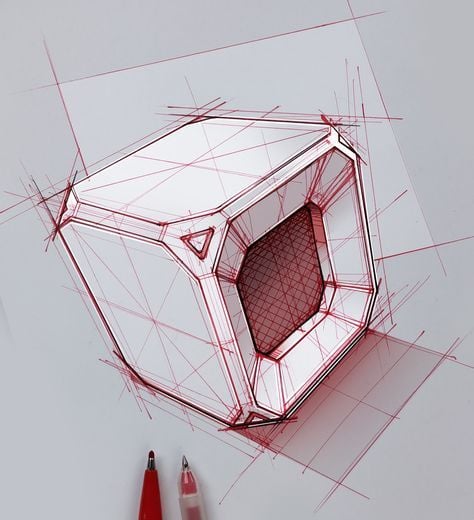
Also:
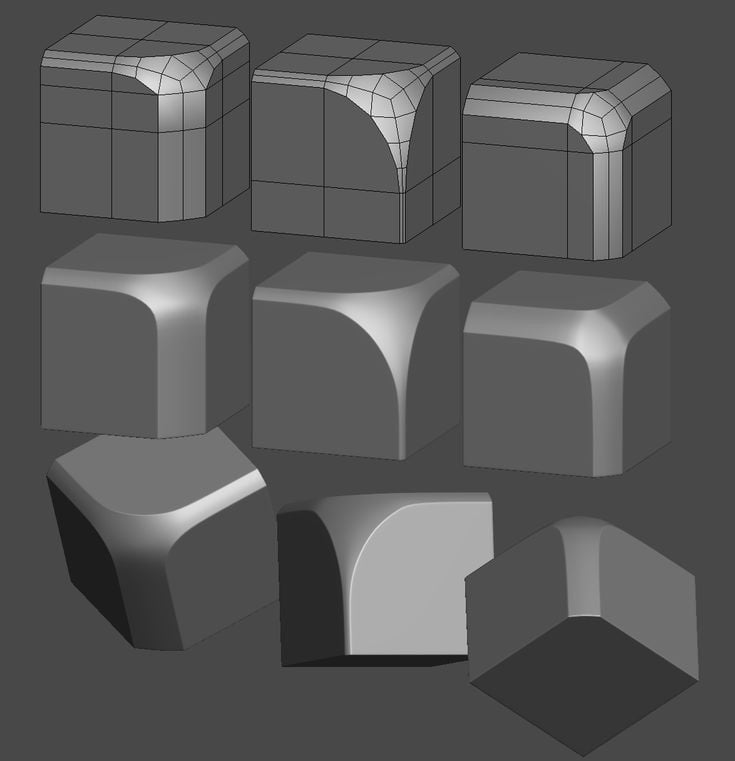
But i got this far:
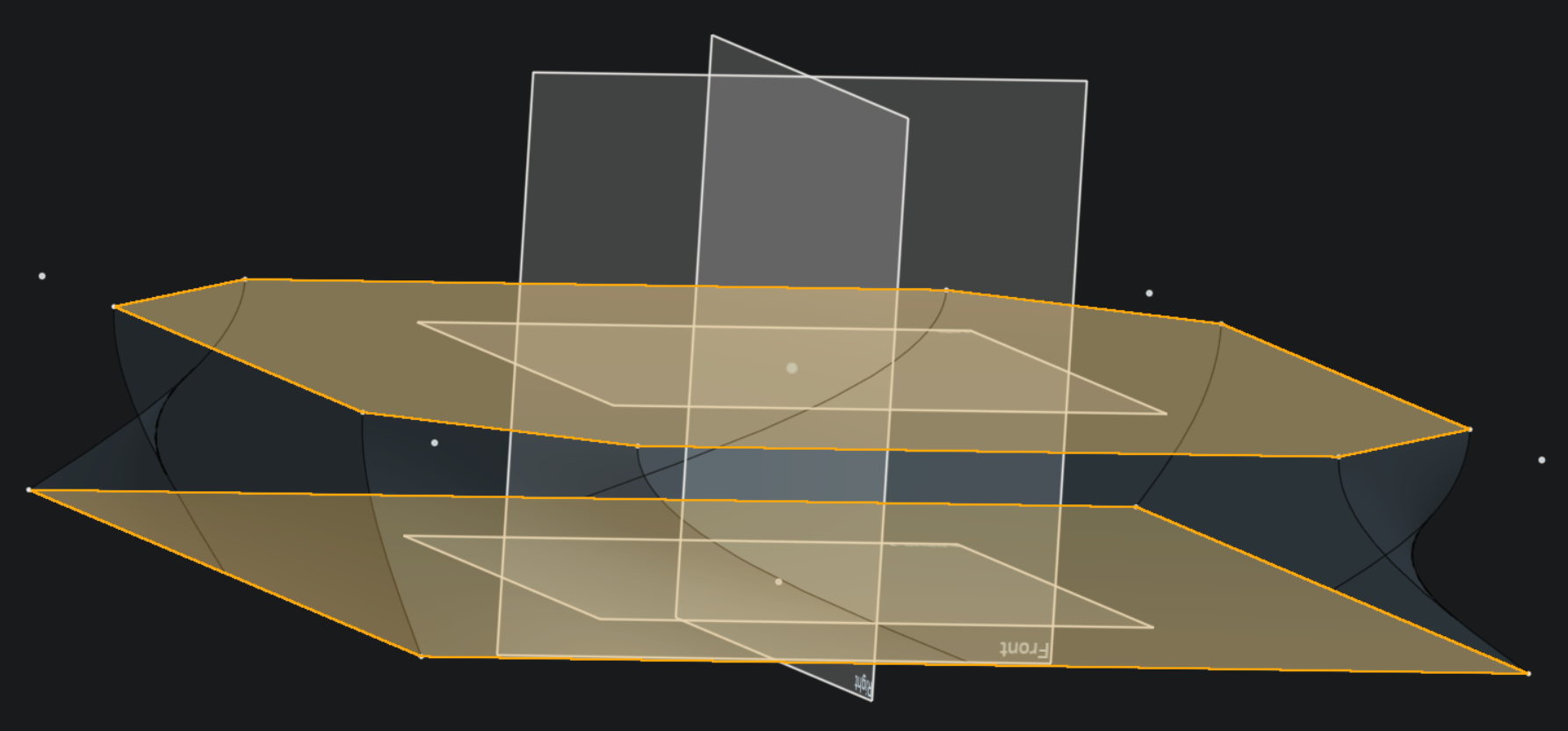
I can´t properly Connect.
Do you know a solution?
Here my latest one: https://cad.onshape.com/documents/7197edb8f75a778088504938/w/ca07107fd185096b50a1ac48/e/2b353877fbdc2b40015b4e04
Also my First try:
https://cad.onshape.com/documents/9c0f89d60f0b4c350f604d70/w/d16176f62049b4af8dc5a825/e/0d31e6ab6affd150dafa594f
Thanks for everything =)
Nice Regards
The Klaus
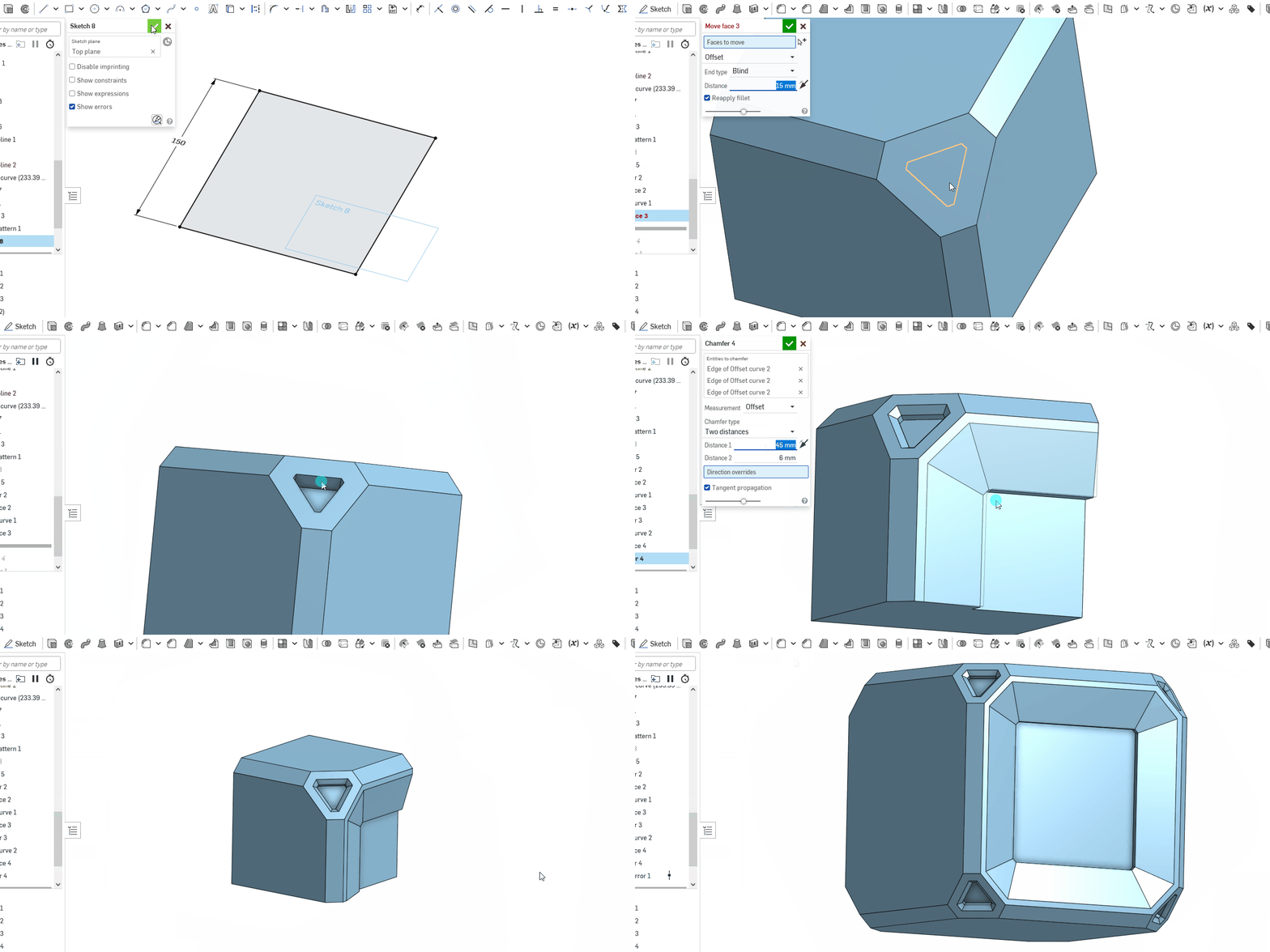
Best Answer

Answers
-
Hey @klaus_iwik,
Does this help you?
https://cad.onshape.com/documents/b6e8fd3bb464bd5199ec15a3/w/b65c07bdb9552f3579b38328/e/e3bab9948f0bc871e4c57ede
0 -
-
Dang WOW
Iam new to this watching tutorials but i never see this in any video (mostly German ones).
Well now i thank you so much! I train with your link tomorrow =)
Copied in to my files.1 -
Okay after fiddeling much and dissasembling the .gif
I have got this far:
https://cad.onshape.com/documents/7ca689dc00dec91e9a6cfad9/w/348ace0f300a9982a29e78f6/e/b9a3407fbf9923839f07be23?renderMode=6&uiState=68f569461cac9898f8d8b494But i need to do something with the inside. Make it Hollow so i can mount the Parts inside. =/
Mabe i remake it and think how i can out it on a 235x235 printbed and can do assembling in it….0 -
@klaus_iwik For hollowing out the inside, you'll probably just want to use the 'Shell' feature: After specifying wall thickness and the faces to open (probably the three inner ones of the 1/8 cube, before mirroring), it will do everything for you. It may fail,though, in some cases, especially if the outer surface is already very detailed and it could come to self intersction of the inner surface. In these cases, it might help to apply the shell at some earlier stage and add the fine detail thereafter.
0 -
@MDesign That is a nice sample of how to simolyfy modeling by using features vs. making too many sketches. :0)
0 -
@martin_kopplow Thank you very much. When I saw it and what David had done to create, my mind went straight to "I know there's a better way to do this". Had to give it a go… Chamfers are seem to be so forgotten as modeling tool vs an edge cleanup. Gotta give em some loves when I can. ha.
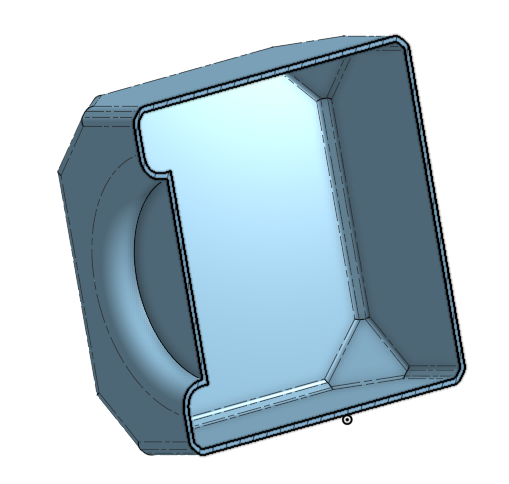
@klaus_iwik Only after much fiddling for a year do ideas like that come to me. Well technically been doing CAD for waaaaay longer than that though. You will want to create some sort of place that will be open so that you can use the shell feature. Maybe split the cube where you want to create a sort of joint like a typical pc case. Also you have to watch the size of your fillets on the outside will effect whether you can shell at the desired thickness. You have some 1 mm fillets that will become an issue if you want the shell to be 2 mm or similar. Onshape will not like that. I surpressed that feature and got this at 5mm thick.
0


