Welcome to the Onshape forum! Ask questions and join in the discussions about everything Onshape.
First time visiting? Here are some places to start:
- Looking for a certain topic? Check out the categories filter or use Search (upper right).
- Need support? Ask a question to our Community Support category.
- Please submit support tickets for bugs but you can request improvements in the Product Feedback category.
- Be respectful, on topic and if you see a problem, Flag it.
If you would like to contact our Community Manager personally, feel free to send a private message or an email.
How to extrude complex grid without creating new parts

Hi,
I am a beginner on Onshape and run into problem ( in Extrude 1 step) where I can extrude with New (which generates a lot unwanted parts) but not with Extrude - Add - Merge All (which gives merge scope error but does not allow select Merge scope). Current model prints correctly but has 69 parts. Question is - how to model it as one part with same printing result as now (how is right way to get same result)?
https://cad.onshape.com/documents/765e9955119cad94838f9e48/w/689f5ca24b91607911d9beb3/e/71a5d5d9e2ba0c8f75a29da5?renderMode=0&uiState=68f3979e893047e8a3fc100f
Best Answer
-
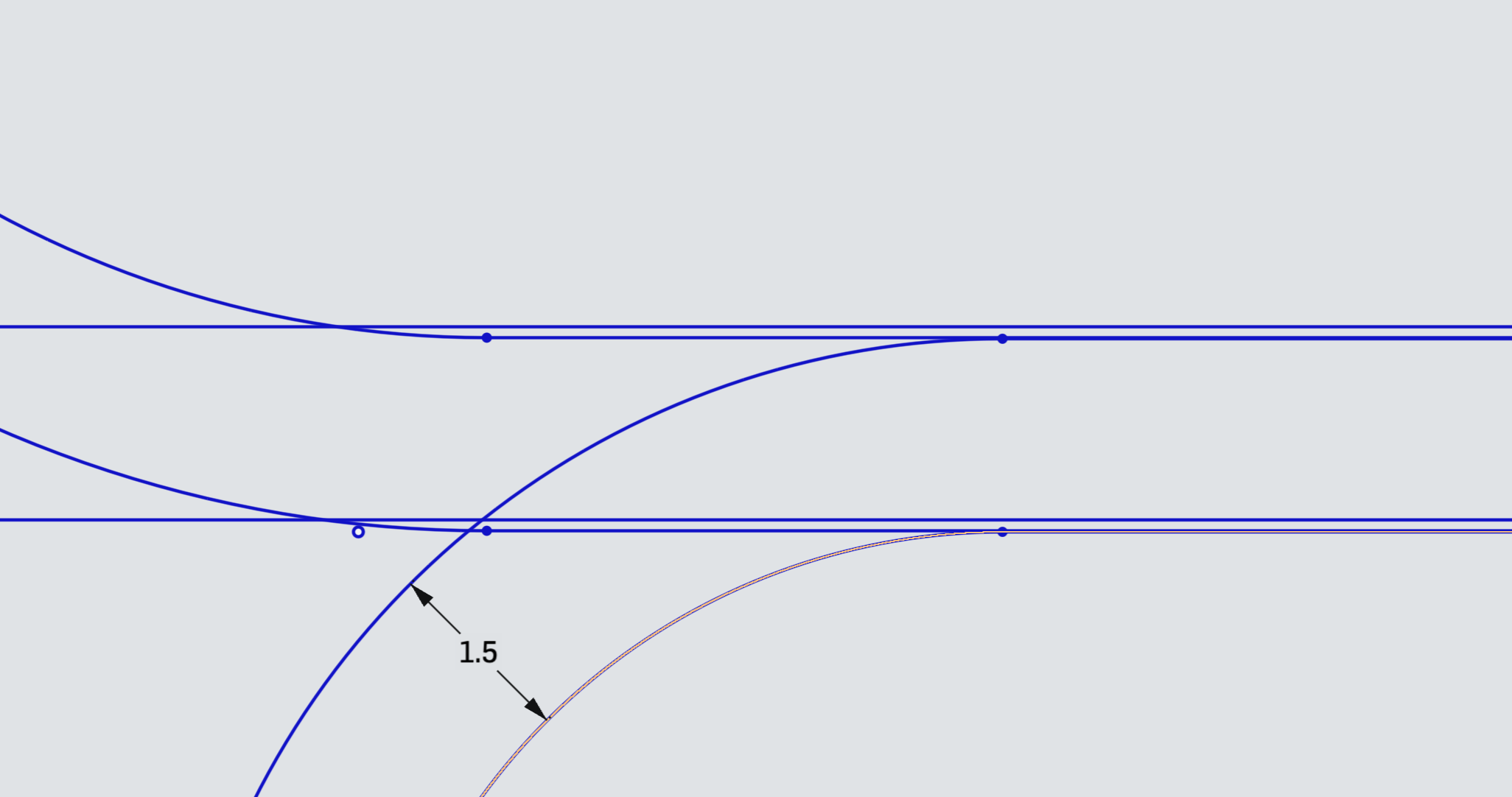
Looking at your sketch 1 it seems that some of the lines are not sitting on top of each other and so when you try to Extrude there are tiny gaps which cause the separate parts to form.
Try tidying the sketch to make the lines coincident.
I would also suggest that you put the scroll work onto a separate sketch so Sketch 1 is not so cluttered
 0
0

Answers
-
Hello. That was weird. The only way I could get it to work was by selecting sketch faces one by one until the number of pieces multiplied. If it did, I removed the last selection and selected another face adjacent to one already extruded. I'll bet someone else knows why I had to do it that way. But of course, there probably is another way. - Scotty
0 -
The sketch of scroll work has a number of items that don't work well for the extrude. There some line work that is repeated but offset from original location, lines and curves that are not coincident leaving small gaps. There is also some curves tangent to lines that generate non manifold geometry.
I recommend the learning center to help get you started.
0 -
-
Thanks,
I have created very simple test sketch with one small rectangle with rounded corners inside another rectangle. Still the same problem without any complexity and scroll work. I can extrude New faces but cant Add faces without error.
0 -
Looking at your sketch 1 it seems that some of the lines are not sitting on top of each other and so when you try to Extrude there are tiny gaps which cause the separate parts to form.
Try tidying the sketch to make the lines coincident.
I would also suggest that you put the scroll work onto a separate sketch so Sketch 1 is not so cluttered
0 -
Sorry about double post and thanks to all for taking time to answer.
Regards,
Ahto
0
