Welcome to the Onshape forum! Ask questions and join in the discussions about everything Onshape.
First time visiting? Here are some places to start:- Looking for a certain topic? Check out the categories filter or use Search (upper right).
- Need support? Ask a question to our Community Support category.
- Please submit support tickets for bugs but you can request improvements in the Product Feedback category.
- Be respectful, on topic and if you see a problem, Flag it.
If you would like to contact our Community Manager personally, feel free to send a private message or an email.
Trouble to extrude/move curved face
 jason_ryan337
Member Posts: 63 ✭
jason_ryan337
Member Posts: 63 ✭
Hi all,
I have a section wall with the center portion being curved. I want to remove 0.3mm from each face. I can get the top and bottom moved fine with extrude, but the curved middle I cannot extrude. Move face will let me grow it, but will not let me remove material. Any help would be great!
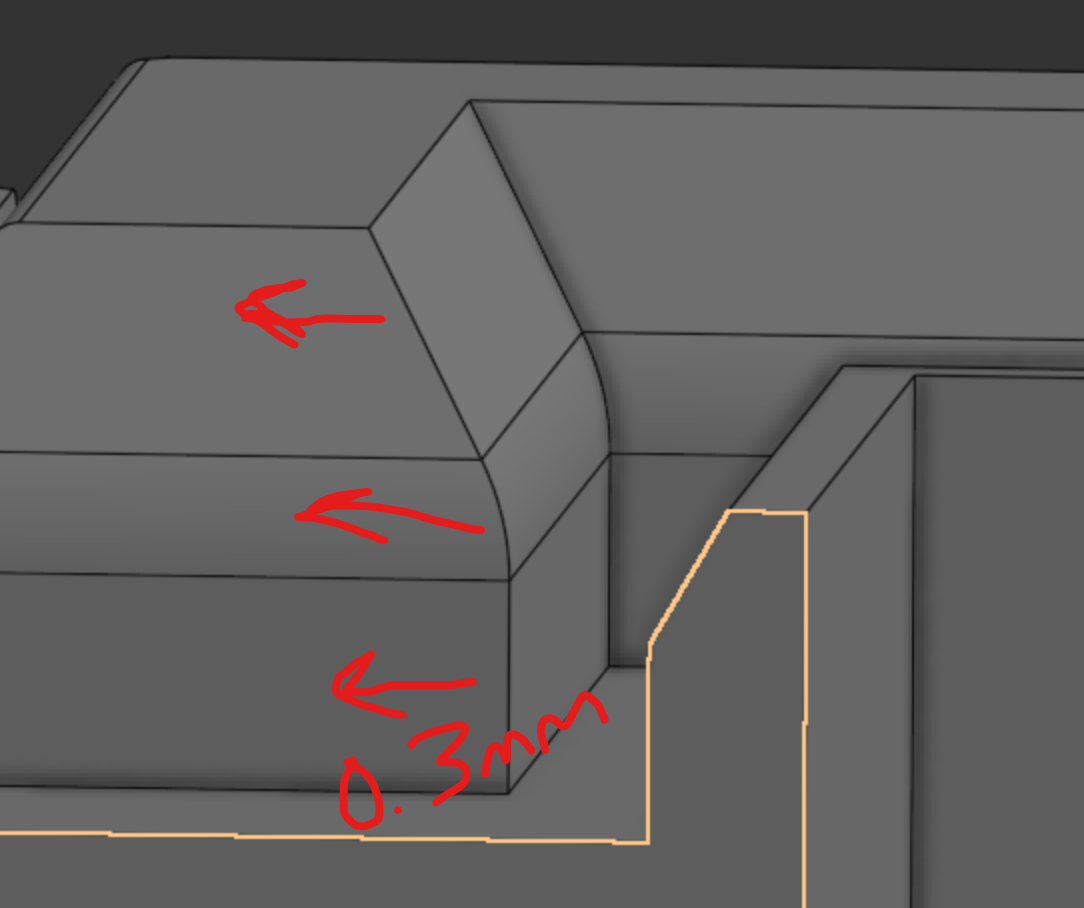
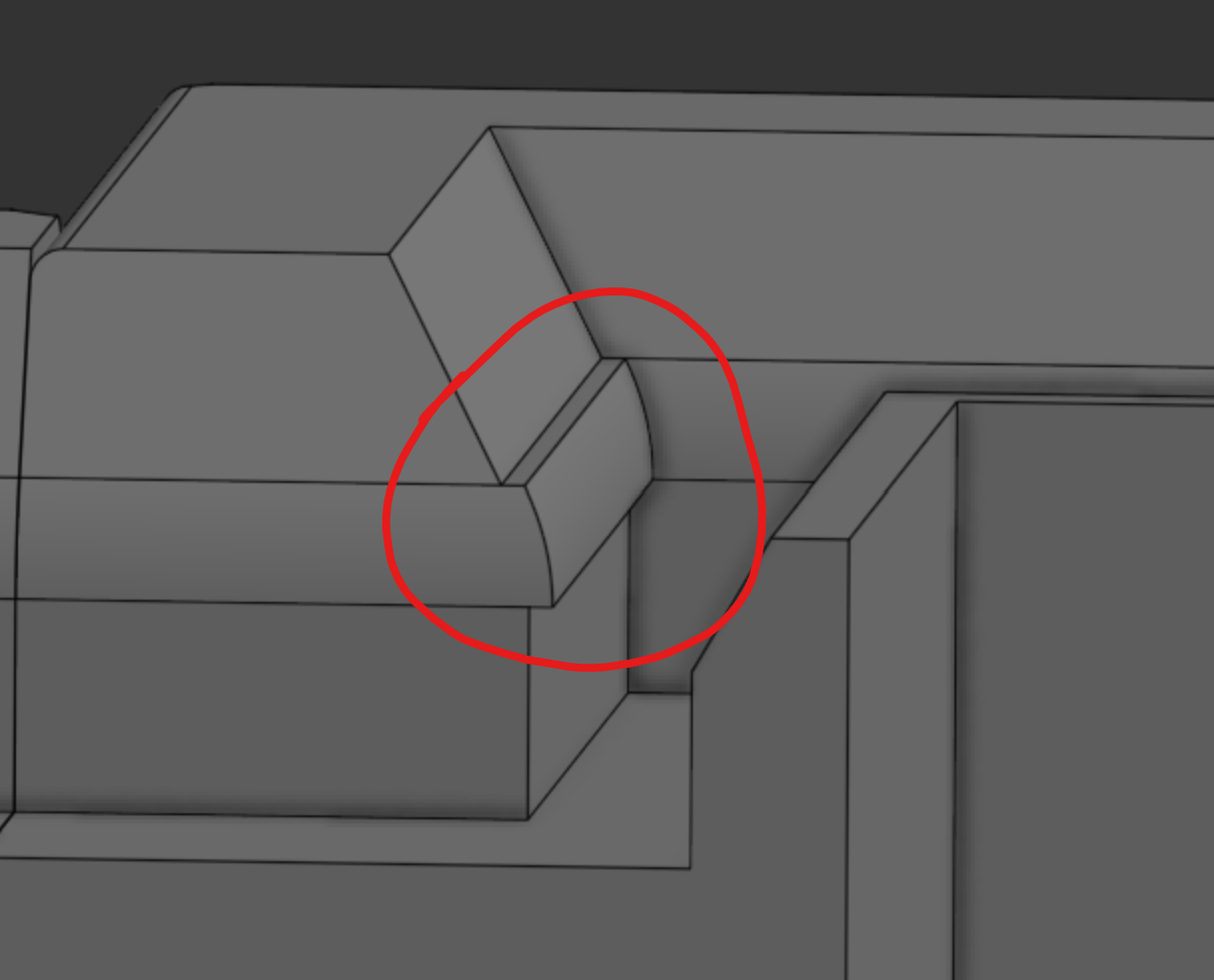
https://cad.onshape.com/documents/c9cb42fc713cc403287aba35/w/b9eec17d2bfa5040d643a23a/e/9d91a16b1895ea75bc750618
Thanks!
0
Comments
I don't see why move face wouldn't work. just hit the 'other direction' toggle. just move all three faces in one go.
(unless it's also an imported STL like some of your parts, then it may be more difficult.
I couldn't find the part/area in your large document so I couldn't try myself in a copy
Did you try using Transform instead of Offset in the dropdown for Move Face? I know Offset is ideal, but if it doesn't work, then I would try an alternative.
Ramon Yip | glassboard.com
It's a little unclear what the exact end goal is, but you may need to use a couple of move face commands. Don't forget to use up to entity whenever possible. Check this document for some ideas.
Try the
Move faceagain, but withTranslateoption andUp to entityas shown below.Thank you kindly for looking. When I try to reverse it, I get this regeneration error. I am sorry I did not leave a good path, I thought the link would take you directly there. Here is an image showing it's percise location. I would truly appreciate any continued support.
If needed, I can walk back to the origin that I used to create the fillet, but it may wreck some stuff if I unwind that far, lol.
Thanks!
That worked, thanks! I had no idea you could do that!