Welcome to the Onshape forum! Ask questions and join in the discussions about everything Onshape.
First time visiting? Here are some places to start:
- Looking for a certain topic? Check out the categories filter or use Search (upper right).
- Need support? Ask a question to our Community Support category.
- Please submit support tickets for bugs but you can request improvements in the Product Feedback category.
- Be respectful, on topic and if you see a problem, Flag it.
If you would like to contact our Community Manager personally, feel free to send a private message or an email.
Unable to clock gears

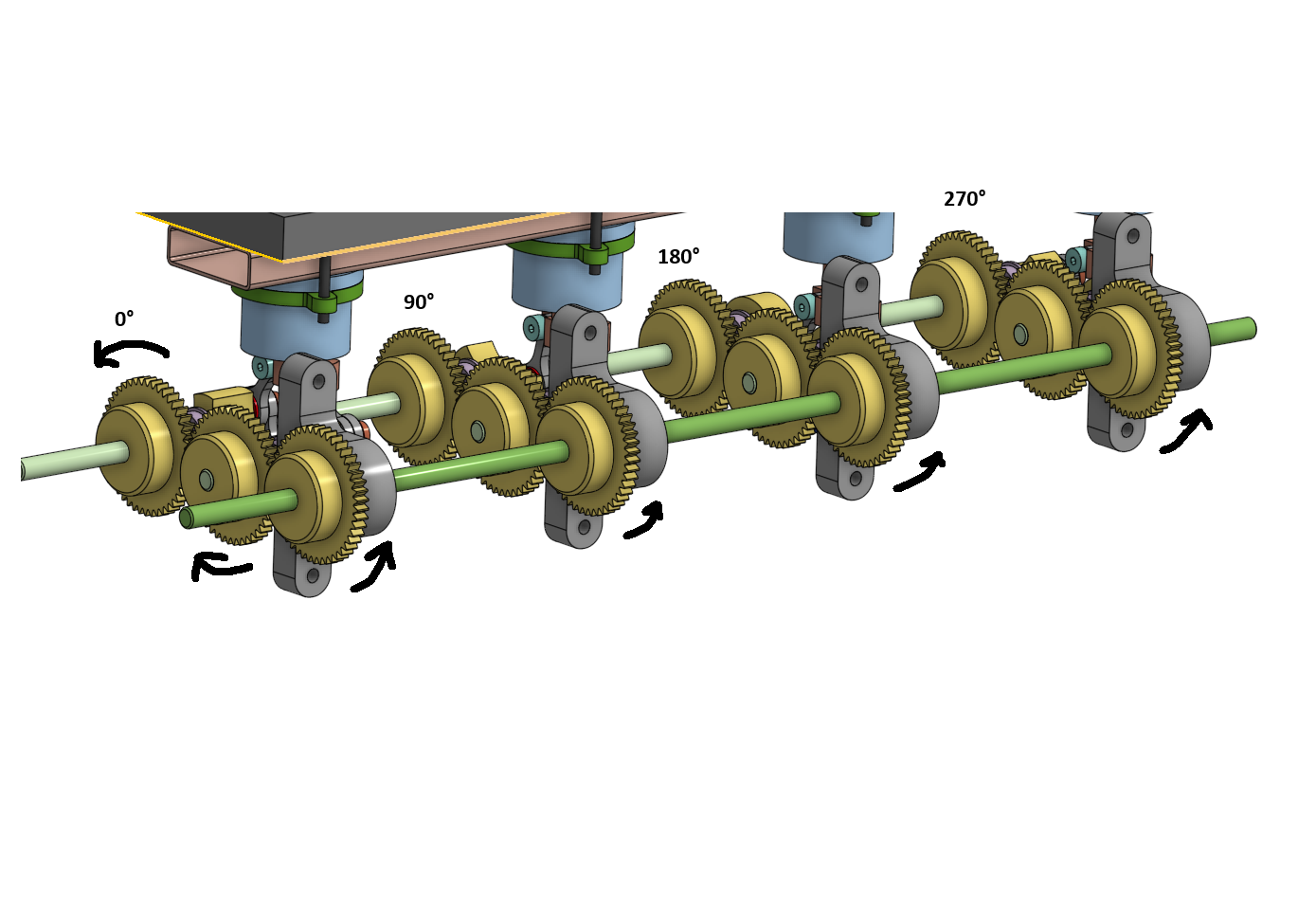
I have been trying for hours to get these gears to clock.
The 8 farthest gears are all their own individual mechanisms (banks). All parts are equal across the machine. The front most gears on the long green shaft are for timing the machine (Timing shaft).
When I use "gear relation" to mesh the gears, they mesh fine… and if I do it to every gear it will function fine. Although… it functions fine, all timing is removed (all gears will be at position 0°)
Every bank needs to be clocked to 90° relative to each other. I have tried moving the gears manually into the clocked positions, tried relating them in different ways, I've changed the parent positions of the gears and still have the same issue. When the gears are attached using relation to the timing shaft, they will all snap back to 0°
Is there a way to rotate them after relation?
IRL I will assemble it without clocking, then once it's all assembled, loosen the setscrews on the timing shaft gears and move them into their proper position. I just cannot translate that to this program.
Answers
-
Not 100% sure of your issue, but rotating one of the Revolute mate connectors might do the trick.
 0
0
