Welcome to the Onshape forum! Ask questions and join in the discussions about everything Onshape.
First time visiting? Here are some places to start:- Looking for a certain topic? Check out the categories filter or use Search (upper right).
- Need support? Ask a question to our Community Support category.
- Please submit support tickets for bugs but you can request improvements in the Product Feedback category.
- Be respectful, on topic and if you see a problem, Flag it.
If you would like to contact our Community Manager personally, feel free to send a private message or an email.
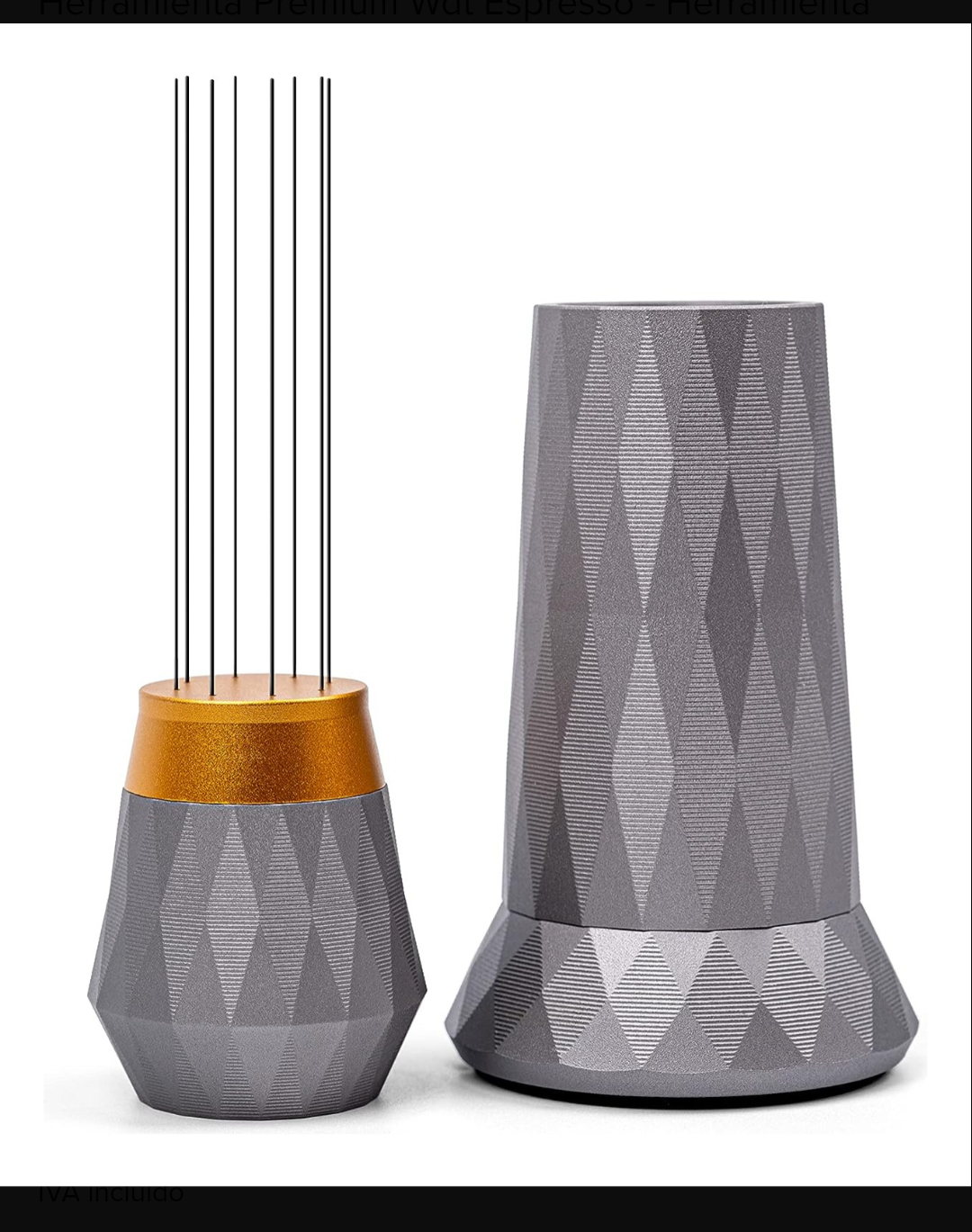
How do I achieve this diamond cut like shape?

Hey Guys,
Is there any easy way to achieve something like this? Is this called like a diamond cut shape?
Best Answer
-
coulnd't help but try it. had to think a bit about sketch 3 and what to project/cut. but once you see it, it's simple.
https://cad.onshape.com/documents/3169b539bcda7d1f08db63ad/w/01054d503e668672f9baf05e/e/2ab4e8a01165995f5c71abab0

Answers
-
you could try this:
https://forum.onshape.com/discussion/27998/new-feature-delaunay-triangulation
Sometimes a very course STL export/import does the trick, but that's crude.
I you want full control: draw one or half of a rhombus width of the outer section manually for the full height, then mirror and circular pattern0 -
coulnd't help but try it. had to think a bit about sketch 3 and what to project/cut. but once you see it, it's simple.
https://cad.onshape.com/documents/3169b539bcda7d1f08db63ad/w/01054d503e668672f9baf05e/e/2ab4e8a01165995f5c71abab0 -
Thank you very much for your help. Its exactly what i was looking for!
0