Welcome to the Onshape forum! Ask questions and join in the discussions about everything Onshape.
First time visiting? Here are some places to start:- Looking for a certain topic? Check out the categories filter or use Search (upper right).
- Need support? Ask a question to our Community Support category.
- Please submit support tickets for bugs but you can request improvements in the Product Feedback category.
- Be respectful, on topic and if you see a problem, Flag it.
If you would like to contact our Community Manager personally, feel free to send a private message or an email.
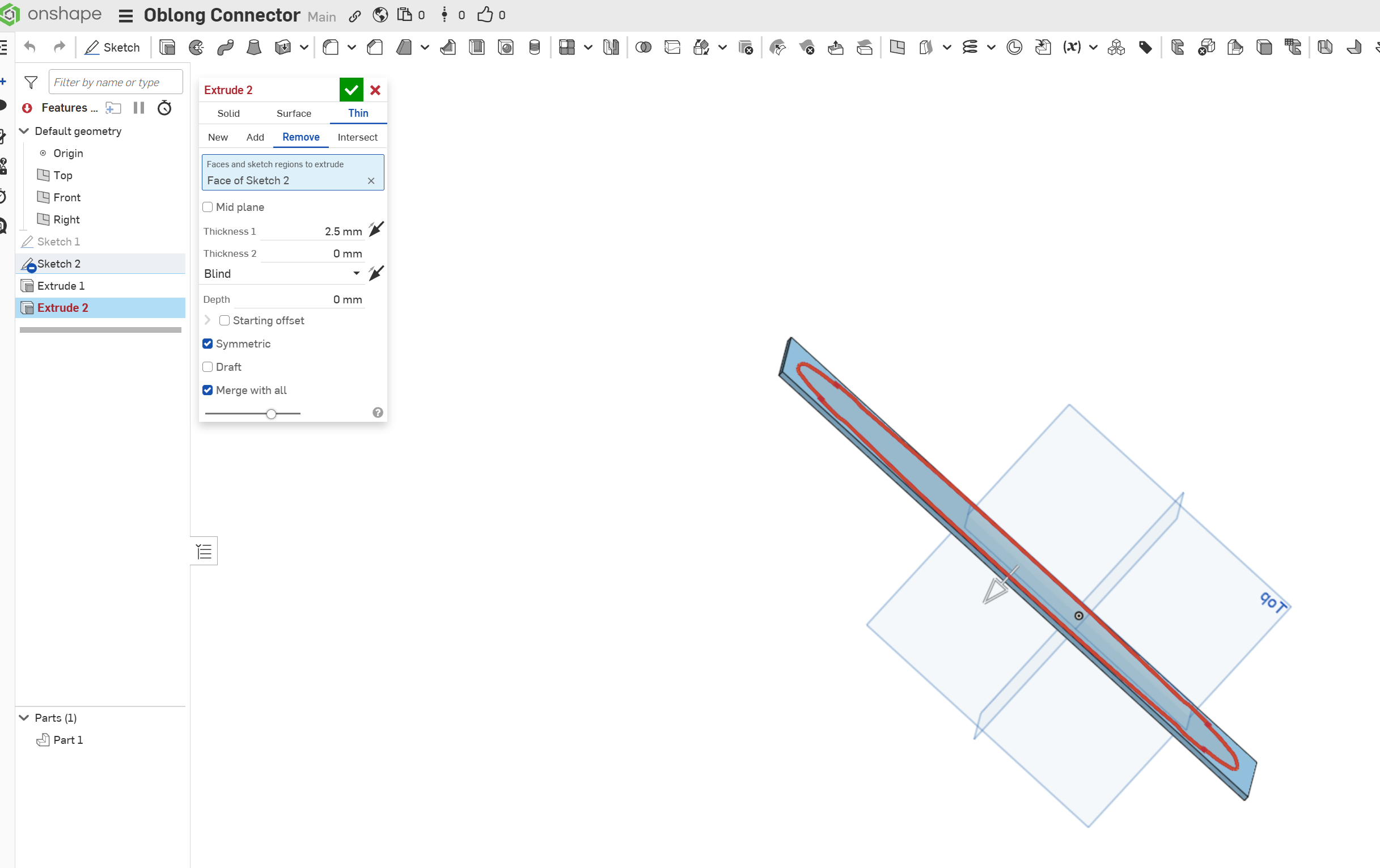
Failed to create the shape - offset value for the first direction is too large..
 gavin_stevens
Member Posts: 2 ✭
gavin_stevens
Member Posts: 2 ✭
in General
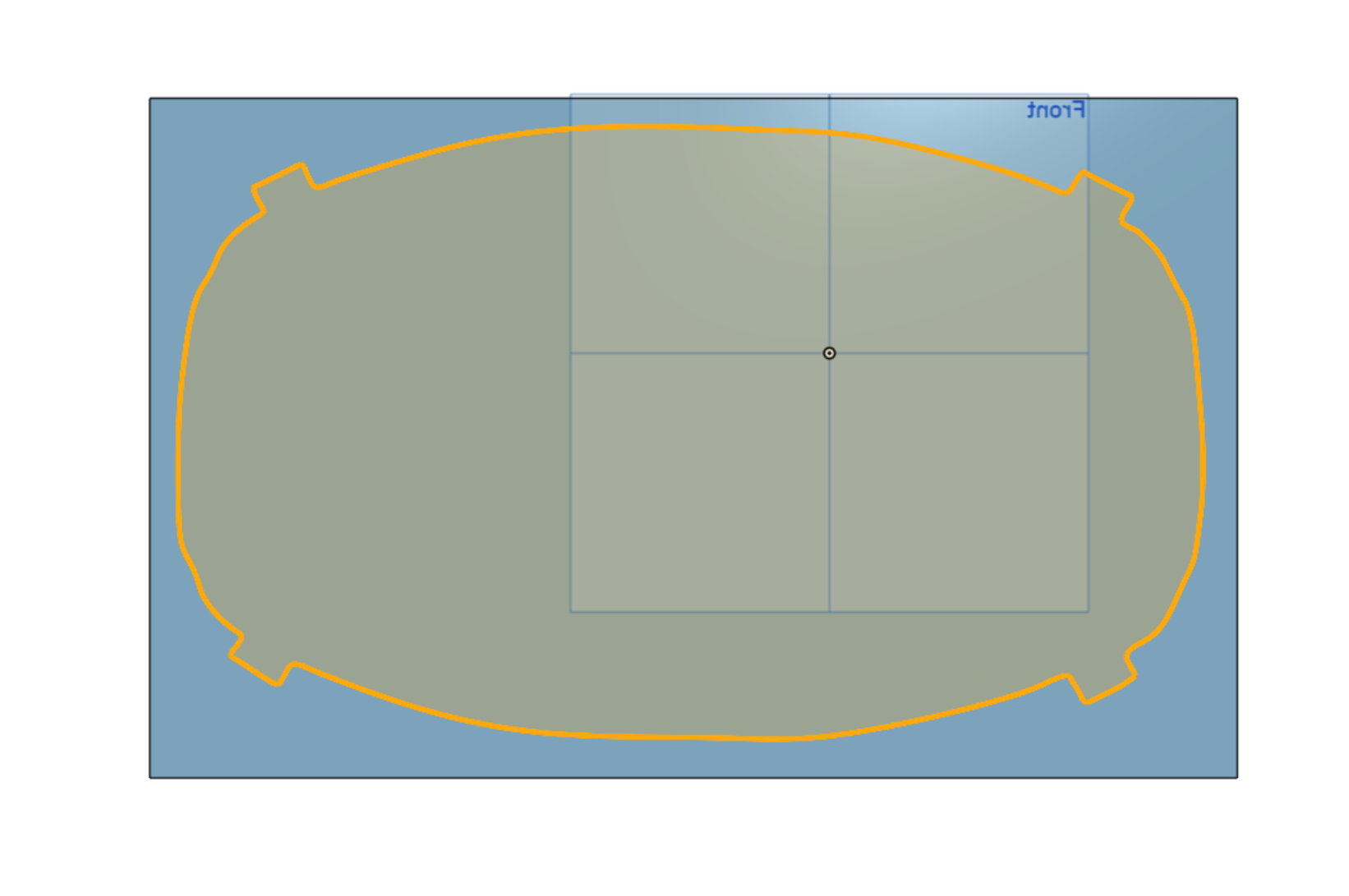
I'm trying this simple rectangle that's 2.5mm and a Splined shape cut out. It wont seem to cutout. just fails
Looks pretty simple. Shape is greyed so its a complete shape..
0
Comments
I'm not sure how you created sketch 2, or what its exact function is, but the curvature is doing some crazy stuff.
You would be much better off simplifying that into more basic geometry. Perhaps you'll need a conic or a degree 6 bezier to create a 1/4 of the main ellipsoid shape, and then you could overlap a rectangle for the corner. Any small radii are best added later as features.
https://cad.onshape.com/documents/7ba53fc830e6d54940dd84a7/w/4b2b0b3dc93eda698fb5a9a7/e/779569f94a6214368ff1b3c4
Simon Gatrall | Product Development, Engineering, Design, Onshape | Ex- IDEO, PCH, Unagi, Carbon | LinkedIn