Welcome to the Onshape forum! Ask questions and join in the discussions about everything Onshape.
First time visiting? Here are some places to start:- Looking for a certain topic? Check out the categories filter or use Search (upper right).
- Need support? Ask a question to our Community Support category.
- Please submit support tickets for bugs but you can request improvements in the Product Feedback category.
- Be respectful, on topic and if you see a problem, Flag it.
If you would like to contact our Community Manager personally, feel free to send a private message or an email.
Help with "Fill Pattern" feature
 james_cuthbert
Member Posts: 2 ✭
james_cuthbert
Member Posts: 2 ✭
in General
Hi All
I'm a fairly basic and new hobby onshape user so please be gentle, I have exhausted searching here and google for an issue I cant work out.
I have created a Fill Pattern but I am unable to work out how to get it to fill the target boundary, I have set it to a plane, but it seems to have a smaller. boundary box.
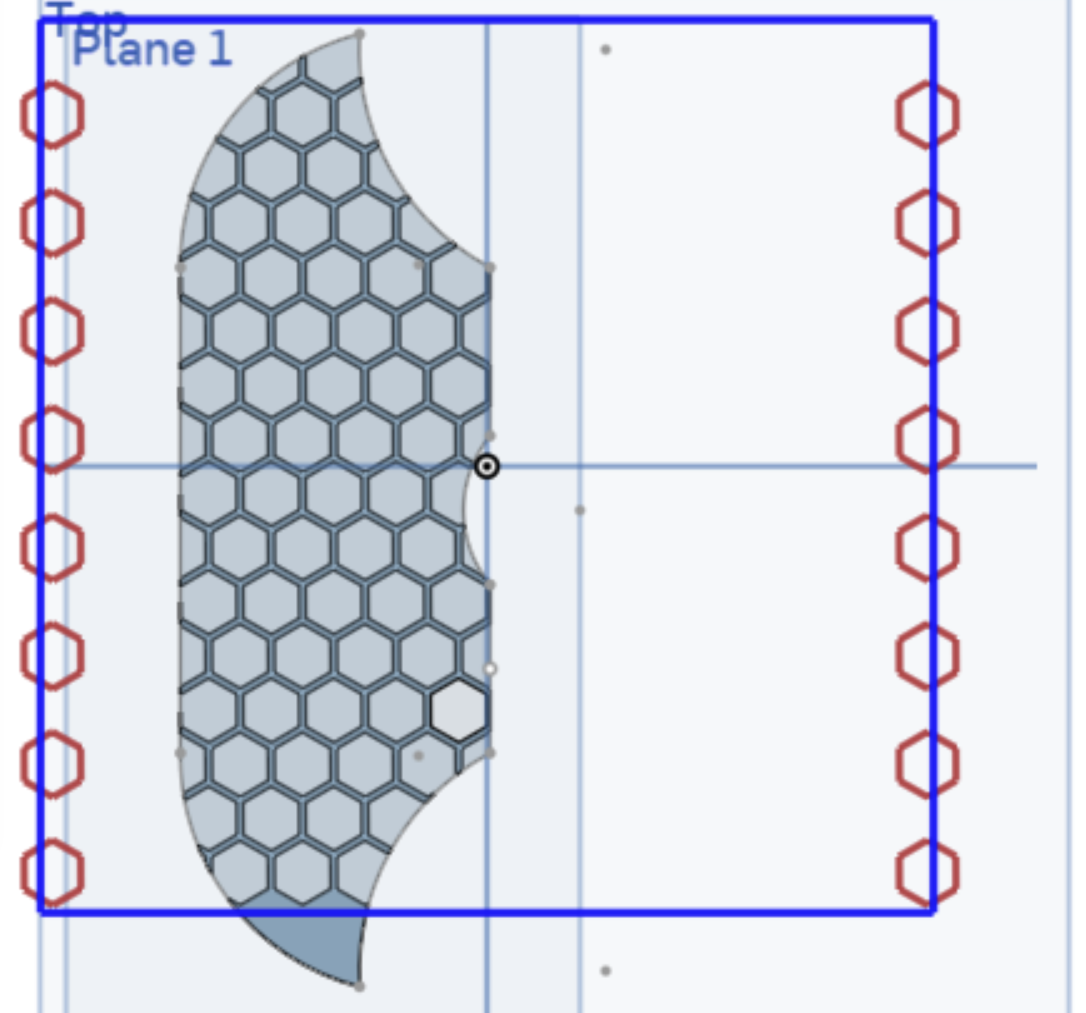
This image shows the plane I am hoping to set as the target boundary.
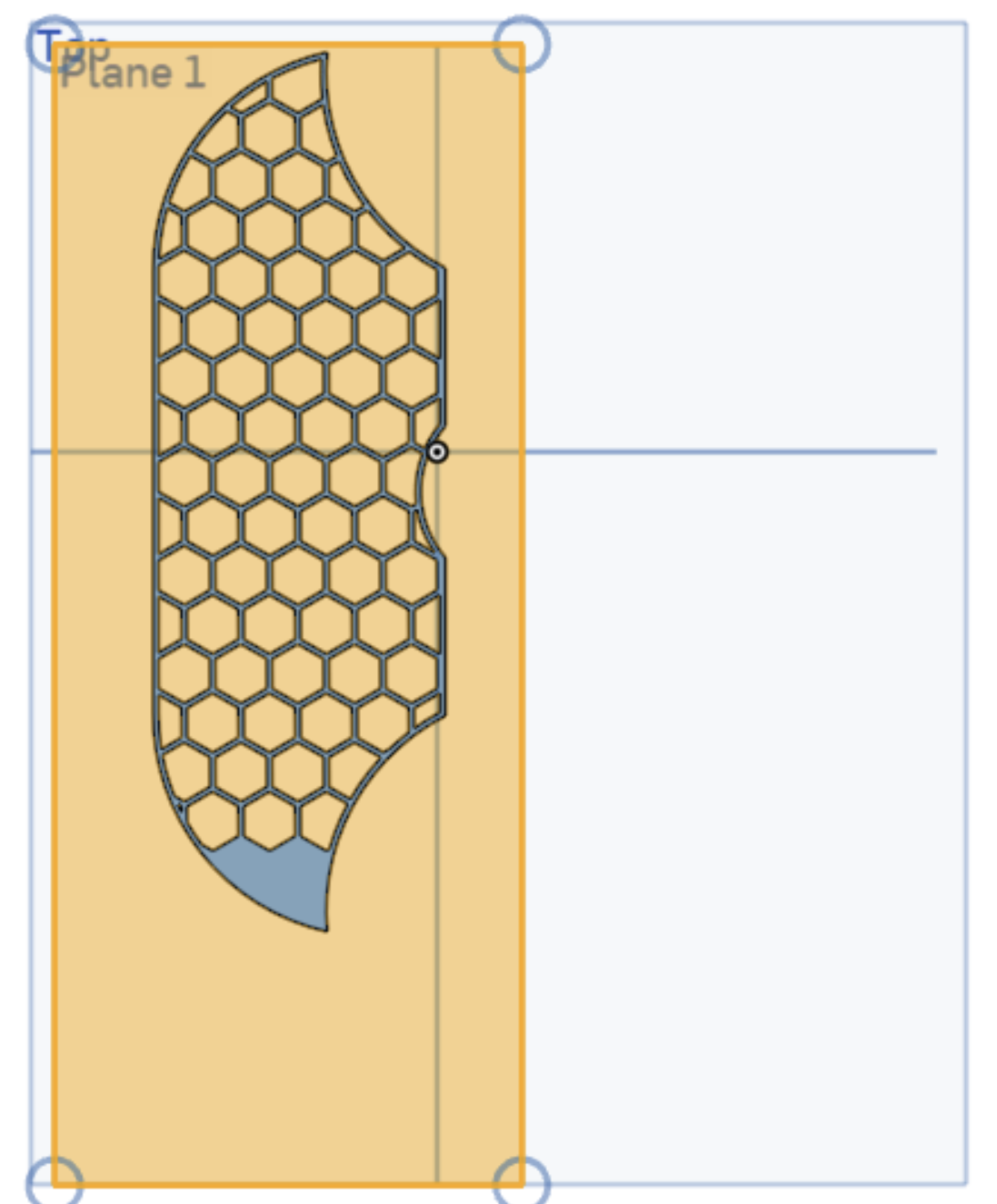
Settings here.
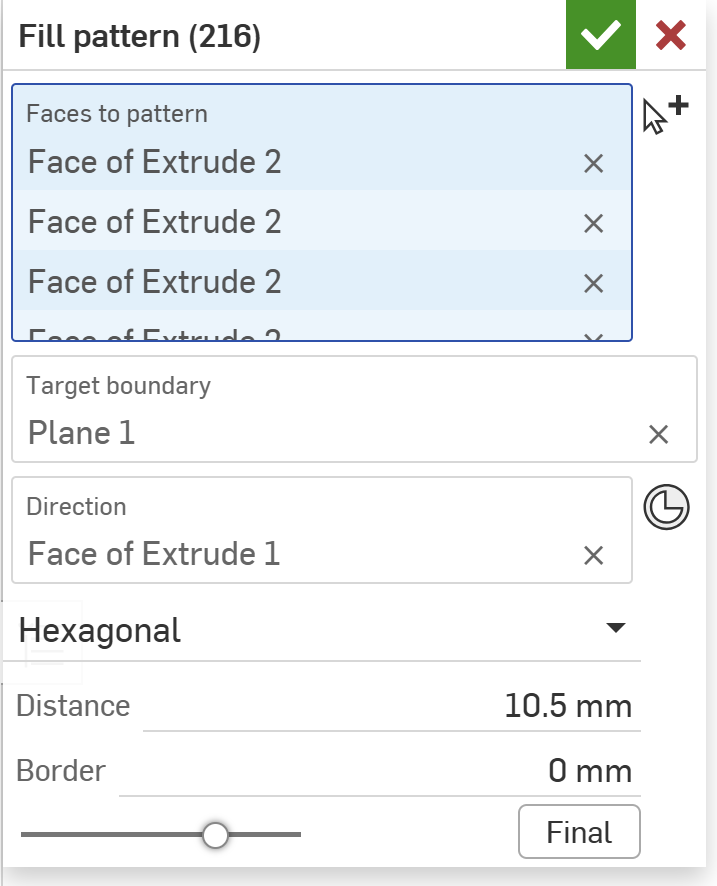
Any help appreciated, thanks in advance.
Jimmy
0