Welcome to the Onshape forum! Ask questions and join in the discussions about everything Onshape.
First time visiting? Here are some places to start:- Looking for a certain topic? Check out the categories filter or use Search (upper right).
- Need support? Ask a question to our Community Support category.
- Please submit support tickets for bugs but you can request improvements in the Product Feedback category.
- Be respectful, on topic and if you see a problem, Flag it.
If you would like to contact our Community Manager personally, feel free to send a private message or an email.
Sketch fails with ANY changes

Hello.
I've experienced many times when a sketch should be fully constrained, but it isn't and just attempting move something that is already constrained all of the sudden makes the sketch fully constrained (even though nothing actually changed)
Today it went even further, the previously constrained sketch becomes not fully defined, and when I attempt do any changes to it, it totally fails:
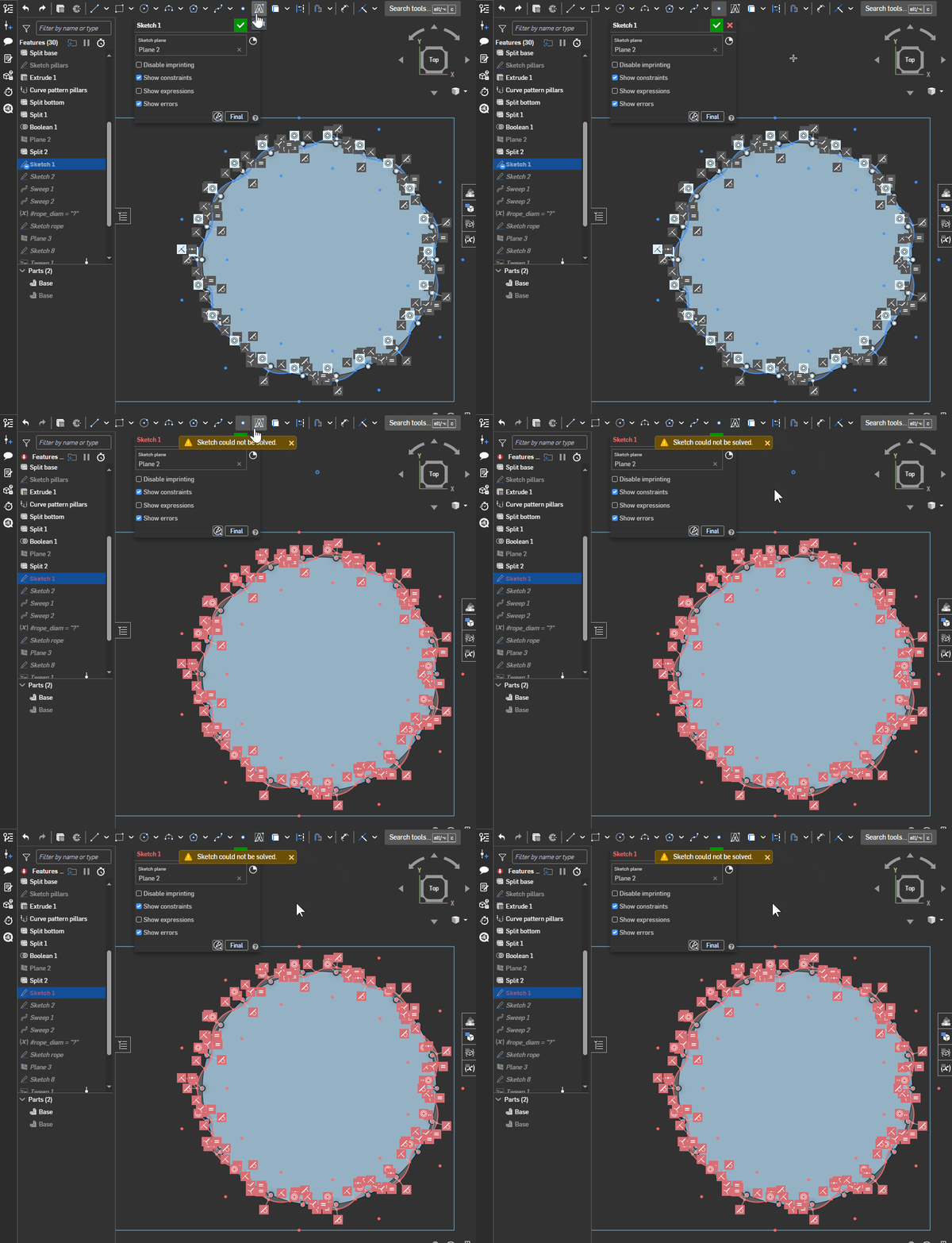
Why this happening?
This particular sketch is a closed loop of tangent arcs following an ellipse path. I don't know if sequence at which each element was added and constrained matters, but I had hard time get even to this stage by first draw arcs approximately to their final position and shape, then join them and tangent each one with previous arc, going clockwise. It would fail to solve like halfway through, so I had to start over and draw and constraint each element before continue to the next one and even than it would fail at the end until I remove some constrain somewhere, than go back add last missing constraint and re-add the one I just removed - than it worked…very unpredictable behavior.
Comments
Something in your pile of constraints is secretly over constraining your sketch, and it looks stable until you add a new constraint to the pile and the solver sends the two over constraining features in slightly different directions. This is one of the reasons when I'm modeling I'll move heaven and earth not to do anything complex or pattern driven in a sketch. The sketch solver in Onshape is more brittle than the rest of the software.
Derek Van Allen | Engineering Consultant | MeddlerYou might just have hit the limit of constraints in a sketch… (not sure what it is but there is a maximum number of constraints within a single sketch).
The better option here is to use feature patterns instead of doing everything within a sketch…
Ditto-ing Derek's comment. Patterns inside of a sketch are bad practice because they're control and make for a difficult time when making design changes. With some many constraints, it's hard to identify the one that's causing the error when you make your changes. Same applies for sketch fillets and chamfers. I'd only use them when they're absolutely necessary. Otherwise, I would just use the respective feature, i.e. Circular pattern feature, Fillet, Chamfer, or Curve Driven pattern, since you're mentioning an elliptical path.
Ramon Yip | glassboard.com