Welcome to the Onshape forum! Ask questions and join in the discussions about everything Onshape.
First time visiting? Here are some places to start:- Looking for a certain topic? Check out the categories filter or use Search (upper right).
- Need support? Ask a question to our Community Support category.
- Please submit support tickets for bugs but you can request improvements in the Product Feedback category.
- Be respectful, on topic and if you see a problem, Flag it.
If you would like to contact our Community Manager personally, feel free to send a private message or an email.
Rough Profile toolpath using incorrect parts
 jeremiah_peschka840
Member Posts: 20 PRO
jeremiah_peschka840
Member Posts: 20 PRO
in CAM Studio
I am setting up a toolpath to machine some parts out of plywood on a CNC router. They're simple parts. Here's a link to the CAM Studio
When I create the toolpath "Rough" for the 0.25 inch endmill, I select the bottom loop of each part and set the strategy up as follows:
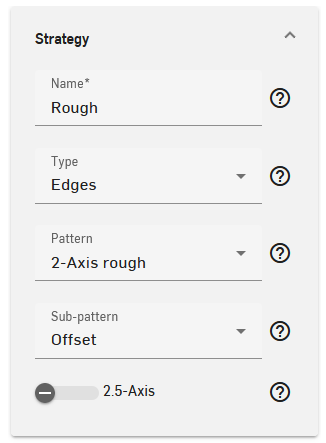
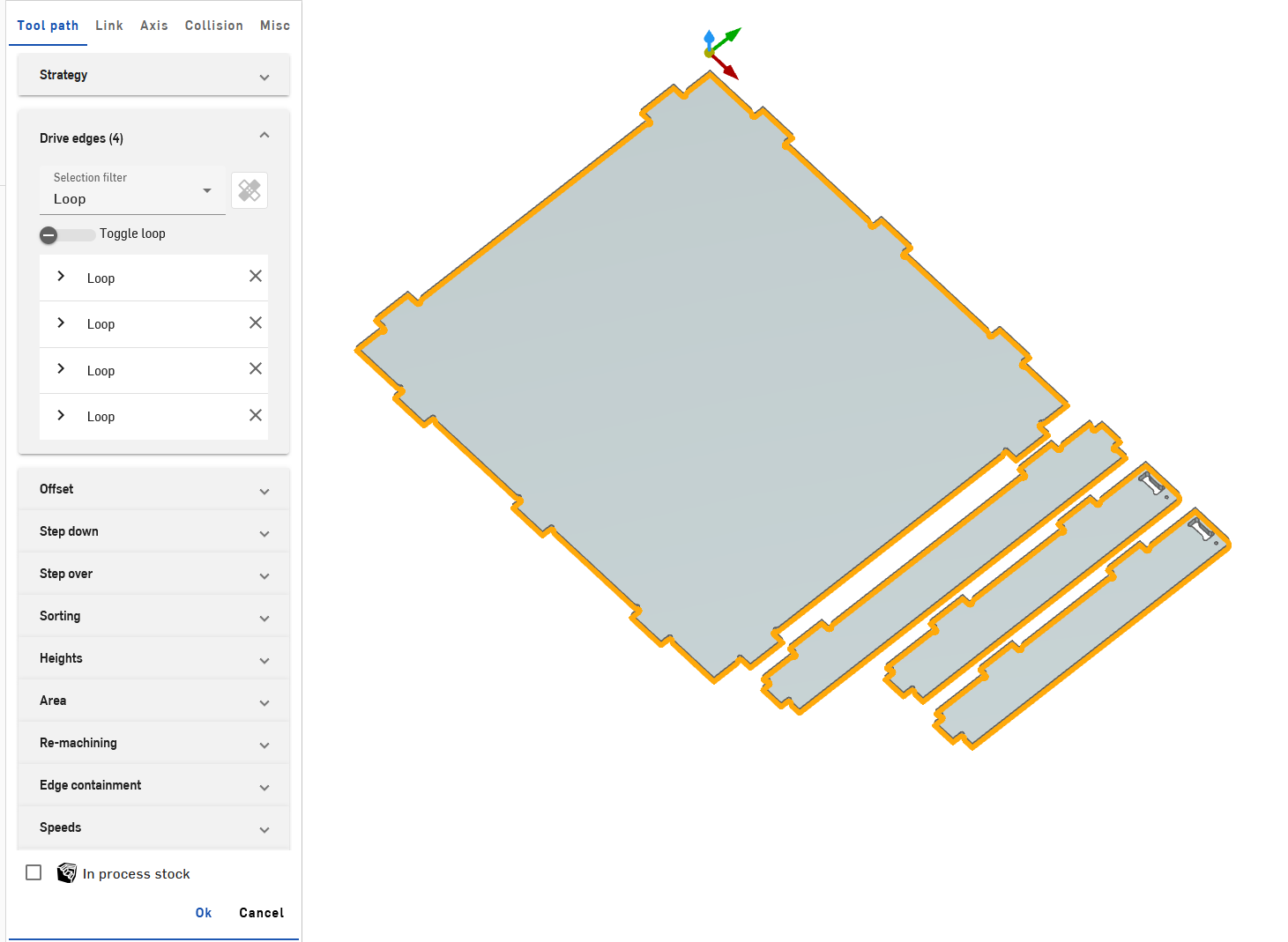
After generating the toolpath, though, I see a toolpath for completely unrelated parts that involves drilling pockets, not outlining the parts selected.
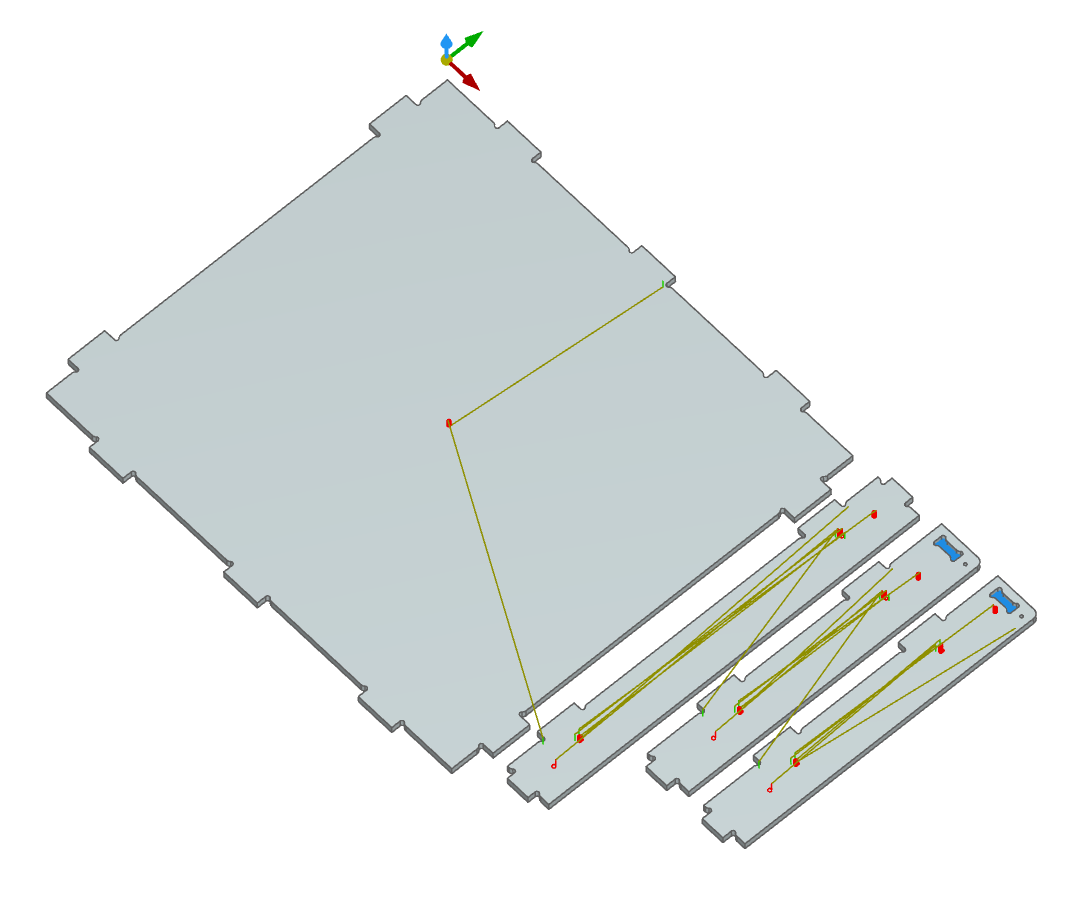
Questions:
- Have I done something wrong here?
- Is there a non-obvious trick to getting the right toolpath to be generated?
Tagged:
0
Comments
@jeremiah_peschka840 Can you share the document as public?
Not sure if 2 axis rough is the best option for this type of operation. I would use something like 2 axis profile with spiral step down or constant z for the toolpath. Using spiral will gradually step down in the z axis as it cuts the outside of the part. Personally, I prefer to use constant z because it is a bodies operation type. This means you do not need to select any edges at all. It recognizes the bodies. So if you add or remove an edge you don't need to worry about having to re-chain selected edges.
2 axis profile with a spiral step down
constant z with spiral step down
Also commenting to note that this has been reported and acknowledged as a bug, since, you know, that's definitely not my geometry in the second image I posted.
Interesting approach, I like that I wouldn't need to adjust anything since it's specific to bodies. Your approach seems like it'll give me more control and let me set up my work with roughing bits for fast clearance and then switch out to a single flue or spiral finisher for when I really need a good finish.
@John_P_Desilets I've made the document public at https://cad.onshape.com/documents/975a5eff56b0b2dade0785a9/w/bdbbabf5e216a9931507ec38/e/f8528a8e1d41924e486e37c9
As an FYI , 100% of my work is currently in either hardwoods or plywood. I'm not sure if that changes things at all.
Coming from Fusion, the CAD transition has been fast. The CAM transition has been trickier, to say the least.
@jeremiah_peschka840 2 axis rough will always try to machine within the 2d containment. The only way to force the tool to machine outwards is to enable re-machining + job stock. Or, you can use bodies+ rough to achieve a similar result for multiple Z depths.
2 axis rough. Enable re-machining based off of stock.
Result for 2 axis rough
Bodies rough with similar result.
@jeremiah_peschka840 One other quick tip. In the link section, you can adjust the feed distance to cut less air on approach.
Changed the value from .4 to .1
Result after.
Thank you, @John_P_Desilets. This has been very educational and gives me a good workflow that I can keep applying to other pieces.
This also helps me solve a problem of machining out a lot of material on the outside of a work piece so I can safely come in later with that finishing tool and not worry about coming into contact with any stock outside of the piece.
@jeremiah_peschka840 Happy to help. Please feel free to share some images or a video of the machine cutting parts!