Welcome to the Onshape forum! Ask questions and join in the discussions about everything Onshape.
First time visiting? Here are some places to start:- Looking for a certain topic? Check out the categories filter or use Search (upper right).
- Need support? Ask a question to our Community Support category.
- Please submit support tickets for bugs but you can request improvements in the Product Feedback category.
- Be respectful, on topic and if you see a problem, Flag it.
If you would like to contact our Community Manager personally, feel free to send a private message or an email.
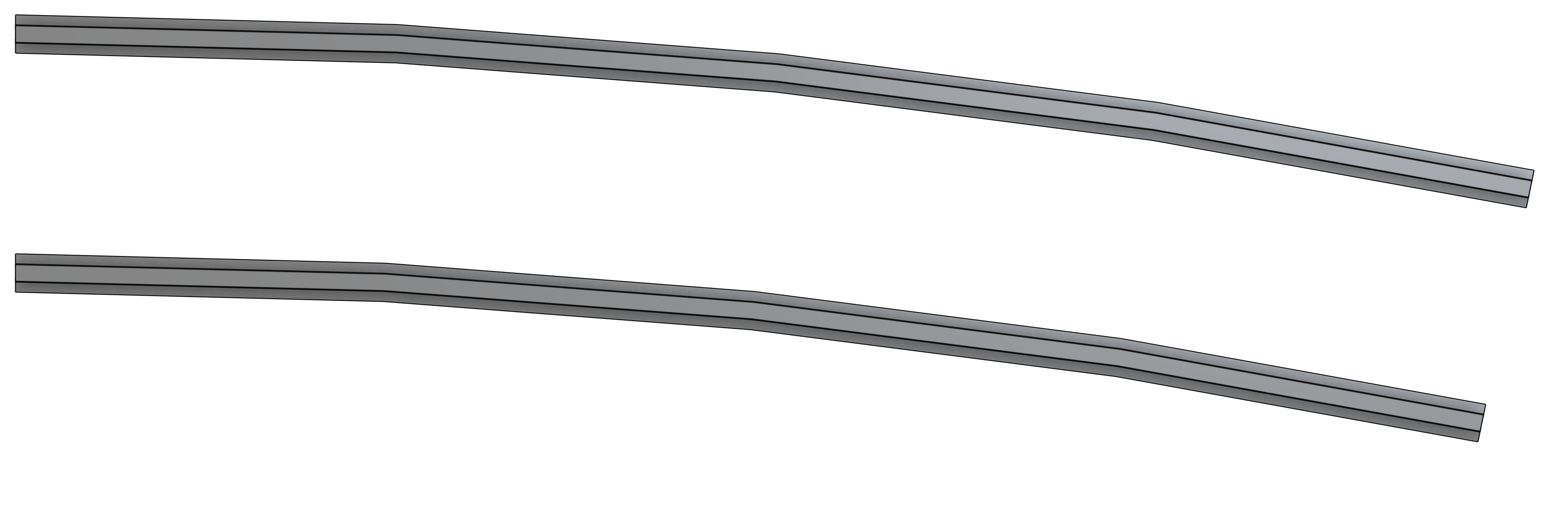
Chords instead of smooth curves along a sweep.

I am a relatively new user. I am trying to sweep a rail profile along a simple curve and the sweep keeps producing a series of straight chords instead of a smooth curved profile. What am I doing wrong?
Best Answer
-
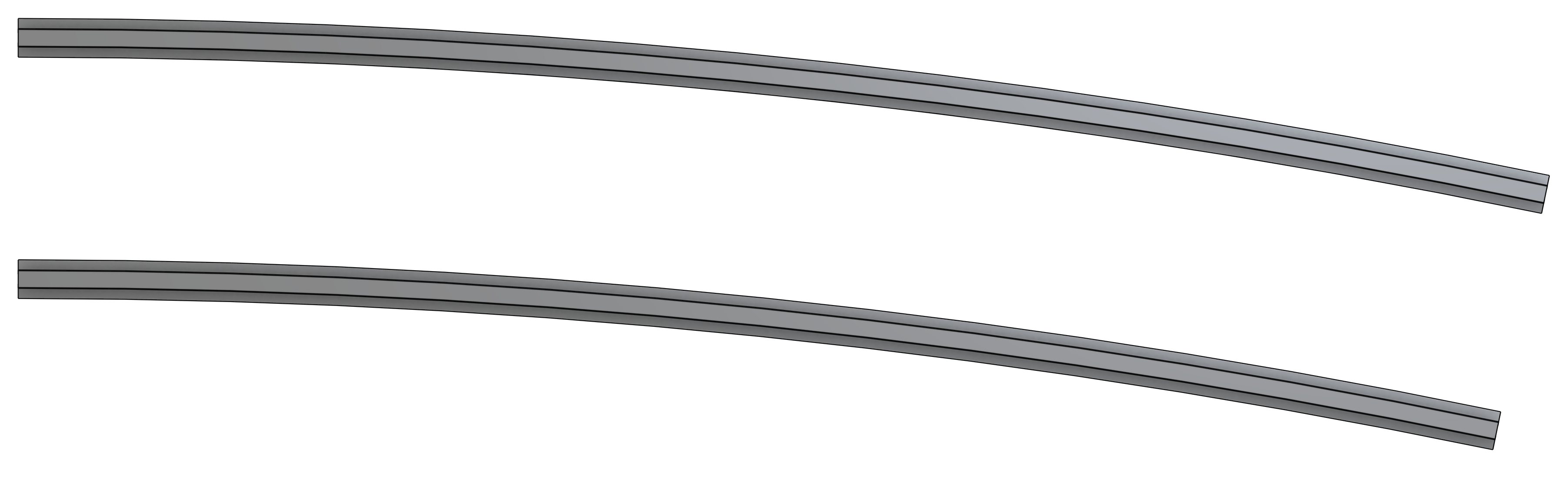
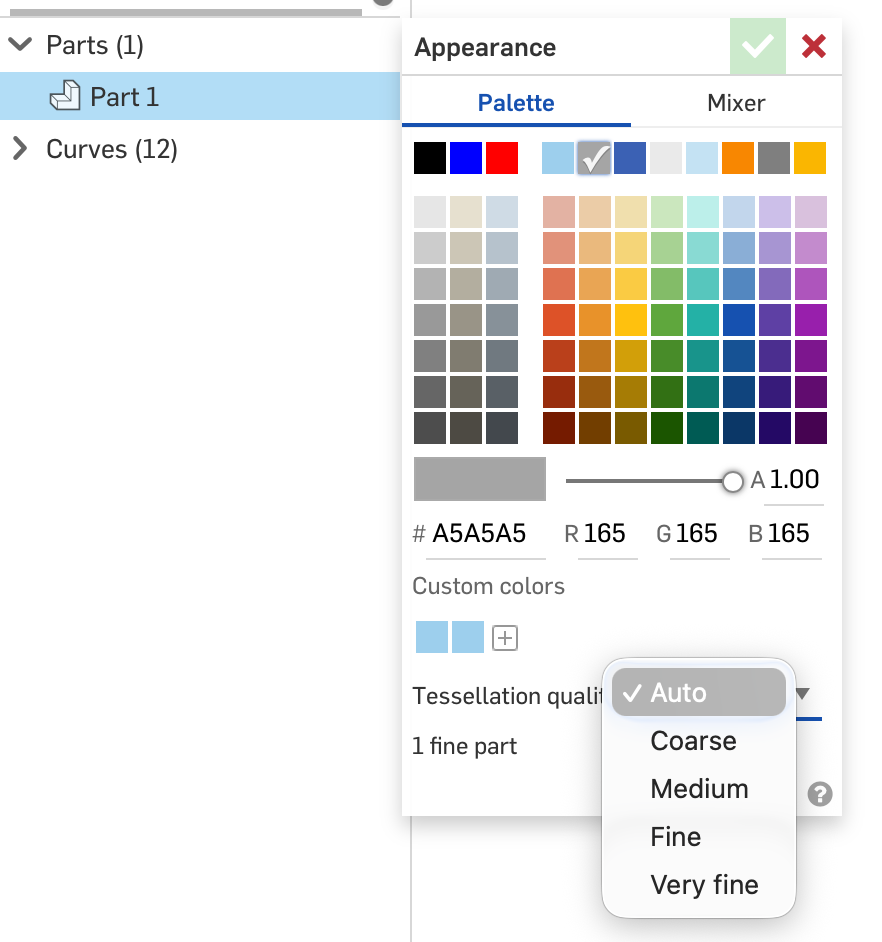
It's just a display artifact - there's nothing wrong with the geometry. You can either temporarily increase the view quality (hit Shift-R) or you can change the quality of the parts.
Default:
After Shift-R:
To change the quality of the part, right click on the part and select "Edit appearance…" then change the "Tessellation quality" until it is good enough for you:
Simon Gatrall | Product Development, Engineering, Design, Onshape | Ex- IDEO, PCH, Unagi, Carbon | LinkedIn
0

Answers
-
here is a link to the document: https://cad.onshape.com/documents/e88059df2e6738e23d8c847c/w/99e89853e4bb10f792d75cd4/e/8c9af6728f111c437f876ccb?renderMode=0&uiState=695820d6a6b4795fb3916b64
0 -
It's just a display artifact - there's nothing wrong with the geometry. You can either temporarily increase the view quality (hit Shift-R) or you can change the quality of the parts.
Default:
After Shift-R:
To change the quality of the part, right click on the part and select "Edit appearance…" then change the "Tessellation quality" until it is good enough for you:
Simon Gatrall | Product Development, Engineering, Design, Onshape | Ex- IDEO, PCH, Unagi, Carbon | LinkedIn
0 -
Thank you.!
0