Welcome to the Onshape forum! Ask questions and join in the discussions about everything Onshape.
First time visiting? Here are some places to start:- Looking for a certain topic? Check out the categories filter or use Search (upper right).
- Need support? Ask a question to our Community Support category.
- Please submit support tickets for bugs but you can request improvements in the Product Feedback category.
- Be respectful, on topic and if you see a problem, Flag it.
If you would like to contact our Community Manager personally, feel free to send a private message or an email.
Colour edited faces
 martin_kopplow
Member Posts: 1,254 PRO
martin_kopplow
Member Posts: 1,254 PRO
So I had a stupid idea and it didn't work.
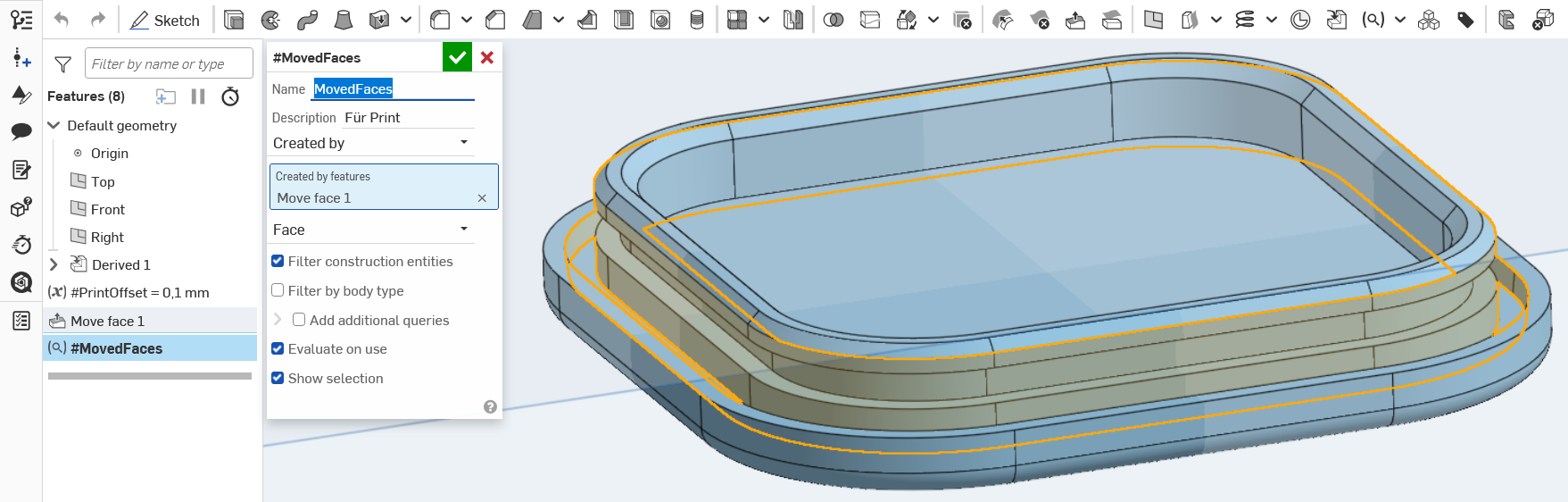
I have a small part I want to print for assembly testing. It is going to be an injection molded part some day, but for now, I'll use my desktop printer so I have a set of workable parts by tomorrow. To print snappable parts off the model I made, I'd need to apply certain offsets, depending on the specific printer accuracy. I also want to colour all the offset faces in a contrasting colour, so everybody, including future me, can clearly identify the faces that have been modified.
So, I derive all parts I want to print into a new part studio I name "PRINT assembly test parts" and then create an offset variable I know is good for this specific printer. Then I use that variable in several move face features I apply. In order not to forget a face; I do usually assign the modified faces a contrasting colour.
Here comes the silly idea: I wanted to make the colouring more or less automatic by querying the faces previously selected for the move face feature(s). But then, face colour is not a feature. Can I do it anyway?
Comments
You definitely can make a face colouring feature that takes in a query variable - I made the rainbow faces feature.
I just pushed an update that lets you specify a specific colour (by hex code) instead of making them all a pretty rainbow.
Experts in Onshape Automation - Custom Features and Integrated Applications
You can use the "Part color" FS:
https://cad.onshape.com/documents/d997b0ffc30f659113b10c00/v/4d2f56ee7f2ec4a55451f198/e/b6db0c9545b9a2df1d7ea546
I second the Part Color feature. It has a place to input faces. Move Face (mostly) doesn't create new faces, so "Created by" after the fact isn't going to work. You'll want to create a QV first, then use it in Move Face and in Part Color and you're golden… or whatever color you choose.
The Onsherpa | Reach peak Onshape productivity
www.theonsherpa.com
Agree. a query variable cannot be used yet in the appearances panel so this is the best way.
(and the part color feature is more understandable since it's in the feature tree, rather than hidden in an appearances panel.)
But either way you may consider voting for:
@jelte_steur_info true, I upvoted that one.
I hate it when I go to upvote an IR and I already have haha. Agree it would be a nice touch.
The Onsherpa | Reach peak Onshape productivity
www.theonsherpa.com