Welcome to the Onshape forum! Ask questions and join in the discussions about everything Onshape.
First time visiting? Here are some places to start:- Looking for a certain topic? Check out the categories filter or use Search (upper right).
- Need support? Ask a question to our Community Support category.
- Please submit support tickets for bugs but you can request improvements in the Product Feedback category.
- Be respectful, on topic and if you see a problem, Flag it.
If you would like to contact our Community Manager personally, feel free to send a private message or an email.
How to make a Curved Part from three Sketches?

So, i am designing something and am probably way overcomplicating things, but i'd like a nice curvature on the Part. I've sketched the side-profile i desire in all three dimensions, but now i am unable to get that curve.
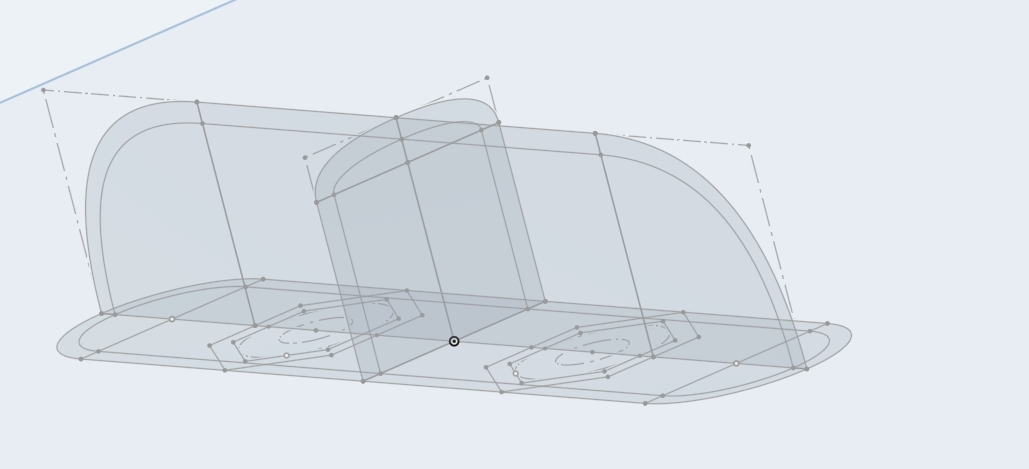
I've tried Sweeping it, but there i either do not get the desired shape or the Sweep intersects itself and doesn't generate at all. Lofting doesn't seem to work either, as there i just can't get the tool to generate anything at all.
Best Answer
-
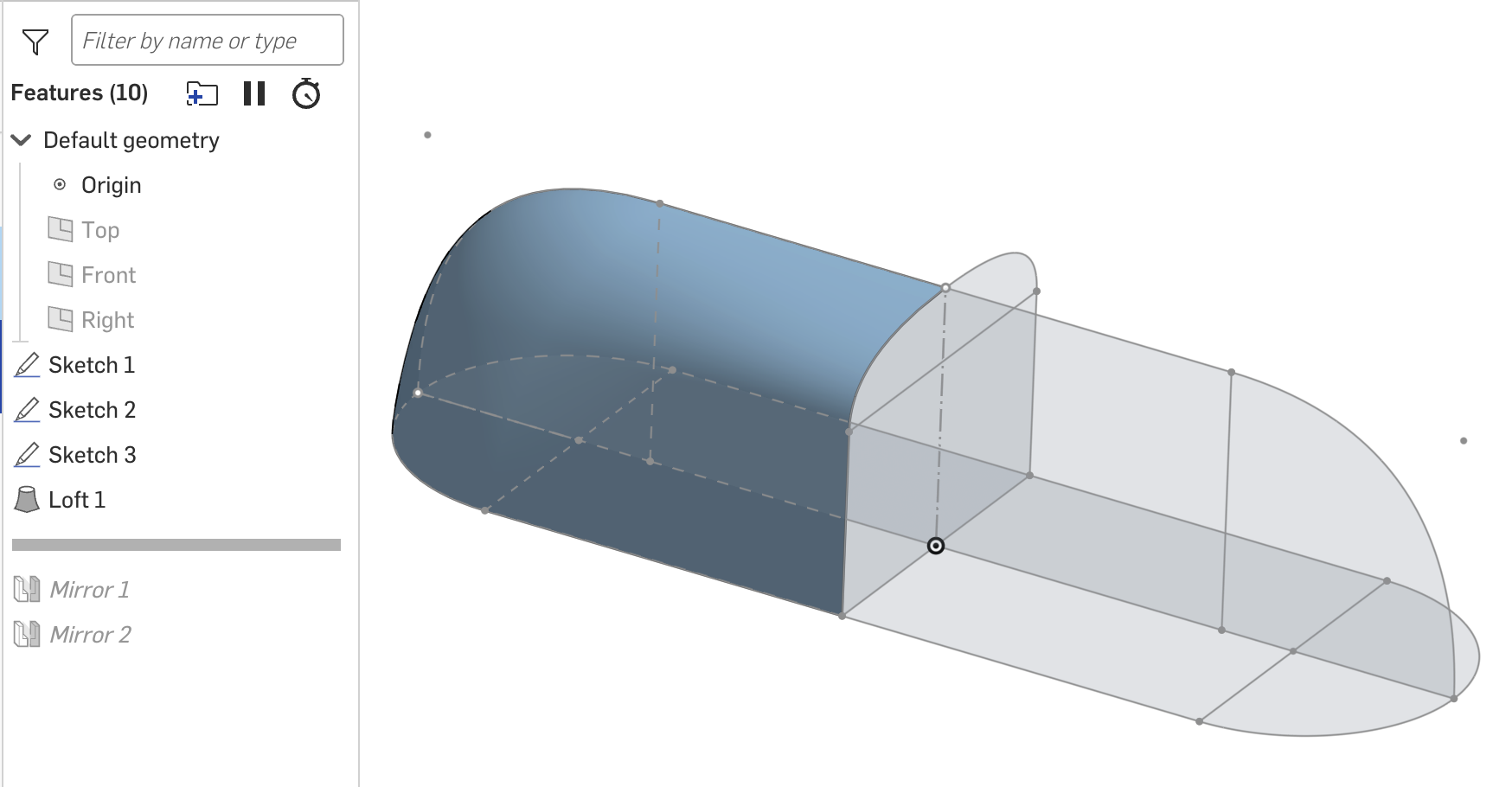
A loft should work. Three tips: 1) start with surfaces then thicken, enclose, etc. 2) take advantage of symmetry and create parts of the finished design then mirror. 3) make sure your guides intersect your loft curves (use the pierce constraint).
 1
1

Answers
-
A loft should work. Three tips: 1) start with surfaces then thicken, enclose, etc. 2) take advantage of symmetry and create parts of the finished design then mirror. 3) make sure your guides intersect your loft curves (use the pierce constraint).
1 -
That's not even a super compliced case you have here, but there are a few contradicting or underdefined things in your design. You will need to add a few more 'hints' for the software to do someting meaningful.
Try this:
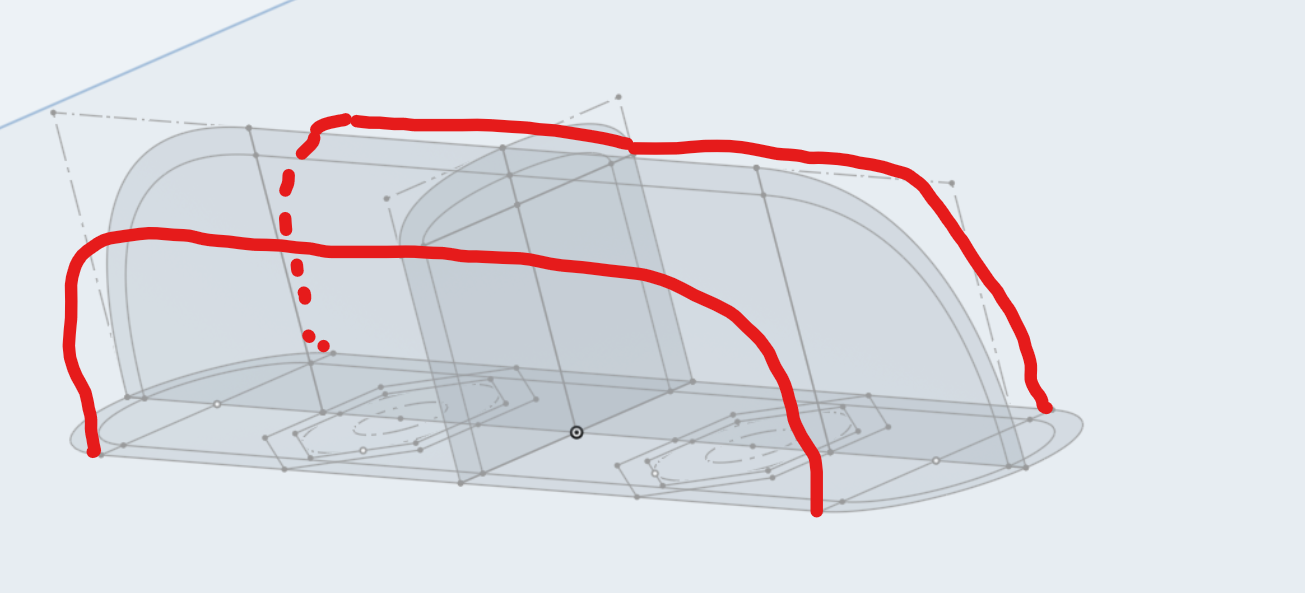
Then loft again. Build only the massive part, use shell for the inner side.
(And, since this thing is symmetrical to two planes, only build 1/4 of it, then mirror-unite it later. That saves a lot of work and problems.)
0 -
Big thanks to both of you, it worked! I guess i just didn't understand the Loft function… Well, now i can cover a few nuts and bolts (hence the Hexagons)
0
