Welcome to the Onshape forum! Ask questions and join in the discussions about everything Onshape.
First time visiting? Here are some places to start:- Looking for a certain topic? Check out the categories filter or use Search (upper right).
- Need support? Ask a question to our Community Support category.
- Please submit support tickets for bugs but you can request improvements in the Product Feedback category.
- Be respectful, on topic and if you see a problem, Flag it.
If you would like to contact our Community Manager personally, feel free to send a private message or an email.
Simple? Loft between 2 rings
 wayne_powell178
Member Posts: 3 ✭
wayne_powell178
Member Posts: 3 ✭
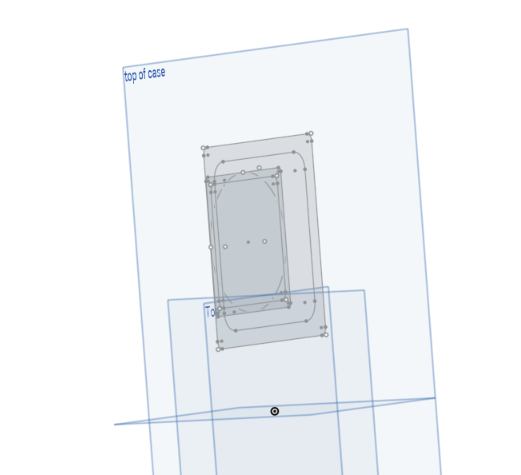
HI folks,
New here though been using and loving Onshape for a while. I am making a fan mount with the larger base being fixed to the casing with threaded inserts. The problem I have is that I want to loft between these 2 shapes. They are similar simply creating the 2 planes and the doing a solid loft then shell won't work as the corners in the base I want to add the threaded inserts will be to thin.
Any ideas on how i would do this?
thanks
0
Comments
The limitation here is you can't currently loft a ring (or any face with an inner shape). So, You'd need to do that in two steps:
Or you could
I see no reason why this couldn't already be automated, but ther apperar to be logic issues and so it hasn't been done yet.