Welcome to the Onshape forum! Ask questions and join in the discussions about everything Onshape.
First time visiting? Here are some places to start:- Looking for a certain topic? Check out the categories filter or use Search (upper right).
- Need support? Ask a question to our Community Support category.
- Please submit support tickets for bugs but you can request improvements in the Product Feedback category.
- Be respectful, on topic and if you see a problem, Flag it.
If you would like to contact our Community Manager personally, feel free to send a private message or an email.
Using new displacement map feature
 jason_ryan337
Member Posts: 71 ✭
jason_ryan337
Member Posts: 71 ✭
in General
Hi there,
I am trying to use Evan's new displacement map feature, and am struggling with a couple of things. My goal was to make a curve surface, then add a displacement map onto the front of the surface and then close up the two surfaces to make a solid. However,
- When I add a map to a curved surface, the mapped surface seems to always go behind the original surface instead of in front so it will make it tricky for me to close the surface since i want to build on the other side of the surface.
- If I did get the displacement map on the correct side, I am still not sure I know how to close up the surface to make a true lithophane type solid.
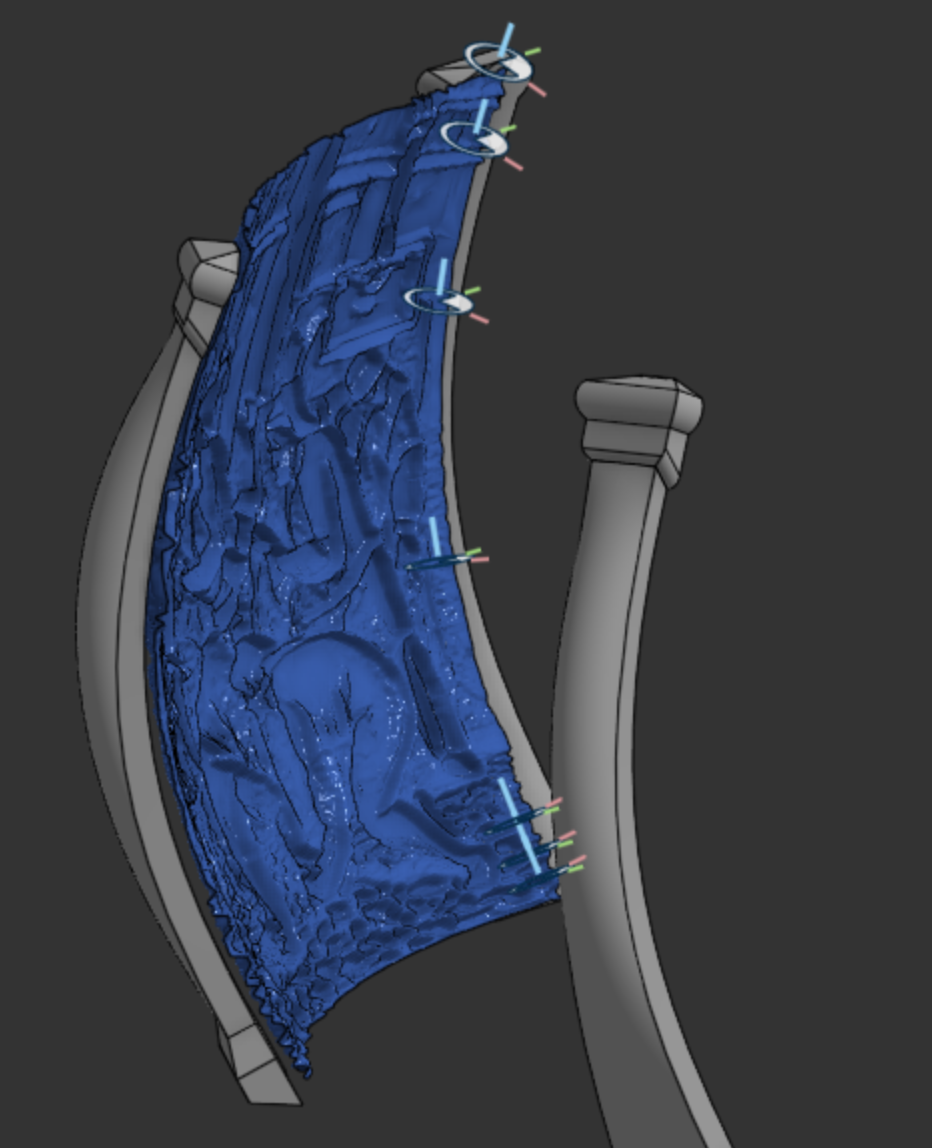
Here is my document. I would really appreciate any guidance. Thanks!
https://cad.onshape.com/documents/df3186e1295f998e0a7934c4/w/7a3f552f3516dcba3e2b8308/e/c0dd6be7b36e0ca13d8e86da
0