Welcome to the Onshape forum! Ask questions and join in the discussions about everything Onshape.
First time visiting? Here are some places to start:- Looking for a certain topic? Check out the categories filter or use Search (upper right).
- Need support? Ask a question to our Community Support category.
- Please submit support tickets for bugs but you can request improvements in the Product Feedback category.
- Be respectful, on topic and if you see a problem, Flag it.
If you would like to contact our Community Manager personally, feel free to send a private message or an email.
How to Draw a Dado on an Assembly
 andre_kvaternik
Member Posts: 13 ✭
andre_kvaternik
Member Posts: 13 ✭
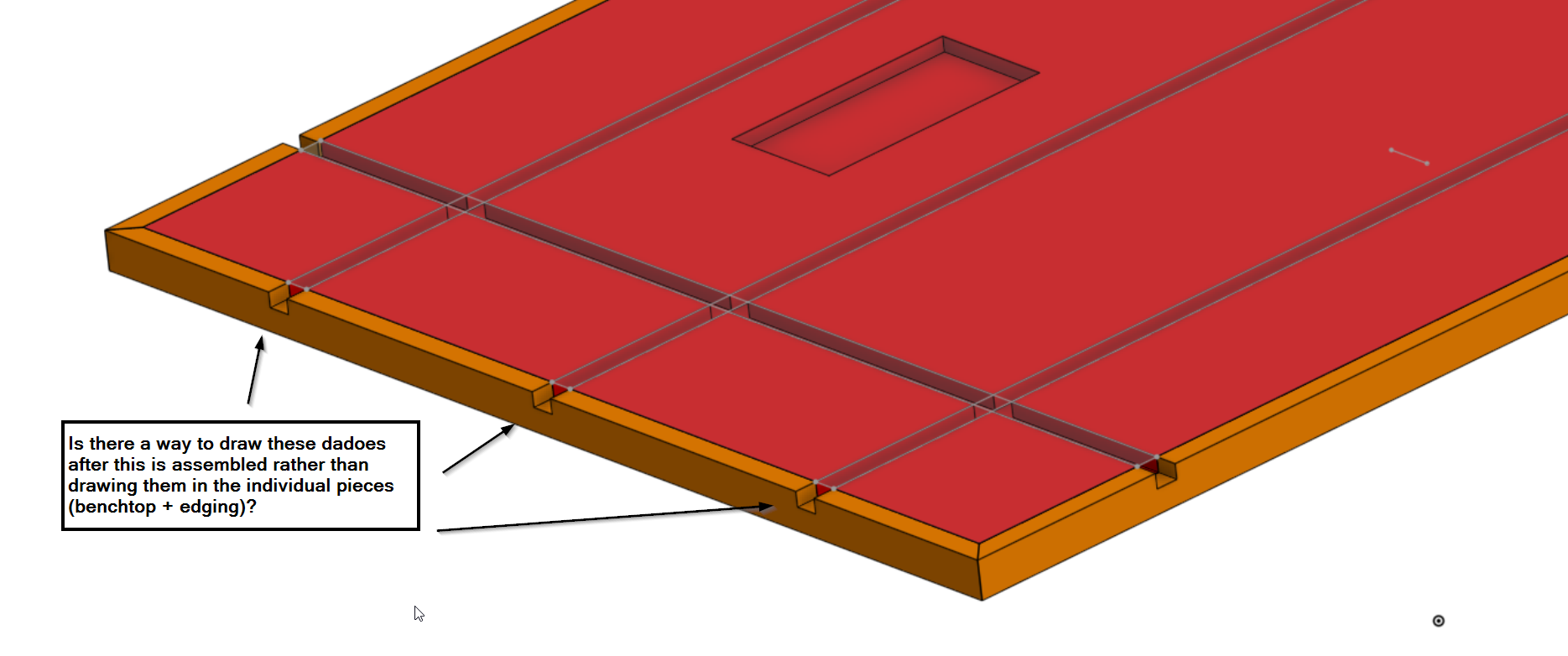
I'm designing a workbench that will have T-Track imbedded in the top. I want to put hardwood edging on the outside edges of the MDF benchtop. I have modeled the benchtop and the edging as separate parts in a part studio.
Is there a way to model the dado groves for the t-track in the assembly (MDF top + edging) rather than the individual parts? Ideally after it is assembled I model the dadoes to remove material from both the benchtop and the edging in one sketch. I was going down the in-context route but eventually ended up drawing the dadoes in the individual parts. Hoping there is an easier way.
Comments
Use in context editing.Retract didn't full read your comment sorry.Twitter: @BryanLAGdesign
Considering the simplicity and your desire to create dadoes in one shot, doing it all in a parts studio is doable (dadoable?). Just a sketch of concentric rectangles and two extrudes; one for the MDF and one for the border. The extrudes for the dadoes can do both pieces by selecting Through all. Corner miters can be created by using the Split tool with planes as the 'Entity to split with' Beyond that, if needed, you can combine the two pieces as a Composite part. - Scotty
Unless I am missing something? Design both parts in the same studio. Or derive the assembly into a new parts studio. There is an IR out there for modifying assemblies.
Yep, no ability to modify geometry in an Onshape Assembly (today). So it's either in-context (if you want to instance it in an assembly and then make the cuts in a part studio), or do it all in one Part Studio. I'd honestly recommend the one Part Studio approach, as Robert described, reference it elsewhere as a composite part (and use cutlist) or insert as Rigid.