Welcome to the Onshape forum! Ask questions and join in the discussions about everything Onshape.
First time visiting? Here are some places to start:- Looking for a certain topic? Check out the categories filter or use Search (upper right).
- Need support? Ask a question to our Community Support category.
- Please submit support tickets for bugs but you can request improvements in the Product Feedback category.
- Be respectful, on topic and if you see a problem, Flag it.
If you would like to contact our Community Manager personally, feel free to send a private message or an email.
Where did the "Explode" option for text go from the context menue?
 jacob_hämmerle039
Member Posts: 18 ✭
jacob_hämmerle039
Member Posts: 18 ✭
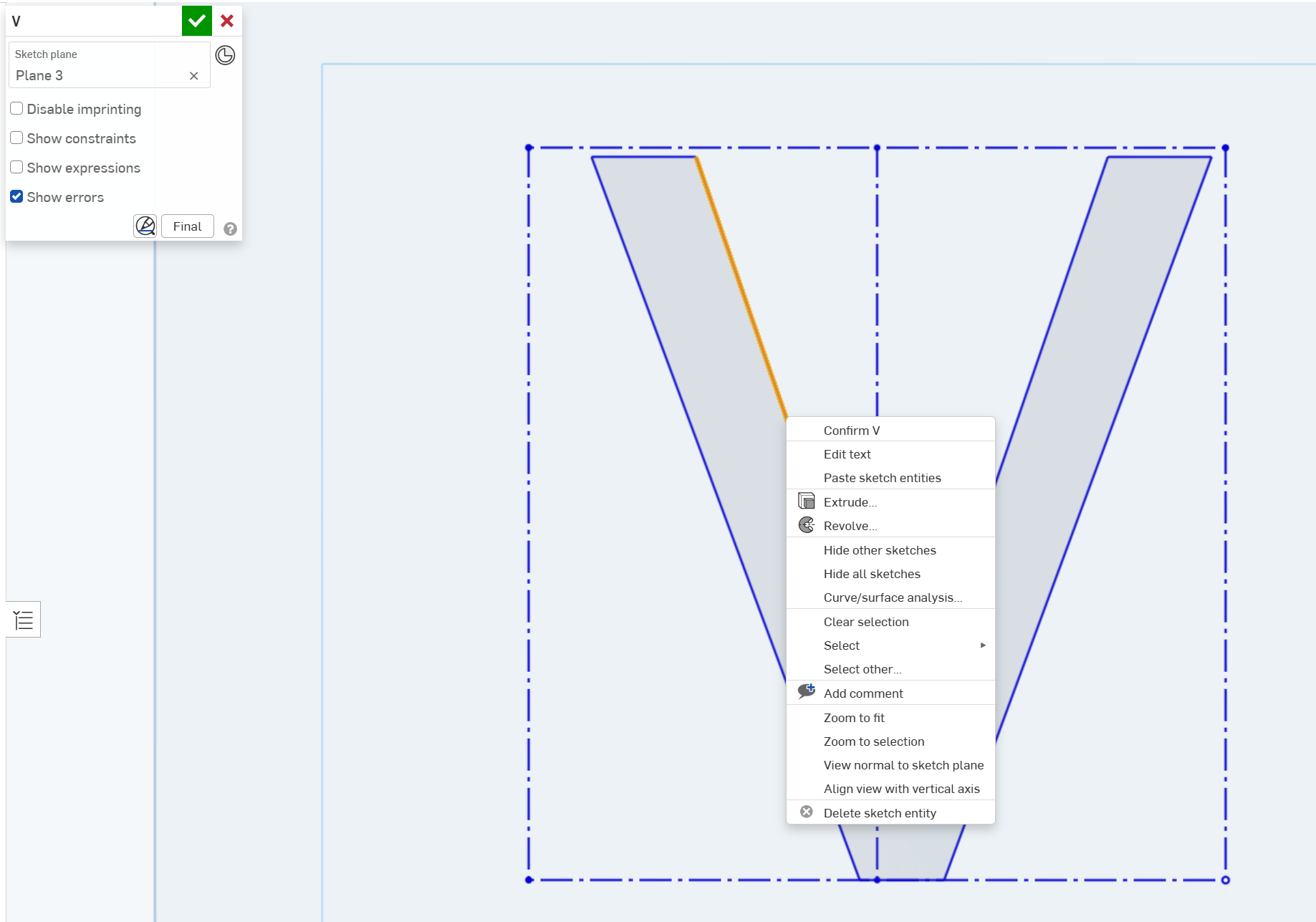
Also - if I want to position (mid point of an a text stroke/outline to a certain other point) an extruded 3D text object - whats the proper way to do it?
Tagged:
0
Comments
Within sketcher you can only align/dimension to the construction lines and vertices. If you need to control things by the actual entities of the letter forms, you have to do it in other ways (e.g. extrude and then transform, copy entities in another sketch, import/export etc.).
Simon Gatrall | Product Development, Engineering, Design, Onshape | Ex- IDEO, PCH, Unagi, Carbon | LinkedIn
OK, thx
Actually id have one Letter ("V") extruded to a 3D Objekt and then position the object Midpoint of the leftwing vertical/diagonal ("\") → to a certain point (in another sketch). I'd like to understand how to do it, starting with the text feature.
what's the best way to do this?
thx
Here's a simple example. I turned the letter into a flat surface to make it easy to transform, and used transform by line.
Offset surface with zero offset just creates a flat body of the sketch region which is easy to manipulate. You can then use edges if you want to change it back into a sketch.
https://cad.onshape.com/documents/a5845981e2418cae3f5d8f91/w/f504382b203bf7af52a745b3/e/8d71516572f64ba31ea061d6
Simon Gatrall | Product Development, Engineering, Design, Onshape | Ex- IDEO, PCH, Unagi, Carbon | LinkedIn