Welcome to the Onshape forum! Ask questions and join in the discussions about everything Onshape.
First time visiting? Here are some places to start:- Looking for a certain topic? Check out the categories filter or use Search (upper right).
- Need support? Ask a question to our Community Support category.
- Please submit support tickets for bugs but you can request improvements in the Product Feedback category.
- Be respectful, on topic and if you see a problem, Flag it.
If you would like to contact our Community Manager personally, feel free to send a private message or an email.
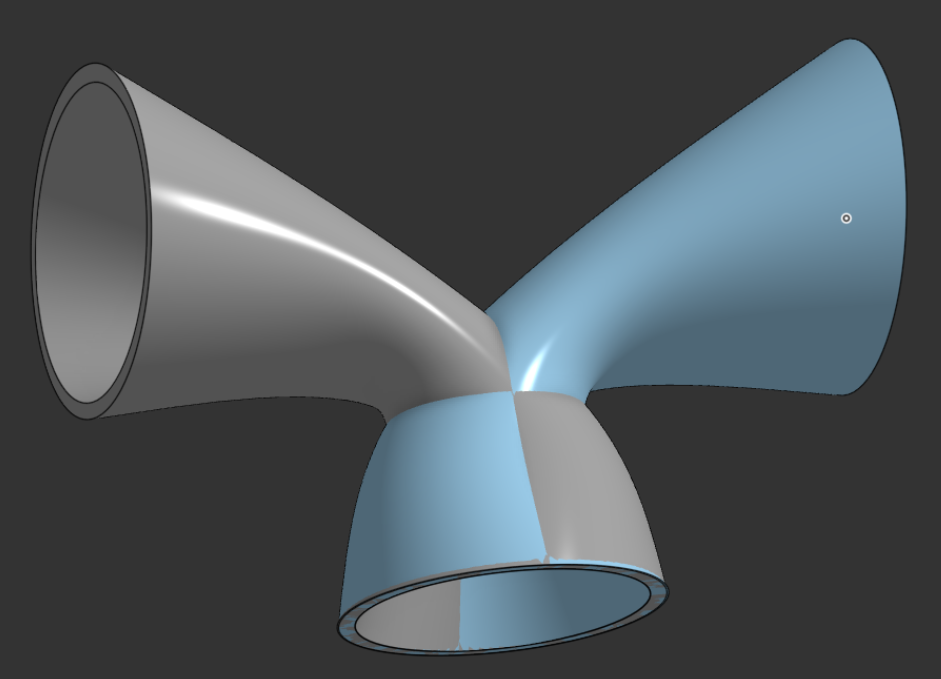
Two Lofts conjoining, how to remove parts so it creates a "Y" tube.

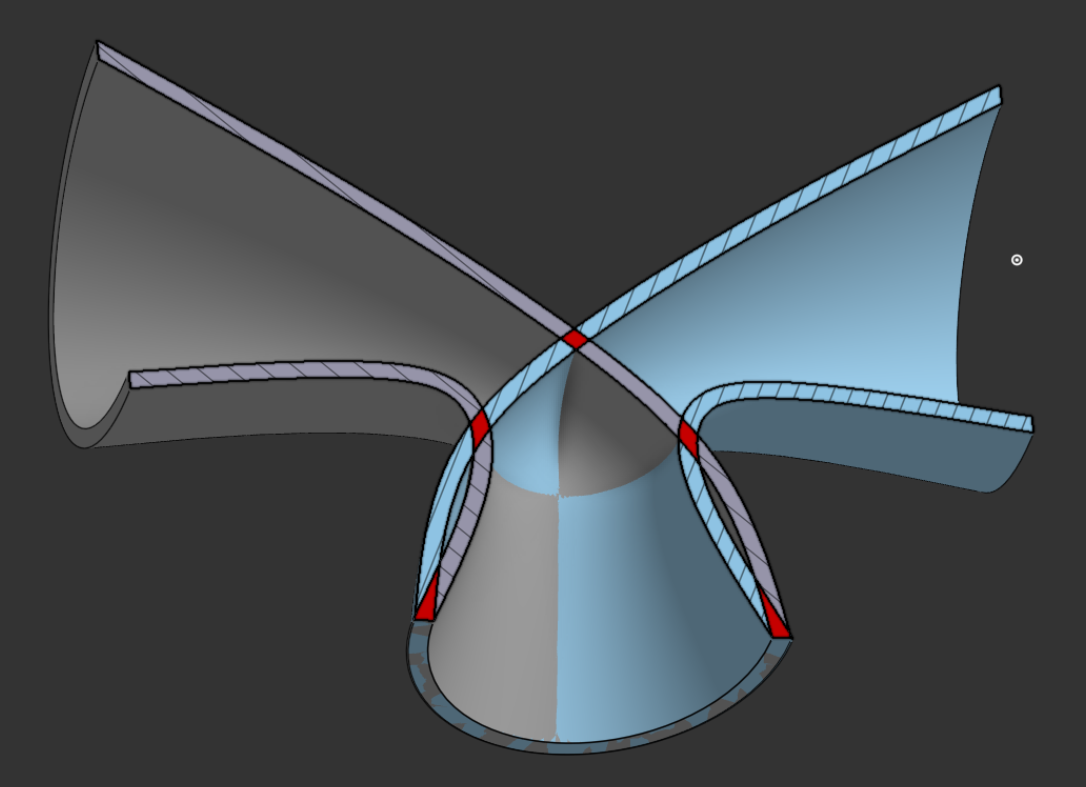
I have two lofts that I have created with loft thin command , one from the left curved to a center hole, and one from the right curved to that same center hole.
I need to remove the parts inside them so that the inside of the "Y" shaped tube they create is hollow.
Not sure the best way to go about this.
Or, is there a better way to create a single loft with 3 holes? (from what I could tell you cant do that)
Section View
Answers
-
Create the first one as a solid, then mirror with "add" so you get as single part and use the a "shell" feature.
1 -
Hard to say without the file, but I'd try to boolean/add them together, then use 'delete face' somewhere to turn it into a surface model. Then maybe keep deleting stuff . . . you might get lucky.
Or, better yet, use @eric_pesty's solution - much cleaner.
Unemployed Onshaper- Operating on European time - More of me here ➤➤ https://linktr.ee/Liam.G0 -
I ended up doing something similar I think I used the loft surface and then mirror them and then shelled them.
For some reason I was getting very different looking results if I did The loft command and told it to make a new solid. It had drastically different looking curvature to it compared to using the loft thin or a loft surface command. Even though I was using the same shapes to loft and the same path.
I still feel like this would be a good thing to know how to do in case I run into something similar and can't simply completely redo how I created the shapes in the first place.
0 -
Maybe this will work for you?
0 -
Oh that looks like that would have worked, I added the script, thanks.
I have redesigned my part so much that its no longer made that way to test this, but I think this is going to come in handy in the future.0 -
@john_trotto910 fair warning that while that feature is an insanely powerful tool, it can also be an insanely expensive tool to run depending on the geometry you feed it.
0



