Welcome to the Onshape forum! Ask questions and join in the discussions about everything Onshape.
First time visiting? Here are some places to start:- Looking for a certain topic? Check out the categories filter or use Search (upper right).
- Need support? Ask a question to our Community Support category.
- Please submit support tickets for bugs but you can request improvements in the Product Feedback category.
- Be respectful, on topic and if you see a problem, Flag it.
If you would like to contact our Community Manager personally, feel free to send a private message or an email.
Weld gap between profiles
 maik_staudt
Member Posts: 4 ✭
maik_staudt
Member Posts: 4 ✭
in General
Hi,
I want to design a frame consisting of round tubing that will be welded together.
How can I trim the profiles on the surface of other profiles so that there is a 0.5mm gap ?
like this:
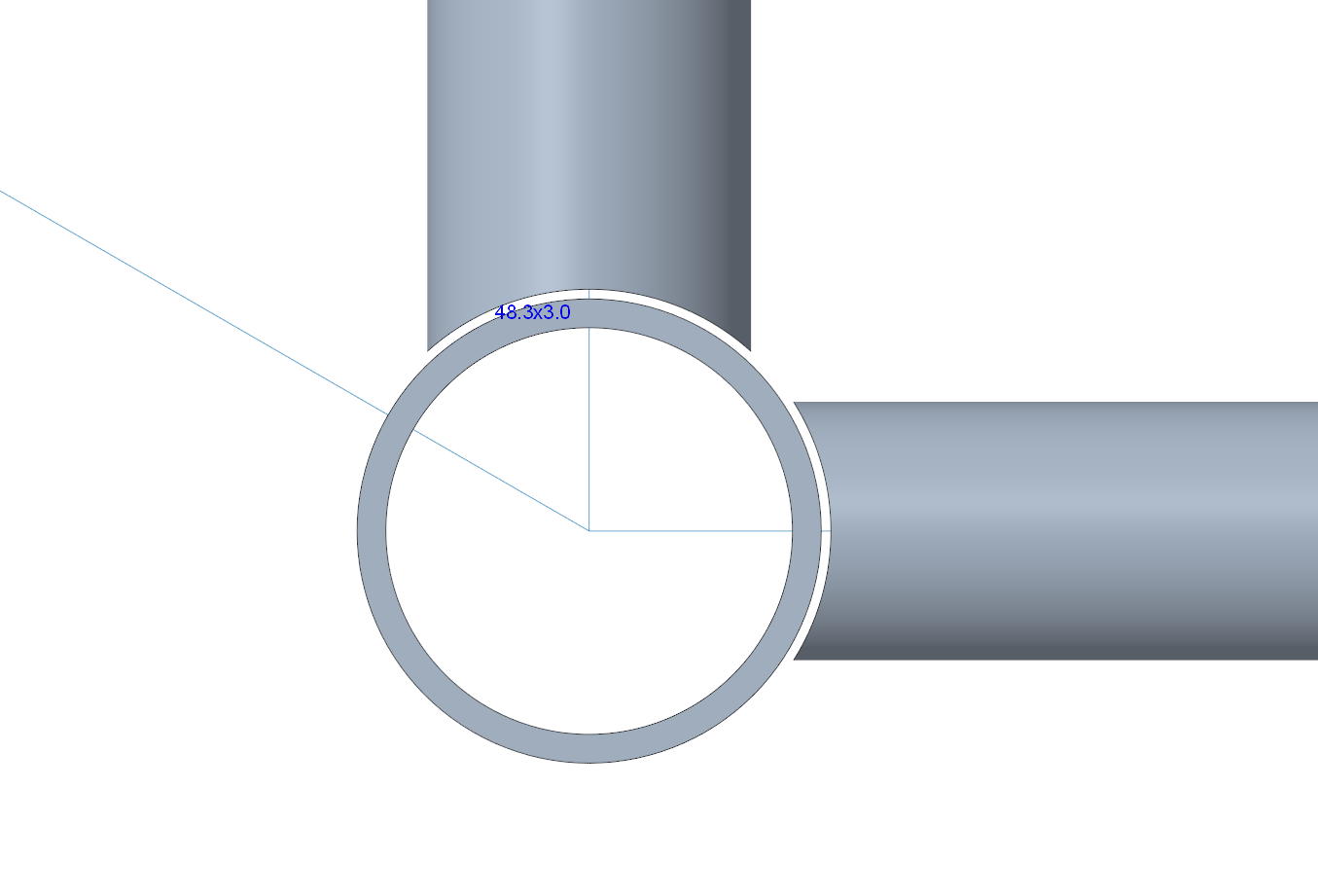
Thanks…
0
Comments
Created the parts with the frame tool, and then use Move face with 0.5mm.
Simon Gatrall | Product Development, Engineering, Design, Onshape | Ex- IDEO, PCH, Unagi, Carbon | LinkedIn
Ok thanks. Would it also make sense to create a offset surfaces with 0,5mm on all the pipes to which the other pipes have to be cut.
And then use the trim tool to trim the pipes on those offset sufaces ?
It usually makes sense to combine such modifications, rather than do them one by one. Creating offset surfaces 'round all tubes might be such an approach. A sweep-remove through all intersecting tubes might be an option, too, or a mass-move face. You could even thicken-remove the main tube surface, which might be the simplest of them all.
Anyway, I'd create a variable "#WeldGap" first. Then, I'd use that variable for every feature I apply to make a weld gap, be it by trimming, offsetting an up-to-with-offset-extrude or even subsequentional sketches and booleans. I usually tend to design without gaps ans allowances, to keep my feature tree clean, and only add these at the end. That way, I can always roll back to a clean state for later edits.