Welcome to the Onshape forum! Ask questions and join in the discussions about everything Onshape.
First time visiting? Here are some places to start:- Looking for a certain topic? Check out the categories filter or use Search (upper right).
- Need support? Ask a question to our Community Support category.
- Please submit support tickets for bugs but you can request improvements in the Product Feedback category.
- Be respectful, on topic and if you see a problem, Flag it.
If you would like to contact our Community Manager personally, feel free to send a private message or an email.
How to rotate part of an object?

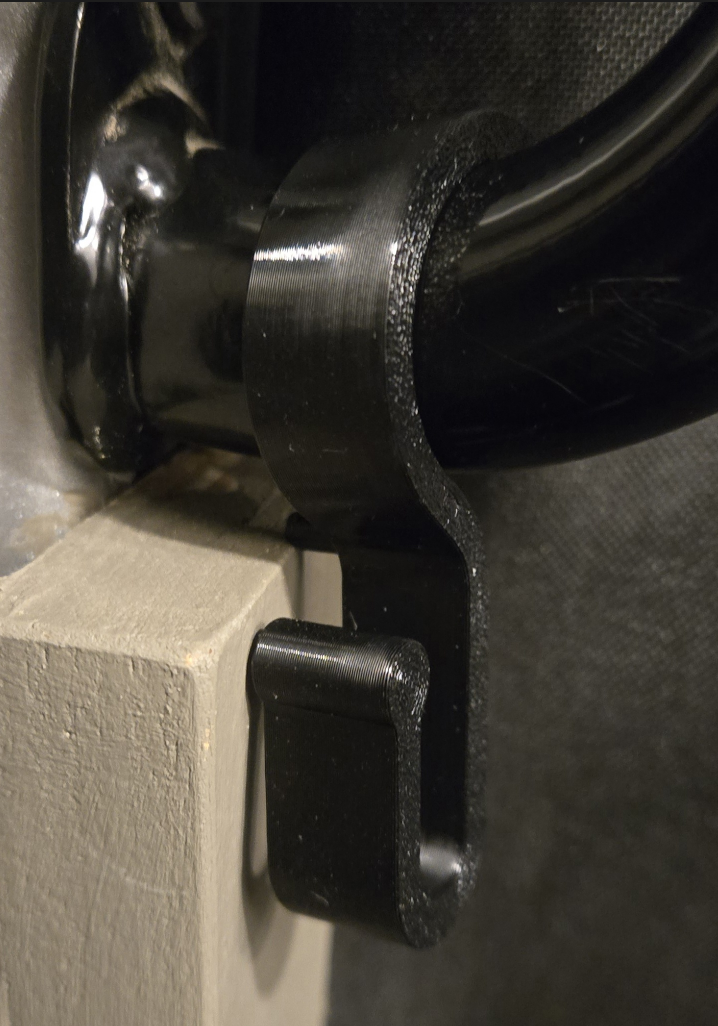
Hi All! I am trying to design a hook for my van, but I want to twist the lower part of it so it is usable (turn counter clockwise maybe 30 degrees?). I assume I need different planes for the bottom part of the hook, but not quite sure how to connect everything together. I am still very much a newbie to this.
Here is what it looks like in real life, and a link to my file. Any tips or starting points would be much appreciated.
0
Comments
You've asked this question a few week before, right?
You'll want to make the parametrics do it for you. You could design the top portion of your hook, and then a separate bottom portion. You could make the bottom portion so that it'sangle can be defined by an angular dimension, translation, or the rotation of a mate connector. Only in the final step would you then create the transition between the upper and the lower parts. That way, you'd get an adjustable twist. You could even make the available "Twist" as a variable in the feature tree.
https://cad.onshape.com/documents/a9e816363a7464782074ef43/w/84312b1856165cd191a79032/e/4aab310c03f5a1a6e76c0854
Not the question you've asked, but if it was me I'd get out my heat gun, soften it up, and twist it by hand. That way you'll retain the smooth flowing layer lines.
CADNurd's Linktree - find me everywhere else - https://linktr.ee/Liam.G
Thanks. No, this is the first time I am asking this. I got it mostly right, but I can't get the transition to be smooth. There is always a bow somewhere.
I didn't think about that, but it might actually work best!
I've made a decent number of intricate cosplay parts using this method. Drawing parts in a more printer friendly state and heat warping to shape is a super powerful way to create complex objects without a bunch of fragile layers and support material. Getting a CAD representation of both the pre and post forming states is still hugely useful though and a generalized solid model flex feature is something I'm slowly working on because I don't like guessing at the finished geometry from the flats.
Derek Van Allen | Engineering Consultant | Meddler