Welcome to the Onshape forum! Ask questions and join in the discussions about everything Onshape.
First time visiting? Here are some places to start:- Looking for a certain topic? Check out the categories filter or use Search (upper right).
- Need support? Ask a question to our Community Support category.
- Please submit support tickets for bugs but you can request improvements in the Product Feedback category.
- Be respectful, on topic and if you see a problem, Flag it.
If you would like to contact our Community Manager personally, feel free to send a private message or an email.
Lower a plane/sketch?
 jim_zamecnik
Member Posts: 17 ✭
jim_zamecnik
Member Posts: 17 ✭
in Drawings
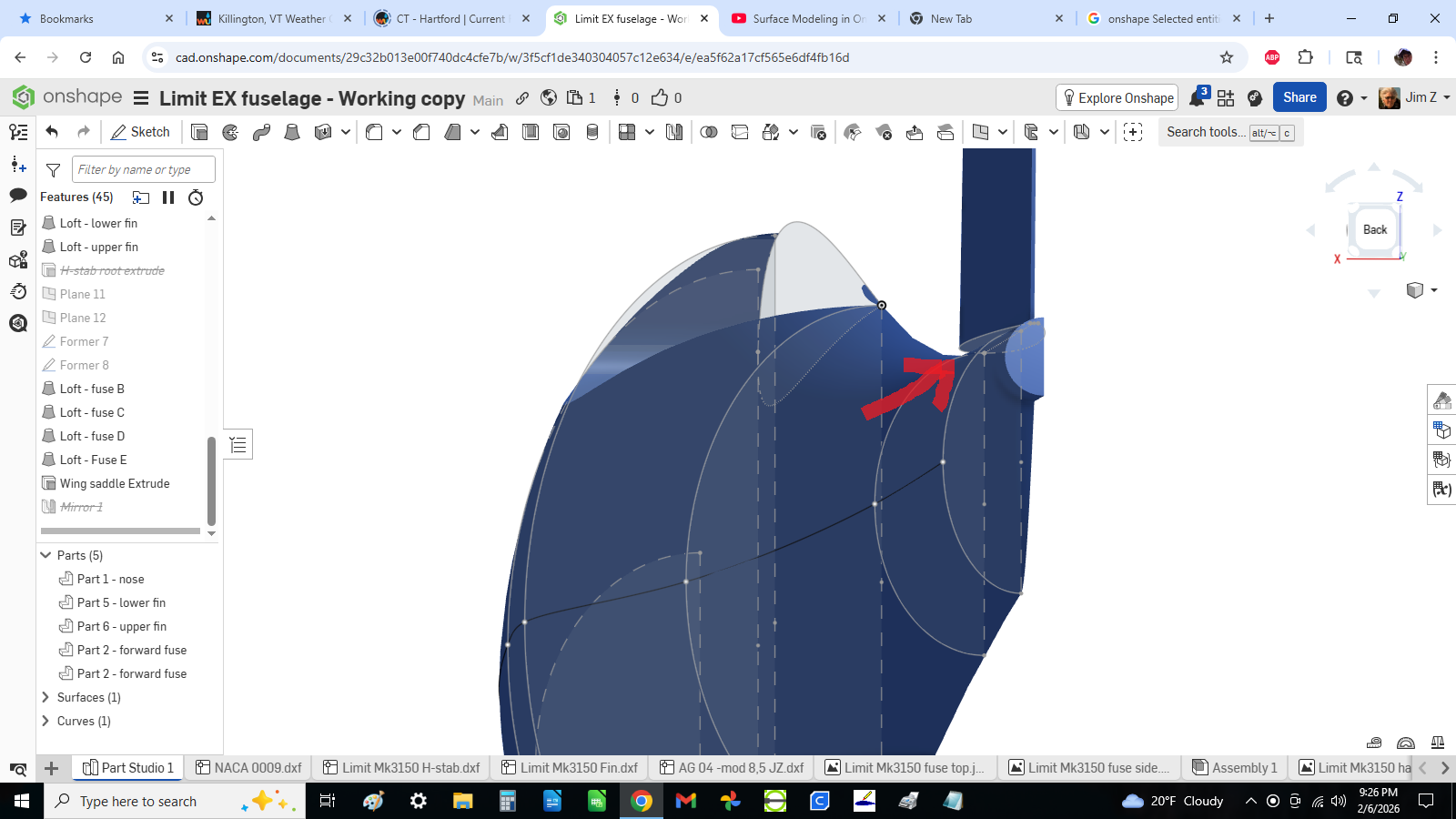
I'm trying to close this gap between the fin and fuselage. I tried offsetting plane 7 where the "fin root airfoil" sketch exists, without success. I tried using "split" as I saw in a youtube tutorial (24:15) but couldn't get that to work either. Any pointers are appreciated. Thanks.
-Jim
https://cad.onshape.com/documents/df6b19e1161c806989e03981/w/75b667e469169c2bb331f91c/e/8c0c14baf6ef0fc63f12acd0
0

Answers
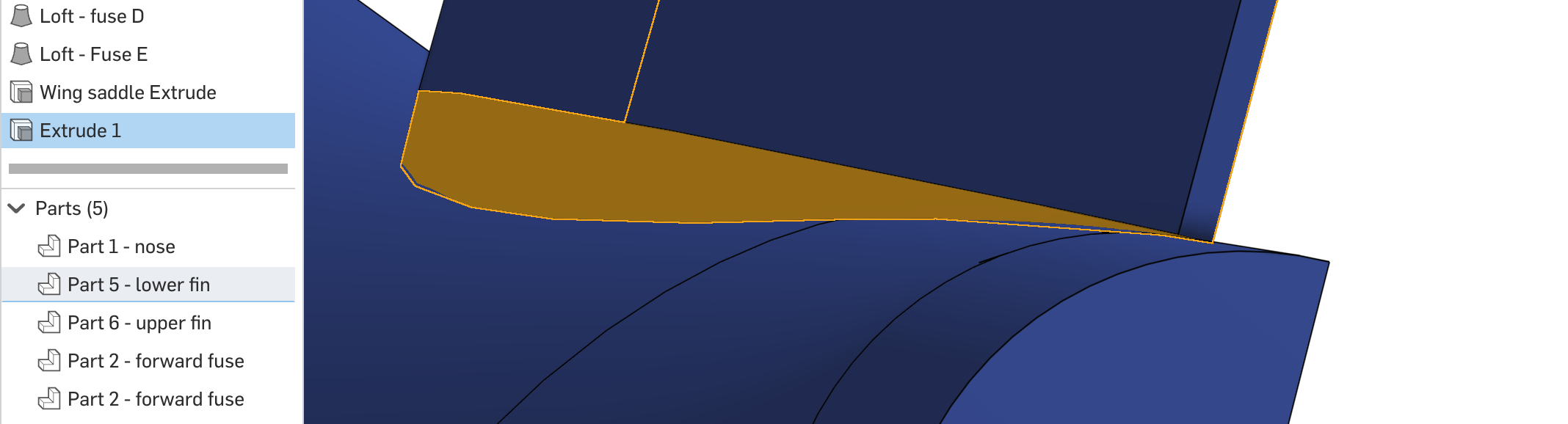
A simple Extrude "to next" works.
Damn, that was easy! Thank you Matt.
I worked around it by covering it with a Face Blend fillet, but that brought new complications….as you'll see in tonight's question 🙄
I should probably roll back and do this, then start over with what I've been doing tonight