Welcome to the Onshape forum! Ask questions and join in the discussions about everything Onshape.
First time visiting? Here are some places to start:
- Looking for a certain topic? Check out the categories filter or use Search (upper right).
- Need support? Ask a question to our Community Support category.
- Please submit support tickets for bugs but you can request improvements in the Product Feedback category.
- Be respectful, on topic and if you see a problem, Flag it.
If you would like to contact our Community Manager personally, feel free to send a private message or an email.
Split Panel Feature

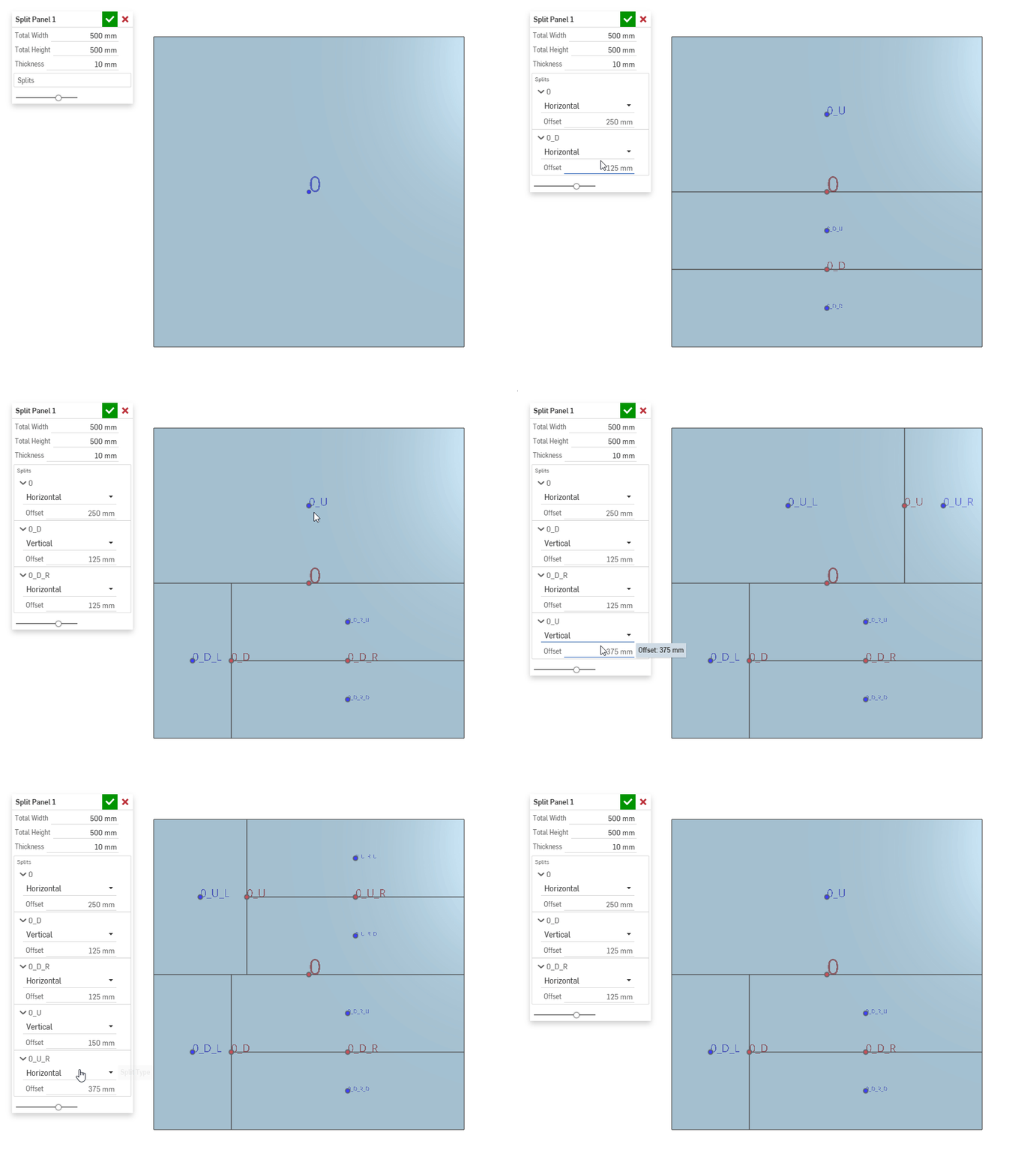
This split panel feature has been one of my favourites of the past year to work on. The combination of a really cool data structure, and an interesting implementation of point manipulators have resulted in a feature I would describe as "playful". Clicking a blue dot adds a split, a red dot remove the split. The extra cool part? The splits aren't limited, you can add as many as you want - with any level of complexity. This feature made me rethink the options for user experience in a custom Onshape feature.
One thing I have struggled with is how to rewrite the feature into a generic use case. I'm not sure how it can be helpful to a wider set of users. So I'm just leaving it essentially as a demo. Hopefully it will inspire some new workflows, or you can use it to show your team the great potential in Onshape.
Try it out here
Experts in Onshape Automation - Custom Features and Integrated Applications
Comments
-
Using the point manipulators to activate an operation looks pretty responsive.
I could see something similar being useful for curve splitting or even a quick part slicer. @EvanReese's ffs has something similar.
.
▚▞▚▞▚▞▚▞▚0 -
This is a cool UI.
I could see a version of this where instead of dimensions, there's a ratio.
I could also see wanting to have a gap added at each split for tolerance reasons.
For cabinetry (and other things) being able to quickly split a panel into multiple equal pieces with equal gaps would be great.
Simon Gatrall | Product Development, Engineering, Design, Onshape | Ex- IDEO, PCH, Unagi, Carbon | LinkedIn
0 -
@S1mon the sudden realization that I need to make biscuit joinery amalgams for some of our parts that we never annotated on drawings before because it was too annoying to draw.
2


