Welcome to the Onshape forum! Ask questions and join in the discussions about everything Onshape.
First time visiting? Here are some places to start:- Looking for a certain topic? Check out the categories filter or use Search (upper right).
- Need support? Ask a question to our Community Support category.
- Please submit support tickets for bugs but you can request improvements in the Product Feedback category.
- Be respectful, on topic and if you see a problem, Flag it.
If you would like to contact our Community Manager personally, feel free to send a private message or an email.
Trouble with extrusion - merge scope selection
 davy_van_wingerden100
Member Posts: 6 ✭
davy_van_wingerden100
Member Posts: 6 ✭
in General
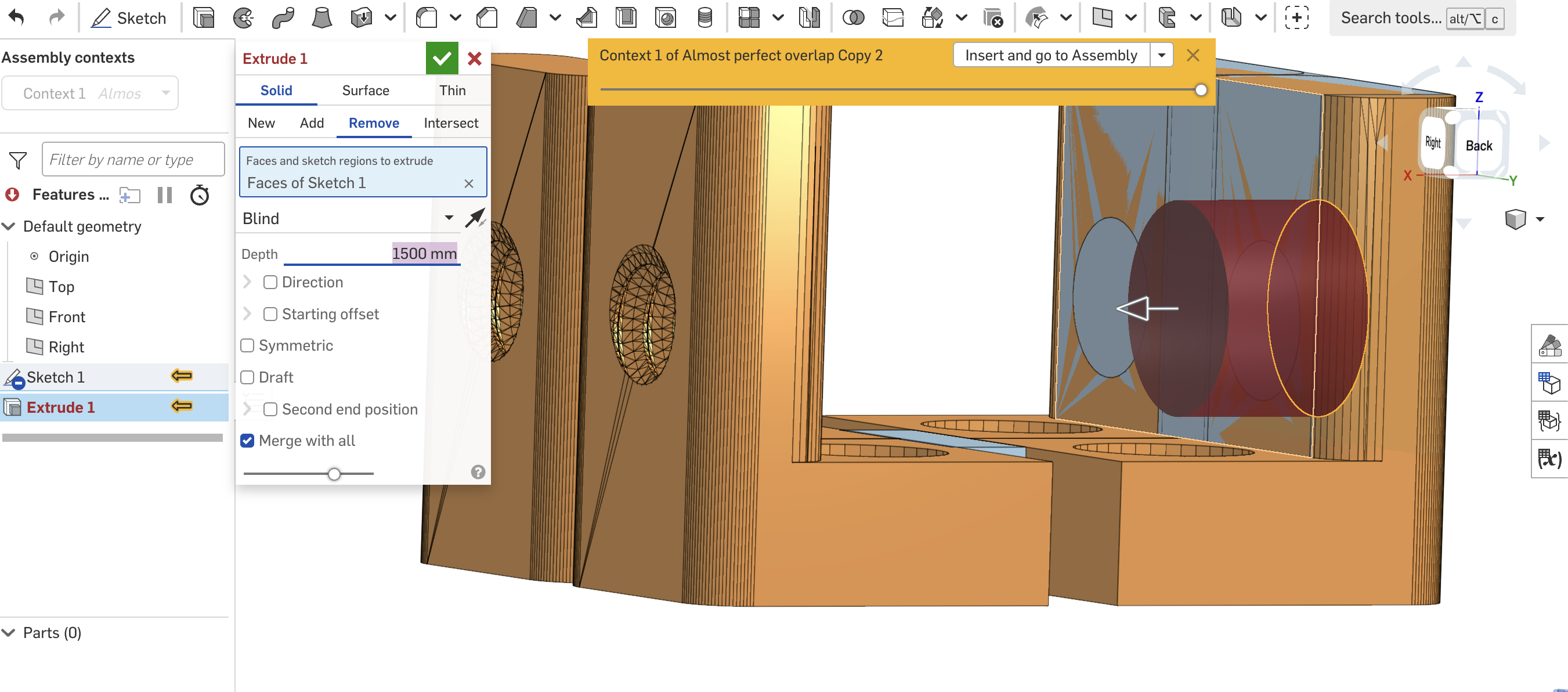
I have been working on editing this design that I was asked to work on. I need to extrude this circle from sketch 1 (which is just a block to cover up the holes so that there is only 1 hole. I keep on getting ther error of 'no merge scope selected', but I still don't understand what that means. I've also selected the 'merge with all', but it still says no merge scope selected? IS someone able to explain what the whole merge scope thing means and what I can do to fix this? Thanks so much.
0
Comments
Merge scope means, "which parts in the multi-part part studio do you want this feature to merge with?" "Merge with all" means merge the feature with all parts. In the screeen shot, you are in a part studio with zero parts. A "Remove" with "Merge with all" selected will remove from all parts in the part studio. But you don't have any parts to remove from.
Ah ok. How would I create a new part from the existing model? I've had trouble with understanding how to break up the whole model into smaller sub parts which I can the move around or edit.
Ah. Thank you. How would I create a part from the model; as in, If I wanted to make my sketch 1 become a part so that I can merge the extrude?
Use "Add"
In your screenshot you are doing an edit in context and have no parts to merge to. your first part needs to be NEW. features after that can be added/removed/intersected. To do this directly to the mesh geometry you'd have to derive the mesh into a new part studio or start editing in the part studio that the mesh file was imported into. This all assumes your mesh file is a water tight model and is actually a part in the eyes of onshape.
With a new In-context part studio, I'll use the Transform feature and the copy in place option to copy in an existing part from the context as the first step. Then I can make edits to it there. Beware this is a new part at this time. If you are looking to edit an exiting part in-context, right click the part from the assembly and chose edit in-context. This will switch you to that parts part studio and you can make the edit in-context to it there.