Welcome to the Onshape forum! Ask questions and join in the discussions about everything Onshape.
First time visiting? Here are some places to start:
- Looking for a certain topic? Check out the categories filter or use Search (upper right).
- Need support? Ask a question to our Community Support category.
- Please submit support tickets for bugs but you can request improvements in the Product Feedback category.
- Be respectful, on topic and if you see a problem, Flag it.
If you would like to contact our Community Manager personally, feel free to send a private message or an email.
Tool: Use

I'm running into a mental block regarding the "Use" tool. I can follow a specific example and get it to work, but for some reason can't figure out why it is failing when I try to apply it to a small part I'm trying to recreate. Basically, the issues is following a specific youtube video for Fusion. Everthing works up to the "Project" feature in fusion which I assume maps to the "Use" tool in Onshape. I've linked the video here and the issue I'm referring to occurs at the 2:43 mark. My question is, why "Use" in this situation. Could any other tool be used instead? Or, better yet, can someone walk me through how to get the "Use" tool to function in this scenario.
I know this is a competing product and I apologize if this isn't allowed. I'll re-write using screenshots if necessary.
Thank you to the Onshape community!
Best Answers
-
I can't see exactly what youre failing on (make the doc public and post a link so people can look at it).
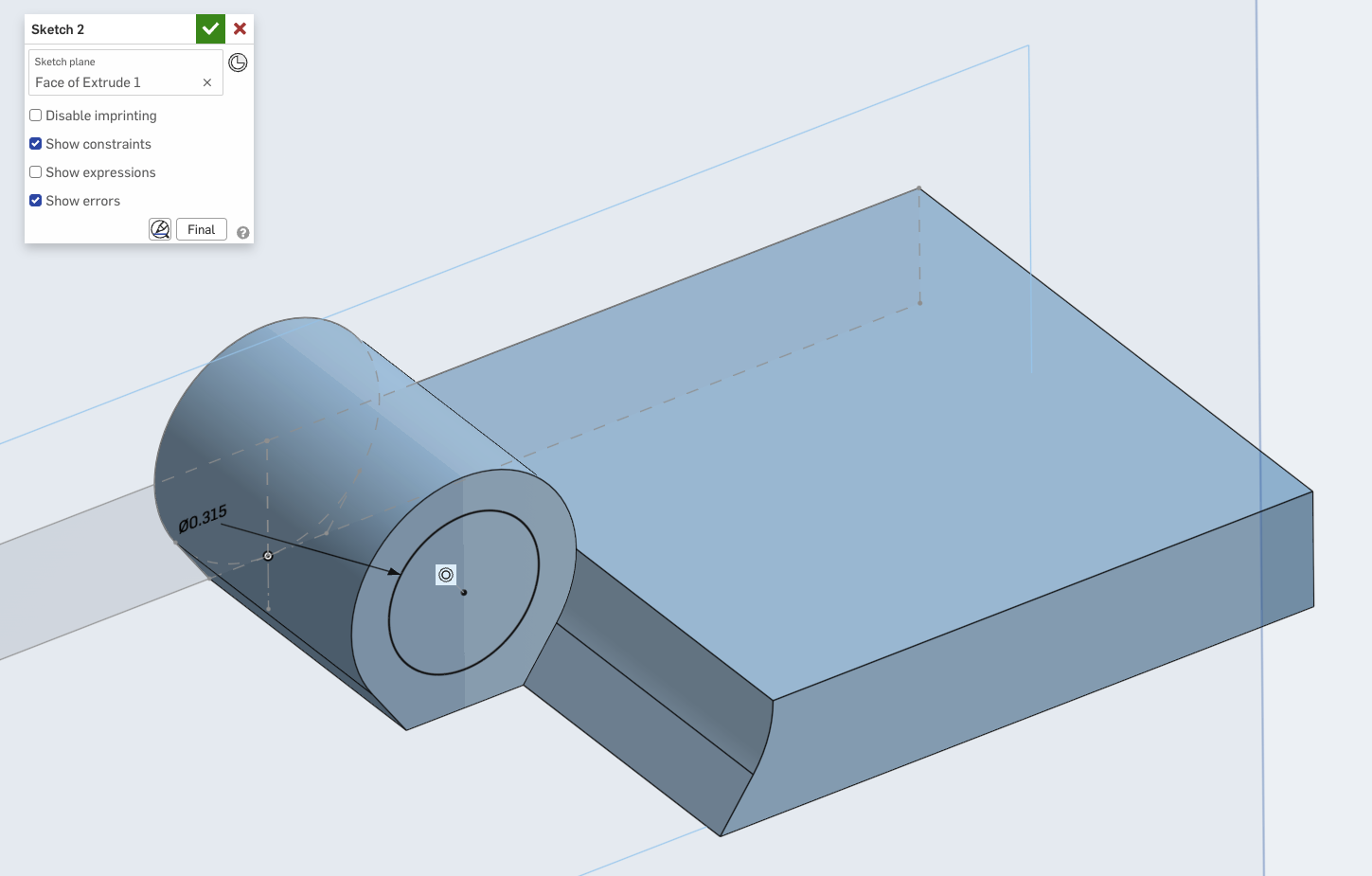
But from the video I judge your instinct is correct. In Onshape you don't really need the Project/Use in this instance. I dont use Fusion that much so I can't say why the modeler is doing it this way. They are make a circular boss on in the inside face of the hinge bearing. The way this would be accomplished in Onshape is creating a sketch on that inner face and then creating a circle, and then adding a constraint to that circle to make it concentric to the hinge bearing:
In Fusion I think they are using the Project operation to create a sketch plane (or something - total speculation). In Onshape, Use/Project is used to transfer edges or other sketch entities to the sketch of interest:
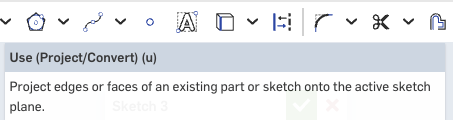
But the sketch itself is created by clicking on the place you want to start sketching and clicking Sketch.
To make that inner boss (which eventually becomes the cone) there is no need to project existing geometry. Use/Project is when you have some geometry already created or coming from another sketch and you want to add it to a sketch you are working on. Here's a contrived case where I could use Use. In reality, I wouldn't do this, but bear with me.
Say I have created a boss "A" on one side: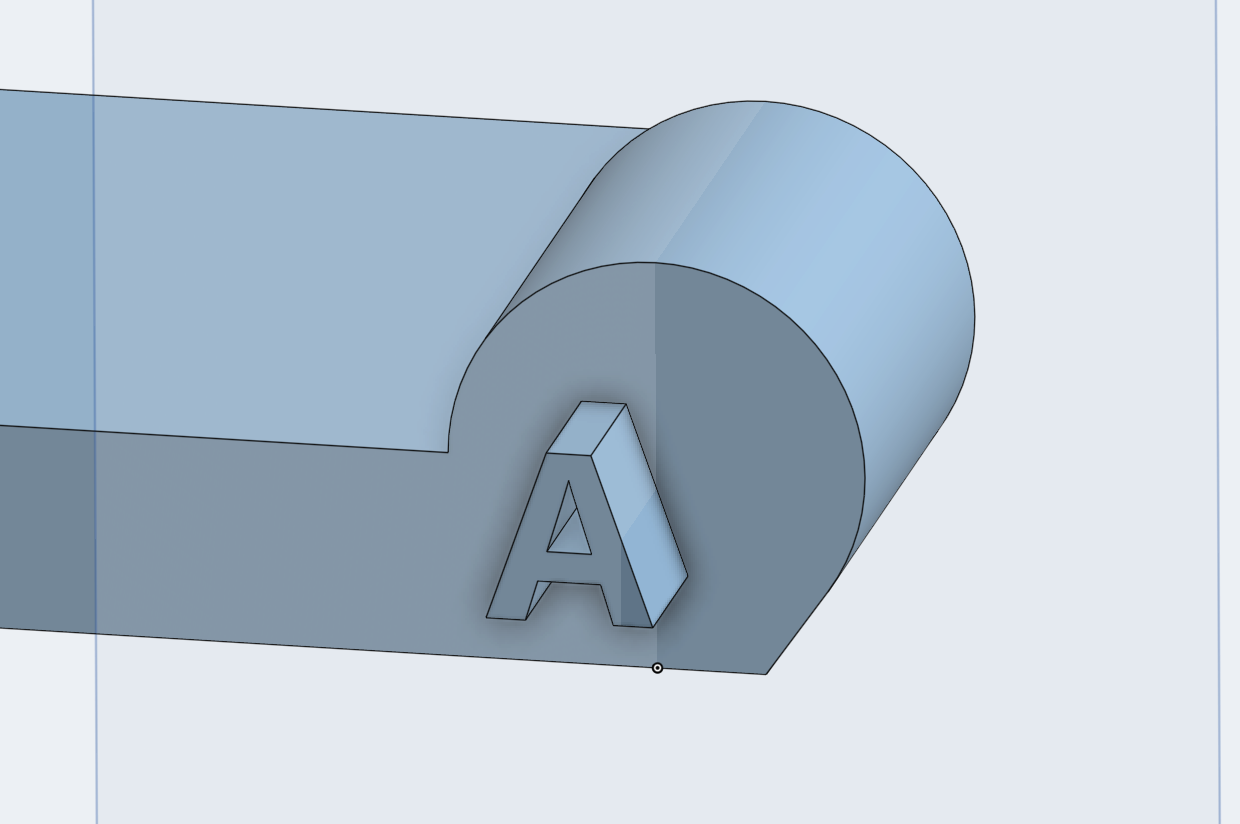
Recreating that on the other side and getting it match perfectly would be a pain. So instead I create another sketch on the other side, select the edges of the A that I want, then click "Use":
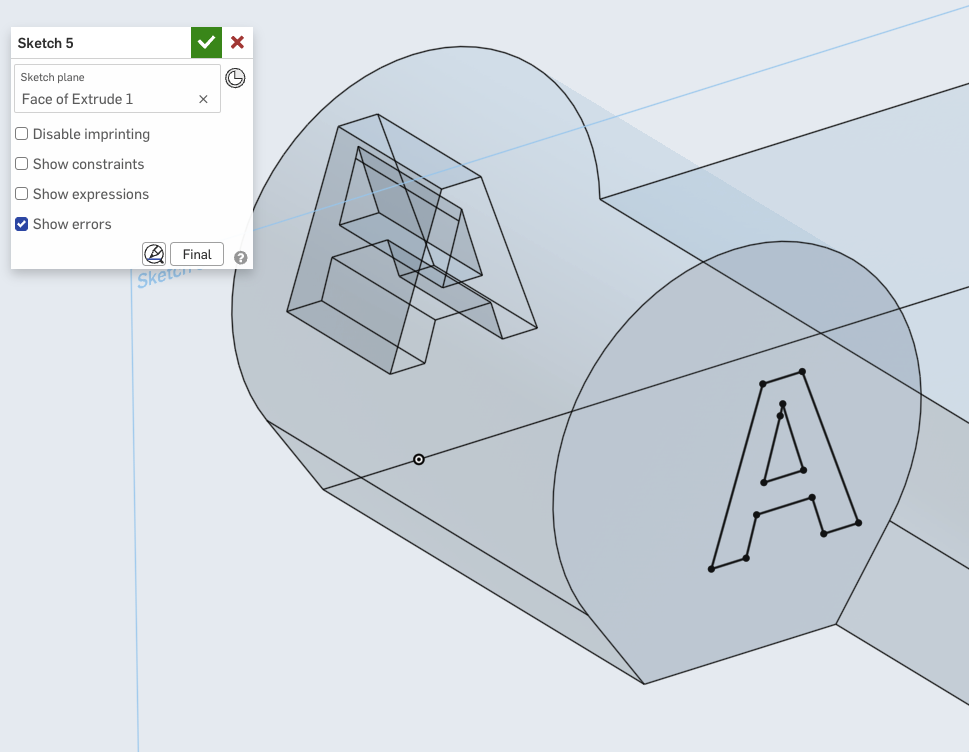
This transfers all those edges to the new sketch without me having to recreate them. Handy!
Now, in reality I would have accomplished this with just a single extrude through the Boss — but you get the idea, I hope!
0 -
He is simply using the project command to get the center point of the outer arc, then drawing his circle on that point. To do this in Onshape, select that face, start a sketch, click the face as he does in the video, then select the Use Tool.
However, it is not necessary, as the Onshape sketch tools will allow you to find and reference that center point without going through this process.
0


Answers
-
I can't see exactly what youre failing on (make the doc public and post a link so people can look at it).
But from the video I judge your instinct is correct. In Onshape you don't really need the Project/Use in this instance. I dont use Fusion that much so I can't say why the modeler is doing it this way. They are make a circular boss on in the inside face of the hinge bearing. The way this would be accomplished in Onshape is creating a sketch on that inner face and then creating a circle, and then adding a constraint to that circle to make it concentric to the hinge bearing:
In Fusion I think they are using the Project operation to create a sketch plane (or something - total speculation). In Onshape, Use/Project is used to transfer edges or other sketch entities to the sketch of interest:
But the sketch itself is created by clicking on the place you want to start sketching and clicking Sketch.
To make that inner boss (which eventually becomes the cone) there is no need to project existing geometry. Use/Project is when you have some geometry already created or coming from another sketch and you want to add it to a sketch you are working on. Here's a contrived case where I could use Use. In reality, I wouldn't do this, but bear with me.
Say I have created a boss "A" on one side:
Recreating that on the other side and getting it match perfectly would be a pain. So instead I create another sketch on the other side, select the edges of the A that I want, then click "Use":
This transfers all those edges to the new sketch without me having to recreate them. Handy!
Now, in reality I would have accomplished this with just a single extrude through the Boss — but you get the idea, I hope!
0 -
He is simply using the project command to get the center point of the outer arc, then drawing his circle on that point. To do this in Onshape, select that face, start a sketch, click the face as he does in the video, then select the Use Tool.
However, it is not necessary, as the Onshape sketch tools will allow you to find and reference that center point without going through this process.
0 -
Thanks for the insight @wayne_sauder . Couldn't make out why they did this in the video. I think Onshape sketch constraint inference, while a tad overeager, is pretty good at its job.
0 -
For additional information, here's a link to the Onshape document where I'm stuck.
EDIT: So this was posted about 10 minutes after my first post and just showed up now… The link seems to be broken, so I converted to just text. In ancy case, anyone know why it takes so long to respond to my own post? I understand the initial post, but follow up and conversation is impossible with a a 3 to 4 hour delay on my part. If it's just time, I understand, but this is very problematic for new users.
Thanks again everyone for the information and advice.0 -
Thanks Jnewth, I forgot the original link. I resubmitted with the document, but it never got posted. I guess being new, the site doesn't trust me just yet. In any case, I figured it was a tool that was being used because the engine behind the scenes needed it. That being said, anytime I come across an new tool, I try to get a grasp of what it does.
Thanks Jnewth for that detail reply. It wasn't lost. I definitely learned from your example.
Thanks for the quick replies!1