Welcome to the Onshape forum! Ask questions and join in the discussions about everything Onshape.
First time visiting? Here are some places to start:- Looking for a certain topic? Check out the categories filter or use Search (upper right).
- Need support? Ask a question to our Community Support category.
- Please submit support tickets for bugs but you can request improvements in the Product Feedback category.
- Be respectful, on topic and if you see a problem, Flag it.
If you would like to contact our Community Manager personally, feel free to send a private message or an email.
Reference Variable from One Variable Studio in A Formula in Another Variable Studio
 andre_kvaternik
Member Posts: 13 ✭
andre_kvaternik
Member Posts: 13 ✭
I know there has been lots of threads about this, but in reading them I'm not clear what the resolution was - other than using the SuperDerived FS. Here's my question:
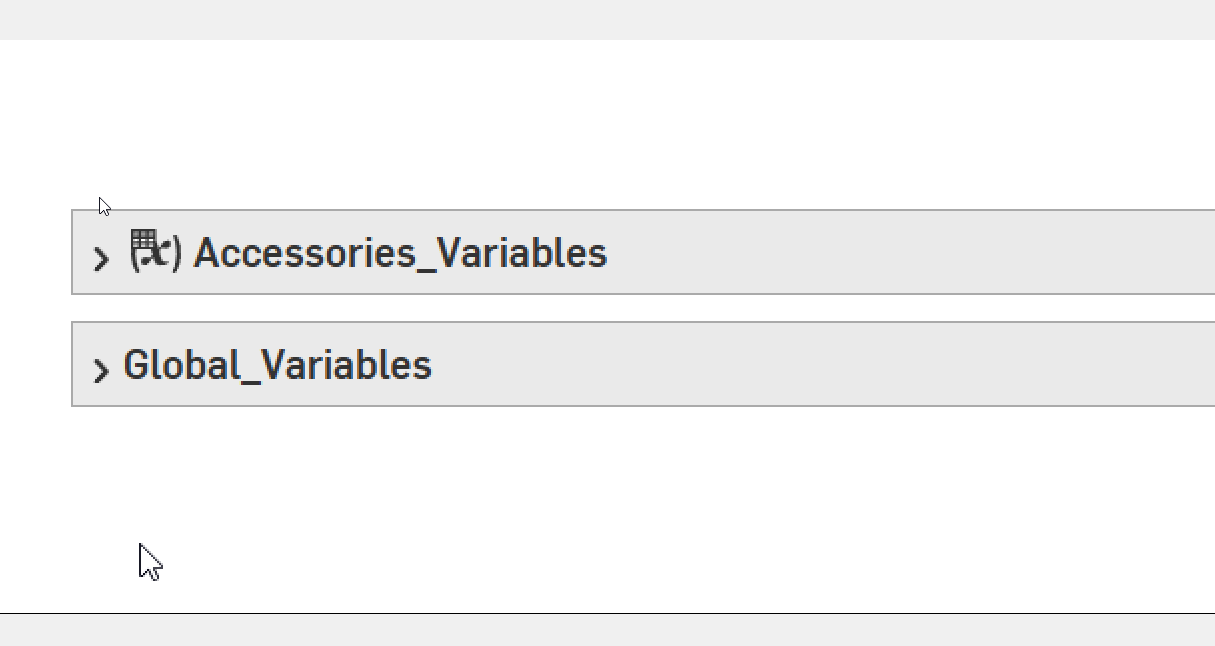
I have 2 variable studios - 1) Accessories_Variables and 2) Global_Variables
I inserted Accessories_Variables into Global Variables to make one table with 2 'groups' as shown below
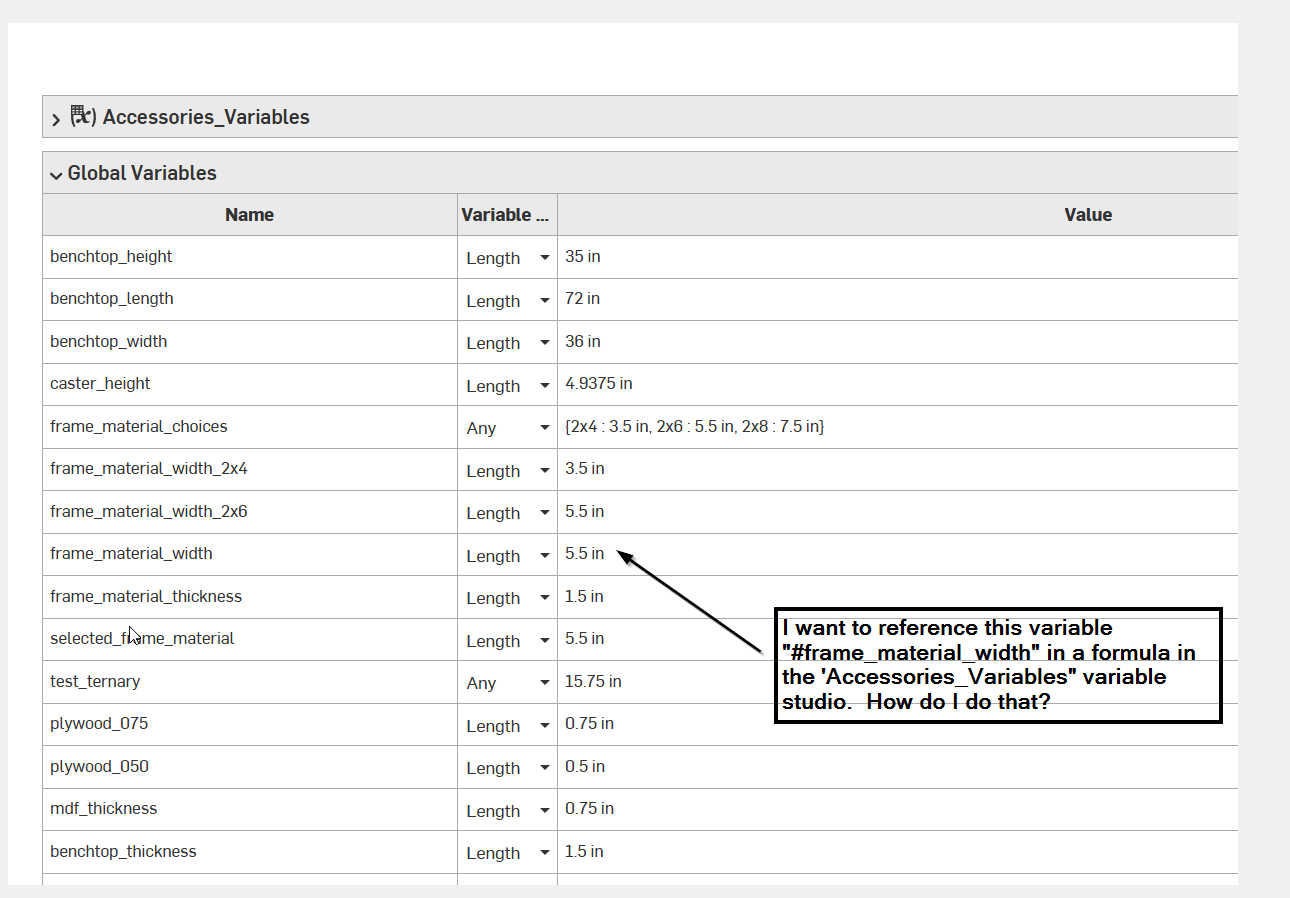
I want to create a variable "t_track_routed_offset' in the "Accessories_Variables" table that references a variable "frame_material_width" from the "Global_Variables" table. When I do this, it generates an error:
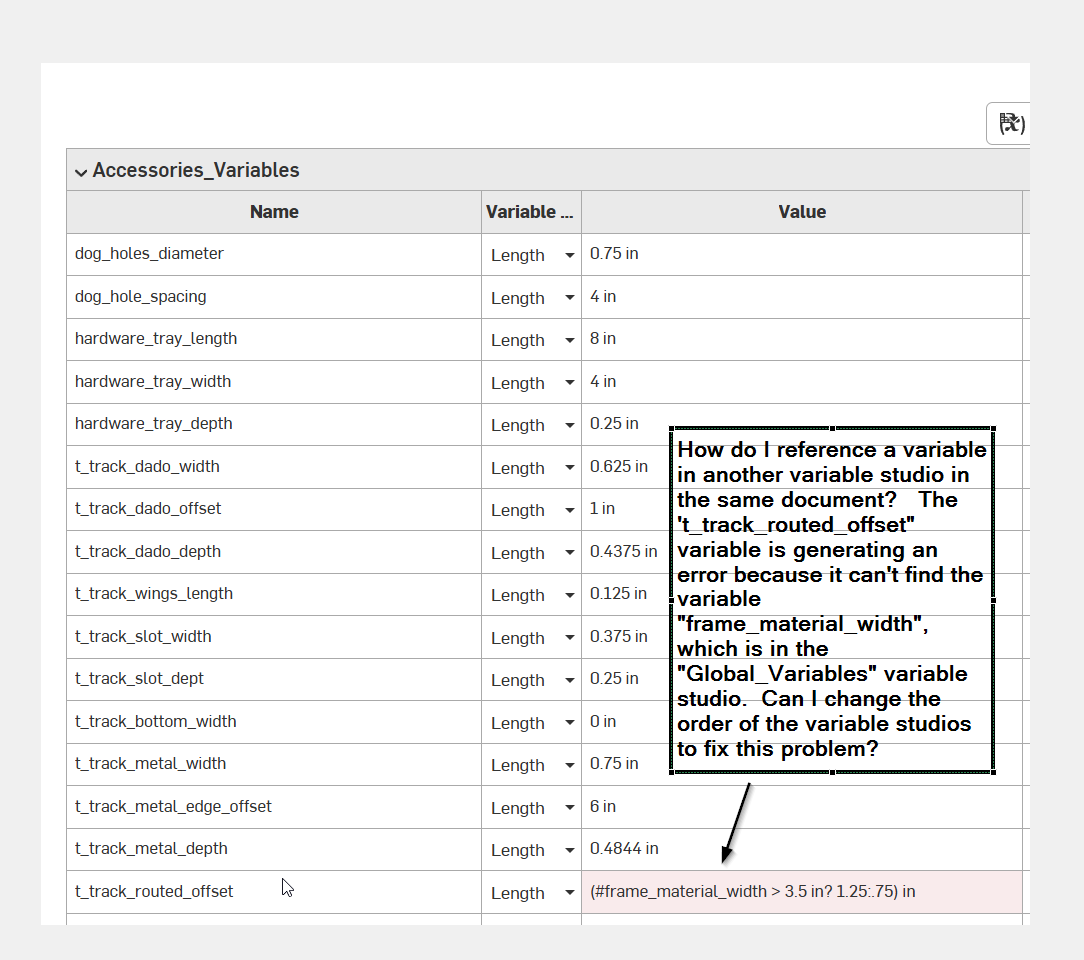
How do I reference this variable from another variable table? I split these tables up because I had alot of variables and it made sense to separate the ones that are for minor features. Can I change the order of the tables to make the formula error go away?
Comments
I think the short answer is to have your "general" and "accessories" variables studios and insert both of these into a 3rd studio where you can have "combined" variables…
The only other option I can think of is to import the one global variable you need into the "accessories" variable studio and then import both tables into you parts studios/assemblies where you need them.