Welcome to the Onshape forum! Ask questions and join in the discussions about everything Onshape.
First time visiting? Here are some places to start:- Looking for a certain topic? Check out the categories filter or use Search (upper right).
- Need support? Ask a question to our Community Support category.
- Please submit support tickets for bugs but you can request improvements in the Product Feedback category.
- Be respectful, on topic and if you see a problem, Flag it.
If you would like to contact our Community Manager personally, feel free to send a private message or an email.
Why Choose Onshape Simulation for Structural Analysis?
 hanen_bdioui58
Member Posts: 5 PRO
hanen_bdioui58
Member Posts: 5 PRO
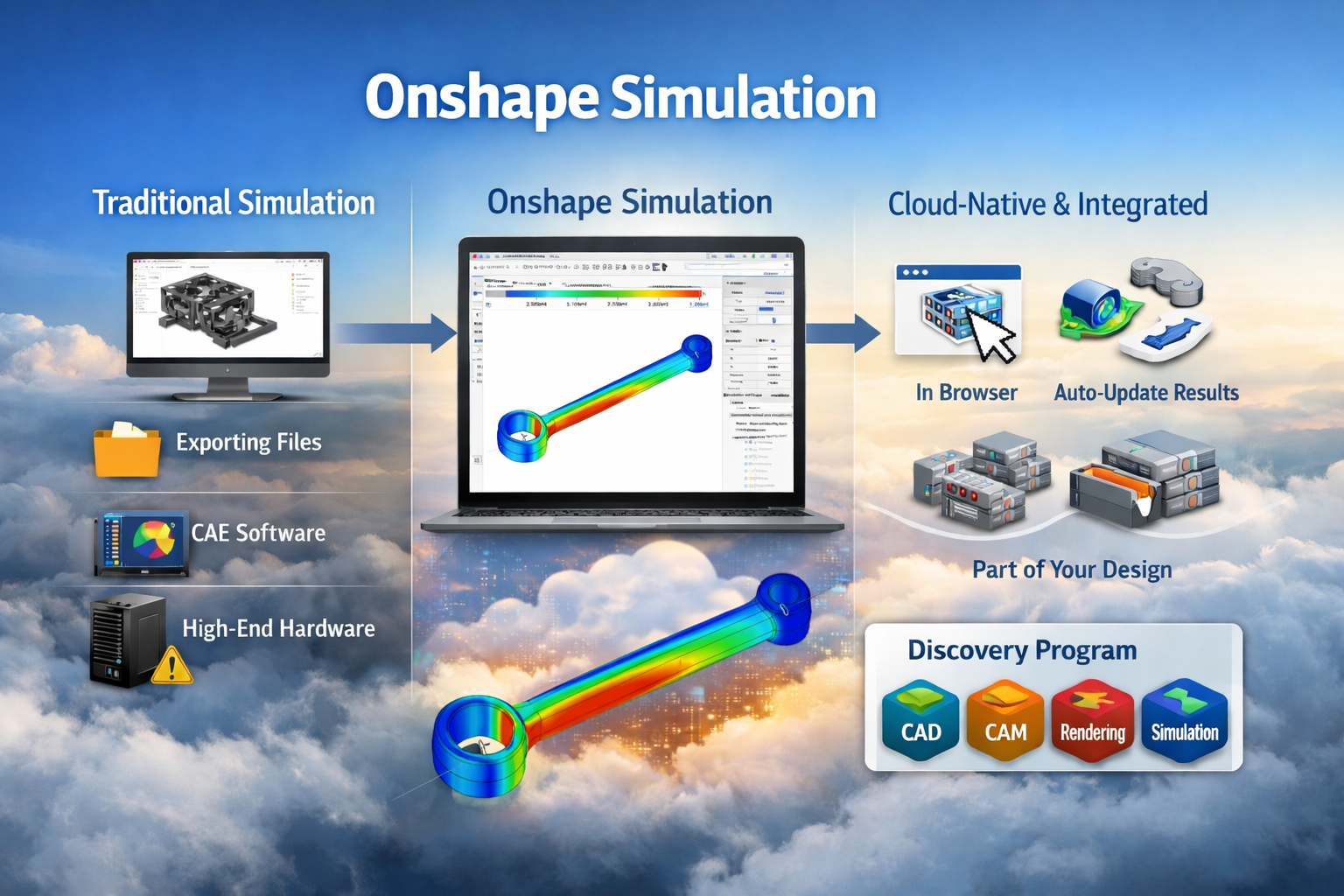
Simulation used to mean installing heavy software, managing licenses, configuring solvers, exporting geometry, fixing failed imports, and hoping your workstation could survive the mesh. As simulation engineers, we got used to that workflow.
With Onshape Simulation, the process is different.
- No installation.
- No local solver setup.
- No exporting between CAD and CAE.
Everything runs in the same cloud environment where the design is created.
What I personally find powerful is the branching and merging capability. I can create a separate branch to test design changes, adjust loads or constraints, explore alternatives — without touching the production model. Once validated, I merge back. Clean and controlled.
What is Onshape Simulation?
Onshape Simulation is a cloud-native Finite Element Analysis (FEA) environment built directly into the assembly workspace.
From an engineering perspective, the key difference is this:
- The model and the simulation live in the same data structure
- There is no file translation
- There is no geometry repair
- There is no version confusion
When the design updates, the simulation stays connected to the updated geometry. You’re not re-importing STEP files or rebuilding studies from scratch. The heavy computation runs in the cloud, not on your local machine. That means performance doesn’t depend on your workstation’s RAM or CPU. For me, this shifts simulation from being a separate phase to being part of the design process itself.
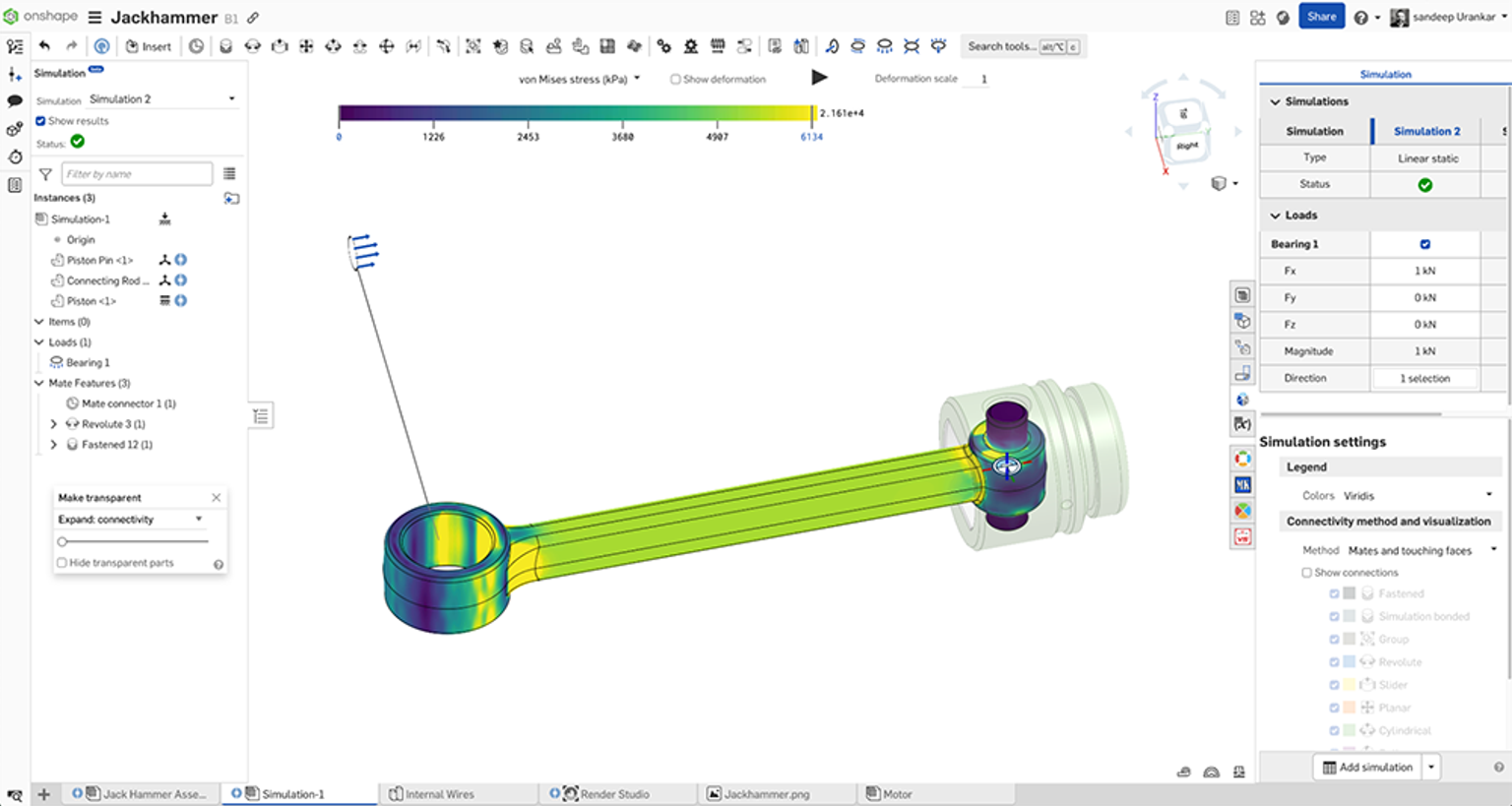
Onshape Simulation Capabilities – Linear Static Analysis
Onshape Simulation focuses primarily on Linear Static Analysis — the most commonly used simulation type in mechanical engineering.
It allows us to validate designs directly inside Onshape without exporting geometry or switching tools.
Linear static analysis answers two fundamental questions:
- Will it fail?
- Will it deform beyond acceptable limits?
The solver calculates stress and displacement under constant loads, assuming linear material behavior and small deformations — which is sufficient for the majority of mechanical parts such as brackets, housings, and support structures.
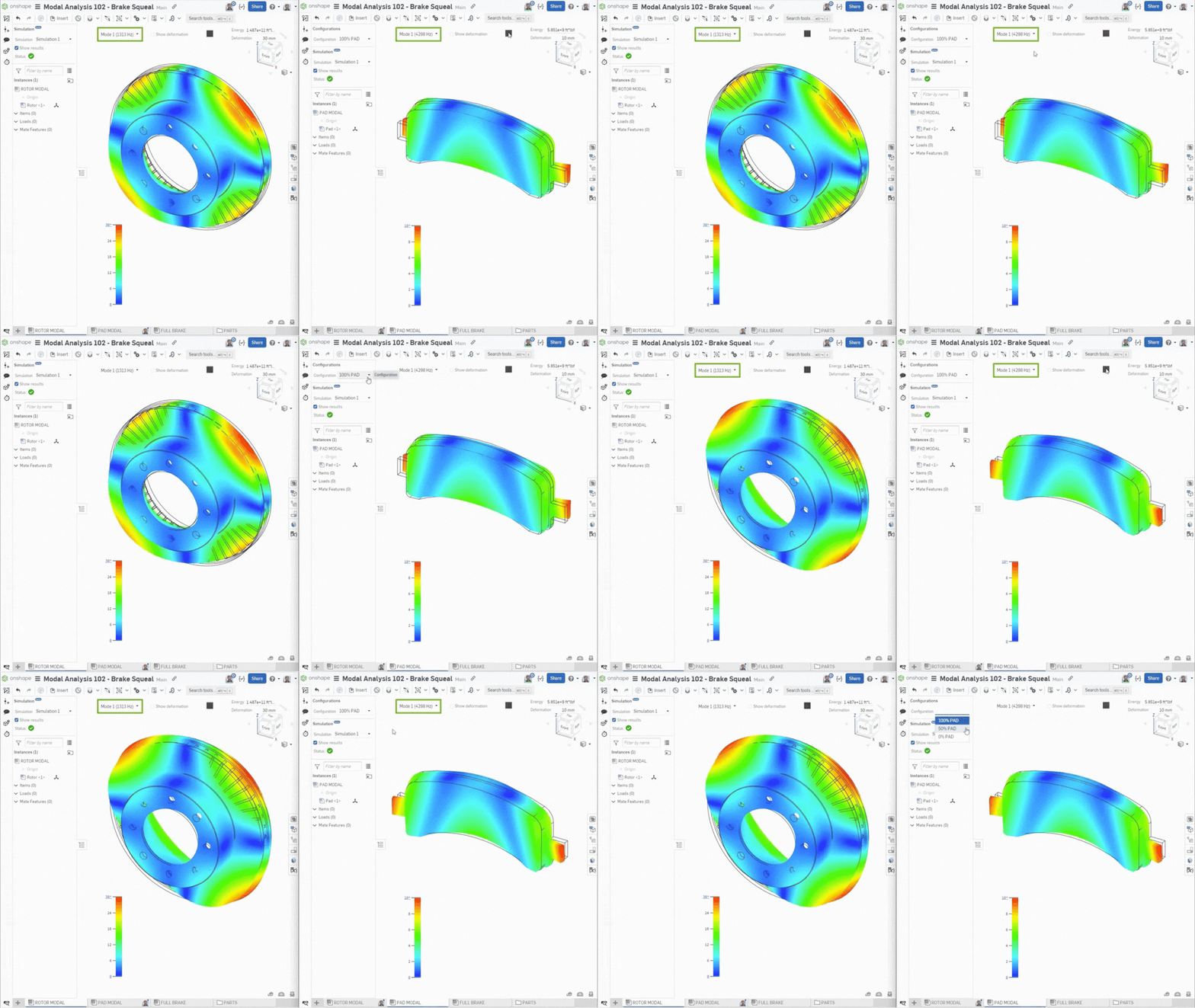
Modal Analysis
Onshape Simulation’s Modal Analysis evaluates how a design vibrates by calculating its natural frequencies. It helps prevent resonance, which can cause excessive vibration in lightweight frames, rotating parts, or dynamic products. By checking vibrations early, engineers can make designs stiffer, quieter, and more reliable.
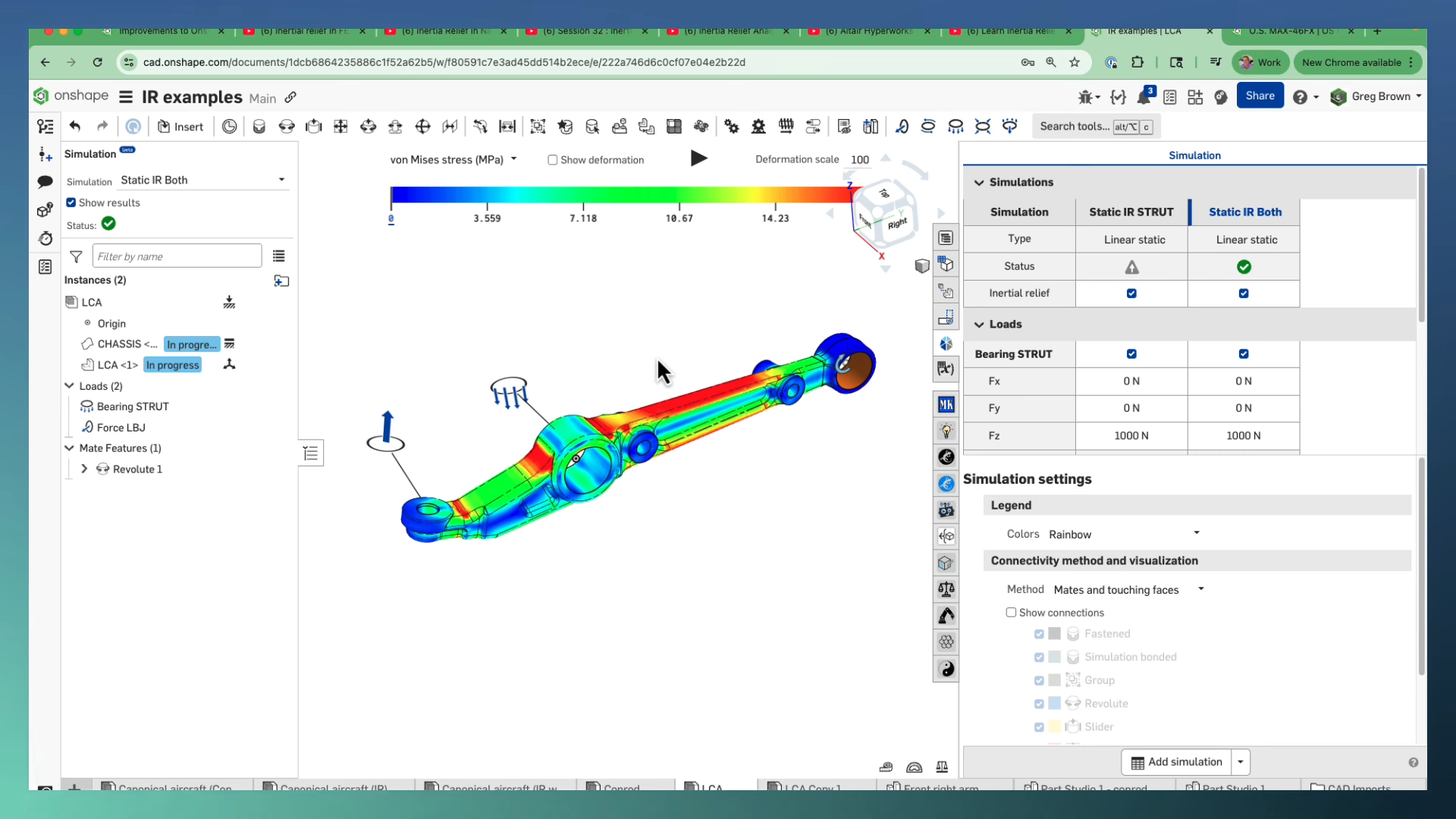
Inertial Relief
For more advanced cases, Inertial Relief allows you to analyze parts that are not fixed in place. This is useful for things like aircraft in flight or satellites in space, where you cannot simply “bolt” the model down. The system balances the loads automatically without adding fake supports.
👉 Continue reading the full blog: