Welcome to the Onshape forum! Ask questions and join in the discussions about everything Onshape.
First time visiting? Here are some places to start:- Looking for a certain topic? Check out the categories filter or use Search (upper right).
- Need support? Ask a question to our Community Support category.
- Please submit support tickets for bugs but you can request improvements in the Product Feedback category.
- Be respectful, on topic and if you see a problem, Flag it.
If you would like to contact our Community Manager personally, feel free to send a private message or an email.
Pattern around irregular body
 kevin_rumm
Member Posts: 6 ✭
kevin_rumm
Member Posts: 6 ✭
Hey all,
I'm making a Wall mounted basket for rags and would love to cutout hexagonal pattern around a irregular shaped body but so it would look natural. Ill add picture also and highlighted faces should have the hexagonal pattern flowing around the bends also. Is this doable? I tried attractor pattern but still it wants to select one wall and adding another the flow is lost.
Pattern is hexagons 25mm size with 4mm spacing and 4mm border. Ideally edges would be like cut off at 4mm so some hexagons are not full hexagons.
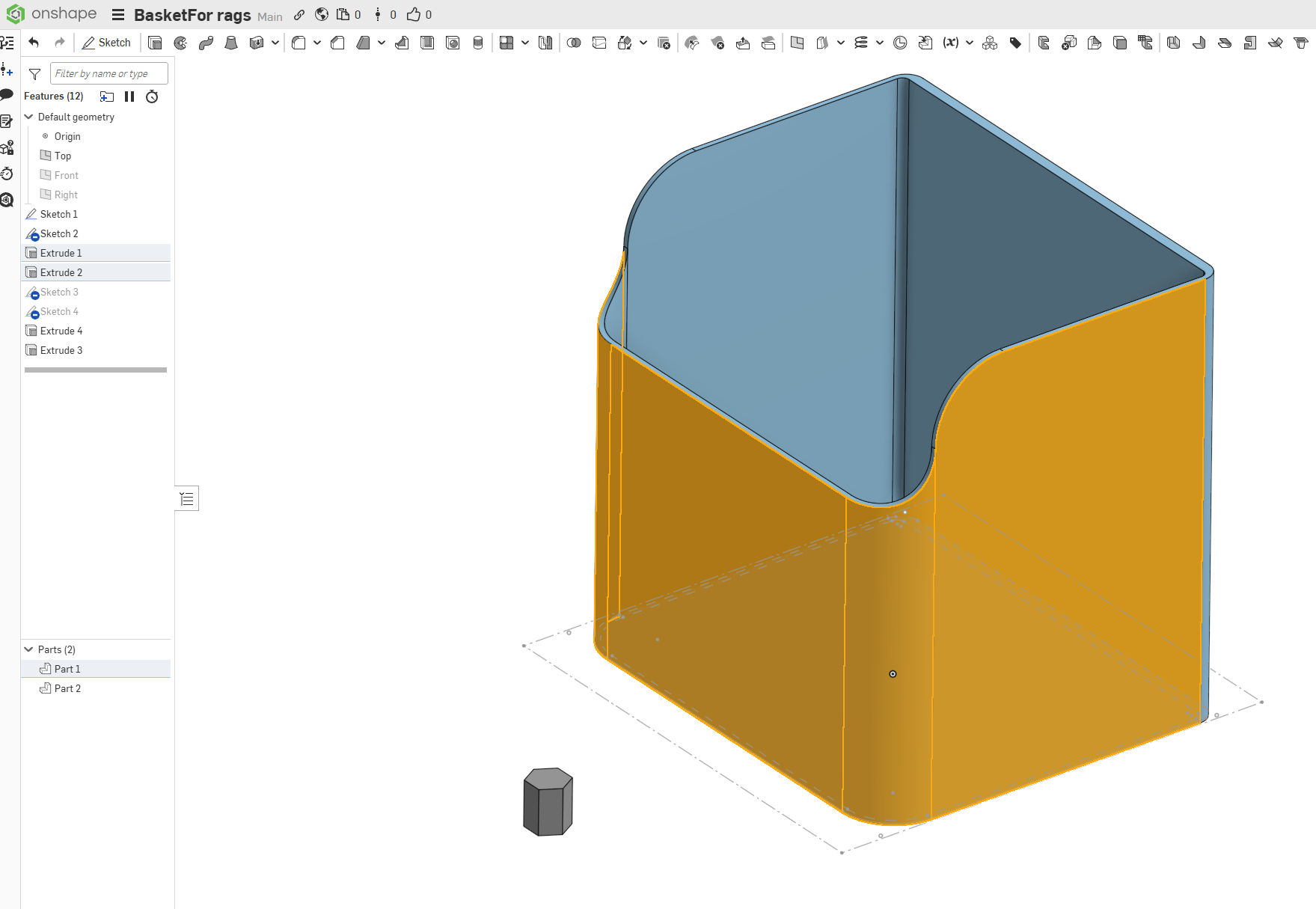
https://cad.onshape.com/documents/c00875c99ca75fc8f4050d20/w/2fe1a7c6b21747fec4583c2e/e/c0b56f95702c1cccd57cdf52?renderMode=0&uiState=69b2ec238ef43e3fb8ea4a7d
Comments
The attractor pattern feature should be able to help, see discussion here:
https://forum.onshape.com/discussion/comment/123230#Comment_123230
Got somewhere , now got to figure out hoe to make gaps more even .