Welcome to the Onshape forum! Ask questions and join in the discussions about everything Onshape.
First time visiting? Here are some places to start:- Looking for a certain topic? Check out the categories filter or use Search (upper right).
- Need support? Ask a question to our Community Support category.
- Please submit support tickets for bugs but you can request improvements in the Product Feedback category.
- Be respectful, on topic and if you see a problem, Flag it.
If you would like to contact our Community Manager personally, feel free to send a private message or an email.
Grid Extrude Boundary Issue
 donald_bradbury226
Member Posts: 2 ✭
donald_bradbury226
Member Posts: 2 ✭
Greetings! I believe I have run into a slight issue with the Boundary feature in Grid Extrude. My setup is a repeating rectangle set at 45 degrees with rounded ends. The objects at the edge of the boundary are getting clipped. Images below for the issue I am experiencing with further explanation…sorry for the large images. I did not see a way to resize them and put them inline or similar.
Before I get too carried away, here is a link to the project: Square Cup Grid Issue | Cup Square Pattern
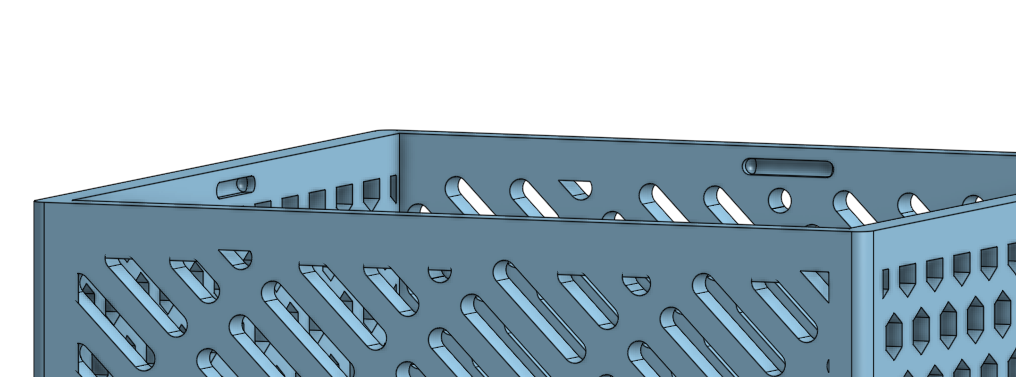
If you flip it around, you will see how the boundary clips over the extruded shapes (in this case I am extruding with 'remove' through the entire plane).
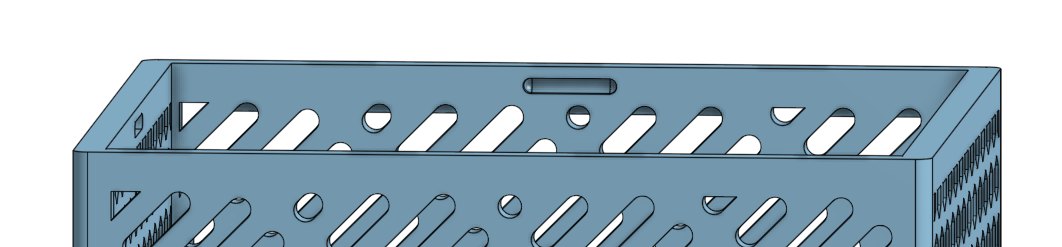
The interesting thing is the opposite wall does not exhibit the issue, even though it is the same extruded set of features. Here are the settings I am using for Grid Extrude:
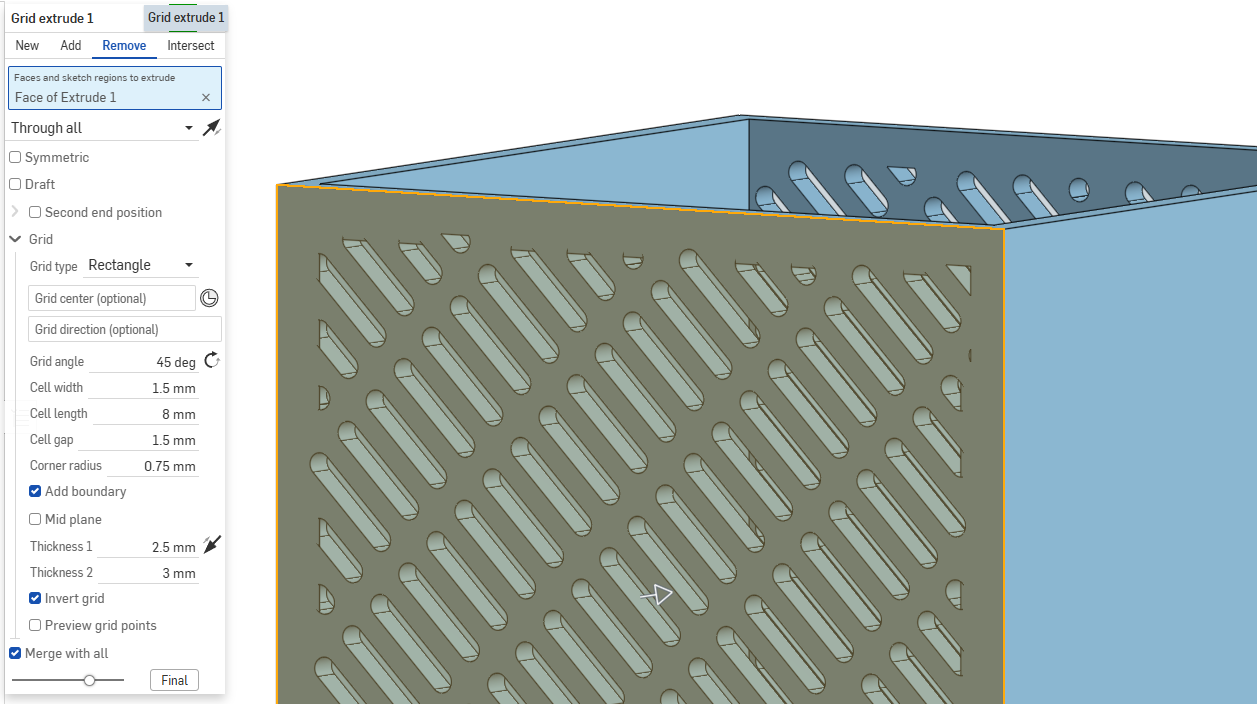
Can you confirm this as a bug? Hopefully it isn't just me. I did go and check to see if there was an update available, but it looks like I am using the most recent version.
Thank you (or anyone) that can help with this!