Welcome to the Onshape forum! Ask questions and join in the discussions about everything Onshape.
First time visiting? Here are some places to start:- Looking for a certain topic? Check out the categories filter or use Search (upper right).
- Need support? Ask a question to our Community Support category.
- Please submit support tickets for bugs but you can request improvements in the Product Feedback category.
- Be respectful, on topic and if you see a problem, Flag it.
If you would like to contact our Community Manager personally, feel free to send a private message or an email.
How can I define this width to be more than 0.29 without the entire sketch messing up?
 daniel_rodríguez_rivero
Member Posts: 13 ✭
daniel_rodríguez_rivero
Member Posts: 13 ✭
in General
Hello.
I have the following sketch, which is an old one I'm updating to add an extra tab.
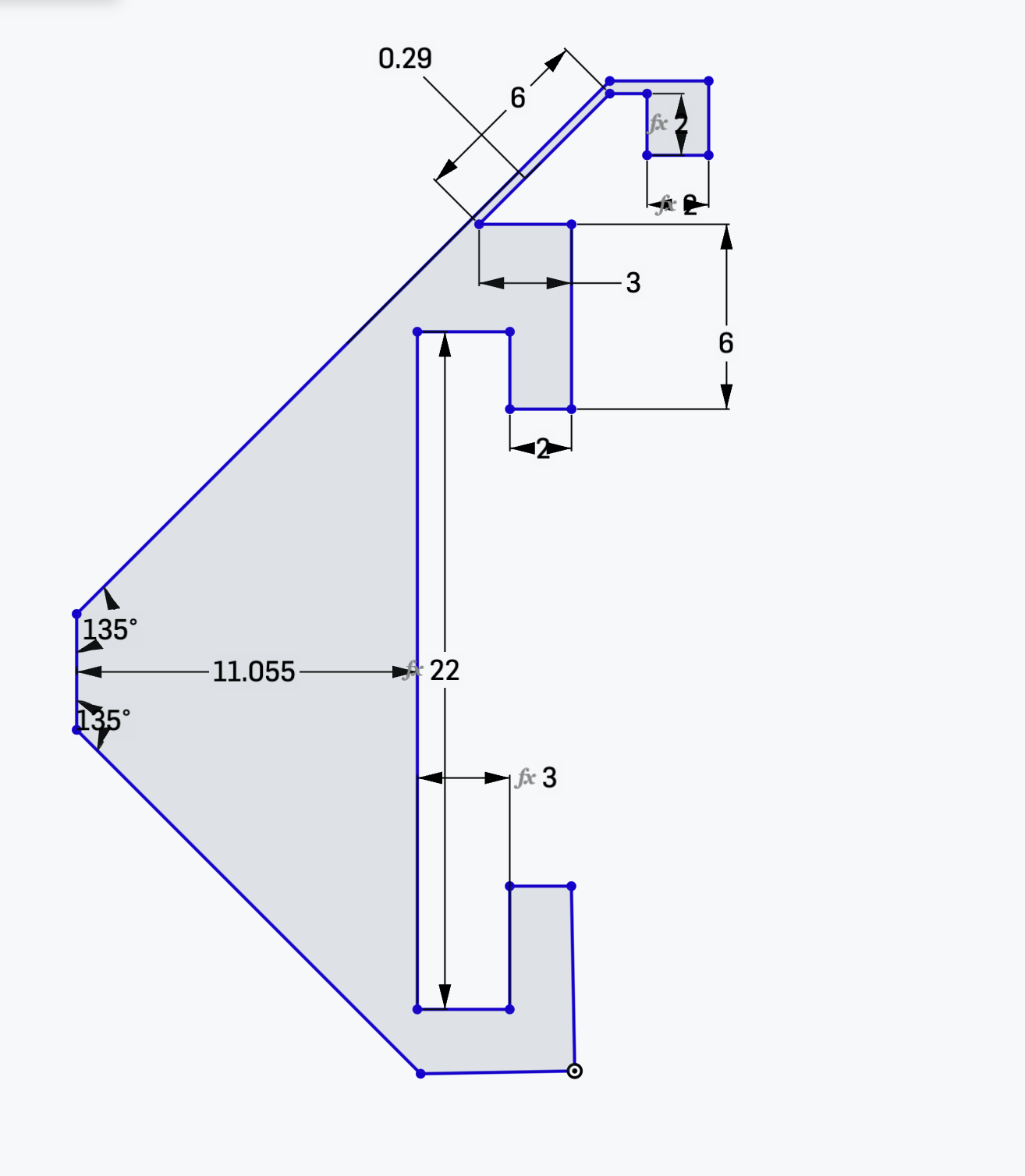
That 0.29 is something I want to define to be bigger, but if I do, the entire thing gets messed up. I don't know what other restrictions I can add to make it work as it should.
Here is the project: https://cad.onshape.com/documents/5a2f8b4592e085fac2650d1c/w/4922f296e9f395fe2d6bcc02/e/983e89b062ae036b28a51d67?configuration=List_oMw3jz3ZSYvjDQ%3Dgrueso&renderMode=0&uiState=69c01a37ca290310bdfb2f03
0
Comments
For starters, your lines are all blue which means the sketch is not fully constrained. I would start by fully constraining then work from there.
-S
you must learn and use constraints to develop relationships in your sketch and control what is allowed to move and how.