Welcome to the Onshape forum! Ask questions and join in the discussions about everything Onshape.
First time visiting? Here are some places to start:
- Looking for a certain topic? Check out the categories filter or use Search (upper right).
- Need support? Ask a question to our Community Support category.
- Please submit support tickets for bugs but you can request improvements in the Product Feedback category.
- Be respectful, on topic and if you see a problem, Flag it.
If you would like to contact our Community Manager personally, feel free to send a private message or an email.
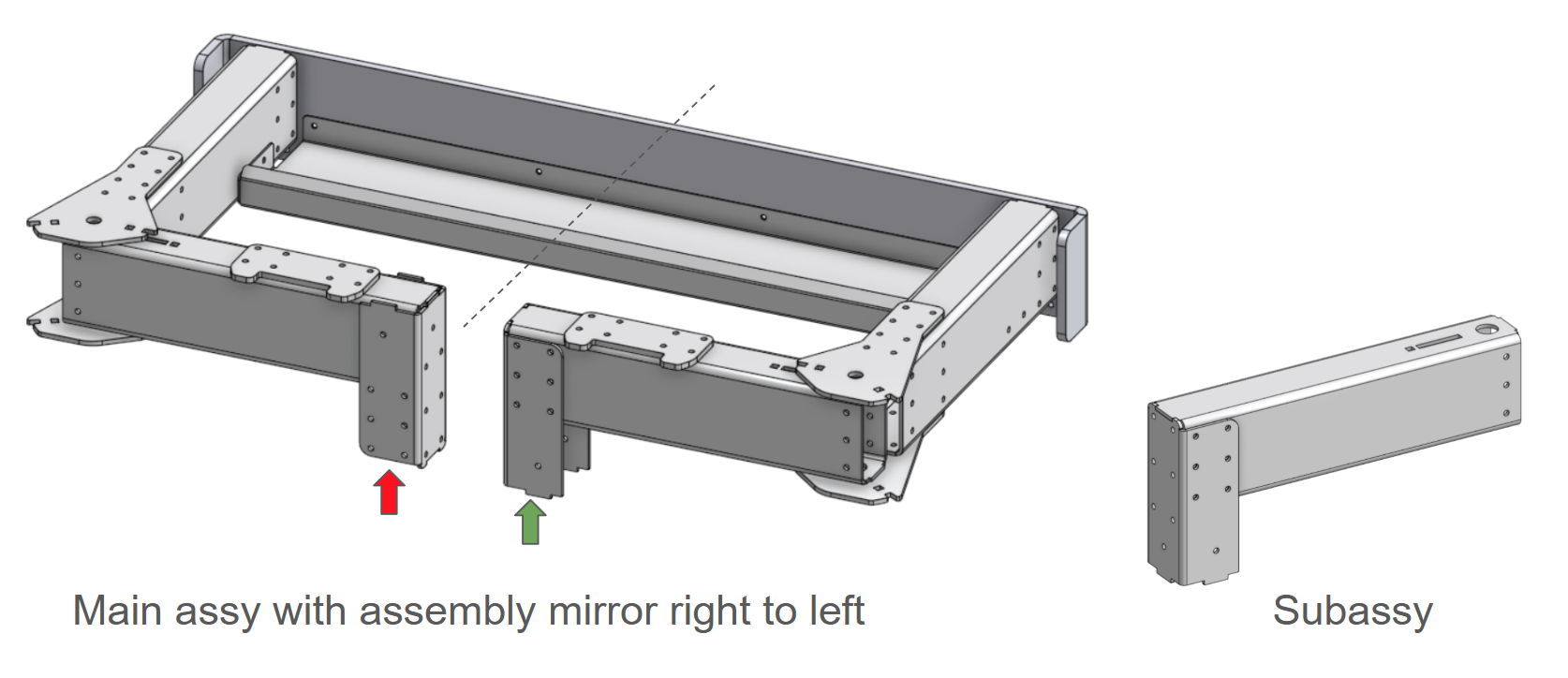
Assembly mirror, how to control orientation of asymmetric parts in a mirrored subassembly?

When using the assembly mirror feature to mirror a subassembly I often see parts with a wrong orientation. And I can't figure out how to change the orientation of those parts.
The placement type option in the mirror strategy is grayed out for parts within the subassembly. What am I missing?
Best Answer
-
Support has identified the issue as a bug.
2
Answers
-
Happens to me too, curious to see the answer...
0 -
Excellent post. I saw this feature demoed in an Onshape video of an RC car. They had done this automatically to mirror the left rear suspension components to the right side and mirrored like 20 or 30 parts all at once.
I was just thinking "How do we know it all came out properly?"Your image here captures that problem perfectly.
0 -
Reported the issue to support.
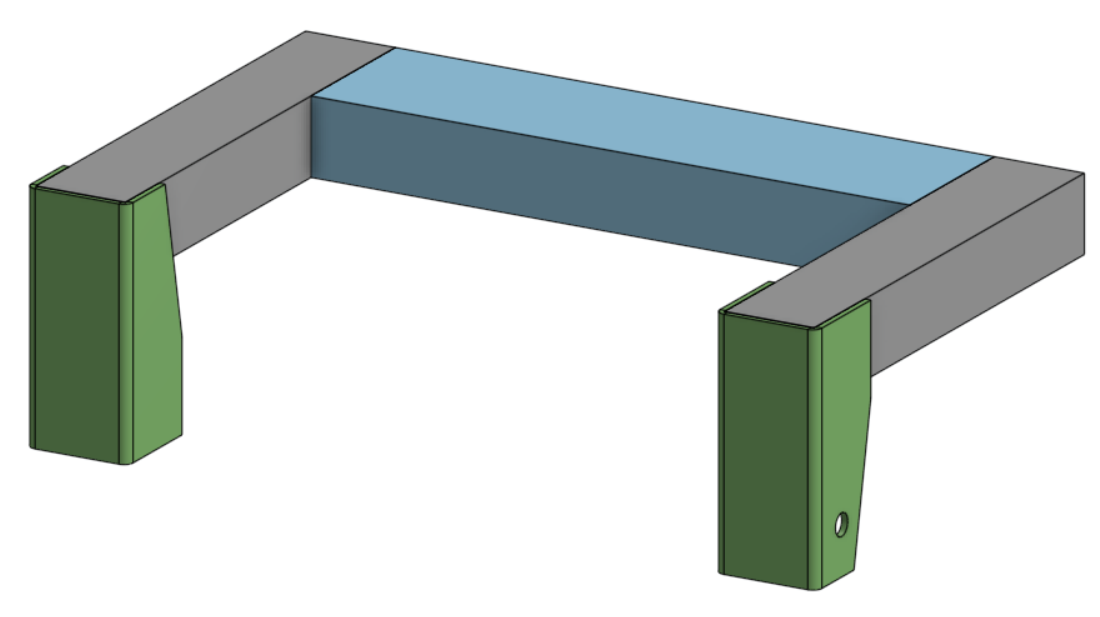
I found that this problem occures if a part in the subassembly is assymetric. The green part in the image below mirrored correctly until I added a hole on one side of the part.
 1
1 -
Support has identified the issue as a bug.
2


