Welcome to the Onshape forum! Ask questions and join in the discussions about everything Onshape.
First time visiting? Here are some places to start:- Looking for a certain topic? Check out the categories filter or use Search (upper right).
- Need support? Ask a question to our Community Support category.
- Please submit support tickets for bugs but you can request improvements in the Product Feedback category.
- Be respectful, on topic and if you see a problem, Flag it.
If you would like to contact our Community Manager personally, feel free to send a private message or an email.
sheet metal model with text

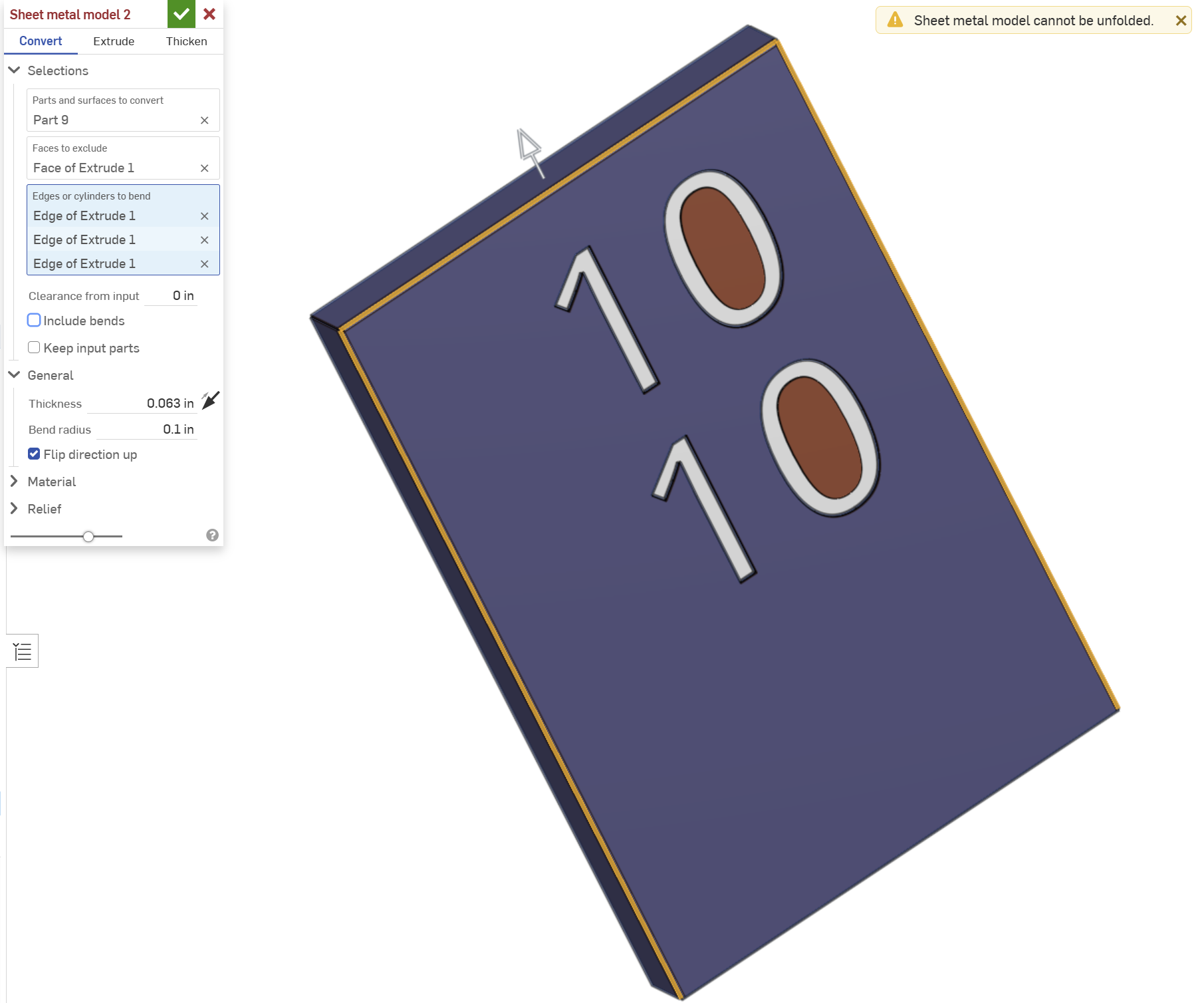
I'm drawing up some "box signs" — basically sheet metal pizza boxes with numbers cut out — and am stumbling to make sheet metal model for them. The example in the pic is a shell with 1/16" thickness and no bottom face. The letters are extruded/removed from that. When I go to make a sheet metal model I spec the sign part, exclude the back face, bend the front three edges, and set the thickness the same as the shell. The system reports that that model can't be bent. If I suppress the extrude/remove of the numbers, so just have a blank front face, the exact same sheet metal model setup works fine.
So, what's a sign designer to do here?
Note that the zero centers are actually separate parts don't play a role here. Also, I tried making the shell thinner or the sheet metal thicker with no joy.
The goal here is to produce a model that I can laser cut, bend, weld as well as show to the end users. I tried using the Form tool, but it seems inconvenient for this case (making custom forms for number layouts would be a challenge) so I stopped thinking "this can't be the way".
Answers
-
With the "convert" you are trying to convert all the faces (including the sides of your cutout).
You don't need to shell to create sheet metal models.
In this situation, you just need to use "thicken" instead convert and pick only the faces you want included in your sheet metal part
0
